1
Unlike with "normal" shadowing, the connection between the VNC viewer and the VNC server (on the thin
client) is not established directly during secure shadowing. Instead, it runs via two proxies – one for the
UMS console and one for the VNC server on the thin client. These proxies communicate via an
SSL-encrypted channel, while the local communication, e.g. between the VNC viewer application and the
UMS proxy, takes place in the conventional unencrypted manner. As a result, a secure connection can also
be established with external VNC programs that do not support SSL connections.
The two proxies (UMS console and thin client) communicate with SSL encryption via the same port as the
"normal" VNC connection: 5900. As a result, no special rules for firewalls need to be configured in order to
perform secure shadowing.
If secure shadowing is active for a thin client (Setup→System→Shadowing→Secure Shadowing), the thin
client generates a certificate in accordance with the X.509 standard and transfers it to the UMS Server
when the system is next started. The UMS server checks subsequent requests for a secure VNC connection
using the certificate. The certificate in PEM format can be found in the /wfs/ca-certs/tc_ca.crt
directory on the thin client. The validity of the certificate can be checked on the (Linux) thin client using the
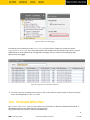
command: x11vnc -sslCertInfo /wfs/ca-certs/tc_ca.crt
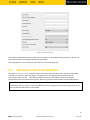
Figure 20: Thin Client Zertifikat für sicheres Spiegeln
If a UMS administrator calls up the Shadowing function in the UMS Console for the thin client, the console
receives a signed request from the UMS Server which is then passed on to the thin client to be shadowed.
This in turn passes on the request to the UMS server which checks the validity of the request using the
original certificate. If this check is successful, the console reports that the channel for the connection
between the proxies can be established. The UMS proxy on the console connects to the server proxy on the
thin client, and the server proxy in turn establishes on the thin client the connection to its VNC server.
Only when these connections have been established does the console call up the VNC viewer which then
connects to the console proxy. The VNC client and VNC server are now connected via the two proxies which
transfer data with SSL encryption.
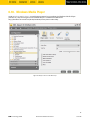
Secure shadowing can be enforced independently of the thin client configuration for all thin clients that
support this function: UMS Administration > Misc Settings > Activate Global Secure VNC.
39
IGEL Technology GmbH
Windows Embedded Standard 7
3.10.100