1
Bluetooth Helmet Headset
- Bluetooth helmet headset for mobile phone communication.
- Bike to bike intercom communication with another unit
(up to 1.640 ft. / 500 meters range).
- Turn by turn GPS navigation instructions (with compatible
Bluetooth device).
+
L
VO
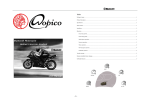
>Power on / off
>Paring
>Start the intercom call
>End the intercom call
1. Not working
The battery could be flat. Charge the headset for 3 hours and try again.
Note: When the Bluetooth helmet headset has no connection to the mobile phone ot other Bluetooth
devices, time more than 60 minutes later, the Bluetooth helmet headset will automatically be turned off.
2. No sound
-
L
VO
Physically check whether the speakers and microphone have been correctly
connected. Check if you have turned the volume down too low.
D
DWO 3
JZWO-3
The BiLT™ Bluetooth helmet headset offers the following uses:
>Answer call
>Reject call
>Last number redial
>Voice dial
>Volume up & down
>Play / Pause
>Music Forward
/ Backward
TROUBLESHOOTING
button 1
button 2
L:
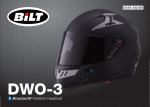
Congratulations and thank you for having chosen the BiLT™
Bluetooth helmet headset for motorcycle riders. This manual will help
operate the headset, but you should first familiarise yourself with
the Bluetooth functions of your mobile phone or GPS device
before using.
CONTENTS OF RETAIL BOX
FCC ID
MODE : A
INTRODUCTION
Bluetooth Helmet Headset
Charger and USB charger cable
Right speaker
Left speaker
- MP3 connectivity (Bluetooth compatible version).
COMPATIBILITY WITH YOUR HELMET
3. Whistling of the speakers.
7. Reset
Some regions of high RF strength or near high power TV transmitters, GSM
station or airport raders, can overwhelm the headset and stall the unit. Please
charge the unit, and it will be reset and work normally again.
8. Unsolved problem
If the microphone is too close to a speaker, the speaker will make a whistling
sound. Increase the distance between the microphone and the speaker.
Please return the headset back to after-sale service department if you can not
resolve the problem with the help of steps 1-6.
4. Loss of connection with the mobile phone or music sources
FCC Statement
Please check whether the battery is too low or the use rang to your mobile
phone is out of 10 meters or blocked by some obstacles like metel or water etc.
that absorb much radio signals.
This equipment has been tested and found to comply with the limits for a Class B digital device, pursuant to
Part 15 of the FCC Rules. These limits are designed to provide reasonable protection against harmful
interference in a residential installation. This equipment generates, uses and can radiate radio frequency energy
and, if not installed and used in accordance with the instructions, may cause harmful interference to radio
communications. However, there is no guarantee that interference will not occur in a particular installation. If
this equipment does cause harmful interference to radio or television reception, which can be determined by
turning the equipment off and on, the user is encouraged to try to correct the interference by one of the
following measures:
> Reorient or relocate the receiving antenna.
> Increase the separation between the equipment and receiver.
> Connect the equipment into an outlet on a circuit different from that to which the receiver is connected.
> Consult the dealer or an experienced radio / TV technician for help.
5. Cannot connect with mobile phone
The BiLT™ Bluetooth helmet headset is easy to install inside the helmet.
When buying your headset or your helmet, please ask your dealer for
compatibility of both.
6. Can not reconnect or connect with your mobile phone automatically
Clear all pairing information of the Bluetooth helmet headset as user manual
instructed, then please delete all Bluetooth devices on your mobile phone then turn
off, take out your mobile phone battery for a few seconds, and then put back the
battery, turn on your mobile phone, restart the Bluetooth function and search and
pair the bluetooth device again, after device paired successful, make sure you set
the option of helmet headset to be “Default/Trusted/Authenticated/Auto Connect
Enable/Always Visible/Discoverable” device. Now you can reconnect with your
Bluetooth helmet headset.
Test connection with you mobile phone before purchasing. We cannot
guarantee that the BiLT™ Bluetooth helmet headset can connect with all types
of mobiles as some mobile phone may not use the standard Bluetooth profile.
FCC Caution: Any changes or modifications not expressly approved by the party responsible for compliance
could void the user's authority to operate this equipment.
Note: The use of two speakers may be illegal in certain countries. Please check the local regulations
and act accordingly.
1
6