1
– Detailed Design Document (detailed design.pdf of the database v5.0
– pdf versions of the scientific reference articles describing various aspects of the Global
Climate Model used to compile it are also provided.
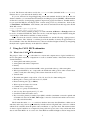
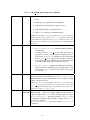
mcd This directory contains Fortran source code for the climate database access softwares (see
section 5, and the README file in the directory): the CALL MCD subroutine, and a test
program.
Subdirectory testcase contains a simple tool to test the results from the software after
installation.
Subdirectory pres0 contains an autonomous tool to compute surface pressure in the context
of high resolution topography (see section 3.2).
Subdirectories idl, matlab, scilab, c interface and python contain examples of
interfaces of the Fortran subroutine with other languages and softwares.
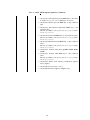
data The full MCD datasets derived from model runs. Essential and common datafiles (VL1.ls,
mgm1025, mola32.nc, mountain.nc and ps clim.nc) are in this directory. Individual dust scenarios datafiles are in corresponding subdirectories (clim aveEUV for the
baseline climatology dust scenario with average Extreme UV (EUV) input, clim minEUV
for the baseline climatology dust scenario with minimum EUV input, clim maxEUV for the
baseline climatology dust scenario with maximum EUV input, cold for the cold scenario,
warm for the warm scenario and strm for the dust storm scenarios).
3
Installation
3.1
Software Requirements
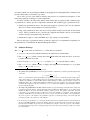
• The MCD is primarily designed to operate in the Unix/Linux environment on a PC or a
workstation . Access software is written in Fortran (and uses some Fortran90 extentions and
intrinsics), for which a Fortran compiler is needed.
Because the NetCDF libraries (see below) are also available under Windows systems, several
users have succefully compiled and used the access software as under Unix/Linux. Nevertheless, it has not been fully tested by our team but we can confirm that it compiles fine under
the Cygwin environment on Windows using the GNU gfortran compiler.
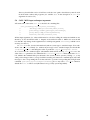
• The data in the MCD is written as Network Common Data Form (NetCDF) files. The NetCDF
library is freely available from the Unidata web site :
http://www.unidata.ucar.edu/software/netcdf/
NetCDF works on most current operating systems, including:
– AIX
– HPUX
– IRIX
– Linux
– MacOS X
– OSF1
– SunOS-4, Solaris (Sparc and i386)
– MS Windows
3.2
Installing the MCD
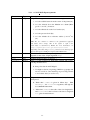
1. Create a working directory, e.g. mars, on a disk where you wish to use the database.
2. Extract (untar) the contents of the MCD distribution there.
5