1
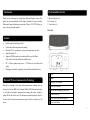
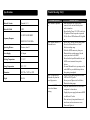
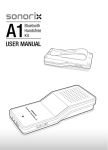
B. Pairing with a Bluetooth stereo transmitter Operation Instruction Different Bluetooth transmitters have different pairing ways. Please refer to the 1. Switching on/off AIR03 Function Operation Switching on Switch power on/off AIR03 button to on Switching off Switch power on/off AIR03 button to off user manual of your Bluetooth transmitter for further information. The general LED indicator Bluetooth LED indicator is on Bluetooth LED indicator is off Remarks: Every time AIR03 is switched on, it will enter pairing mode automatically. Power LED indicator is on as long as AIR03 is switched on. You can switch off AIR03 to disconnect from the Bluetooth device. pairing steps are as follows: a) Keep AIR03 and Bluetooth transmitter within 1 meter when pairing. b) Switch on AIR03 to let it enter pairing mode (Bluetooth LED indicator flashes). c) Switch on your Bluetooth transmitter and let it enter pairing mode. d) The transmitter will search and connect with AIR03 automatically. After successful connecting, the Bluetooth LED indicator of AIR03 will remain on. Remarks: If AIR03 is switched on and doesn’t connect to any devices, it keeps pairing mode all the time and Bluetooth LED indicator flashes. 2. Pairing AIR03 with Bluetooth devices A. Pairing with a Bluetooth cell phone Please make sure your cell phone is Bluetooth-enabled. Specific pairing steps may vary with different cell phones. Please refer to the user manual of your cell phone for further information. The general pairing steps are as follows: a) Keep AIR03 and Bluetooth cell phone within 1 meter when pairing. b) Switch on AIR03 to let it enter pairing mode (Bluetooth LED indicator flashes). c) Switch on your cell phone’s Bluetooth function and search for Bluetooth devices. After the search is completed, select “AIR03” from the Bluetooth device list. d) According to indication, enter password or PIN No: “0000” and press “Yes” or “confirm”. e) After successful pairing, select “AIR03” from the Bluetooth device list and press “connect”. The Bluetooth LED indicator will remain on when connected successfully. AIR03 will return to pairing mode automatically after disconnecting from a Bluetooth device. 3. Music Playback A. Connecting with a A2DP cell phone or Bluetooth transmitter a) Connect your cell phone or Bluetooth transmitter with AIR03. b) You can listen to your music from AIR03 now when playing it back. c) Press VOL+ to turn up the volume, press VOL- to turn down the volume. B. Connecting with a non-Bluetooth music player a) Connect your music player with AIR03 by using a 3.5mm to 3.5mm audio cable. b) You can listen to your music from AIR03 now when playing it back. 3