1
Globodox DB
383
21.11 Convert DB
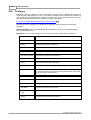
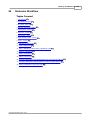
Topics Covered
11.1Convert MS Access DB to MS SQL DB
11.2Convert MS Access DB to MySQL DB
385
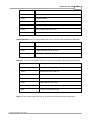
11.3Convert MS SQL DB to MS Access DB
11.4Convert MS SQL DB to My SQL DB
386
387
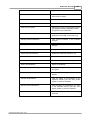
11.5Convert MySQL DB to MS Access DB
11.6Convert MySQL DB to MS SQL DB
383
389
389
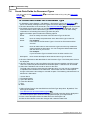
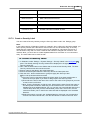
21.11.1 Convert MS Access DB to MS SQL DB
MS SQL Server must be installed on your machine or another machine on your network for you
to be able to create a MS SQL Server based Globodox DBs.
Globodox Supports MS SQL 2000, 2005, 2005 Express and 2008 Server.
To Convert MS Access DB to MS SQL DB
1. Make sure no users are logged on to Globodox.
2. Login as superadmin, from Globodox desktop client.
3. Select Settings > System Settings > DB List in the Navigation 76 pane. The DB List tab
will now be displayed on the Ribbon bar.
4. From the DB List pane i.e. the right pane select the DB that you want configure for multimachine environment.
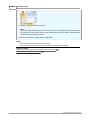
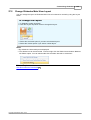
5. Click the Convert DB option on the DB List tab. The Convert DB window will now be
launched.
6. You can change the name for the DB from the New DB Name box.
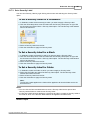
7. Select MS SQL based Globodox DB option from the DB Type drop down. The MS SQL
Settings window will now be launched.
8. Enter or select the name of the machine on which MS SQL Server is running from the
Choose or type in a machine name box. The new Globodox DB would be created on this
machine. The drop-down list will display the names of all the machines on your network.
It is recommended to type the machine's IP address.
9. For MS SQL Server 2000 or higher enter the name of the SQL Server Instance in the
Instance name box on which the new Globodox DB should be created. When only one
instance of SQL Server is running on a machine, the instance name is normally the
same as the machine name. Leave the instance name blank unless you wish to connect
to a named MS SQL server.
Note:
For MS SQL 2005 Express edition enter SQLEXPRESS in the Instance name box.
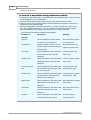
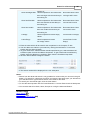
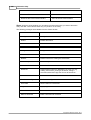
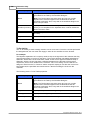
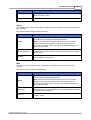
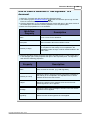
10.Select the type of connection Globodox should use to connect to SQL Server from the
Connection Type drop-down. The Default connection type is selected by default. Other
available connection types are...
Copyright © Globodox 2000 - 2014