1
21
5.5 AutoGain/AutoExposure
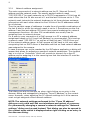
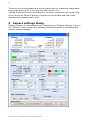
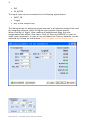
When the “Auto” checkbox is activated for cameras that provide for the
AutoGain/AutoExposure feature, the “Luminance” panel changes to show the
settings that apply to this mode of operation. The manual settings for gain and
offset will disappear since the luminance will be controlled automatically.
The automated luminance control algorithm takes advantage of both, exposure
and gain settings. First the exposure will be tried to adjust it such that a set
brightness value will be met. Once the highest exposure value has been
reached the algorithm will further increase luminance by increasing camera’s
gain. The upper and lower limits for both controls are available in the
“Luminance” panel once the “Auto” checkbox is checked.
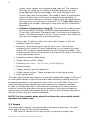
The actual exposure is shown on the “Acquisition” panel and the actual gain is
displayed in the “Luminance” panel on the left to the “min” and “max” gain
settings.
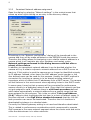
Auto tap balance
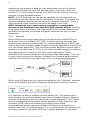
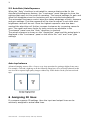
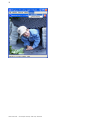
Advanced imaging sensors offer a 2-tap or even 4-tap operation for getting to higher frame rates.
For example, a left and a right tap as on the following image have to be perfectly balanced in this
case in order to capture high quality images without any visible border on the join between both
taps.
6 Assigning IO lines
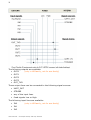
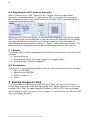
If a camera supports IO settings then the input and output lines can be
arbitrarily assigned to actual data lines.
Users Manual – slc1050,slc 2050, slc2150, slc4050