1
Connecting:
Ensure your wireless hardware is turned on. Refer to your laptop’s user manual.
To connect your laptop to AirUWS, locate the wireless icon in Windows 7’s system tray (next to the
clock on the lower right). When the icon is selected, the Connect to Networks menu appears. The next
window displays available wireless networks.
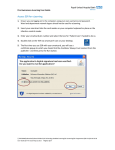
You may find more than one wireless network available – select AirUWS and press Connect. Choose
Connect Anyway when the unsecured network warning appears.
Select AirUWS and click Connect
Choose Connect Anyway
Wait for the process to show you’re connected. This should take under 30 seconds.
Updated:14/09/2011
5