1
3
Table of Contents
Warning and safety ..........................................................4
Controlling the DUO iPod source .......................................23
Product registration .........................................................5
Controlling the DUO SIRIUS source ..................................24
.................................................6
Silverline DUO kit contents
The Livio Car Internet Radio app .......................................25
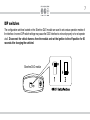
DIP switch overview .........................................................7
Data connection requirements ...........................................25
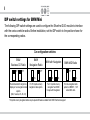
DIP switch settings for BMW/Mini ....................................8
Controlling the Livio Car Internet Radio app ......................26
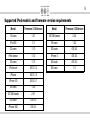
Supported iPod models ...................................................9
Text display from the Livio Car Internet Radio app ............27
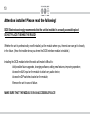
Note to Installer .............................................................10
Terminating the Livio Car Internet Radio app .....................28
Connection diagram .......................................................11
Optional Remote Kit: iPod/Livio .........................................29
Connection diagram for DSP option ..............................12
Optional Remote Kit: SIRIUS .............................................30
Factory CD changer cable locations .............................13
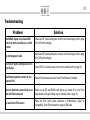
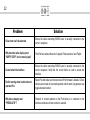
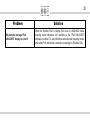
Troubleshooting .................................................................31
Installation ......................................................................14
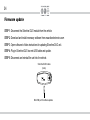
Firmware update ................................................................34
iPod content heirarchy ...................................................17
Disclaimer & warranty ........................................................35
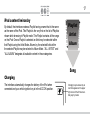
Charging
......................................................17
iPod locked/unlocked settings and features ..................18
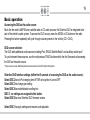
Basic operation ..............................................................19
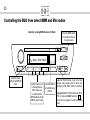
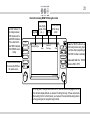
Controlling the DUO from select radios ...................................20