1
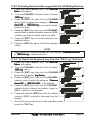
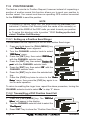
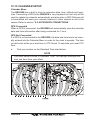
11.9 POSITION SEND
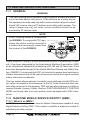
The feature is similar to Position Request, however instead of requesting a
position of another vessel this function allows you to send your position to
another vessel. Your vessel must have an operating GPS receiver connected
for the GX5500S to send the position.
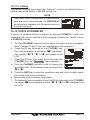
NOTE
To transmit a Position Send Call, you must setup the GX5500S DSC
Individual / Position Call Directory with the name of the vessel(s) or
person and the MMSI of the DSC radio you wish to send your position
to. To setup this directory refer to section “11.5.1 Setting up the Individual / Position Call Directory.”
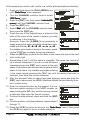
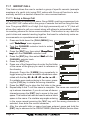
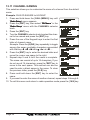
11.9.1 Setting up a Position Send Ringer
The GX5500S has the capability to turn off the Position Send ringer.
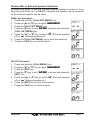
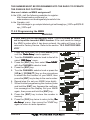
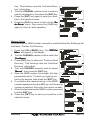
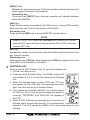
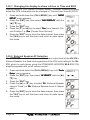
1. Press and hold down the [CALL(MENU)] key
Radio Setup
until “Radio
Setup” menu appears.
2. Turn the CHANNEL selector knob to select
DSC Setup
“DSC
Setup” menu.
DSC Beep
3. Press the [ENT] key, then select “DSC
Beep”
with the CHANNEL selector knob.
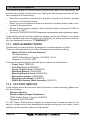
Position Re4. Press the [ENT] key, then select “Position
port
port” with the CHANNEL selector knob.
Off
5. Press the [ENT] key, then select “Off
Off” with the
CHANNEL selector knob.
6. Press the [ENT] key to store the selected setting.
Radio
7. Press the [CLR] key twice to return to the “Radio
Setup
Setup” menu, then press the [CLR] key again to return to radio operation.
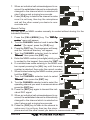
To return to enabling the ringer tone, repeat the above procedure, turning the
On
CHANNEL selector knob to select “On
On” in step “6” above.
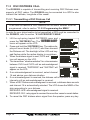
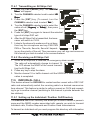
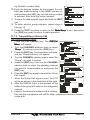
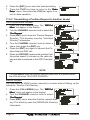
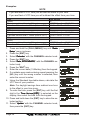
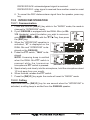
11.9.2 Transmitting a DSC Position Send Call
Pre-Programmable Calling
DSC Call
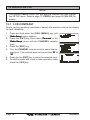
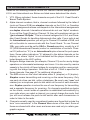
1. Press the [CALL(MENU)] key. The “DSC
Menu
Menu” will appear in the display.
2. Turn the CHANNEL selector knob to select the
Pos Report
“Pos
Report.”
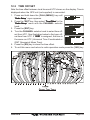
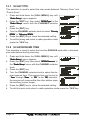
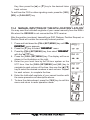
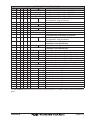
3. Press [ENT] key to show the “Position Send DirecPage 54
GX5500S