1
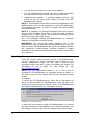
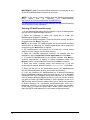
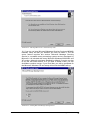
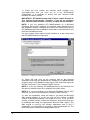
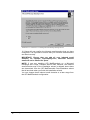
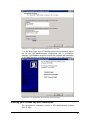
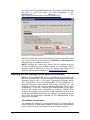
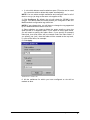
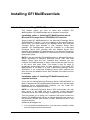
Screenshot 21 - Collecting information from Microsoft Exchange Server 2007
3. The wizard will display the accepted domain list collected from
Microsoft Exchange Server 2007. If you need to specify another local
domain, type it in the Inbound email domains box and click Add. If
you want to remove a domain that you added from this page, click on
it from the list, and then click Remove.
NOTE 1: The inbound email domains you add from this page affect
the GFI MailEssentials installation only. The Microsoft Exchange
Server 2007 accepted domains list is not modified.
NOTE 2: GFI MailEssentials does not support the use of wildcards
when specifying inbound email domains. Thus, for example,
specifying *.gfimalta.com as an inbound email domain is not
supported.
NOTE 3: An asterisk (*) next to an inbound email domain is used to
differentiate between domains detected by Microsoft Exchange, and
those added manually. Inbound email domains shown with an asterisk
next to them are domains detected by Microsoft Exchange.
GFI MailEssentials 14 user manual
1BInstalling GFI MailEssentials • 25