1
1. Overview
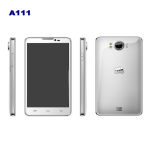
Buttons and connections
2. Powering on and off
2.1 To power on: Press and hold the power button until the screen lights and
the tablet starts to boot. Once the tablet has booted, drag the padlock to the
right hand side of the screen to unlock the screen.
2.2 To shut down: Press and hold the power button. The "Power off – Would
you like to shut down?" option will appear; click “OK” and the tablet will shut
down (or click “Cancel” to return to the previous screen).
2.3 To put tablet into “Sleep mode”: Short press the power button to lock the
screen and put the tablet in to sleep mode.
2.4 To “awaken” from sleep mode: Short press the power button.
The power will drain whilst the tablet is in sleep mode, so if you are not using
the tablet for a period of time we recommend powering the device off
completely.