1
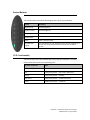
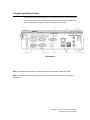
C H A P T E R 2 OPERATION This chapter describes how to utilize the control buttons, I/O panel, and other unique features that Elo provide. All adjustments made to the brightness and volume controls are automatically saved. User settings remain unchanged after powering off/on or in the case of a power failure. User Guide – B-Series Rev-B AiO Touchcomputer
SW602032 Rev C, Page 9 of 47