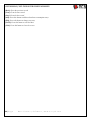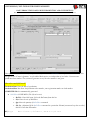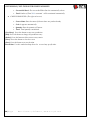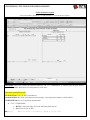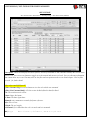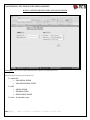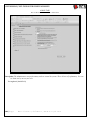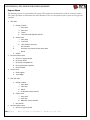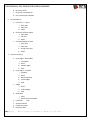
1
USER MANUAL/ NCS PACKAGES BUSINESS MANAGER INDEX Buttons Name 1. 2. 3. 4. 5. 6. 7. 8. 9. Screen Name Disclaimer Terms of reference Basic Information Regarding Software The Best Administrator Control (Log book, User Permission, Automatic GST Billing, Automatic Non-GSt Biling) The Calclutor for the Packages. How to start using the software Main Menu Screen GST Sales a. Entries i. Purchase Order Entry ii. GST Delivery Chalan iii. GST Invoicing b. Searching i. Purchase Order Searching ii. Search Delivery Chalan iii. Search Invoices c. Reports i. Purchase Order Report ii. Carton Stock iii. Delivery Chalan Reports iv. GST Invoices Reports Non-GST Sales a. Entries i. Purchase Order Entry ii. Non-GST Delivery Chalan iii. Non-GST Invoicing b. Searching i. Purchase Order Searching ii. Search Non-Gst Deliveries iii. Search Non-GST Bills c. Reports i. Carton Stock ii. Purchase Order Report iii. Non Gst Cartons Deliveries Report iv. NON-GST Invoicing Report 10. Purchases a. Entries i. Job Order/Purchase Order Entry ii. Rolls / Sheet Purchase Entry iii. Reel Purchase Entry iv. Hardware / Other Item Purchase Entry b. Searching 2|Page Page # 5 5 6 7 NCS Packages Business Manager 8 9 11 Job Order / Purchase Order Delivery Chalan Carton Sales (GST) Genral Sale Tax Invoicing with DC Forwarding 13 15 17 Purchase Order Searching Searching GST Delivery Chalan Sale Searching GST Invoice 20 20 20 Carton Delivery Chalan GST Carton Sales Invoice GST 21 22 Non-GST Delivery Chalan Carton Sales Non-GST Invoicing with DC Forwarding (13) 23 25 Purchase Order Searching Non-GST Delivry Chalan Searching Search Non-GST Invoices 28 28 28 Carton Stock And Date Options 29 Carton Delivery Chalan Non-GST 30 Carton Non-GST Invoice 31 Delivery Chalan Roll/Sheet Purchase 32 34 36 Next Century Software, www.ncs-pk.com USER MANUAL/ NCS PACKAGES BUSINESS MANAGER 11. 12. 13. 14. i. Search Rolls / Sheet Bills ii. Search Reels Bills iii. Search Hardware Bills c. Reporting i. Purchase Rolls / Sheet Report ii. Purchase Reels Report iii. Purchase Hardware Report Vouchers a. Entries i. Cash Entries ii. Bank Entries iii. Journal Voucher Entries iv. Petty Cash Entries b. Searching i. Voucher Searching Production a. Corrugation Depart (Factory Owned Corrugation) i. Reel Consumption And Roll Production In House ii. Sheet Production At Plant b. Corrugation (External Making - Party Making) i. Reels Issued For Roll Making To Making Party ii. Reel Consumption And Rolls Production Entry At External Making iii. Transfer Tota From Making To Our Godown iv. Transfer Rolls From Making to Our Godown v. Making Report c. Carton Production And Rolls / Sheet Consumption i. Hardware / Paper Sheets Consumed In A Job/PO ii. Carton Production And Rolls / Sheet Consumption iii. Carton Production At Plant iv. P.O. Wise Production (Report) v. Daily Roll cutting and carton production Report Account Reporting a. Party Ledger (receivable) b. Party Ledger (Payables) c. Ledger d. Bank Book e. Cash Book f. Account Code List g. Trial Balance h. Change Chq status i. Petty cash Book Stock 3|Page 38 38 38 Party / Rolls And Date Options For Delivery Party / Item Name And Date Options 39 40 41 Cash entry Bank Book Entries Voucher Entries Petty Cash Book Entries 42 44 46 48 Voucher Searching 49 50 In House Reel Consumption And Roll Production 51 54 56 External Making Reel Consumption And Roll Production 58 Transfer Tota From Making To Our Godown 61 Transfer Roll from Making To our Godown 63 There are three reports which are mentioned under 11-b-v, 11-c-iv and 11-c-v 64 65 Hardware Consumed In a Purchase Order 67 Daily Production (Carton Production And Consumption) Receivable Ledger Name And Date Option Payables Ledger Name And Date Option General Ledger Name And Date Option Bank Book Name And Date Option Cash Book And Date Option Chart Of Account Trial Balance Change Issued Chq Status Next Century Software, www.ncs-pk.com 69 (64) (64) 71 72 73 74 75 76 77 78 USER MANUAL/ NCS PACKAGES BUSINESS MANAGER 15. 16. 17. 18. 19. 20. 21. 22. a. Carton Stock b. Hardware Stock c. Rolls / Sheet Stock d. Reels Stock Detail (Editable) e. Reel Stock Summary By weight f. Reel Stock Summary By count (No) g. Reel Stock Compact (Size, Weight) h. Plant Sheet Stock i. Reel Stock At Other Corrugation j. Roll / Paper stock At Other Corrugation Other Reporting a. Rolls Purchasing Reports b. Purchase Order Reporting c. Carton Sales Reporting d. Aging ( Receivables) e. Reels Purchasing Reports f. Hardware Purchasing Reports g. Sales Purchase Summary Of a Period Basic Entries a. Entries i. Reel / Roll / Sheet Coding ii. Hardware Item Coding iii. Cartons Coding iv. Account / Party Coding v. Account Group b. Lists i. Hardware Item Code List ii. Rolls / Sheet Code List iii. Reels Code List iv. Cartons Code List v. Plant - Sheet List “How to search and View Documents?” The Log Book. Handling Of Post dated and Normal Cheque Books. Handling Of Cash and Petty Cash Book. System Flow Chart. Reports Specimen 4|Page Carton Stock And Date Option Hardware Material Stock And Date Option Rolls Stock Reel Stock Party Rolls And Date Options For Roll Purchase Report 79 80 81 82 (90) 84 85 86 87 88 (91) 92 94 95 97 99 See RPTSee RPTSee RPTSee RPTSee RPT- Next Century Software, www.ncs-pk.com 100 Appx. A Appx. B Appx. C Appx. D Appx. E Appx.F USER MANUAL/ NCS PACKAGES BUSINESS MANAGER This document is prepared to guide the users about the operations of this software. The reports and data shown in documents is for the information only and it does not intend to be used for any other reason. The similirty of data will be an coinceden and nothing else. The data shown in these forms or reports has no legal values what so ever. Terms of reference Reel: The paper which is used in corrugated paper making. It is in one layer. Its pack is called reel. The box board is not used for corrugation but its pack is also called reel. The reel paper length very depending on the gramage of paper. Roll: when two or more paper are pasted together with the help of corrugated machine are called roll. A typical corrugated paper has two layers one is plain paper and other is corrugated. The pack of corrugated paper is called roll. The corrugated roll has a fix length. In a corrugated board the plain side is called paper and corrugated side is called nali in our local industry. The nali is called flute in English. Jutti: The paper which is removed from the reel before uploading it on the machine for production. Tota: The remaining reel which is not used for roll making. The tota is the remaining paper of reel after production. PO : Purchase Order short form. DC: Delivery Chalan short form. 5|Page Next Century Software, www.ncs-pk.com USER MANUAL/ NCS PACKAGES BUSINESS MANAGER Basic Information Regarding Software Before using the software please check the following. You have MS WindowsXp or MS Windows7 MS Office 2007 Set the date format to DD/MMM/YY using control panel – language setting. The Following fields are very important to Check when you Run the software. User Name. The first user is ADMIN The password for user ADMIN is TEST User License Number. The software programming was lastly miodified on DD/MMM/YY Your Company Name under the heading of [Client] 6|Page Next Century Software, www.ncs-pk.com USER MANUAL/ NCS PACKAGES BUSINESS MANAGER The Best Administrator Controls (Log book, User Permission, Automatic GST Billing, Automatic Non-GSt Biling) The features are avaialable to the administartors to give them a control over the data entry and reporting. The tools are described here briefly for introduction. User Permission The adminsitrator can define the user rights to allow any user specific data entry screen or reporting. The data entry can be further controlled by allowing the use to Add/Edit and Delete rights. The administrator has the full right to use the system. Some screens are also accessable by Admin which are not accessable by users. Initally if you allow data entry to a user then the user can add the records only. He can view the previous and next record by using the [Back] and [Next] buttons but can not make the changes to any record. You must grant the edit permission to user to change any previously entered documents. If you allow him delete permission as well then he can delete any document on his will. Allow the user different permission keeping his abilities to hande the situations. Log book The actions of Add/Edit/Delete of a document are recorded in a log book. This Log book maintains the following records of a transaction or action The Document Name (e.g. Hardware Purchase , Item Coding or PO entry etc.) The type of action (whether it was added / Edited or deleted from the databse) The date / time when the Add/Edit/Delete action was performed The user name who performed these actions Automatic GST Billing The GST billing can be set to automatic by Admin. Through Admin Task screen the administrator can Set the rate of Sales Tax (The rate of General Sales Tax is 17% till writing of this page.) The Admin can also set the rule whther items (cartons) should be summed in the invoice, on the basis of their name regradless of how many time it was delivered. The GST rate column can be editied at the time of billing can be also set by the Admin. The Purchase Order or Job Order quantity can be checked at the time delivery. The system can stop the user from sending the more quantity then the ordered in PO. Automatic Non-GSt Billing The Non-GST billing can be set to automatic by Admin. The Admin can also set the rule whther items (cartons) should be summed in the invoice, on the basis of their name regradless of how many time it was delivered. The Purchase Order or Job Order quantity can be checked at the time delivery. The system can stop the user from sending the more quantity then the ordered in PO. 7|Page Next Century Software, www.ncs-pk.com USER MANUAL/ NCS PACKAGES BUSINESS MANAGER The Calclutor for the Packages. There are following builtin calculators which are very important and usefull fro the packages industry. These calculators are available on those screens where the calculations are required. The different calculators can claculate Rolls required for the given quantity of cartons Gram of Paper Tota Weight (The remaining paper from Reel) The Rolls which can be prepared by given weight of paper. The Rolls quantity required to make the cartons. The calculation of making These calculators are given on the following screen The Purchase Order entry On Different screens of production system 8|Page Next Century Software, www.ncs-pk.com USER MANUAL/ NCS PACKAGES BUSINESS MANAGER How to start using the software You can use this software in two ways Full Implemetation Part Implementation o In full implementation you need to keep these things ready to feed in the software. The openning balances of all the payables, receivable and other ledgers. The stock in hand of cartons, reels and Rolls with their values. The purchase orders in process are also required. In part implementation you can divide the use of system in parts and implement these parts after completing the one part. For example if you want to use this syetm for the Sales Tax Invoicing purpose only then use the Purchase Order entry screen, GST Delivery Chalan Entry screens and GST Sales tax invoicing screen. The part implementation can be divided into sub system which can be implemanted seperately and easily. When all the data entry screens are done then you may get more reports which are automatically generated by the software. These part system are o o o The Purchase And Payables Only You need to enter ,Party Coding, Reel / Roll Coding, Hardware Coding, Reel Purchase, Roll Purchases, Hardware Purchase, Cash And Bank Payments You will get the Reports of Reel / Roll Purchase, Payables Ledger and partial stock of Reel / roll. You will be able to see the payables ledgers and balance summary of payables. The NON-GST Sale and payables only You need to enter Parties Accounts, Purchase Orders, Non- GST Delivery Chalans, Cash and Bank Entries You will get Purchase Order status, Non GST Deliveries details,Non GST billed challans and payable ledgers. You will also be able to have the Balance summary of Payables. The GST Sales and payables only 9|Page You need to enter Parties Accounts, Purchase Order, GST Delivery Chalans, Cash and Bank entries You will get get Purchase Order status, GST Deliveries details, GST billed challans and payable ledgers. You will also be able to have the Balance summary of Payables. Next Century Software, www.ncs-pk.com USER MANUAL/ NCS PACKAGES BUSINESS MANAGER o o o 10 | P a g e The production (Must use purchase and payable system before implementing this) You need to enter Parties Accounts, Reel Coding, Roll Coding ,Purchase Orders, Reel Purchase, third Party Roll Making, In House Roll Making, Carton Production You will get the roll and reel stock, Production of Cartons and paybles receivable ledgers. The third party making and stock of Reel Rolls and Tota at third party You need to enter Reel transfer to third party, making of roll entry, consumption of reels entry. You will get Stock of reel and roll at third party. The TOTA stock is also available. The receiving details of rolls from the making party. The reel sent for making. The accounting only You need to enter Party Code,Other expense account codes, Cash and Bank Code. You will get Parties Ledger, Cash Book, Bank Book and Trial Balance. Next Century Software, www.ncs-pk.com USER MANUAL/ NCS PACKAGES BUSINESS MANAGER NCS PACKAGES BUSINESS MANAGER You must enter user name and password to start using this software. The ADMIN passowrd is TEST After entering this infomartion you will see the following main menu screen. Description: This is the Main Menu of the programe.You can go to the different screens by using this Main Menu screen, where more detailed options are also present to enter the data.To choose a particular task,just select and click the button Important: You can use and see all the buttons enabled as you Logged in as [ADMIN]. While if you logged in as a user then the ADMIN TASK button will be disabled and only those buttons will be enabled which are allowed to use by the ADMIN. 11 | P a g e Next Century Software, www.ncs-pk.com USER MANUAL/ NCS PACKAGES BUSINESS MANAGER The Following three fields are very important to check when you run the software. User Name. User License Number. The software programming was lastly miodified on DD/MMM/YY Your Company Name under the heading of [Client] How does each Screen Work? GST SALES MENU: By pressing this button a sbmenu screen will appear where you can enter Purchase Order ,GST Delievery Challan and GST Invoices .On the same sub screen you can search GST Documents. SALES NON GST MENU:By pressing this button a submenu screen will appear where you can enter Purchase order ,NON-GST Delievery Challan and NON-GST Invoices.On the same sub screen you can search NON-GST Documents. PURCHASE MENU:By pressing this button a submenu screen will appear where you can enter the data of purchasing of Reels(papers),Rolls(corrugated Paper) and other hardware material like tools, films, ink, screens and slicate etc. VOUCHER ENTRIES: By pressing this button a submenu screen will appear where you can enter Cash Vouchers,Bank Vouchers and Journal Voucher. PRODUCTION FORM: By pressing this button a submenu screen will appear where you can enter different Productions and Raw Material Consumption Entries ACCOUNT REPOTING: By pressing this button a submenu screen will appear where you can get different Financial reports like Receivable Ledgers,Payable Ledgers and Different Expense Ledgers. STOCK REPORTING: By pressing this button a submenu screen will appear that displays different reports of Reel,Roll,Carton Stock,etc .Many types of stock reports can be viewed with the respect to items. OTHER REPORTING:It dislays different Reports likePurchase Order Status Report and Others. BASIC ENTRIES: By pressing this button a submenu screen will appear where you can enter basic informations/entries. These entries will help you to enter other documents .These basic entries are suppliers entries, buyers entries and other informations. ADMIN TASK: By pressing this button a submenu screen will appear. There are some Options which can be viewed or edited by the Adminstrator. It is not for users. CLOSE:After pressing this button,the Programe will be closed and you will return to windows. CHECK AND SET CURRENT DATE FORMAT:This option shows the Control Panel where you can change the Date Format. At the time of Windows installation the shortdate Format is set to MM/DD/YY, but we need to change it to DD/MM/YY. For working with the system properly, you need to change this format otherwise you may not get exact report with proper records. Check Software Updates at www.ncs-computing.com 12 | P a g e Next Century Software, www.ncs-pk.com USER MANUAL/ NCS PACKAGES BUSINESS MANAGER JOB ORDER/PURCHASE ORDER How To Reach Here: Main Menu -> GST Sales Menu -> Job Order Main Menu -> Sales NON-GST Menu -> Job Order Main Menu -> Purchase Menu -> Job Order Description: This screen is used for keeping the record of Purchase Order which you received from the Clients. You can’t Sale or Deliver the goods without purchase order. The GST and Non-GST purchase order must be entered here. All fields are discussed below. How does each Field Work? P.O.Comp No.: Purchase Order Computer Number. This is auto generated number. You can’t add or change it. P.O Date : Purchase Order Date. The date on which you receive order of cartons. P.O#: Purchase Order Number. The client’s Purchase Order Number or your Job’s Order Number. A/c Code/Name: The client’s name and code whose Purchase order is being entered. 13 | P a g e Next Century Software, www.ncs-pk.com USER MANUAL/ NCS PACKAGES BUSINESS MANAGER In House Production : If you are preparing cartons for your own stock for later delivery to clients. Remarks : Any comment can be mentioned here which is required for the future references, in term of purchase order. Company ID: If you are using this software for more than one company. For example for GST and Non-GST supplies, then the first company is for GST Purchase order (PO) and other two are for Non- GST POs. After selecting the company, PO is Processed in the GST or Non-GST queue. PO Complete: Click this box if PO is complete. When you click the box this PO is not shown in Delivery Challan entry screen. Carton Code: Before selecting the Carton Code, you must generate its code from the carton coding screen. To generate the new carton code, double click the carton name field. Carton Name: Double click on this field to open the Carton Coding Screen. Quantity: Enter the number of cartons to be mentioned on PO. Rate: Rate of carton. Amount: Total amount is calculated automatically. Remarks/Style/Order: Some companies ask to mention their Foreign Order or Style on the Delivery Challan. You may enter such type of details in this field. Del. Date: It is delivery date. Enter the expected delivery date of cartons. Rol Sz: (Roll size).Enter Roll size which is required by the production department. Cut Sz: – Rol Qty – Paste/Wire: Under this field enter Roll Cutting Size (Cut Sz) , Roll Quantity (Rol Qty), also enter Carton joint method either Pasted or Stapled with wire. Total Qty: Automatically Calculated. [First] By pressing it you may go to the top of the fields and may get first PO entered by you. [Back]: Similarly you may go to the back field or previous PO.for Example if you are at 20th PO,after clicking it you will be at 19th PO and so on. [Next]: By clicking this you can see the next PO.It means if you are at 20th PO then after clicking Next you will be on 21st PO. [Last]: you may go to last PO by pressing it. [Search]: Click it to find any particular Po.(Read the Page “How to search a Document” for more detail) [Add]:If you want to add new Purchase Order,Press it. [Edit]:To change any PO press it. [Save]:To save any PO. Print Production:Print theProduction Sheet as shown in RPT-X. [eXit]:After entering complete Po.Close this Screen Press “Exit” 14 | P a g e Next Century Software, www.ncs-pk.com USER MANUAL/ NCS PACKAGES BUSINESS MANAGER DELIVERY CHALLAN CARTON SALES (GST) How To Reach Here: Main Menu -> GST Sales Menu ->GST Delivery Chalan Entry Description: This screen is used to enter GST delivery challans. The cartons against GST Purchase Order can be delivered through this screen. The field [CLIENT P.O. No] shows only list of GST clients’ Pos whose names is selected in the previous combo list. You can edit the record of challan by pressing the [Edit] given below on screen. You can delete a DC by pressing [Cancel DC] button. This button is given on the upper part of the screen. Important: You can not edit or cancel any DC, If the delete permission is not given by the administrator. You cannot edit or cancel a delivery challan if it is billed. First check the fields Billed and Bill No.. If bill is checked and Bill No is also present then you cannot edit it. How does each field work? Delivery No. : Enter your company Delivery Challan Number. It should not be duplicate. Delivery Date: Enter the Delivery Challan Date. You may enter old dates. A/c Name: The name of the party whose DC is being prepared. Remarks: Enter any information here for reference purpose. CILENT P.O.NO: It is required .You can view the clients’ PO from the Select PO# list. 15 | P a g e Next Century Software, www.ncs-pk.com USER MANUAL/ NCS PACKAGES BUSINESS MANAGER P.O COMPUTER NO: It is automatically generated. Cancel DC: It is used when you want to delete a challan. Remember if you are deleting the challan, system will ask you to confirm this action. If you press Yes, the challan will be permanently deleted and screen will be closed. Quantity: Enter the number of cartons. Item Name List: It shows the name of items of the selected PO. You may use multiple PO items by selecting different PO from the list. Items In This DC: It shows the name of cartons which were delivered in this DC. Packing: Enter the number of bundles and number of cartons per bundle. For example you are sending total 100 cartons in 5 bundles where each bundle bears 20 cartons, then it will be written like 20 x 5 and total quantity will be entered in Qty column. This field does not perform any calculation. Rate: Enter carton’s rate. These rates are automatically forwarded from the PO. If you want to change the rate, change it right now. Gross: Gross amount is calculated automatically. It is Equal to the “Value of Goods Sold”. GST% (Optional): Automatically forwarded from the “Admin Task” screen. You can change it on this screen. SED%: (Optional): Enter the Central Excise Duty Percentage. SED: SED amount is calculated automatically. Cartage: The fare/cartage is also added for the delivery of materials. Net: Total amount of the delivery challan. [First]:Go to top of the entries. [Back]:Go to the back entry. [Nex][:Go to the next from the current entry. [Last]:Go to last entry. [Add]: Press it to add a new GST challan. [Edit]: Use this button if you want to edit or change the data. [Save DC]: Press it to save the current record. [Print DC]: Press it to print the Delivery Challan.You may print DC in your selected format.You can select delivery cahllan format from the “Admin Task” screen.(For further detail Read Chapter “Admin Task”.) (See RPT-20) [Exi]t: Press this button to close the screen. 16 | P a g e Next Century Software, www.ncs-pk.com USER MANUAL/ NCS PACKAGES BUSINESS MANAGER GENERAL SALES TAX INVOICE WITH DC FORWARDING How To Reach Here: Main Menu -> GST Sales Menu -> GST Invoice Entry Description: This screen is used to keep the record of General Sales Tax Invoices. This screen helps in billing the unbilled challans. From here you can also select the challans of your choice to convert them into bills automatically. To create bills, you may follow these steps. Press the Add button located below on screen. Enter Invoice Number. Enter Sale date. Select party name from the list. Select the P.O/Job No. from the combo list of P.O/Job No. Only the P.Os of current selected party are shown. Press [Get challan] button then another screen. On the new screen you can see a list of challans waiting for billing. Now Press [Forward these challan to Bill] button. Now you can see the invoice screen again. Press the [Refresh] button. All selected challan will appear on this screen with auto sum of quantity and amount. 17 | P a g e Next Century Software, www.ncs-pk.com USER MANUAL/ NCS PACKAGES BUSINESS MANAGER Change the data according to requirement and save the invoice. Now you can print your GST Invoice or Bill. Important: The GST% can be changed from Admin Task Screen. The GST% editing can be enabled / disabled from Admin Task Screen. The name of GST Report Format is shown on the Lower Left Corner. You cannot ADD/EDIT an invoice if the permission is not granted by the Admin. How does each field work? Invoice#. Enter your Company Invoice number. The Invoice number is always required. And it can’t be duplicated. Sales Date: Enter date of invoice. A/c Name: The Client name who’s invoice is being prepared. If an account is not entered before then double click this field to open the account coding screen. Party Name/A/C Name: Name of party mentioned on PO. Remarks: You can enter any comments for reference purpose. Job/P.O NO: The job or PO number is required for invoicing. Filter Challans on PO: Click this check box. This list shows those POs which are not complete. Get Challans: Click this button to get the Challan into invoice. After Clicking this field, another Screen is opened with the list of challans. You may select all Challans or as required .To select challan Click the Check box of ”billed” field. Refresh: After pressing this field, the Challan which are selected, will be shown in the invoice. Payment Due Date: The date on which this bill become due on the client. This date is automatically calculated on the basis of “payment days. The payment days are mentioned ” in A/C / Party Coding Screen. Original: If you want to print “Original” on invoice then click this box. Duplicate: If you want to print “Duplicate” on invoice then click this box. Item Name: You can’t change the items name as these are forwarded from the challan. Description: If you want to add more information about the item, write down here. Unit: It is a piece/or single item. Qty: It is locked field .you can’t change it Rate: The rate of carton given in the PO. It is automatically forwarded. You can also change the rate. Gr Amt: It is automatically calculated. GST AMT: It is automatically calculated. FED%: Enter the Federal Excise Duty Percentage. FED Amt: Federal Excise Duty amount will be automatically calculated. Amount: Total Amount including Gross and Tax of each item. GST %: It is showing the default GST Percentage. You can set it from “Admin Task”. GST Enabled: If GST is applied or not applied you can set it from “Admin task”. Gross Amount: Total amount of whole Invoice. Total GST: Total of General Sales Tax of whole Invoice. 18 | P a g e Next Century Software, www.ncs-pk.com USER MANUAL/ NCS PACKAGES BUSINESS MANAGER FED: Total of Federal Excise Duty Net Amount: Total invoice amount including Value of Goods and Taxes. [First]:Go to top of the records. [Back]:Go to previous record. [Next]:Go to next record. [Last]:Go to last record. [Add]:To add any new entry. [Edit/Cancel]: Press “Edit/Cancel” to change the invoice contents.When you press this button,system will ask you whether you want to Edit the Invoice or you want to cancel the Invoice. [Save Invoice:] Press it to save the invoice [Sales Invoice]: Press it to Print GST Invoice. (See RPT-19) [GST BILL]:Press it To Print Bill. (See RPT-21) [eXit]: Press this button to close the screen. 19 | P a g e Next Century Software, www.ncs-pk.com USER MANUAL/ NCS PACKAGES BUSINESS MANAGER The Purchase Order Searching can be done through this screen How To Reach Here: Main Menu -> You can search or sort the following fields. Double Click on comp.no to view the purchase order. Comp No, You can search a Non- GST delivery Challan by using this screen. Double click on Comp# field to view/edit/print this delivery challan. How To Reach Here: Main Menu -> To learn about searching a delivery challan, read the chapter” How to search a document” You can search a Non- GST Invoices ,by using this screen. Double click on Comp# field to view/edit/print this delivery challan. How To Reach Here: Main Menu -> To learn about searching a Non – GST bills, read the chapter” How to search a document” 20 | P a g e Next Century Software, www.ncs-pk.com USER MANUAL/ NCS PACKAGES BUSINESS MANAGER CARTONS DELIVERY CHALLANS GST How To Reach Here: Main Menu -> GST Sales Menu -> Delivery Chalan Reports Description: There are different reports of Cartons Delivery. You can print or view the reports with different options. From: Enter the starting date of the report. To: Enter the ending date of the report. Party Wise: Enter the Party name whose deliveries, you want to check. Item Wise: Select Carton type to view any particular type of carton delivery. Billed Chalan Report: If you have checked the Billed option then the detail report will be printed with the billed chalan. (See RPT-30) Non Billed Chalan Report: If you have checked the Billed option then the detail report will be printed with the billed chalan. (See RPT-29) [Party Wise]: Click here to find the particular Party’s deliveries. (See RPT-32) [Item Wise]: Click here to find the particular Carton’s Delivery. (See RPT-31) [Details]: This field shows all Parties and all types of Cartons records in a given period. (See RPT-28) [Daily Sales and Dispatch with PO]: It shows the deliveries with Po numbers. (See RPT-33) [Exit]: Enter if you want to close this screen. 21 | P a g e Next Century Software, www.ncs-pk.com USER MANUAL/ NCS PACKAGES BUSINESS MANAGER CARTONS SALES INVOICES GST How To Reach Here: Main Menu -> GST Sales Menu -> GST Invoices Reports Description: This screen displays reports which are important to get the correct information or status of General Sales Tax. From: Enter the report starting date. To: Enter the report ending date. Party Wise: Select Party Name from the list. Item Wise: Select item name from the list. [GST Check List One Party]: Press this button to check the invoices of one party. (See RPT-35) [GST Check List] : Press this button to view the GST of all the parties within a period. (See RPT-34) [Summary One Party With Item Wise Totals] : Press this button to view the one item GST of any party. (See RPT-36) [Details] : Press this button to view the records of a given period. (See RPT- ) [Exit] :To close this screen. 22 | P a g e Next Century Software, www.ncs-pk.com USER MANUAL/ NCS PACKAGES BUSINESS MANAGER NON-GST DELIVERY CHALLANS CARTON SALES How To Reach Here: Main Menu -> Sales NON-GST Menu ->Delivery Chalan Non-GST Description: The goods against Non- GST Purchase Order should be delivered from this screen. The field [CLIENT P.O.No] shows only list of POs belonging to the Clients whose names had been selected in the previous combo list. You can edit the record of challan by pressing the button [Edit] given below. The DC can be deleted by pressing [Cancel DC] button. The [Cancel DC] button is given on the upper part of this screen. Important: You can not edit or cancel any record. If the permission is not given by the Administrator. You cannot edit or cancel a delivery challan which is billed. Firs check the field Billed and Bill No. If the bill is checked and Bill No. is also present then you cannot edit it 23 | P a g e Next Century Software, www.ncs-pk.com USER MANUAL/ NCS PACKAGES BUSINESS MANAGER How does each field work? Delivery No. : Enter your Company Delivery Challan Number. It should not be Duplicated. Delivery Date: Delivery Challan Date. You can enter old date as well. A/c Name: The Client name who’s invoice is being prepared. If an account is not entered before then double click this field to open the account coding screen. Remarks: You can enter any comments for reference purpose CILENT P.O.NO: It is required. You can select any Po# from that list. Sometime one Po# are shown more than once. P.O COMPUTER NO: It is automatically shown. Cancel DC: It is used when you want to delete a challan. Remember! When you delete a chalan the system ask you to confirm you action. If you press “Yes” then the challan is deleted. Quantity: Enter the number of cartons. Item Name List: It shows the name of items of the Above PO. You may use multiple Po items by selecting different Po from the list. Item In This DC: It shows the name of Cartons which were delivered in this DC. Code: The carton code automatically appears. Total: The delivery chalan amount. The printout of DC does not show its amount. [First]:Go to top of the records. [Back]:Go to the previous record. [Next]:Go to the next record. [Last]:Go to last record. [Add]: Press this button to add a new entry. [Edit]:You can edit or change the data by pressing this button. [Save DC]: Press it to save the current record. [Print DC]: Press it to print the Delivery Challan.You may print DC in your selected format.You can Select delivery cahllan format from the “Admin Task” screen.(For further detail Read Chapter “Admin Task”.) (See RPT-17) [Exit]: Press this button to close the screen. 24 | P a g e Next Century Software, www.ncs-pk.com USER MANUAL/ NCS PACKAGES BUSINESS MANAGER NON GST INVOICING WITH DC FORWARDING How To Reach Here: Main Menu -> Sales NON-GST Menu -> Billing Non GST Description: This screen is used to keep the record of Non-GST Sales Invoices. This screen also helps you to find the unbilled challans. From here you can select the challans of your choice to convert them into bills. To create bills you may follow these steps. Press the Add button. Enter Invoice Number. Enter Sale date. Select party name from the list. Select the P.O/Job No. from the combo list of P.O/Job No. Only POs of selected party are shown. Press[Get challan] button. Another screen will appear. In new screen you can see a list of unbilled challans. Now Press [Forward these challan to Bill] button. Now you can see the invoice screen again. Press the [Refresh] button. All selected challan will appear on this screen with auto sum of quantity and Amount. Change the data according to requirement and save the invoice. 25 | P a g e Next Century Software, www.ncs-pk.com USER MANUAL/ NCS PACKAGES BUSINESS MANAGER Now you can print your Non-GST Invoice or Bill. How does each field work? COMPUTER NO: It is auto generated. Invoice#. Enter your Company Invoice number. The Invoice number is always required. and it can’t be duplicate. Sales Date: The billing date. A/c Name: The Client name whose Invoice is being. That list shows the name of Non -GST Clients. Cash Party Name/A/C Name: Name of Party if it is a cash sale. Remarks: You can enter any comments for the reference. P.O NO: PO number is required for invoice. The challans are forwarded in this invoice on the basis of this PO number. Filter Challans On PO: Click this Check box. The list shows only incomplete Pos. To keep this list shorter always remove un-necessary PO from this list. To remove complete Pos from the list go to Purchase Order screen check the box “Po Complete”. Get Challans: Click this button to get the Challan into Invoice. After Clicking this field, another screen is opened with the list of challans. You may select all Challans or any number of challan. To select the challan for bill click the check box of ”billed” field. Refresh: After pressing the “billed” field press refresh button to bring the challans in the invoice. Payment Due Date: The date on which this bill becomes due for payment. This date is automatically calculated on the basis of “payment days” in A/C / Party Coding Screen. Item Name: You can’t change the item name as these are forwarded from the challan. Description: You can add more information about the current carton in this field. Unit: Enter Dozen or single piece here. Qty: It is locked field .you can’t change it Rate: The rate of carton given in PO. The rates are automatically forwarded from PO. You can change the rate in this field. Amount: Total amount including Gross and Tax of each item. Voucher #.: Voucher number is automatically assigned. GROSS AMOUNT: It is automatically calculated CARTAGE: Additional fare is also included. NET AMOUNT: Total invoice amount including value of goods and taxes. [First]: Go to first record. [Back]: Go to previous record. [Next]: Go to next record. [Last]: Go to last record. [Edit/Cancel]: Press “Edit/Cancel” ,to change the Invoice Contents.When you press this button,system will ask you either you want to Edit the Invoice or to cancel the Invoice. Press “Yes” or “NO”.If you want some figures from Invoice.then don’t forward challans. [Add]: To add new entries. [Save Invoice] : After entering complete data , save Invoice. 26 | P a g e Next Century Software, www.ncs-pk.com USER MANUAL/ NCS PACKAGES BUSINESS MANAGER [Bill Print]: You may take Print out of Bill. (See RPT-18) [Exit]: To enter the complete entries and exit out from this screen. 27 | P a g e Next Century Software, www.ncs-pk.com USER MANUAL/ NCS PACKAGES BUSINESS MANAGER The Purchase Order Searching can be done through this screen How To Reach Here: Main Menu -> You can search or sort the following fields. Double Click on comp.no to view the purchase order. Comp No, You can search a Non- GST delivery Challan ,by using this screen. Double click on Comp# field to view/edit/print this delivery challan. How To Reach Here: Main Menu -> To learn about searching a delivery challan, read the chapter” How to search a document” You can search a Non- GST Invoices ,by using this screen. Double click on Comp# field to view/edit/print this delivery challan. How To Reach Here: Main Menu -> To learn about searching a Non – GST bills, read the chapter” How to search a document” 28 | P a g e Next Century Software, www.ncs-pk.com USER MANUAL/ NCS PACKAGES BUSINESS MANAGER CARTON STOCK AND DATE OPTIONS How To Reach Here: Main Menu -> Sales NON-GST Menu ->Carton Stock Main Menu -> GST Sales Menu -> Carton Stock Main Menu -> Stock Reporting -> Carton Stock Description: This screen is used to Print or View the Carton Stock. CARTONS: Select carton’s type whose stock is to be checked. The Item ledger of Carton can be seen on selected carton. From: Enter the starting date. To: Enter the ending date. [Stock Register]: Click this button to see the Stock of all Cartons (See RPT-22). [Item Ledger]: Click this button to find the Stock of one Carton.(See RPT-23). [Exit]: To close the screen. 29 | P a g e Next Century Software, www.ncs-pk.com USER MANUAL/ NCS PACKAGES BUSINESS MANAGER CARTONS DELIVERY CHALLANS NON GST How To Reach Here: Main Menu -> Sales NON-GST Menu -> Non GST Cartons Delivery Report Description: This screen provides you cartons Non-GST delivery challans status. This status is in printable format. you can see it on screen as well, or have hard copy of the report. From: Enter the starting date. To: Enter the ending date Party Wise: Select the party name from the list Item Wise: Select the item name from the list. [Party Wise]: Press this button to view the party wise report. (see RPT-37) [Item Wise]: Press this button to view the item wise report. (see RPT-38) [All sales and dispatch report]: Press this button to view the item wise report. (see RPT-39) [Details]: Press this button to view the detail records of the given date. (see RPT- ) [Exit]: Press this button to close this screen. 30 | P a g e Next Century Software, www.ncs-pk.com USER MANUAL/ NCS PACKAGES BUSINESS MANAGER CARTONS NON-GST INVOICING How To Reach Here: Main Menu -> Sales NON-GST Menu -> Non GST Invoicing Report Description: This screen shows you to obtain different reports of Non-GST invoices in a printable form. You can also view them on the screen. From: Enter the starting date. To: Enter the ending date. Party Wise: Select the party name from the list. Item Wise: Select the item name from the list. [Party Wise]: Press this button to view the party wise report. (See RPT-41) [Item Wise]: Press this button to view the item wise report. (See RPT-42) [Details]: Press this button to view the detail records of the given date. (See RPT-40) [Non-GST invoices Check List]: Press this button to view the non-gst invoices check list. (See RPT-43) [Exit]: Press this button to close this screen. 31 | P a g e Next Century Software, www.ncs-pk.com USER MANUAL/ NCS PACKAGES BUSINESS MANAGER DELIVERY CHALLAN ROLLS/SHEET PURCHASE ENTRY How To Reach Here: Main Menu -> Purchase Menu -> Roll / Sheet Purchase Description: This screen is used to record the Rolls purchase entries. This screen is also used to record the purchases of sheets. How does each field work? Comp. No.: It is generated automatically. Delivery No.: Enter supplier bill no. Delivery Date: Enter the bill date. A/c Name: Enter the Supplier’s Name or select from the list. Remarks: Enter any remarks or comments for your reference. Payment Due Date: The bill due date is calculated automatically. The bill due period can be set in Party Coding screen. Opening Entry: Check this box if you are entering the Rolls/Sheet opening stock. 32 | P a g e Next Century Software, www.ncs-pk.com USER MANUAL/ NCS PACKAGES BUSINESS MANAGER Cancel DC: Press this button to delete this delivery chalan. View All Item Rates: You can view rates of all Items. Item Name: Select the Roll/Sheet name. Code: It is auto generated. Size: Enter the size of roll. Disc .Siz: Enter the discount size of roll. Cutting Size: Enter sheet cutting size if you are entering sheet. Paper Grams: Enter paper GRAMS: Paper Wt: Paper weight is calculated automatically. Quantity: Number of Rolls/sheet purchased. Rate: Rate of Rolls/sheer. Amount: Total Amount Of Rolls/sheet is automatically calculated. P.O. No: (Optional) If you are purchasing these Rolls/sheet for any particular PO. Enter PO number Total: Total amount of bill. Cartage: Also add the truck fare and any additional charges. Net: Total amount of delivery challan, including cartage. [First]: Go to the top of the records. [Back]: Go to the previous record. [Next]: Go to the next record. [Last]: Go to the last record. [Search]: To find a bill press this button. [Add]: Press this button to add a new entry. [Edit]: To change any record. [Save DC]: Press this button to save the DC. [eXit]: Press this button to close the screen.. 33 | P a g e Next Century Software, www.ncs-pk.com USER MANUAL/ NCS PACKAGES BUSINESS MANAGER REEL PURCHASE ENTRY How To Reach Here: Main Menu -> Purchase Menu -> Reel Purchase Description: This screen is used to record the Reel purchase. How does each field work? Comp. No.: It is generated automatically. Delivery No.: Enter supplier bill number. Delivery Date: Enter the bill date. A/c Name: Enter the supplier’s Name or select from the list. Remarks: Enter any remarks or comments for your reference. Payment Due Date: The bill due date is calculated automatically. The bill due period can be set in Party Coding screen. Opening Entry: If you are entering the Reels Opening Stock then check this box. 34 | P a g e Next Century Software, www.ncs-pk.com USER MANUAL/ NCS PACKAGES BUSINESS MANAGER Cancel DC: Press this button to delete this delivery challan. Item Name: Select the Reel name. Code: It is auto generated. Quantity: Number of Rolls purchased. Size: Enter the Size of roll. Weight: Enter the weight of reel. Rate: Rate of Reel. (The rates are entered for one KG) Amount: Total amount of Reels is automatically calculated. P.O. No: (Optional) If you are purchasing these Reels for any particular PO then enter that PO number. Total: Total amount of bill. Cartage: To add the truck fare and any additional charges. Net: Total amount of delivery challan, including cartage. [First]: Go to the top of the records. [Back]: Go to the previous records. [Next]: Go to the next record. [Last]: Go to the last record. [Add]: Press this button to add a new bill. [Edit]: To change any old record. [Save DC]: Press this button to save the DC. [eXit]: Press this button to close the screen. 35 | P a g e Next Century Software, www.ncs-pk.com USER MANUAL/ NCS PACKAGES BUSINESS MANAGER Hardware And Other works entries How To Reach Here: Main Menu -> Purchase Menu -> Hardware And Other Work Description: This screen is used to record the hardware and other works bills. The bills of Die Making, Screen Printing or silicate are entered here. How does each field work? Invoice No(it is Comp. No.) : It is generated automatically. Party Invoice No. : Enter supplier’s bill or invoice number. Purchase Date: The date of bill. A/c Name: Enter the supplier’s name or select from the list. Remarks: Enter any remarks or comments for your reference. 36 | P a g e Next Century Software, www.ncs-pk.com USER MANUAL/ NCS PACKAGES BUSINESS MANAGER Payment Due Date: The bill due date is calculated automatically. The bill due period can be set in Party Coding screen. Opening Entry: Check this box if you are entering the opening stock. Cancel Invoice: Press this button to delete the delivery challan. Item Name: Select the item name. If the item name is not present then you can double click this field to open the hardware item coding screen. Code: It is auto generated. Item Description: You can enter more detail about the item. This information is also printed on the hardware reports. Quantity: Number of items purchased. Rate: Rate of unit.. Amount: Total amount is automatically calculated. P.O. No: (Optional): If you are purchasing these items for any particular PO enter that PO number. If you want to get the cost of one PO then do enter the PO number here. Total: Total amount of bill. Cartage: Enter transportation charges or fare here. Net: Total amount of delivery challan including Cartage. [First]: Go to the top of the records. [Back]: Go to the previous record. [Next]: Go to the next record. [Last]: Go to the last record. [Search]: To find the hardware bill use this button. [Add]: Press this button to add a new bill. [Edit]: Press this button to change any old bill. [Save Invoice]: To save the current invoice. [eXit]: Press this button to close the screen. 37 | P a g e Next Century Software, www.ncs-pk.com USER MANUAL/ NCS PACKAGES BUSINESS MANAGER The roll Searching can be done through this screen How To Reach Here: Main Menu -> You can search or sort the following fields. Double Click on comp.no to view the purchase Bill. You can search any reel by using this screen. Double click on Comp# field to view/edit/print this delivery challan. How To Reach Here: Main Menu -> To learn about searching a delivery challan, read the chapter” How to search a document” You can search hardware bills ,by using this screen. Double click on Comp# field to view/edit/print this delivery challan. 38 | P a g e Next Century Software, www.ncs-pk.com USER MANUAL/ NCS PACKAGES BUSINESS MANAGER PARTY/ROLLS AND DATE OPTIONS FOR DELIVERY REPORTS How To Reach Here: Main Menu -> Purchase Menu -> Purchase Roll/Sheet Report Description: This screen shows the reports of roll purchase from parties in a particular period.you can view or print these reports. From: Enter the Starting date. To: Enter the ending date Party Wise: Select Party name from the list. Roll: Enter Roll type here like F/F dbl/f etc Size: Enter Roll Size here. Like 20, 23 etc. [Party Wise]: Press this button to view the party wise report. (See RPT-48) [Item Wise]: Press this button to view the party wise report. (See RPT-49) [Details]: Press this button to view the report in detail in a period. (See RPT-47) [Exit]: Press this button to close the screen and return to previous menu. 39 | P a g e Next Century Software, www.ncs-pk.com USER MANUAL/ NCS PACKAGES BUSINESS MANAGER Purchase Reel Report How To Reach Here: Main Menu -> Purchase Menu -> Purchase Reel Report Description: This screen shows the reports of reel purchase from parties in a particular period. You can view or print these reports. From: Enter the Starting date. To: Enter the ending date Party Wise: Select the party name from the list. Item wise: Select the item name/ reel name from the list. [Party Wise]: Press this button to view the party wise report. (See RPT-45) [Item wise]: Press this button to view the report of one type of reel. (See RPT-46) [Details]: Press this button to view the purchases of all the reels in a period. (See RPT-44) [Exit]: Press this button to close the screen and return to previous menu. 40 | P a g e Next Century Software, www.ncs-pk.com USER MANUAL/ NCS PACKAGES BUSINESS MANAGER PARTY/ITEM NAME AND DATE OPTION How To Reach Here: Main Menu -> Purchase Menu -> Purchase Hardware Report Description: This screen shows the status of hardware material purchased .The reports obtained from this screen are in printable format. These can be viewed only too. From: Enter the Starting date. To: Enter the Ending date Party Wise: Select the party name from the list. Item Wise: Select the item name from the list. Group Name: Select the group name from the list. [Party Wise]: Press this button to view the report.. (See RPT-52) [Item Wise]: Press this button to view the report item wise. (See RPT-53) [Details]: This field shows all Parties and all types of items records in a given period. (See RPT-50) [One Group Purchase]: Press this button to view the report of one group of hardware items. (See RPT-51) [Exit]: Close this screen after entering complete data 41 | P a g e Next Century Software, www.ncs-pk.com USER MANUAL/ NCS PACKAGES BUSINESS MANAGER CASH BOOK ENTRY: How To Reach Here: Main Menu ->Voucher Entries -> Cash Entries Description: All cash entries are recorded through this screen. The records related to cash are posted in Cash Book and respective ledger. Voucher Number: Enter the voucher number. Voucher Date: Enter the voucher date. Voucher Type: Select payment/receipt from the list. You can also press “P” for payment and ”R” for receipt .If you are giving amount to some party then select payment in this field. Cancel Voucher: Press this button to delete this voucher. The cancelled vouchers are deleted from cash book and ledgers. Account Name: The name of account to whom the payment is given or taken from. Code: A/C code will be automatically shown. Remarks: Enter the brief description of the payment. 42 | P a g e Next Century Software, www.ncs-pk.com USER MANUAL/ NCS PACKAGES BUSINESS MANAGER Amount: The transaction amount. Total >>>>>>>>>: The total amount of voucher appears here.. [First]: Go to top of the record. [Back]: Go to the previous record. [Next]: Go to the next record. [Last]: Go to the last record. [Add]: To add new cash voucher press this button. [Edit]: Press this button to change any old voucher. [Save Voucher]: Press this button to save the Voucher. [Print Voucher]: Press this button to take print cash voucher. (See RPT-54) [Exit]: Press this button to close the screen. 43 | P a g e Next Century Software, www.ncs-pk.com USER MANUAL/ NCS PACKAGES BUSINESS MANAGER BANK BOOK ENTRY How To Reach Here: Main Menu -> Voucher Entries -> Bank Entries Description: The bank book entry Screen is used to record all the payments and receipts made in cheques. If you are issuing cheques then use this screen to record the bank transactions. Read the chapter “Handling post dated and normal cheque ”,for more information, you may read ”Handling Cash book and Petty Cash book”, To learn more in detail. How does each field work? Voucher Number: Enter the voucher number. Voucher Date: Enter the voucher date. Voucher Type: Select payment/receipt from the list. You can also press “P” for payment and ”R” for receipt .If you are giving amount to some party then select payment in this field. Bank Name/Ac: Enter Bank name. To add a new bank account ”Read Party/Ac Coding” 44 | P a g e Next Century Software, www.ncs-pk.com USER MANUAL/ NCS PACKAGES BUSINESS MANAGER [Cancel Voucher]: Press this button to delete the voucher. Account Name: The name of account which is giving or taking the amount. Code: A/C code will be automatically shown. Inv No: The invoice number against which you are making payment. This field is optional. Chq No.: Enter the cheque number. Chq Date: Enter the cheque encashment date. Cleared: If the cheque is cleared from the bank then click this box. Remarks: Enter the brief description of the payment or receiving. Amount: Amount mentioned on voucher. Total>>>>>>>>>: The total amount. [First]: Go to top of the record. [Back]: Go to the previous record. [Next]: Go to the next record. [Last]: Go to the last record. [Add]: To add a new bank voucher press this button. [Edit]: To change any old voucher, press this button. [Save Voucher]: Press this button to save the Voucher. [Print Voucher]: To take print out of complete bank voucher. (See RPT-55) [Exit]: Exit out from the screen after doing complete entries in cash book. Print Cheque: Take printout of Cheque after entering complete data. 45 | P a g e Next Century Software, www.ncs-pk.com USER MANUAL/ NCS PACKAGES BUSINESS MANAGER JOURNAL VOUCHER ENTRY How To Reach Here: Main Menu -> Voucher Entries -> Journal Voucher Entries Description: This is treated like JV (Journal Voucher). In this Voucher both Debit and Credit amount should be equal. You may enter as many transactions in one voucher as you need. How does each field work? Voucher Number: Enter the voucher number. Voucher Date: Enter the voucher date. Cancel Voucher: Press this button to delete the voucher. Account Name: Select account name from the list. Code: This code is automatically shown when you select an account. Remarks: Enter the information regarding this transaction. Debit: Enter the debit amount. 46 | P a g e Next Century Software, www.ncs-pk.com USER MANUAL/ NCS PACKAGES BUSINESS MANAGER Credit: Enter the credit amount Total>>>>> : The total debit and credit amount of voucher. [First]: Go to top of the record. [Back]: Go to the previous record. [Next]: Go to the next record. [Last]: Go to the last record. [Add]: To add new journal voucher press this button. [Edit]: To change any old journal voucher. [Save Voucher]: Press this button to save the voucher. [Print Voucher]: To take print out of Journal Voucher. (See RPT-56) [Exit]: Press this button to close the screen. 47 | P a g e Next Century Software, www.ncs-pk.com USER MANUAL/ NCS PACKAGES BUSINESS MANAGER PETTY CASH BOOK ENTRIES How To Reach Here: Main Menu -> Voucher Entries -> Petty Cash entries Description: Petty cash book is opened like a worksheet on the screen. You may enter the daily expense on this screen. Only one petty cash can be used. How does each field work? V. No.: It is an auto generated field. You cannot change it. Once it is generated, you cannot remove it. You can edit it. The new petty cash groups are generated automatically, you may type new group name in the group fields. Also use the filter menu to extract different set of transactions. To learn more about these filters read the chapter “How to search a document”. Petty Cash Group: The Petty cash book gives you freedom to make group account separately. You can open a new account by typing its name here., Date: Enter the expense / payment date. Remarks/Description: Enter the detail information of the expenses. [View/Print Petty Cash Book]: Press this button to view or print the petty cash book. The report shows the records between [from] date and [To] date. [Search]: Press this button to search any voucher on the basis of voucher number or account name. [Exit]: Press this button to close this screen. From: Enter the starting date. To: Enter the ending date. 48 | P a g e Next Century Software, www.ncs-pk.com USER MANUAL/ NCS PACKAGES BUSINESS MANAGER Description: Through this screen you can search any Voucher with its detail. How To Reach Here: Main Menu -> To search a voucher Read the chapter “How to search and view c documents”. The following fields will be displayed under this screen to show the voucher details. 49 | P a g e Next Century Software, www.ncs-pk.com USER MANUAL/ NCS PACKAGES BUSINESS MANAGER PRODUCTION MENU How To Reach Here: Main Menu -> Production Menu Description: This is the production screen which is used for different entries and reporting. The options which are available here are given below. To read the details of each option, go to the appropriate page of this document. Reel Consumption And Roll Production In House , Sheet Production At Plant , Reels Issued For Roll Making (Making Party) , Reel Consumption and Rolls Production Entry At External Making , Transfer Tota from Making to Our Godown, Transfer Rolls From Making To our Godown , Hardware / Paper Sheet Consumed In A Job/PO ,Carton Production And Rolls / Sheet consumption, Carton Production At Plant, Stock Repair, Close 50 | P a g e Next Century Software, www.ncs-pk.com USER MANUAL/ NCS PACKAGES BUSINESS MANAGER IN HOUSE REEL CONSUMPTION AND ROLLS PRODUCTION How To Reach Here: Main Menu -> Production Form-> Reel Consumption And Roll Production (In House) Description: This screen is used to record the information of Roll Production and Reel consumption on your own machine. It is also used to maintain the sheet entry. As we know that a paper Reel can be converted to roll or paper sheet. Both the information are entered here. The roll production and sheet cutting will not be entered at the same time in one screen. If you are entering roll production then use one form, if you want to enter sheet then press [Add New Production] and enter sheet details. If you have Corrugation machine then this option is useful for you. This screen is divided into two Parts .The above part is for the Reel Entry, and lower Part is for Item produced in term of Roll Entry. How does each field work? Corrugation Form No.: It is automatically generated. Date: Enter the production date. Remarks: Enter any information for further reference. Depart/Machine: Enter the name of department or machine. You may enter machine #1 as Mach-1 or for machine#2 as Mach-2. Reel consumption entry: (Upper sub screen) 51 | P a g e Next Century Software, www.ncs-pk.com USER MANUAL/ NCS PACKAGES BUSINESS MANAGER o Reel -Non Consumed: This combo box or drop-down list shows the list of Reels which are present in stock. o Reel Consumed: The name of Reel being consumed. o Reel Size: It is automatically entered. o Reel Weight: It is automatically entered o Make Type NALI/ PAPER / SHEET: The make type means that how the Reel is being consumed. If you are entering roll production then this Reel must be being used in NALI or PAPER sides. Select NALI or paper. If you are entering sheet production and the Reel is on cutting and you are getting the sheet of paper from this Reel then select SHEET. o Remaining Tota Weight: It is common that sometime whole Reel is not consumed at the time of production. The remaining Reel is called Tota. This TOTA weight should be entered here. o Juti: The weight of paper which is scrapped from the Reel before using it for any purpose. Enter Juti weight. o Actual Roll Produced / Sheet Cutting (Quantity): Enter the quantity of Rolls obtained from this Reel. If you are entering sheet cutting then enter the sheet quantity here. o Sheet Cutting Size: If you are entering sheet production then enter sheet cutting size else leave it as zero. o Grams: Entered standard grams of this Reel. The Reel grams are industry standard. o One Roll Weight: The roll weight is automatically calculated. You do not need to enter it. o Auto Calculated Tota Weight: The Tota weight is autocalculated on the basis of formulas. If you want to know the grammage of Reel while you have Tota actual weight in hand then enter that actual weight here and press the calculate Grams button. o Making Remarks: You can enter any comments or remarks for the refrence purpose only. Finish Produced: (Lower sub screen) o o o o o o o Item Produced: The name of Roll/Sheet. Size: The size of Roll size. Roll Sheet Qty: The number of Roll/Sheet produced. Weight: Optional Making Per Roll/Sheet Cutting (Rate): Optional. Total: Toal amount is calculated automatically. The following three buttons are for the different calculations Calculation of Roll or Sheet quantity Calculation of paper gram (weight). Calculation of Tota or remaining weight. (These are explained in detail in the next page.) Add New Production: Enter the new day Production details here. 52 | P a g e Next Century Software, www.ncs-pk.com USER MANUAL/ NCS PACKAGES BUSINESS MANAGER Save Record: To save the current form. [Edit]: To change the data. [Close]: After entering complete data close this screen. Search Date: You can search date of production and consumption of Reel/Roll. Formula Explanation [Calculate Qty]: To calculate the expected quantity of roll or sheets from a Reel press this button. To get the quantity you must enter the standard gramage of Reel. You can also enter Tota weight if the Reel is not fully consumed. You may leave the Tota weight as zero also. [Calculate Grams]: If you know the produced quantity of Rolls and the Tota weight then you can get the gramage of Reel by pressing this button. [Calculate Tota]: if you know the quantity of roll or sheet then you can get the autocalculated Tota weight by pressing this button. Tota weight is optional you can leave it as zero if the Reel is completely consumed. Note: All the above formula buttons also take the Juti weight in the formula. Therefore you must enter Juti weight when using these calculators. 53 | P a g e Next Century Software, www.ncs-pk.com USER MANUAL/ NCS PACKAGES BUSINESS MANAGER REEL CONSUMPTION AND SHEET PRODUCTION AT PLANT How To Reach Here: Main Menu -> Production Menu -> Production At Plant Description: This screen is used to record the information of sheet Production and Reel consumption at your plant. This screen is divided into two Parts .The above part is for the Reel Entry, and lower Part is for Item produced in term of Roll Entry. How does each field work? Plant Production No.: It is automatically generated. Date: Enter the production date. Remarks: Enter any information for further reference. Depart/Machine: Enter the name of department or machine. You may enter machine #1 as Mach-1 or for machine#2 as Mach-2. Reel consumption entry: (Upper sub screen) 54 | P a g e Next Century Software, www.ncs-pk.com USER MANUAL/ NCS PACKAGES BUSINESS MANAGER o Reel Non-Consumed: This combo box or drop-down list shows the list of Reels which are present in stock. o Reel Consumed: The name of Reel being consumed. o Reel Size: It is automatically entered. o Reel Weight: It is automatically entered o Remaining Tota Weight: It is common that sometime whole Reel is not consumed at the time of production. The remaining Reel is called Tota. This TOTA weight should be entered here. o Juti: The weight of paper which is scrapped from the Reel before using it for any purpose. Enter Juti weight. Finish Produced: (Lower sub screen) o Sheet code: The name of Roll/Sheet. o Sheet produced: The size of Roll size. o Sheet Qty: The number of Roll/Sheet produced. Add New Production: Enter the new day production details here. Save Record: To save the current form. [Edit]: To change the data. [Close]: To close this screen, press this button. Search Date: You can search date of production and consumption of Reel/Roll. 55 | P a g e Next Century Software, www.ncs-pk.com USER MANUAL/ NCS PACKAGES BUSINESS MANAGER ISSUE REELS FOR MAKING OF ROLLS How To Reach Here: Main Menu -> Production Form-> Reel Issue For Roll Making to Making Party Description: Use this screen to issue/give Reel for Roll making or sheet cutting to other parties. Enter all Reels issued for Roll making. These Reels must be present in your Stock How does each field work? Comp. No.: Enter the computer number. Delivery No.: Enter the delivery number. Delivery Date: Enter the delivery date. A/c Name: Enter Party account name that is making the Rolls/Sheet. The party name should be present in Party coding. Remarks: Enter any information for further reference. Item Name: Enter the name of Reel. Code: Enter the Reel Code. Quantity: It is always 1, you can’t change. Size: The size of Reel will come automatically in the field. Weight: The weight of Reel will come automatically the field. 56 | P a g e Next Century Software, www.ncs-pk.com USER MANUAL/ NCS PACKAGES BUSINESS MANAGER P. O. No: (Optional) Enter the PO number for which this Reel is being issued. Total Reels: It is automatically calculated. Total Weight: It is automatically calculated. [First]: Go to top of the reord. [Back]: Go to previous record. [Next]: Go to next record. [Last]: Go to last record. [Add]: To add new entry. [Edit]: Edit any entry. [Save DC]: Press this button to save this DC. [Exit]: Press this button to close the screen. 57 | P a g e Next Century Software, www.ncs-pk.com USER MANUAL/ NCS PACKAGES BUSINESS MANAGER EXTERNAL MAKING-REEL CONSUMPTION AND ROLLS PRODUCTION How To Reach Here: Main Menu -> Production Form->Reel Consumption And Rolls Production Entry At External Making Description: This screen is used to record the information of Roll Production and Reel consumption on the other party machines. It is also used to maintain the sheet entry. As we know that a paper Reel can be converted to roll or paper sheet. Both the information are entered here. The roll production and sheet cutting will not be entered at the same time in one screen. If you are entering roll production then use one form, if you want to enter sheet then press [Add New Production] and enter sheet details. This screen is divided into two Parts .The above part is for the Reel Entry, and lower Part is for Item purchased in term of Roll Entry. Note: The reel is deducted from the third party reel stock when you enter its consumption here. The rolls are added in the third party roll stock. If you want to add them in your roll stock then use the transfer roll screen for the entry of roll transfer. How does each field work? Corrugation Form No.: It is automatically generated. 58 | P a g e Next Century Software, www.ncs-pk.com USER MANUAL/ NCS PACKAGES BUSINESS MANAGER Date: Enter the production date. Remarks: Enter any information for further reference. Depart/Machine: Enter the name of department or machine. You may enter machine #1 as Mach-1 or for machine#2 as Mach-2. Reel consumption entry: (Upper sub screen) o Reel Non-Consumed: This combo box or drop-down list shows the list of Reels which are present in stock. o Reel Consumed: The name of Reel being consumed. o Reel Size: It is automatically entered. o Reel Weight: It is automatically entered o Make Type NALI/ PAPER / SHEET: The make type means that how the Reel is being consumed. If you are entering roll production then this Reel must be being used in NALI or PAPER sides. Select NALI or paper. If you are entering sheet production and the Reel is on cutting and you are getting the sheet of paper from this Reel then select SHEET. o Remaining Tota Weight: It is common that sometime whole Reel is not consumed at the time of production. The remaining Reel is called Tota. This TOTA weight should be entered here. o Juti: The weight of paper which is scrapped from the Reel before using it for any purpose. Enter Juti weight. o Actual Roll Produced / Sheet Cutting (Quantity): Enter the quantity of Rolls obtained from this Reel. If you are entering sheet cutting then enter the sheet quantity here. o Sheet Cutting Size: If you are entering sheet production then enter sheet cutting size else leave it as zero. o Grams: Entered standard grams of this Reel. The Reel grams are industry standard. o One Roll Weight: The roll weight is automatically calculated. You do not need to enter it. o Auto Calculated Tota Weight: The Tota weight is autocalculated on the basis of formulas. If you want to know the grammage of Reel while you have Tota actual weight in hand then enter that actual weight here and press the calculate Grams button. o Making Remarks: You can enter any comments or remarks for the refrence purpose only. Finish Produced: (Lower sub screen) o o o o o o 59 | P a g e Item Produced: The name of Roll/Sheet. Size: The size of Roll size. Roll Sheet Qty: The number of Roll/Sheet produced. Weight: Optional Making per Roll/Sheet Cutting (Rate): Optional. Total: Total amount is calculated automatically. Next Century Software, www.ncs-pk.com USER MANUAL/ NCS PACKAGES BUSINESS MANAGER o The following three buttons are for the different calculations Calculation of Roll or Sheet quantity Calculation of paper gram (weight). Calculation of Tota or remaining weight. (These are explained in detail in the next page.) Add New Production: Enter the new day Production details here. Save Record: To save the current form. [Edit]: To change the data. [Close]: After entering complete data close this screen. Search Date: You can search date of production and consumption of Reel/Roll. Formula Explanation [Calculate Qty]: To calculate the expected quantity of roll or sheets from a Reel press this button. To get the quantity you must enter the standard gramage of Reel. You can also enter Tota weight if the Reel is not fully consumed. You may leave the Tota weight as zero also. [Calculate Grams]: If you know the produced quantity of Rolls and the Tota weight then you can get the gramage of Reel by pressing this button. [Calculate Tota]: if you know the quantity of roll or sheet then you can get the autocalculated Tota weight by pressing this button. Tota weight is optional you can leave it as zero if the Reel is completely consumed. Note: All the above formula buttons also take the Juti weight in the formula. Therefore you must enter Juti weight when using these calculators. 60 | P a g e Next Century Software, www.ncs-pk.com USER MANUAL/ NCS PACKAGES BUSINESS MANAGER TRANSFER TOTA FROM MAKING TO OUR GODOWN How To Reach Here: Main Menu -> Production Form->Transfer Tota From Making To Our Godown Description: This screen is used to transfer TOTA ( The un used piece of reel) from the third party to your godown. When a TOTA is transferred to your godown it is added in your reel stock. This TOTA is also removed from the third party reel stock. If you want to send this TOTA back for further processing then you can use the button [Send the TOTA back]. If the TOTA is used / consumed in your factory then you will need to edit the record and enter its consumption date. How does each field work? Transfer ID: It is automatically computer generated. Transfer Date: The TOTA transfer date Remarks: Any comments or Remarks for the reference purpose. Making Party: The making party name where from the TOTA is being transferred. Enter party name or select from the party list. Tota List: This list shows third party TOTA with their size and weight. These TOTAs are available for the transfer. 61 | P a g e Next Century Software, www.ncs-pk.com USER MANUAL/ NCS PACKAGES BUSINESS MANAGER Note: After receiving the TOTA from other party you can consume it. Feed its consumption detail in the next fields. Produced Item Code: If this TOTA is consumed in your factory then you must mention its consumption type as it was send in sheets or was converted to rolls. Produced it Name: : If this TOTA is consumed in your factory then you must mention its consumption type as it was used in sheets or was converted to rolls. Size: The Produced item size. Weight: The weight consumed. Product Type: The product which is obtained from this tota. Rate: Price of obtained material (Optional) Consume Date: The date when it was consumed at factory. This date can be different from the transfer date. Consumption Remarks: Any comments or Rematrk for the reference purpose. [Add Record] : Press this button to add a new TOTA transfer entry [Send This Tota Back for Roll Making]: If you want to send this TOTA back for further processing then use this button. [Close]: Close this screen. 62 | P a g e Next Century Software, www.ncs-pk.com USER MANUAL/ NCS PACKAGES BUSINESS MANAGER TRANSFER ROLLS FROM MAKING TO OUR GODOWN How To Reach Here: Main Menu -> Production Form->Transfer Rolls From Making to Our Godown Description: This screen is used to transfer roll from making to our godown. How does each field work? Transfer Id: Automatically generated by computer. Transfer Date: The date when the rolls were transferred from making to our godown. Remarks: Any comments or remarks for future reference. Party: Select the making party name Produced Item Code: Select the roll type from the list. Qty: The rolls quantity. Size: The size of roll. [Add Record]: Press this button to add a record. [Send Roll Back to Making]: If you have wrongly entered the rolls then use this button to remove the entry from the report. [Close]: Press this button to close the screen. 63 | P a g e Next Century Software, www.ncs-pk.com USER MANUAL/ NCS PACKAGES BUSINESS MANAGER Making Reports How To Reach Here: Main Menu -> Production Menu Description: This is additional production and making report screen. This screen is the enlarge view of some reports. A/c Name: Select the account name from the list. From: Enter the Starting date. To: Enter the ending date [Making Report]: Click this button to get the making report of the selected party. See RPT-69 PO Number: Enter PO number to view the po wise production. From: Enter the Starting date. I f you want to view the production between two dates. To: Enter the ending date. I f you want to view the production between two dates. [P. O. Wise Production]: (See RPT-66) [Daily Roll Cutting and carton production Report]: See RPT-65 64 | P a g e Next Century Software, www.ncs-pk.com USER MANUAL/ NCS PACKAGES BUSINESS MANAGER HARDWARE CONSUMED IN A PURCHASE ORDER How To Reach Here: Main Menu -> Production Form->Hardware / Paper Sheets Consumed In A Job/PO Description: This screen is used to record the consumption of wire, films, Die, etc. The consumption can be recorded against a PO or without PO No. How does each field work? Document No.: Automatically computer generated. P.O. #.: Select the PO# in which the following hardware items shall be used. Document Date: The date of document Remarks: Any comments or Remarks for the reference purpose. Item Code: Enter hardware item code Item Name: Enter hardware item name. Use this list if you do not remember the item code. Unit.: Enter unit Ltr. , K.G., Nos. etc . It is auto forwarded from the hardware item coding screen. (Optional) Quantity: Enter the consumed quantity. Total: Automatically calculated [First]: Go to top of the records. 65 | P a g e Next Century Software, www.ncs-pk.com USER MANUAL/ NCS PACKAGES BUSINESS MANAGER [Back]: Go to the previous record. [Next]: Go to the next record. [Last]: Go to the last record. [Add]: Press this button to add new hardware consumption entry. [Edit]: Press this button to change any entry. [SAVE]: Press this button to save the data. [Exit]: Press this button to close the screen. 66 | P a g e Next Century Software, www.ncs-pk.com USER MANUAL/ NCS PACKAGES BUSINESS MANAGER DAILY PRODUCTION PAGE(CARTON PRODUCTION AND CONSUMPTION) How To Reach Here: Main Menu -> Production Form->Carton Production And Rolls / Sheet Consumption Description: This screen consists of two parts on the left screen “The Roll /Sheet consumption” is to be entered, while on right screen “Carton’s Quantity” is to be added. Both entries are independent of each other. You must enter production sheet number. The system will generate error if the sheet number is not given. How does each field work? Production Date: Enter the date of production. Production Sheet No.: Enter the production sheet number, your registration number or book number. COMPUTER NO: It is automatically generated. Rolls/Sheet CONSUMED: (The left sub screen) o Roll No: Enter Roll name. Select the Roll name from this list. o Size: Enter the size of Roll/Sheet. o Qty: Enter the quantity of Rolls/Sheet consumed. o PO. No. : (Optional) If the Rolls/Sheet consumed in a particular PO and you want to keep the record of this PO. Enter that PO number. 67 | P a g e Next Century Software, www.ncs-pk.com USER MANUAL/ NCS PACKAGES BUSINESS MANAGER o Current Roll Stock: The current Roll/Sheet Stock is automatically shown. o Total: Number of Total Rolls consumed will be mentioned automatically. CARTON PRODUCED: (The right sub screen) o Carton Name: Enter the name of Cartons those are produced today. o Code: It appears automatically. o Quantity: Enter the quantity of Cartons. o Total: Total quantity is mentioned. [New Entry]: Press this button to enter new production. [Edit]: Press this button to change old production entry. [Delete]: Press this button to delete un necessary entries. [Close]: Press this button to close the screen. [Save]: Press this button to to save the data. Search Date: Use this combo box/drop-down list to reach any specific date. 68 | P a g e Next Century Software, www.ncs-pk.com USER MANUAL/ NCS PACKAGES BUSINESS MANAGER Carton production at plant How To Reach Here: Main Menu -> Production Menu -> Carton Production At Plant Description: This screen consists of two parts on the left “The Sheet Consumption” is entered, while on right carton’s Quantity” is added. Both entries are independent of each other. How does each field work? Production Date: Enter the date of Production. Production Sheet No.: Enter the Production sheet number, your registration number or book number. COMPUTER NO: It is to be appeared automatically. SHEET CONSUMED: o Roll No: Enter Roll name. Select the Roll name from this list. o Size: Enter the size of Roll. 69 | P a g e Next Century Software, www.ncs-pk.com USER MANUAL/ NCS PACKAGES BUSINESS MANAGER o Qty: Enter the quantity of Rolls consumed. o PO. No. : (Optional) If the Rolls consumed in a particular Po and you want to keep the record of this Po. Enter that Po number. o Current Roll Stock: Enter the current Roll Stock. o Total: Number of Total Rolls consumed will be mentioned automatically. CARTON PRODUCED: o Carton Name: Enter the name of Cartons those are produced today. o Code: It appears automatically. o Quantity: Enter the manufactured quantity of cartons. o Total: Total quantity is mentioned. [New Entry]: Press this button to enter new entry. [Edit]: Press this button to change the data. [Delete]: Press this button to delete entries. [Close]: Press this button to close the screen. [Save]: Press this button to save the data. Search Date: Use this combo box/drop-down list to reach any specific date. 70 | P a g e Next Century Software, www.ncs-pk.com USER MANUAL/ NCS PACKAGES BUSINESS MANAGER RECEIVABLES LEDGER NAME AND DATE OPTIONS How To Reach Here: Main Menu -> Account Reporting ->Party Ledger (Receiveables) Description: This screen is used to view or print the receivable ledgers. Account name: Select account name to view the receivables ledgers. The names of account displayed here are those which are mentioned as receivable in “Party/Coding”. (Email Id Field): This Email Id comes from Party/Coding screen. From: Enter the Starting Date. To: Enter the Ending Date. [E-Mail]: (See RPT-57) [Chalan Ledger]: (See RPT-58) [View]: (See RPT-57) [Exit]: Close this screen. 71 | P a g e Next Century Software, www.ncs-pk.com USER MANUAL/ NCS PACKAGES BUSINESS MANAGER PAYABLES LEDGER NAME AND DATE OPTIONS: How To Reach Here: Main Menu -> Account Reporting -> Party Ledger (Payables) Description: This screen is used to view , print or e-mail (using outlook) the payable ledgers. Account Name: Select Payable account name to view the Ledger name. (Email Id Field): This Email Id comes from Party/Coding screen. From: Enter the Starting Date. To: Enter the Ending Date. [E-Mail]: (See RPT- ) [Detail Statement]: (See RPT-58) [Chalan Ledger]: (See RPT ) [View]: (See RPT-57) [Exit]: Close this screen after entering Data. 72 | P a g e Next Century Software, www.ncs-pk.com USER MANUAL/ NCS PACKAGES BUSINESS MANAGER GENERAL LEDGER NAME AND DATE OPTIONS How To Reach Here: Main Menu -> Account Reporting ->Ledger Description: This screen is used to view, print or email the ledgers Account Name: Select the account name to view the Ledger of all accounts except receivable Account and Payable account. (Email Id Field): This Email Id comes from Party/Coding screen. From: Enter the starting Date. To: Enter the ending Date. [E-Mail]: (See RPT-57) [Chalan Ledger]: (See RPT- ) [View]: (See RPT-57) [Exit]: Close the screen. 73 | P a g e Next Century Software, www.ncs-pk.com USER MANUAL/ NCS PACKAGES BUSINESS MANAGER BANK BOOK NAME AND DATE OPTIONS How To Reach Here: Main Menu -> Account Reporting ->Bank Book Description: You can print the Bank statement which is also called Bank Book from this screen. Select the Bank name from the Combo List and then press [View] button to see the report[Status of issued cheques] button displays the list of cheques which are issued including cheques which are cleared. You can maintain as many as your wish. Bank Name: Select the Bank Name from the list to view the Bank Book. From: Enter the Starting Date. To: Enter the Ending Date. [View]: To see the Bank book name and details. (See RPT-59) [Exit]: To exit out from this screen. Status of Issue Cheque: See screen “CHANGE THE STATUS OF CHEQUE” on page # 79 74 | P a g e Next Century Software, www.ncs-pk.com USER MANUAL/ NCS PACKAGES BUSINESS MANAGER CASH BOOK AND DATE OPTION How To Reach Here: Main Menu -> Account Reporting ->Cash Book Description: You can maintain one Cash book in this software. That Cash Book can be viewed or print from this screen. Enter the date in from and to fields, then press the [View] button. From: Enter the starting date. To: Enter the ending date. [View]: See RPT-X [Exit]: Close this screen. 75 | P a g e Next Century Software, www.ncs-pk.com USER MANUAL/ NCS PACKAGES BUSINESS MANAGER CHART OF ACCOUNT How To Reach Here: Main Menu -> Basic entries To view the Chart of Account, Press Chart of account button. 76 | P a g e Next Century Software, www.ncs-pk.com USER MANUAL/ NCS PACKAGES BUSINESS MANAGER TRIAL BALACE How To Reach Here: Main Menu -> Account Reporting ->Trial Balance Description: The trial balance gives the view of all financial activities. You can view the trial balance of any date. Enter the date in date field and press Ok to view. If you want to view the balances of any particular group then press the [More>>>(Account Group view)] button. On pressing this button new screen will appear having the group list. Select group and press Ok. Enter Date: Enter the Trial Balance Date. You can view the Trial Balance of any Date. It shows all Account Balances. [Ok]: Press this button to view the trial balance. (See RPT-60) [Cancel]: To close this screen, press this button. More>>>(Account Group Wise): Press this button to view the Particular Group of Accounts like Balance of Receivable or “Payable account. (See RPT -61) 77 | P a g e Next Century Software, www.ncs-pk.com USER MANUAL/ NCS PACKAGES BUSINESS MANAGER CHANGE THE STATUS OF CHEQUE How To Reach Here: Main Menu -> Voucher Entry Description: With the help of this screen you can change the STATUS of Cheques by clicking the CHQ_CLEARED field. Mark the CHQ_CLEARED BOX to mention that the cheque is cleared. The other fields are not editable except CHQ-CLEARED. [Show Voucher]: Press this button to view the voucher when the cheque was issued. 78 | P a g e Next Century Software, www.ncs-pk.com USER MANUAL/ NCS PACKAGES BUSINESS MANAGER CARTONS STOCK AND DATE OPTIONS How To Reach Here: Main Menu -> Stock Reporting -> Carton Stock Description: This screen is used to get the Cartons Stock .To view the complete stock press [Stock Register] button. To view one type of carton stock click [Item Ledger] button. CARTON: Select the Carton type. From: Enter the starting date. To: Enter the ending date. Stock Register: It prints complete stock (See RPT- ) Item Ledger: It prints one carton detail of issued or received and balance (See RPT[Exit]: Press this button to close this screen. 79 | P a g e Next Century Software, www.ncs-pk.com ) USER MANUAL/ NCS PACKAGES BUSINESS MANAGER HARDWARE MATERIAL STOCK AND DATE OPTION How To Reach Here: Main Menu -> Stock Reporting -> Hardware Stock Description: The information related to hardware item stock register like wire and other materials can be obtained from this screen. HARDWARE ITEM NAME: Select the Hardware Item Name from the list. From: Enter the starting date. To: Enter the ending date. Stock Register: Prints complete stock (See RPT-62) [Item Ledger]: Prints Hardware item ledger (See RPT- ) [Exit]: Press this button to close this screen. 80 | P a g e Next Century Software, www.ncs-pk.com USER MANUAL/ NCS PACKAGES BUSINESS MANAGER ROLL / SHEET STOCK How To Reach Here: Main Menu -> Stock Reporting -> Roll Sheet Stock Description: From this screen you can get the reports of Roll and Sheet Stock. Roll: Select the type of Roll. Size: Select the size of Roll. From: Enter the Starting Date. To: Enter the Ending Date. [Stock Register]: See RPT-X [Roll Ledger] : See RPT-X [Exit]: Press this button to close this screen. 81 | P a g e Next Century Software, www.ncs-pk.com USER MANUAL/ NCS PACKAGES BUSINESS MANAGER REELS STOCK How To Reach Here: Main Menu -> Stock Reporting -> Reel Stock Detail (Editable) Description: This Screen displays the Stock of Reels, in term of consumed or Non-consumed. Initially this screen shows all the reels. You can use two buttons to toggle to see the unused and current reel stock. You can edit some information but cannot delete any record. You may also use the filter and sort options on this screen. Read chapter “How to filter records” for further detail. How does each field work? [Show Consume only]: Press this button to view the reels which was consumed [Show Non Consumed Only] : Click it to view the Reels(Stock in hand) in Stock. No: The serial no on the screen. Name: Paper Reel name. P. Date: The date of purchase Remarks: Any comments or remarks for future reference. Size: The reel size. Weight: The reel weight. Consumed: If it is blank then the reel is in stock and it is consumed. 82 | P a g e Next Century Software, www.ncs-pk.com USER MANUAL/ NCS PACKAGES BUSINESS MANAGER PO# (1): Enter PO# no if you want to track the reel consumption. PO# (2): Enter PO# no if you want to track the reel consumption. Issued For Making: I f the reel was issued for making to some external party then its name is mentioned in this column automatically. Issue Date: The date when it was issue for making. Reels: The total reel count. Weight: The total weight of reels. Close: To close this screen Note! There are two more report formats of reel stock. See RPT-15 and RPT-16 83 | P a g e Next Century Software, www.ncs-pk.com USER MANUAL/ NCS PACKAGES BUSINESS MANAGER PARTY/ROLLS AND DATE OPTIONS FOR ROLL PURCHASE REPORTS How To Reach Here: Main Menu -> Other Reporting -> Roll Purchase Report Description: This screen is used to print the roll purchase reports. From: Enter Starting Date. To: Enter the Ending Date. Party Name: Select Party name from List. Roll: Enter the Roll name from the List. Size: Enter the size of Roll. [Party Wise]: It prints purchase items from one party. ( See SPX-X) [Item Wise]: It prints one item to purchase (See SPX-X) [Detail]: It prints purchase of all items from all parties. (See SPX-X) [Exit]: Close this screen after entering data. 84 | P a g e Next Century Software, www.ncs-pk.com USER MANUAL/ NCS PACKAGES BUSINESS MANAGER PURCHASE ORDER STATUS How To Reach Here: Main Menu -> Other Reporting -> Purchase Order Reporting Description: This screen is used to get many reports regarding the purchase order. This is very useful reporting to control and show the issuing cartons. From: Enter the starting date. To: Enter the ending date. 1 ALL PO’s IN A GIVEN PERIOD: See RPT-27 2 ONE PARTY ALL PO: See RPT-24 3 ONE PARTY INCOMPLETE PO: See RPT-26 4 PURCHASE ORDER IN PROCESS (NOT COMPLETE) : See RPT-25 [Close]: Close this screen. 85 | P a g e Next Century Software, www.ncs-pk.com USER MANUAL/ NCS PACKAGES BUSINESS MANAGER CARTONS DELIVERY JOB WISE How To Reach Here: Main Menu -> Other Reporting -> Carton Sales Reporting Desription: This screen gives you the report of GST and Non-GST sales .It helps you to maintain GST record in a tip top manner. From: Enter the Starting Date To: Enter the Ending Date. Job Order No: Select Job Order number/Po number. [One Job Order Non-GST]: Select it to view Non-GST Job Order. See RPT-12 [Job Order Detail Non-GST]: See RPT-09 [Job Order One (GST)]: See RPT-08 [Job Orders-GST]: See RPT-11 [Exit]: Press this button to close this screen. 86 | P a g e Next Century Software, www.ncs-pk.com USER MANUAL/ NCS PACKAGES BUSINESS MANAGER PARTY/REELS NAME AND DATE OPTIONS FOR REEL PURCHASE How To Reach Here: Main Menu -> Other Reporting -> Report Description: This screen is used to get the reports about the Reel Purchases. You can get reports of a given date. From: Enter the Starting Date. To: Enter the Ending Date. Party Wise: Select the Party name from the List Reel Wise: Select the Reel name from the List. [Party Wise]: It prints one party report at time (See SPX-X) [Reel Wise]: ]:It prints one Reel purchase (See SPX-X) [Detail]: All reels from all customers (See SPX-X) [Exit]: Close this screen. 87 | P a g e Next Century Software, www.ncs-pk.com USER MANUAL/ NCS PACKAGES BUSINESS MANAGER PARTY/ITEM NAME AND DATE OPTIONS How To Reach Here: Main Menu -> Other Reporting -> Hardware Purchase Report Description: This screen is used to get all hardware purchases in a given period. From: Enter the Starting Date. To: Enter the Ending Date. Party Wise: It prints purchases of one party .Select Party name from the List. Item Wise: It prints one item purchases Select Item from the List. Group Name: It prints group of item purchases. Select group Name from the List. [Party Wise]: See RPT[Item Wise]: See RPT[Detail]: See RPT[One Group Purchase]: See RPT [Exit]: Close this screen. 88 | P a g e Next Century Software, www.ncs-pk.com USER MANUAL/ NCS PACKAGES BUSINESS MANAGER SALES PURCHASE SUMMARY How To Reach Here: Main Menu -> Other Reporting-> Sales Purchase Summary of a Period Description: This screen provides you the facility to see one page or two pages reports with totals of all items purchases. From: Enter the Starting date. To: Enter the Ending Date. 1 Reels Purchasing Summary Reports: (See RPT-14) 2 Rolls Purchasing Summary Reports: (See SPX- ) X-Close: Close this screen. 89 | P a g e Next Century Software, www.ncs-pk.com USER MANUAL/ NCS PACKAGES BUSINESS MANAGER OTHER REPORTING How To Reach Here: Main Menu -> Other Reporting Description: Press any of these buttons to get the report. Roll Purchasing Report: Will open another screen. Purchase Order Reporting: Will open another screen. Carton Sales Report: Will open another screen. Aging (Receivables): See RPT-06 Reel Purchasing Report: Will open another screen. Hardware Purchasing Report: Will open another screen. Sales Purchase Summary of a Period: Will open another screen. Material Purchase for a PO: Will open another screen. 90 | P a g e Next Century Software, www.ncs-pk.com USER MANUAL/ NCS PACKAGES BUSINESS MANAGER BASIC ENTRIES How To Reach Here: Main Menu -> Basic Entries Description: This is the basic entries screen. Through this screen you may code basic information which shall be required on other screens. Lists: Hardware item code list: Opens another form for the printing of hardware lists. Rolls / Sheet Code List: You can view/print roll and sheet code list. See RPT-03 Reels Code List: You can view/print Reels Code List through this button. See RPT-04 Cartons Code List: To print carton code list press this button. See RPT-05 X-Close: Close this screen. 91 | P a g e Next Century Software, www.ncs-pk.com USER MANUAL/ NCS PACKAGES BUSINESS MANAGER REEL/ROLL/SHEET CODING How To Reach Here: Main Menu -> Basic Entries -> Reel / Roll /Sheet Coding Description: The Reels, Rolls and Sheets are coded before entering them into purchase or stock entries. Code these items here and click them as reel or roll. How does each field work? Item Code: Automatically assigned. Item Name: Enter the item Name. Group Name: Select the Group Name. To add group double click the group field. It Is Roll: Click Roll, if it is Roll Coding. It Is Reel: Click Reel, if it is Reel coding. [Add]: To add a new Reel or Roll code. [Edit]: To edit any Reel or Roll information. [Delete]: Press this button to delete a Reel or Roll code. You should not use this button because it may delete important data from different reports. [Save]: It is used to save the record. Search: It may use to find any item name or group. 92 | P a g e Next Century Software, www.ncs-pk.com USER MANUAL/ NCS PACKAGES BUSINESS MANAGER [First]: Go to top of the records. [Back]: Go to the previous record. [Next]: Go to next record. [Last]: Go to last record. [Exit]: Press this button to close the screen. 93 | P a g e Next Century Software, www.ncs-pk.com USER MANUAL/ NCS PACKAGES BUSINESS MANAGER HARDWARE ITEM CODING How To Reach Here: Main Menu ->-> Basic Entries -> Hardware Item Coding Description: This screen is used for the coding of hardware items. How does each field work? Item Code: It is automatically assigned. Item Name: Enter hardware item name like Film, Drill Machine. Group Name: Select group from the list like Tools etc. O.P. Quantity: Enter Op quantity of stock. [Add]: Press this button to add a new record. [Edit]: Press this button to change the record. [Delete] Press this button to delete the record. [Save]: Press this button to save the data. [Search]: Press this button to search any record. [First]: Press this button to go to top of the records. [Back]: Press this button to go to the previous record. [Next]: Press this button to go to the next record. [Last]: Press this button to go to the last record. [Exit]: Press this button to close the screen 94 | P a g e Next Century Software, www.ncs-pk.com USER MANUAL/ NCS PACKAGES BUSINESS MANAGER CARTON CODING How To Reach Here: Main Menu ->-> Basic Entries -> Carton Coding Description: This screen is used to add a new carton code. You can also edit its name and other information. Before entering any Purchase order (PO), you need to open its code first. How does each field work? Item Code: It is auto generated. Item Name OR Size: Enter the Carton name or size, for example 22x36x52 Black. Item Description: You may enter more information for the refrence purpose. Ply: Enter Ply of box, for example 2ply, 3ply etc. Purchase Order No. Enter PO number whose item is being coded. Search By Purchase Order No: You can search any item by using this combo box. [Add]: Press this button to add new cartons. [Edit]: Press this button to change the record. [Delete]: Press this button to delete records. [Save]: Press this button to save the data. [Search]: Press this button to search the carton. [First]: Press this button to go to top of the records. 95 | P a g e Next Century Software, www.ncs-pk.com USER MANUAL/ NCS PACKAGES BUSINESS MANAGER [Back]: Press this button to go to the previous record. [Next]: Press this button to go to the next record. [Last]: Press this button to go to the last record. [Exit]: Press this button to close the screen after entering the data. 96 | P a g e Next Century Software, www.ncs-pk.com USER MANUAL/ NCS PACKAGES BUSINESS MANAGER A/C CODING How To Reach Here: Main Menu ->-> Basic Entries -> Account Party Coding Description: This screen is used for entering all parties, expense accounts, and general accounts. All Financial Accounting depend on this screen. How does each field work? A/c code: It is automatically assigned. A/c Name: Enter the account name. Account name may be your party name or expense account. Group Name: Select the group name from the List. Address: Enter the party complete address. E-Mail Address: Enter the E-mail address of the party, It will help in sending A/C statements and Invoices. Phone No.: Enter the phone number of client. Mobile No.: Enter the client’s t mobile number. Fax No.: Enter the fax number. Remarks: Enter any information for further reference. Opening Balance: Enter the Opening balance of client. The debit balance should be entered in positive figure and credit balance should be entered in negative figure. For example CR2000 will be entered as-2000. Payments Days: Enter the due days of bill. It also shows the limited duration of bill. 97 | P a g e Next Century Software, www.ncs-pk.com USER MANUAL/ NCS PACKAGES BUSINESS MANAGER S.T. Registration No.(If Any):Enter the Sales Tax Registration number. This number will be appeared on the GST Invoices. Income Tax No.(If Any): Enter Income Tax number. This number will be appeared on the GST Invoices. It Is A Party A/C: Mark it positive, if this is party account. It Is A P/L A/c: Mark it positive, if this is Profit/Loss account. It IS Petty Cash: Mark it positive, if this is Petty Cash account. GST Registered: Mark it positive, if the party is GST registered. It Is Bank A/c: Mark it positive, if this is a Bank account. Buyers (Receivables): Mark it positive, if this is receivable account. Supplier (Payables): Mark it positive, if this is payable account. Item: Under the sub windows of Item and Price, you can enter the prices of Roll and Reel which are adjusted with party. Price: Under the sub windows of Item and Price, you can enter the prices of Roll and Reel which are adjusted with party. [Add]: Press this button to add new account. [Edit]: Press this button to change the record. [Delete]: Press this button to delete the record. [Save]: Press this button to save the record. [Search]: Press this button to search the record. [First]: Press this button to go to top of the records. [Back]: Press this button to go to the previous record. [Next]: Press this button to go to the next record. [Last]: Press this button to go to the last record. [Exit]: Press this button to close the screen. 98 | P a g e Next Century Software, www.ncs-pk.com USER MANUAL/ NCS PACKAGES BUSINESS MANAGER ACCOUNT GROUP ENTRY How To Reach Here: Main Menu ->-> Basic Entries -> Account Group Description: You can maintain different groups for different set of accounts .For example you can open groups like Expenses, Receivable, Payable etc. You can open as many groups as you need. How does each field work? CODE: It is automatically generated. NAME: Enter A/C group here like Receivable, Payable, Factory expenses, Salary expenses. 99 | P a g e Next Century Software, www.ncs-pk.com USER MANUAL/ NCS PACKAGES BUSINESS MANAGER HARDWARE ITEM LIST How To Reach Here: Main Menu ->Basic Entries->List Description: This screen is used to print item list in detail or of a group. Group Wise: Select the group from the Group Name list and then press [Group Wise] button. See RPT-2 [Detail]: Press this button to view/print the complete list of items. See RPT-1 [Exit]: Press this button to close this screen. 100 | P a g e Next Century Software, www.ncs-pk.com USER MANUAL/ NCS PACKAGES BUSINESS MANAGER USERS OPTIONS How To Reach Here: Main Menu ->Admin Task -> Set User Options Description: This screen is used to add a new user or remove a user from the list. This is also used to define the rights for each user. User ID: It is assigned by computer. User Name: Enter the name of user. Password: Enter the User Password. Mark the required box for the option to allow the user to continue work. The following options can be set. GST Sales Non GST Sales Purchase Voucher Entries Production Account Reporting Stock Reporting Other Reporting Basic Entries 101 | P a g e Next Century Software, www.ncs-pk.com USER MANUAL/ NCS PACKAGES BUSINESS MANAGER [Refresh Screen]: Use this button to refresh the screen. [Previous User]: Press this button to see the previous user. [Next User]: Press this button to see the next user. [Create User Data]: Press this button to recreate an users data. [Remove Current User’s Rights]: Press this button to remove all the user rights of current user. The administrator must give him rights to work on system. [Remove All User Options]: It removes all users from this data. The administrator then must add new users and assign them the right of use. [Close]: Press this button to close the screen. 102 | P a g e Next Century Software, www.ncs-pk.com USER MANUAL/ NCS PACKAGES BUSINESS MANAGER SELECT A STYLE FOR YOUR CHALLANS AND INVOICING How To Reach Here: Main Menu -> Description: You can select GST and NON-GST chalan styles from this screen. Select the desired report style from the list. NON-GST: o NON GST DC STYLE o NON GST INVOICE STYLE GST: o GST DC STYLE o GST BILL STYLE o GST INVOICE STYLE Close: To close this screen 103 | P a g e Next Century Software, www.ncs-pk.com USER MANUAL/ NCS PACKAGES BUSINESS MANAGER ADMIN TASK How To Reach Here: Main Menu ->Admin Task Description: The administrator can perform many tasks to control the system. These all are self explanatory. You can see them one by one on your own. The Log Book. (See RPT-63) 104 | P a g e Next Century Software, www.ncs-pk.com USER MANUAL/ NCS PACKAGES BUSINESS MANAGER Reports Name The following reports are generated by this system. Their names are mentioned here with the respective option. The reports specimen are attached at the end of document. Two screen snapshots of the reports are also given as specimen. 1. GST Sales: a. Delivery Challan i. Party wise ii. Item wise iii. Detail iv. Daily sales and dispatch with PO b. Sales Invoice i. Party wise, ii. Item wise, iii. GST checklist one party c. GST checklist, d. Summary one party with item wise totals i. Detail e. Gst Bill 2. Purchase order report a. All PO’s in a given period b. One party All PO c. One party incomplete PO d. PO in process[not complete e. One PO Status 3. Carton stock a. Stock register b. Item ledger 4. Non-GST Sales: a. Delivery challan i. party wise ii. item wise iii. Detail iv. all dispatch report with PO b. Sales invoice i. party wise ii. item wise iii. NON-GST invoice checklist c. Non-Gst Bill 5. Purchase order report a. All PO’s in a given period 105 | P a g e Next Century Software, www.ncs-pk.com USER MANUAL/ NCS PACKAGES BUSINESS MANAGER b. One party All PO c. One party incomplete PO d. PO in process[not complete 6. Purchase Menu: a. Purchase Reel report i. party wise ii. item wise, iii. detail b. Purchase roll/sheet report i. party wise ii. roll wise iii. detail c. Purchase hardware report i. party wise ii. item wise, iii. Group name wise iv. detail 7. Account reporting: a. Party ledger - Receivables i. receivables ii. Email iii. Challan ledger iv. view b. Party ledger - Payables i. payables ii. Email iii. Detail statement iv. chalan ledger v. view c. Ledger i. Email ii. challan ledger iii. view d. Bank book i. View, ii. Status of issued cheques e. Cash book view f. Account code list g. Change chq status h. Petty cash book 106 | P a g e Next Century Software, www.ncs-pk.com USER MANUAL/ NCS PACKAGES BUSINESS MANAGER i. view/print petty cash book ii. petty cash one group transaction iii. petty cash group total 8. Trial balance a. view b. group wise 9. Profit/loss balance sheet a. Profit Loss b. balance sheet 10. Stock Reporting: a. Carton stock i. stock register ii. item ledger b. Hardware stock i. stock register ii. tem ledger c. Rolls/sheet stock i. sheet stock ii. roll ledger iii. Group wise report d. Reels stock detail (Editable) i. show consumed only ii. show non consumed iii. Reels stock summary by weight iv. Reels stock by count (No.) v. Reels stock compact (size,weight) vi. Reels stock at other corrugation vii. Rolls/paper stock at other corrugation 11. Other Reporting: a. Rolls purchasing reports i. party wise ii. item wise iii. detail b. Purchase order reporting i. All PO’s in a given period ii. One party All PO iii. One party incomplete PO iv. PO in process[not complete c. Carton sales reporting i. one job order Non-GST 107 | P a g e Next Century Software, www.ncs-pk.com USER MANUAL/ NCS PACKAGES BUSINESS MANAGER 12. 13. 14. 15. ii. Job order detail Non-GST iii. job order one (GST) iv. job orders – GST d. Aging (receivables) i. Due list sales (On the basis of days counting) ii. Due List Date wise Reels purchasing reports a. party wise b. item wise c. detail Hardware purchasing reports a. party wise b. item wise c. Group name wise d. detail Sales purchase summary of a period a. reels purchase summary reports b. Rolls purchase summary reports Material purchased for P.O a. View PO production status Reports total 99 108 | P a g e Next Century Software, www.ncs-pk.com USER MANUAL/ NCS PACKAGES BUSINESS MANAGER Spc-1 Spc - 2 109 | P a g e Next Century Software, www.ncs-pk.com USER MANUAL/ NCS PACKAGES BUSINESS MANAGER 110 | P a g e Next Century Software, www.ncs-pk.com USER MANUAL/ NCS PACKAGES BUSINESS MANAGER 111 | P a g e Next Century Software, www.ncs-pk.com USER MANUAL/ NCS PACKAGES BUSINESS MANAGER 112 | P a g e Next Century Software, www.ncs-pk.com USER MANUAL/ NCS PACKAGES BUSINESS MANAGER 113 | P a g e Next Century Software, www.ncs-pk.com USER MANUAL/ NCS PACKAGES BUSINESS MANAGER 114 | P a g e Next Century Software, www.ncs-pk.com USER MANUAL/ NCS PACKAGES BUSINESS MANAGER 115 | P a g e Next Century Software, www.ncs-pk.com USER MANUAL/ NCS PACKAGES BUSINESS MANAGER RPT – 7 This page is blank 116 | P a g e Next Century Software, www.ncs-pk.com USER MANUAL/ NCS PACKAGES BUSINESS MANAGER 117 | P a g e Next Century Software, www.ncs-pk.com USER MANUAL/ NCS PACKAGES BUSINESS MANAGER 118 | P a g e Next Century Software, www.ncs-pk.com USER MANUAL/ NCS PACKAGES BUSINESS MANAGER RPT-10 This page is blank 119 | P a g e Next Century Software, www.ncs-pk.com USER MANUAL/ NCS PACKAGES BUSINESS MANAGER 120 | P a g e Next Century Software, www.ncs-pk.com USER MANUAL/ NCS PACKAGES BUSINESS MANAGER 121 | P a g e Next Century Software, www.ncs-pk.com USER MANUAL/ NCS PACKAGES BUSINESS MANAGER RPT-13 This page is blank 122 | P a g e Next Century Software, www.ncs-pk.com USER MANUAL/ NCS PACKAGES BUSINESS MANAGER 123 | P a g e Next Century Software, www.ncs-pk.com USER MANUAL/ NCS PACKAGES BUSINESS MANAGER 124 | P a g e Next Century Software, www.ncs-pk.com USER MANUAL/ NCS PACKAGES BUSINESS MANAGER 125 | P a g e Next Century Software, www.ncs-pk.com USER MANUAL/ NCS PACKAGES BUSINESS MANAGER 126 | P a g e Next Century Software, www.ncs-pk.com USER MANUAL/ NCS PACKAGES BUSINESS MANAGER 127 | P a g e Next Century Software, www.ncs-pk.com USER MANUAL/ NCS PACKAGES BUSINESS MANAGER 128 | P a g e Next Century Software, www.ncs-pk.com USER MANUAL/ NCS PACKAGES BUSINESS MANAGER 129 | P a g e Next Century Software, www.ncs-pk.com USER MANUAL/ NCS PACKAGES BUSINESS MANAGER 130 | P a g e Next Century Software, www.ncs-pk.com USER MANUAL/ NCS PACKAGES BUSINESS MANAGER 131 | P a g e Next Century Software, www.ncs-pk.com USER MANUAL/ NCS PACKAGES BUSINESS MANAGER 132 | P a g e Next Century Software, www.ncs-pk.com USER MANUAL/ NCS PACKAGES BUSINESS MANAGER 133 | P a g e Next Century Software, www.ncs-pk.com USER MANUAL/ NCS PACKAGES BUSINESS MANAGER 134 | P a g e Next Century Software, www.ncs-pk.com USER MANUAL/ NCS PACKAGES BUSINESS MANAGER 135 | P a g e Next Century Software, www.ncs-pk.com USER MANUAL/ NCS PACKAGES BUSINESS MANAGER 136 | P a g e Next Century Software, www.ncs-pk.com USER MANUAL/ NCS PACKAGES BUSINESS MANAGER 137 | P a g e Next Century Software, www.ncs-pk.com USER MANUAL/ NCS PACKAGES BUSINESS MANAGER 138 | P a g e Next Century Software, www.ncs-pk.com USER MANUAL/ NCS PACKAGES BUSINESS MANAGER 139 | P a g e Next Century Software, www.ncs-pk.com USER MANUAL/ NCS PACKAGES BUSINESS MANAGER 140 | P a g e Next Century Software, www.ncs-pk.com USER MANUAL/ NCS PACKAGES BUSINESS MANAGER 141 | P a g e Next Century Software, www.ncs-pk.com USER MANUAL/ NCS PACKAGES BUSINESS MANAGER 142 | P a g e Next Century Software, www.ncs-pk.com USER MANUAL/ NCS PACKAGES BUSINESS MANAGER 143 | P a g e Next Century Software, www.ncs-pk.com USER MANUAL/ NCS PACKAGES BUSINESS MANAGER 144 | P a g e Next Century Software, www.ncs-pk.com USER MANUAL/ NCS PACKAGES BUSINESS MANAGER 145 | P a g e Next Century Software, www.ncs-pk.com USER MANUAL/ NCS PACKAGES BUSINESS MANAGER 146 | P a g e Next Century Software, www.ncs-pk.com USER MANUAL/ NCS PACKAGES BUSINESS MANAGER 147 | P a g e Next Century Software, www.ncs-pk.com USER MANUAL/ NCS PACKAGES BUSINESS MANAGER 148 | P a g e Next Century Software, www.ncs-pk.com USER MANUAL/ NCS PACKAGES BUSINESS MANAGER 149 | P a g e Next Century Software, www.ncs-pk.com USER MANUAL/ NCS PACKAGES BUSINESS MANAGER 150 | P a g e Next Century Software, www.ncs-pk.com USER MANUAL/ NCS PACKAGES BUSINESS MANAGER 151 | P a g e Next Century Software, www.ncs-pk.com USER MANUAL/ NCS PACKAGES BUSINESS MANAGER 152 | P a g e Next Century Software, www.ncs-pk.com USER MANUAL/ NCS PACKAGES BUSINESS MANAGER 153 | P a g e Next Century Software, www.ncs-pk.com USER MANUAL/ NCS PACKAGES BUSINESS MANAGER 154 | P a g e Next Century Software, www.ncs-pk.com USER MANUAL/ NCS PACKAGES BUSINESS MANAGER 155 | P a g e Next Century Software, www.ncs-pk.com USER MANUAL/ NCS PACKAGES BUSINESS MANAGER 156 | P a g e Next Century Software, www.ncs-pk.com USER MANUAL/ NCS PACKAGES BUSINESS MANAGER 157 | P a g e Next Century Software, www.ncs-pk.com USER MANUAL/ NCS PACKAGES BUSINESS MANAGER 158 | P a g e Next Century Software, www.ncs-pk.com USER MANUAL/ NCS PACKAGES BUSINESS MANAGER 159 | P a g e Next Century Software, www.ncs-pk.com USER MANUAL/ NCS PACKAGES BUSINESS MANAGER 160 | P a g e Next Century Software, www.ncs-pk.com USER MANUAL/ NCS PACKAGES BUSINESS MANAGER 161 | P a g e Next Century Software, www.ncs-pk.com USER MANUAL/ NCS PACKAGES BUSINESS MANAGER 162 | P a g e Next Century Software, www.ncs-pk.com USER MANUAL/ NCS PACKAGES BUSINESS MANAGER 163 | P a g e Next Century Software, www.ncs-pk.com USER MANUAL/ NCS PACKAGES BUSINESS MANAGER 164 | P a g e Next Century Software, www.ncs-pk.com USER MANUAL/ NCS PACKAGES BUSINESS MANAGER 165 | P a g e Next Century Software, www.ncs-pk.com USER MANUAL/ NCS PACKAGES BUSINESS MANAGER 166 | P a g e Next Century Software, www.ncs-pk.com USER MANUAL/ NCS PACKAGES BUSINESS MANAGER 167 | P a g e Next Century Software, www.ncs-pk.com USER MANUAL/ NCS PACKAGES BUSINESS MANAGER 168 | P a g e Next Century Software, www.ncs-pk.com USER MANUAL/ NCS PACKAGES BUSINESS MANAGER 169 | P a g e Next Century Software, www.ncs-pk.com USER MANUAL/ NCS PACKAGES BUSINESS MANAGER 170 | P a g e Next Century Software, www.ncs-pk.com USER MANUAL/ NCS PACKAGES BUSINESS MANAGER 171 | P a g e Next Century Software, www.ncs-pk.com USER MANUAL/ NCS PACKAGES BUSINESS MANAGER 172 | P a g e Next Century Software, www.ncs-pk.com USER MANUAL/ NCS PACKAGES BUSINESS MANAGER RPT – 64 This page is blank 173 | P a g e Next Century Software, www.ncs-pk.com USER MANUAL/ NCS PACKAGES BUSINESS MANAGER 174 | P a g e Next Century Software, www.ncs-pk.com USER MANUAL/ NCS PACKAGES BUSINESS MANAGER 175 | P a g e Next Century Software, www.ncs-pk.com USER MANUAL/ NCS PACKAGES BUSINESS MANAGER 176 | P a g e Next Century Software, www.ncs-pk.com USER MANUAL/ NCS PACKAGES BUSINESS MANAGER Appendix A 177 | P a g e Next Century Software, www.ncs-pk.com USER MANUAL/ NCS PACKAGES BUSINESS MANAGER How to Search / Sort Record set? Just right click the mouse () on any field and you will see this menu. Before start searching or working on a field you must click your mouse on that field. The search options have different detail options according to field type. There are following fields type. Date Text Numbers All above fields have their own menu commands. These are described in detail in the rest of the document. Date Filters Date Fields Filter: 178 | P a g e Menu Level One Next Century Software, www.ncs-pk.com USER MANUAL/ NCS PACKAGES BUSINESS MANAGER Date Fields Filter: Level Two Date Fields Filter: 179 | P a g e Menu Level Three Next Century Software, www.ncs-pk.com Menu USER MANUAL/ NCS PACKAGES BUSINESS MANAGER Date Filters are English Date Filters Equals ڈٹیرٹلفز Does not equals eرباربنںی Before ےلہپاک After دعباک Between 180 | P a g e رباربےہ Ask For date range اسےکدرایمن Tomorrow ٓاےنواےللکےک Yesterday ذگہتشروزےک Next week اےلگےتفہےک This week اسےتفہےک Last week ذگہتشےتفہےک Next Month اےلگےنیہمےک This Month اسےنیہمےک Last Month ذگہتشےنیہمےک Next Quarter ایلگہسامیہ This Quarter وموجدہہسامیہ Last Quarter ذگہتشہسامیہ Next Year االگاسل This Year اساسل Year To Date اسلےساترخیکت Last Year ذگہتشاسل Past امیضاک Future لبقتسماک Next Century Software, www.ncs-pk.com دواترںیخیاتبںیئ USER MANUAL/ NCS PACKAGES BUSINESS MANAGER All Dates In Period Quarter 1 اکیرعےصیکامتماترںیخی یلہپہسامیہ Quarter 2 دورسیہسامیہ Quarter 3 رسیتیہسامیہ Quarter 4 وچیھتہسامیہ January ونجری February رفوری March امرچ April ارپلی May یئم June وجن July وجالیئ August اتسگ September ربمتس October اوتکرب November ونربم December دربمس Equals 02-Sep-14 رباربےہ Does not equals 02-Sep-14 رباربںیہنےہ On or before 02-Sep-14 اساترخیاورےلہپاک On or after 02-Sep-14 اساترخیاوردعباک 181 | P a g e Next Century Software, www.ncs-pk.com USER MANUAL/ NCS PACKAGES BUSINESS MANAGER Number Sort / Filters Number Sort/ Filter: Level two Number Sort / Filter: Level three 182 | P a g e Next Century Software, www.ncs-pk.com USER MANUAL/ NCS PACKAGES BUSINESS MANAGER Number Sort / Filters English Sort Smallest To Largest وھچےٹےسڑبےیکرتبیتےس Sort Largest To smallest ڑبےےسوھچےٹیکرتبیتےس Number Filter Equals ربمنرٹلف ربارباک Does Not Equals ربارباکںیہن Less Then مکاک Greater Then اسےسڑبا Between Asks for number range: Smallest And Largest انےکدرایمناک دوربمناتبںیئےکنجدرایمن ےکراکیرڈدےنھکیںیہ Equals 02-Sep-14 رباربےہ Does not equals 02-Sep-14 ربارباکںیہن On or before 02-Sep-14 اسےسےلہپاک On or after 02-Sep-14 اسےسدعباک 183 | P a g e Next Century Software, www.ncs-pk.com USER MANUAL/ NCS PACKAGES BUSINESS MANAGER Text Filters 184 | P a g e Next Century Software, www.ncs-pk.com USER MANUAL/ NCS PACKAGES BUSINESS MANAGER English Sort A to Z Equals Sort Z to A Text Filters 185 | P a g e رتبیتڑبےےسوھچاٹ رباربےہ رتبیتوھچےٹےسڑبا Equlas„ ٹسکیٹرٹلفز ربارب Does Not Equal„ رباربںیہن Contains„ لمتشمےہ Does Not Contains لمتشمںیہنےہ Begins With„ اسےسرشوعوہےنواےل Does Not Begins With„ اسےسہنرشوعوہےنواےل Ends With„ اسرپمتخوہےنواےل Does Not End With„ اسرپہنمتخوہےنواےل Next Century Software, www.ncs-pk.com USER MANUAL/ NCS PACKAGES BUSINESS MANAGER Equals ربارب Does Not Equal رباربںیہن Contains لمتشمےہ Does Not Contain لمتشمںیہنےہ How to Remove a Filter To remove a filter just click the toggle filter button given on the menu bar. As shown in the picture below with red circle. 186 | P a g e Next Century Software, www.ncs-pk.com USER MANUAL/ NCS PACKAGES BUSINESS MANAGER How to find a record. Finding a record in the search sheet is easy. Click on the field which is intended to search. ثlick the Find (binocular) button on the main menu bar. A small window shall appear which has the following buttons and options. Find Next Button Cancel Button Options Look In Match o o o Search o o o 187 | P a g e Any Part of Field Whole Field Start Of Field Up Down All Next Century Software, www.ncs-pk.com