
1
DATAKOM
DKG-705 User’s Manual
Genset Automation Control Pte Ltd
DKG-705 AUTOMATIC MAINS FAILURE AND
REMOTE START UNIT
WITH PARALLEL TO MAINS
AND DUAL GENSET PARALLEL FEATURES
FEATURES
Automatic mains failure,
Remote start operation,
Engine control,
Generator protection,
Built in alarms and warnings,
Programmable analogue inputs: 4
Programmable digital inputs: 8
Programmable relay outputs: 7
I/O expansion capability,
LCD display 4 lines by 20 characters,
Periodic maintenance request indicator,
True RMS AC measurements,
Statistical counters,
Event logging,
VERSION: 01.10
Field adjustable parameters,
Governor and AVR control outputs,
No break transfer,
Soft transfer,
Paralleling with the mains,
Peak lopping (peak shaving),
Load shedding,
Dual genset parallel with load sharing,
G-59 protections,
Remote monitoring (MS-Windows based),
RS-232 serial port,
Software downloadable from serial port,
Survives cranking dropouts,
Sealed front panel.
DATE: 09-05-2005
DATAKOM
DKG-705 User’s Manual
TABLE OF CONTENTS
Section
1. INSTALLATION
1.1. Introduction to the Control Panel
1.2. Mounting the Unit
1.3. Wiring the Unit
2. INPUTS AND OUTPUTS
3. DISPLAYS
3.1. Led Displays
3.2. Digital Display
3.3. Service Request Display
4. ALARMS
4.1. Shutdown Alarms
4.2. Load Dump Alarms
4.3. Warnings
5. MODES OF OPERATION
5.1. External switching of the operation mode
5.2. Remote start operation
6. SYNCHRONIZING WITH MAINS
6.1 Governor Control
6.2. AVR Control
7. LOAD TRANSFER MODES
7.1 Transfer with Interruption
7.2 No Break Transfer
7.3 Soft Transfer
8. PARALLELING WITH MAINS: PEAK LOPPING
9. DUAL GENSET PARALLEL OPERATION
10. PROTECTION FUNCTIONS FOR PARALLEL WITH MAINS
11. LOAD SHEDDING / DUMMY LOAD
12. WEEKLY OPERATION SCHEDULE
13. EVENT LOGGING
14. STATISTICAL COUNTERS
15. MAINTENANCE
16. SOFTWARE DOWNLOAD
17. PROGRAMMING
18. TROUBLESHOOTING
19. DECLARATION OF CONFORMITY
20. TECHNICAL SPECIFICATIONS
21. CONNECTION DIAGRAM
705-UE.doc
-2-
DATAKOM
DKG-705 User’s Manual
1. INSTALLATION
1.1 Introduction to the Control Panel
The DKG-705 is a control and protection unit used in gensets. The 4 lines by 20 characters LCD
display allows the visualization of many measured parameters. The unit is designed to provide user
friendliness for both the installer and the user. Programming is usually unnecessary, as the factory settings
have been carefully selected to fit most applications. However programmable parameters allow the
complete control over the generating set. Programmed parameters are stored in a Non Volatile Memory
and thus all information is retained even in the event of complete loss of power.
The measurable parameters are:
Mains voltage phase R to neutral
Mains voltage phase S to neutral
Mains voltage phase T to neutral
Mains voltage phase R-S
Mains voltage phase S-T
Mains voltage phase T-R
Mains current phase R (optional)
Mains current phase S (optional)
Mains current phase T (optional)
Mains frequency
Mains KW phase R (optional)
Mains KW phase S (optional)
Mains KW phase T (optional)
Mains KVA phase R (optional)
Mains KVA phase S (optional)
Mains KVA phase T (optional)
Mains KVAr phase R (optional)
Mains KVAr phase S (optional)
Mains KVAr phase T (optional)
Mains cos? phase R (optional)
Mains cos? phase S (optional)
Mains cos? phase T (optional)
Mains total KW (optional)
Mains total KVA (optional)
Mains total KVAr (optional)
Mains total cos? (optional)
Gen voltage phase U to neutral
Gen voltage phase V to neutral
Gen voltage phase W to neutral
Gen voltage phase U-V
Gen voltage phase V-W
Gen voltage phase W-U
Gen current phase U
Gen current phase V
Gen current phase W
Gen frequency
Gen KW phase U
Gen KW phase V
Gen KW phase W
Gen KVA phase U
Gen KVA phase V
Gen KVA phase W
Gen KVAr phase U
Gen KVAr phase V
Gen KVAr phase W
Gen cos? phase U
Gen cos? phase V
Gen cos? phase W
Gen total KW
Gen total KVA
Gen total KVAr
Gen total cos?
Synchronoscope phase angle
Voltage match U-R
Battery voltage,
Engine RPM
Coolant temperature
Oil pressure
Oil temperature
Fuel level
705-UE.doc
-3-
DATAKOM
DKG-705 User’s Manual
1.2 Mounting the Unit
The unit is designed for panel mounting. The user should not be able to access parts of the unit
other than the front panel.
Mount the unit on a flat, vertical surface. The unit fits into a standard panel meter opening of 188x140
millimeters. Before mounting, remove retaining steel springs from the unit, then pass the unit through the
mounting opening. The unit will be maintained in its position by the steel springs.
The DKG-705 is factory set for 24V-DC operation. If the unit is used in a 12V-DC system, the 12V
jumper terminals must be short-circuited.
Do not operate a 12V-DC unit with a 24V-DC system. This
may cause the destruction of the unit. Always disconnect
the voltage selector jumper of a stocked unit.
The engine body must be grounded for correct operation of the unit. Otherwise incorrect voltage and
frequency measurements may occur, resulting in faulty operation of the genset.
The output of the current transformers shall be 5 Amperes. The input current rating of the current
transformers may be selected as needed (between 50/5 and 2500/5 amps). Current transformer outputs shall
be connected by separate cable pairs from each transformer, to related DKG-705 inputs. Never use common
terminals or grounding. The power rating of the transformer should be at least 5 Watts. It is recommended to
use 1% precision transformers.
If analogue sensors (e.g. temperature, oil pressure, oil temperature or fuel level) are connected to
DKG-705, it is not possible to use auxiliary displays. If temperature or oil pressure displays are already present
on the generator control panel, do not connect the sensors to the DKG-705. The unit is factory programmed
for VDO type sensors. However if a different type of sensor is to be used, it is possible to recalibrate the unit.
The calibration process will be explained later in this document.
The programmable digital inputs are compatible with both ‘normally open’ and ‘normally closed’
contacts, switching either to BAT- or BAT+.
The charge alternator connection terminal provides also the excitation current, thus it is not necessary
to use an external charge lamp.
705-UE.doc
-4-
DATAKOM
DKG-705 User’s Manual
1.3 Wiring the Unit
WARNING: THE UNIT IS NOT FUSED.
Use external fuses for
Mains phases: R-S-T
Generator phase: U-V-W
Battery positive: BAT(+).
Install the fuses as nearly as possible to
the unit in a place easily accessible for the user.
The fuse rating should be 6 Amps.
WARNING: ELECTRICITY CAN KILL
ALWAYS disconnect the power BEFORE connecting the unit.
1) ALWAYS remove the plug connectors when inserting wires with a screwdriver.
2) ALWAYS refer to the National Wiring Regulations when conducting installation.
3) An appropriate and readily accessible set of disconnection devices (e.g.
automatic fuses) MUST be provided as part of the installation.
4) The disconnection device must NOT be fitted in a flexible cord.
5) The building mains supply MUST incorporate appropriate short-circuit backup
protection (e.g. a fuse or circuit breaker) of High Breaking Capacity (HBC, at
least 1500A).
2
6) Use cables of adequate current carrying capacity (at least 0.75mm ) and
temperature range.
705-UE.doc
-5-
DATAKOM
DKG-705 User’s Manual
2. INPUTS AND OUTPUTS
12V JUMPER: When this jumper is placed, 12V-DC operation is selected. Do not operate a 12V-DC unit with
a 24V-DC system. This may cause the destruction of the unit. Always disconnect the voltage selector jumper
of a stocked unit.
RS-232 SERIAL PORT: This connector provides serial data input and output for various purposes like
software update, remote monitoring, remote control, remote programming, etc.
EXTENSION CONNECTOR (OPTIONAL): This connector is intended for the connection of input and output
extension modules. The optional relay extension module provides 8 programmable 16A relay outputs. The
DKG-705 allows the use of up to 2 I/O extension modules.
Term Function
1
GENERATOR CONTACTOR
2
3
4
5
6
7
8
9
10
U
V
W
GENERATOR NEUTRAL
MAINS NEUTRAL
T
S
R
MAINS CONTACTOR
705-UE.doc
Technical data
Description
Relay output, 10A-AC This output provides energy to the generator
contactor. If the generator phases do not have
acceptable voltage or frequency values, the
generator contactor will be de-energized. In
standard genset applications, in order to
provide extra security, the normally closed
contact of the mains contactor should be
serially connected to this output. In ‘no break
transfer’
or
‘parallel
with
mains’
applications, this output will drive directly the
generator contactor.
Generator phase
Connect the generator phases to these inputs.
inputs, 0-300V-AC
The generator phase voltages upper and
lower limits are programmable.
Input, 0-300V-AC
Neutral terminal for the generator phases.
Input, 0-300V-AC
Neutral terminal for the mains phases.
Mains phase inputs,
Connect the mains phases to these inputs.
0-300V-AC
The mains voltages upper and lower limits are
programmable.
Relay output, 10A-AC This output provides energy to the mains
contactor. If the mains phases do not have
acceptable voltage or frequency values, the
mains contactor will be de-energized. In
standard genset applications, in order to
provide extra security, the normally closed
contact of the generator contactor should be
serially connected to this output. In ‘no break
transfer’
or
‘parallel
with
mains’
applications, this output will drive directly the
mains contactor.
-6-
DATAKOM
Term
11
12
13
14
15
16
Function
CURR_W+
CURR_WCURR_V+
CURR_VCURR_U+
CURR_U-
17
HIGH TEMP. SENSOR
18
OIL PRESSURE SENSOR
19
FUEL LEVEL SENSOR
20
OIL TEMP. SENSOR
DKG-705 User’s Manual
Technical data
Description
Current transformer Connect the generator current transformer
inputs, 5A-AC
terminals to these inputs. Do not connect the
same current transformer to other units than
DKG-705 otherwise a unit fault will occur.
Connect each terminal of the transformer to
the unit’s related terminal. Do not use
common terminals. Do not use grounding.
Correct polarity of connection is vital. If the
measured power is negative, then change the
polarity of each 3 current transformers. The
rating of the transformers should be the same
for each of the 3 phases. The secondary
winding rating shall be 5 Amperes. (For ex.
200/5 Amps).
Input, 0-5000 ohms
Analogue high temperature sensor
connection. Do not connect the sensor to
other devices.
Input, 0-5000 ohms
Analogue oil pressure sensor connection. Do
not connect the sensor to other devices.
Input, 0-5000 ohms
Analogue fuel level sensor connection. Do not
connect the sensor to other devices.
Input, 0-5000 ohms
Analogue oil temperature sensor connection.
Do not connect the sensor to other devices.
Term Function
21
PROGRAM LOCK
Technical data
Digital input
22
23
24
25
26
27
28
29
Digital inputs
DIGITAL INPUT-7
DIGITAL INPUT-6
DIGITAL INPUT-5
DIGITAL INPUT-4
DIGITAL INPUT-3
DIGITAL INPUT-2
DIGITAL INPUT-1
DIGITAL INPUT-0
705-UE.doc
Description
This input is used to prevent unwanted
modification to programmed values. If this
input is left open, program values can be
modified via the front panel buttons, but if this
input is connected to battery- it will not be
possible to change the program values.
These inputs have programmable functions,
selectable from a list via the program menu.
Each input may be driven by a ‘normally
closed’ or ‘normally open’ contact, switching
either battery+ or battery-. The effect of the
switch is also selectable from a list. See
PROGRAMMING section for more details.
-7-
DATAKOM
DKG-705 User’s Manual
Term Function
30
GROUND
31
CHARGE
Technical data
O VDC
Input and output
32
RELAY-6 (FUEL RELAY)
Output 10A/28VDC
33
RELAY-2 (CRANK RELAY)
Output 10A/28VDC
34
BATTERY POSITIVE
+12 or 24VDC
35
36
37
RELAY-7 (STOP RELAY)
RELAY-1 (PREHEAT)
RELAY-3 (ALARM RELAY)
Output 10A/28VDC
Output 10A/28VDC
Output 10A/28VDC
Term
38
39
40
41
42
43
Function
CURR_R+
CURR_RCURR_S+
CURR_SCURR_T+
CURR_T-
Technical data
Description
Current transformer Connect the mains current transformer
inputs, 5A-AC
terminals to these inputs. Do not connect the
same current transformer to other units than
DKG-705 otherwise a unit fault will occur.
Connect each terminal of the transformer to
the unit’s related terminal. Do not use
common terminals. Do not use grounding.
Correct polarity of connection is vital. If the
measured power is negative, then change the
polarity of each 3 current transformers. The
rating of the transformers should be the same
for each of the 3 phases. The secondary
winding rating shall be 5 Amperes. (For ex.
200/5 Amps).
Term
44
45
46
47
Function
MAGNETIC PICKUP
MAGNETIC PICKUP
AVR CONTROL
AVR CONTROL
48
GOVERNOR CONTROL
Technical data
Inputs, 0.5-70V
0-20KHz
Output,
isolated resistor,
300-1500 ohms.
Output, 0-10VDC
705-UE.doc
Description
Power supply negative connection.
Connect the charge alternator’s D+ terminal
to this terminal. This terminal will supply the
excitation current and measure the voltage of
the charge alternator.
This relay is normally used for fuel solenoid
control. It is internally connected to terminal 31
for supplying the charge alternator’s excitation
current.
This relay has programmable function,
selectable from a list. However it is generally
used as engine crank output.
The positive terminal of the DC Supply shall
be connected to this terminal. The unit
operates on both 12V and 24V battery
systems, depending on the voltage selection
jumper. Do not operate a 12V-DC unit with a
24V-DC system. This may cause the
destruction of the unit. Always disconnect
the voltage selector jumper of a stocked unit.
These relays have programmable functions,
selectable from a list.
Description
Connect the magnetic pickup signal to these
inputs.
AVR voltage control outputs. Connect to the
external adjust potentiometer terminals of the
AVR. The polarity is not important.
Connect this output to the terminal ‘J’ of the
speed governor.
-8-
DATAKOM
DKG-705 User’s Manual
3. DISPLAY
3.1 Led Displays
The DKG-705 has 12 leds, divided in 3 groups:
-Group_1: Operating mode: This group indicates the genset function.
-Group_2: Mimic diagram: This group indicates the current status of the mains and genset
voltages and contactors.
-Group_3: Warnings and alarms: This group indicates the existency of abnormal conditions
encountered during operation.
Function
MAINS ON
Color
Green
MAINS OFF
Red
GENERATOR
Yellow
LOAD GENERATOR
LOAD MAINS
LOAD TEST
TEST
OFF
AUTO
Yellow
Green
Yellow
Yellow
Green
Green
ALARM
Red
WARNING
Red
SERVICE REQUEST
Red
705-UE.doc
Description
The LED will turn on when all 3 mains phase voltages
and the mains frequency are within the limits.
The LED will turn on when at least one of the mains
phase voltages or the mains frequency are outside
limits.
The LED will turn on when all 3 generator phase
voltages are within the programmed limits.
It turns on when the generator contactor is activated.
It turns on when the mains contactor is activated.
It turns on when the related operation mode is
selected. One of these LEDs is always on and
indicates which operation mode is selected.
If the operation of the genset is disabled by the
weekly operation schedule, then the AUTO led will
flash.
It turns on when an engine shutdown or load_dump
condition is occurred.
It turns on when an engine shutdown or load_dump
or warning condition is occurred.
Engine periodic maintenance request indicator. It
turns on when the preset engine hours or time
duration after previous service has elapsed.
-9-
DATAKOM
DKG-705 User’s Manual
3.2 Digital Display
The digital display is of LCD type, with 4 lines by 20 characters.
It shows:
-The software version and release date,
-The genset status,
-Measured parameters,
-Alarm information,
-Date and time,
-Service counters,
-Statistical counters,
-Logged events,
-Program parameters.
During power on, the display shows the software version and the release date for 1 seconds.
The display has basically two modes:
-Normal operation,
-Programming mode.
The programming mode will be explained later in this document.
The display is driven by a menu system. The display has many different screens, divided into 3
main groups.
The navigation between different screens in a group is made with the MENU button. Holding the
MENU button pressed for 1 second makes the display to switch to the next group.
During operation, the DKG-705 will switch automatically between different screens, displaying
each time the most important screen for the given situation.
If an alarm or warning occurs during operation other then programming mode, the display will
automatically switch to ALARM LIST position. The MENU button will not allow to switch to other modes.
To enable display navigation, press ALARM MUTE button.
The display has a backlight illumination feature. The backlight turns on with the depression of
any button. It turns off after 1 minute to allow power economy. Also note that the backlight will turn off
during engine cranking.
Group Screen Description
1
1
Mains parameters
1
1
1
2
3
4
705-UE.doc
Contents
Genset status
Voltage R (or RS),
Voltage S (or ST),
Voltage T (or TR),
Mains parameters
Genset status
Voltage RS (or R),
Voltage ST (or S),
Voltage TR (or T),
Basic genset parameters Genset status
Voltage U (or UV),
Voltage V (or VW),
Voltage W (or WU),
Basic genset parameters Genset status
Voltage UV (or U),
Voltage VW (or V),
Voltage WU (or W),
current R,
current S
current T
current R,
current S
current T
Mains Frequency
Mains Frequency
current U, Genset Frequency
current V, Genset Active Power (KW)
current W, Genset Power Factor (cos? )
current U, Genset Frequency
current V, Genset Active Power (KW)
current W, Genset Power Factor (cos? )
- 10 -
DATAKOM
DKG-705 User’s Manual
Group Screen Description
1
5
Engine parameters
1
6
Genset power
1
6
Alarm list
Group
2
Contents
Engine rpm,
Battery Voltage
Coolant Temperature, Fuel Level
Oil Temperature,
Oil Pressure
Genset Active Power (KW) ,
Genset Frequency
Genset Apparent Power (KVA), Genset Power Factor
(cos? )
Genset Reactive Power (KWr)
If no alarm exists this screen will display ‘END OF ALARM
LIST’. Existing alarms, load_dumps and warnings will be
displayed as one screen for each entry. Switching to the
next entry will be made with the MENU button.
Screen Description
1
Genset phase U parameters
2
2
Genset phase V parameters
2
3
Genset phase W parameters
2
4
Synchronoscope
2
5
Soft transfer parameters
2
6
Date, time, engine hours
2
7
Service display
2
8
Total power counters
2
9
Statistical counters
2
10
Mains phase R parameters
2
11
Mains phase S parameters
2
12
Mains phase T parameters
Group
3
Screen Description
1…32 Event logging
705-UE.doc
Contents
Phase to Neutral Voltage, Phase Active Power (KW)
Phase Current ,
Phase Apparent Power (KVA)
Phase Power Factor,
Phase Reactive Power (KWr)
Phase to Neutral Voltage, Phase Active Power (KW)
Phase Current ,
Phase Apparent Power (KVA)
Phase Power Factor,
Phase Reactive Power (KWr)
Phase to Neutral Voltage, Phase Active Power (KW)
Phase Current ,
Phase Apparent Power (KVA)
Phase Power Factor,
Phase Reactive Power (KWr)
Governor Output (%)I
AVR Output(%)
Voltage RU,
Phase Angle (degrees)
Phase U Voltage,
Genset Frequency
Phase R Voltage,
Mains Frequency
Remaining Duration
Governor Output (%),
AVR Output(%)
Genset Active Power (KW), Gen. Reactive Power (KWr)
Target Active Power (KW), Target React. Power (KWr)
Date, Time
Engine Hours Run
Time to Service
Engine Hours to Service
Total Genset Active Power (KW-h)
Total Genset Apparent Power (KVA-h)
Total Genset Reactive Power (KWr-h)
Total Engine Cranks
Total Genset Runs
Total Genset on Load
Phase to Neutral Voltage, Phase Active Power (KW)
Phase Current ,
Phase Apparent Power (KVA)
Phase Power Factor,
Phase Reactive Power (KWr)
Phase to Neutral Voltage, Phase Active Power (KW)
Phase Current ,
Phase Apparent Power (KVA)
Phase Power Factor,
Phase Reactive Power (KWr)
Phase to Neutral Voltage, Phase Active Power (KW)
Phase Current ,
Phase Apparent Power (KVA)
Phase Power Factor,
Phase Reactive Power (KWr)
Contents
This group comprises 32 screens, each screen
displaying one recorded event, starting from the most
recent one.
- 11 -
DATAKOM
DKG-705 User’s Manual
3.3 Service Request Display
This led is designed to help the periodic maintenance of the genset to be made consistently.
The periodic maintenance is basically carried out after a given engine hours (for example 200 hours),
but even if this amount of engine hours is not fulfilled, it is performed after a given time limit (for example 365
days).
The SERVICE REQUEST led has no effect on the genset
operation.
The DKG-705 has both programmable engine hours and maintenance time limit. The engine hours is
programmable between 0 and 2500 hours with 10-hour steps (P_624), the time limit is programmable between
0 and 2500 days with 10 day steps (P_625). If any of the programmed values is zero, this means that the
parameter will not be used. For example a maintenance period of 0 days indicates that the DKG-705 will
request maintenance only based on engine hours. There will be no time limit. If the engine hours is also
selected as 0 hours this will mean that the SERVICE REQUEST display will be inoperative.
The remaining engine hours and the remaining time limit are kept stored in a non-volatile memory and
are not modified by power supply failures. The remaining engine hours and time to service may be checked on
the LCD display. (group_2, screen_7)
When the engine hours OR the time limit is over, the SERVICE REQUEST led (red) will start to flash.
To turn off the led, select programming mode, enter factory password and set the parameter_600 to 1, then
check the remaining time and engine hours to service using group_2, screen_7.
705-UE.doc
- 12 -
DATAKOM
DKG-705 User’s Manual
4. ALARMS
Alarms indicate an abnormal situation in the generating set.
The alarms are divided into 3 priority level:
1- SHUTDOWN ALARMS: These are the most important alarm conditions and cause:
The genset contactor to be released immediately,
The engine to be stopped immediately,
The alarm relay output to operate,
The ALARM led to turn on,
The LCD display to switch to alarm display mode (except when programming).
2- LOAD
-
DUMP ALARMS: These conditions cause:
The genset contactor to be released immediately,
The engine to be stopped after the cooldown cycle,
The alarm relay output to operate,
The ALARM led to turn on,
The LCD display to switch to alarm display mode (except when programming)
3- WARNINGS: These conditions cause:
The alarm relay output to operate,
The WARNING led to turn on.
Most of the alarms are of LATCHING type. Even is the alarm condition is removed, the alarms will stay
on and disable the operation of the genset.
The existing alarms may be canceled by pressing one of the operating mode buttons (LOAD TEST /
TEST / OFF / AUTO) or by pressing the ALARM MUTE button twice.
If the ALARM MUTE button is pressed, the alarm relay output will be deactivated; however the
existing alarms will persist and disable the operation of the genset.
Most of the alarms have programmable trip levels. See the programming chapter for settable alarm
limits.
The digital inputs are programmable and may be set to provide a large variety of alarms and warnings.
See the programming chapter for digital input programming.
The alarms may be cancelled either by pressing any of the front panel mode selection buttons or by a
change in external mode force inputs.
705-UE.doc
- 13 -
DATAKOM
DKG-705 User’s Manual
4.1 Shutdown Alarms
Definition
Low Oil Pressure Switch
High Eng.Temp.Switch
Emergency Stop
Low Coolant Level
Alternator High Temp.
High Oil Temp.
Overload
Low Fuel Level
Battery Charger Fail
Spare Alarm 7
Spare Alarm 6
Spare Alarm 5
Spare Alarm 4
Spare Alarm 3
Spare Alarm 2
Spare Alarm 1
Gen Under-Frequency
Source
Digital Input
Digital Input
Digital Input
Digital Input
Digital Input
Digital Input
Digital Input
Digital Input
Digital Input
Digital Input
Digital Input
Digital Input
Digital Input
Digital Input
Digital Input
Digital Input
Phase U
Gen Over Frequency
Phase U
High Battery Voltage
Battery
Low Fuel Level
Analog In.
High Oil Temperature
Analog In.
High Coolant
Temperature
Low Oil Pressure
Measured
Fail To Stop
Analog In.
Fail To Start
Internal
Genset Low Voltage
U-V-W
Genset High Voltage
U-V-W
Slave Unavailable (dual
genset mode)
Serial
Comm.
Gen Phase Sequence
Fail
U-V-W
Low Engine Speed
Magnetic
Pickup
High Engine Speed
Magnetic
Pickup
Communication Lost
(dual genset mode)
Serial
Comm.
705-UE.doc
Analog In.
Internal
Description
These shutdown alarms are set depending on the digital input
settings. The related program parameters are P_700 to P_776.
Set if the genset frequency goes under the Low Frequency
Shutdown (P_516) limit for Frequency Timer (P_520) period.
Set if the genset frequency goes over the High Frequency
Shutdown (P_518) limit for Frequency Timer (P_520) period.
Set if the battery voltage goes over the High Battery Voltage
Shutdown (P_610) limit.
Set if the fuel level measured from analog input goes under the Low
Fuel Level Shutdown (P_608) limit.
Set if the oil temperature measured from analog input goes over the
High Oil Temperature Shutdown (P_606) limit.
Set if the coolant temperature measured from analog input goes
over the High Coolant Temperature Shutdown (P_604) limit.
Set if the oil pressure measured from analog input goes under the
Low Oil Pressure Shutdown (P_602) limit.
Set if the engine is not stopped before the expiration of the Stop
Timer (P_505).
Set if the has not started after Start Attempts (P_504) number of
attempts.
Set if any of the genset phase voltages goes under the Generator
Low Limit (P_514) voltage.
Set if any of the genset phase voltages goes over the Generator
High Limit (P_515) voltage.
Set if a shutdown or load dump alarm has occurred in the slave
genset and Single Genset Load Enable parameter (P_A32) is set
to 0.
Set if the generator phase sequence is not correct. This alarm may
be cancelled also by programming the Ignore Phase Order
parameter (P_A06) to 1.
Set if the engine rpm goes under the Low rpm Shutdown (P_613)
limit. If the Crank Teeth Count (P_619) is set to ‘0’, this alarm will
be disabled.
Set if the engine rpm goes over the High rpm Shutdown (P_615)
limit. If the Crank Teeth Count (P_619) is set to ‘0’, this alarm will
be disabled.
Set if the serial communication between Master and Slave gensets
is interrupted and Single Genset Load Enable parameter (P_A32)
is set to 0.
- 14 -
DATAKOM
DKG-705 User’s Manual
4.2 Load Dump Alarms
Definition
Low Oil Press.Switch
High Eng.Temp.Switch
Emergency Stop
Low Coolant Level
Alternator High Temp.
High Oil Temp.
Overload
Low Fuel Level
Battery Charger Fail
Spare Alarm 7
Spare Alarm 6
Spare Alarm 5
Spare Alarm 4
Spare Alarm 3
Spare Alarm 2
Spare Alarm 1
Gen Reverse Power
Source
Digital Input
Digital Input
Digital Input
Digital Input
Digital Input
Digital Input
Digital Input
Digital Input
Digital Input
Digital Input
Digital Input
Digital Input
Digital Input
Digital Input
Digital Input
Digital Input
Internal
Gen Excess Power
Internal
Alternator Overcurrent
Internal
705-UE.doc
Description
These load dump alarms are set depending on the digital input
settings. The related program parameters are P_700 to P_776.
Set if the genset consumes active power (KW) from the mains and
this power goes over the Reverse Power Load Dump (P_618)
limit.
Set if the genset power (KW) supplied to the load goes over the
Excess Power Load Dump (P_617) limit for Overcurrent / Excess
Power Timer (P_511).
Set if at least one of the genset phase currents goes over the
Overcurrent Limit (P_510) for Overcurrent / Excess Power
Timer (P_511).
- 15 -
DATAKOM
DKG-705 User’s Manual
4.3 Warnings
Definition
Low Oil Press.Switch
High Eng.Temp.Switch
Emergency Stop
Low Coolant Level
Alternator High Temp.
High Oil Temp.
Overload
Low Fuel Level
Battery Charger Fail
Spare Alarm 7
Spare Alarm 6
Spare Alarm 5
Spare Alarm 4
Spare Alarm 3
Spare Alarm 2
Spare Alarm 1
Synchronization Fail
Source
Digital Input
Digital Input
Digital Input
Digital Input
Digital Input
Digital Input
Digital Input
Digital Input
Digital Input
Digital Input
Digital Input
Digital Input
Digital Input
Digital Input
Digital Input
Digital Input
Internal
Gen Under-Frequency
Phase-U
Gen Over-Frequency
Phase-U
High Battery Voltage
Internal
Low Fuel Level
Analog
Input
Analog
Input
Analog
Input
Analog
Input
R-S-T
High Oil Temperature
High Coolant
Temperature
Low Oil Pressure
Measured
Mains Phase Sequence
Fail
Charge Failure
Low Battery Voltage
Charge
input
Internal
AVR Control Fail
Internal
GOV Control Fail
Internal
Low Engine Speed
Magnetic
Pickup
High Engine Speed
Magnetic
Pickup
705-UE.doc
Description
These warnings are set depending on the digital input settings. The
related program parameters are P_700 to P_776.
Set if the phase and voltage synchronization is not successful
before the expiration of Synchronization Fail Timeout (P_A07).
Set if the genset frequency goes under the Low Frequency
Warning (P_517) limit for Frequency Timer (P_520) period.
Set if the genset frequency goes over the High Frequency
Warning (P_519) limit for Frequency Timer (P_520) period.
Set if the battery voltage goes over the High Battery Voltage
Warning (P_611) limit.
Set if the fuel level measured from analog input goes under the Low
Fuel Level Warning (P_609) limit.
Set if the oil temperature measured from analog input goes over the
High Oil Temperature Warning (P_607) limit.
Set if the coolant temperature measured from analog input goes
over the High Coolant Temperature Warning (P_605) limit.
Set if the oil pressure measured from analog input goes under the
Low Oil Pressure Warning (P_603) limit.
Set if the mains phase sequence is not correct and Ignore Phase
Order (P_A06) parameter is ‘0’.
Set if the Charge input (terminal_31) is pulled to battery negative
when the engine is running.
Set if the battery voltage goes under the Low Battery Voltage
Warning (P_612) limit.
Set if the AVR control output has gone to the low or high limit
value for 1 second.
Set if the GOV control output has gone to the low or high limit
value for 1 second.
Set if the engine rpm goes under the Low rpm Warning (P_614)
limit. If the Crank Teeth Count (P_619) is set to ‘0’, this warning will
be disabled.
Set if the engine rpm goes over the High rpm Warning (P_616)
limit. If the Crank Teeth Count (P_619) is set to ‘0’, this warning will
be disabled.
- 16 -
DATAKOM
DKG-705 User’s Manual
Definition
Parallel Mains Fail
Source
Internal
Mains Reverse Power
Internal
Mains Frequency Fail
R
No Mains Frequency
R
ROCOF (df/dt) Fail
R
Vector Shift (df/dt) Fail
R
Communication Lost
(dual genset mode)
Serial
Comm.
705-UE.doc
Description
This general warning is set if any of the protection functions have
detected a mains failure during parallel with mains operation.
In parallel with mains operation and after the parallel check
timeout delay (P_A23) has elapsed, this warning will be set if the
mains power is negative and over the reverse power limit defined in
P_A24.
In parallel with mains operation and after the parallel check timeout
delay (P_A23) has elapsed, this warning will be set if the mains
frequency is out of the limits defined in P_522 and P_523 for 4
consecutive cycles.
In parallel with mains operation and after the parallel check timeout
delay (P_A23) has elapsed, this warning will be set if the mains
frequency disappears for more than 2,5 periods.
In parallel with mains operation and after the parallel check timeout
delay (P_A23) has elapsed, this warning will be set if the mains
frequency change exceeds the limit defined in P_A25 for 4
consecutive cycles.
In parallel with mains operation and after the parallel check timeout
delay (P_A23) has elapsed, this warning will be set if the phase of
the mains measured on last 2 cycles jumps over the limit defined
th
th
in P_A26 on the phase measured on last 4 and 5 period.
Set if the serial communication between Master and Slave gensets
is interrupted and Single Genset Load Enable parameter (P_A32)
is set to 1.
- 17 -
DATAKOM
DKG-705 User’s Manual
5. MODES OF OPERATION
The modes of operation are selected either by pushing the front panel keys or using the external mode
select inputs. External inputs override the front panel selection. If none of the external inputs is active, the unit
resumes to the mode selected by the front panel. Following selected mode, the DKG-705 will have different
behavior.
OFF: In this mode, the mains contactor will be energized if mains phase voltages and frequency are within the
programmed limits. The engine will be stopped.
AUTO: It is used for genset and mains automatic transfer. If at least one of the mains phase voltages or the
mains frequency is outside limits, the mains contactor will be deactivated.
The diesel will be started for programmed times after the wait period. When the engine runs, the crank relay
will be immediately deactivated. The engine will run without load during engine heating period. After this, if
alternator phase voltages and frequency are within limits, the unit will wait for the generator contactor period
and the generator contactor will be energized.
When all the mains phase voltages and the mains frequency is within the limits, the engine will continue to run
for the mains waiting period. At the end of this period the generator contactor is deactivated and the mains
contactor will be energized. If a cooling period is given, the generator will continue to run during cooling period.
At the end of the period, the fuel solenoid will be de-energized and the diesel will stop. The unit will be ready
for the next mains failure.
If the operation of the genset is disabled by the weekly schedule, then the AUTO led will flash, and the
operation of the genset will be as in the OFF mode.
LOAD TEST: It is used to test the genset under load. Once this mode is selected, the engine will run and the
load will be transferred to the genset. The genset will feed the load indefinitely unless another mode is
selected.
TEST: It is used to test the generator when the mains are on, or keep the generator waiting in the emergency
backup mode. The operation of the generator is similar to the AUTO mode, but the mains contactor will not be
deactivated if the mains are not off. If the mains are off, mains contactor will be deactivated and the generator
contactor will be activated. When the mains are on again, a changeover to the mains will be made, but the
engine will be kept running unless another mode is selected. The emergency backup operation may be
prohibited using the program parameter P_629.
5.1 External Switching of the Operation Mode
The Mode of operation of the unit may also be selected by external inputs instead of front panel keys.
For this, at least one of the digital inputs should be programmed as an input to force one of the 4 operating
modes. The corresponding input’s P_7x0 parameter should be set to 18, 19, 20 or 21. The mode selection
signal may be a NO or NC contact, switching to either battery positive or battery negative. These selections
are made using parameters P_7x5 and P_7x6.
The external selection input has a higher level of priority than the front panel keys. Thus if the
operating mode is forced by the external input, this will override the selection made by the front panel keys.
However, when the external selection signal goes off, the unit will resume to the mode selected by the front
panel keys.
If a front panel mode selection key is pressed while the external mode select input is active, then the
key selection will be stored and when the external selection signal goes off, the unit will resume to this mode.
705-UE.doc
- 18 -
DATAKOM
DKG-705 User’s Manual
5.2. Remote Start Operation
The unit offers the possibility of REMOTE START mode of operation. In this mode the mains
phases are not monitored. If the REMOTE START signal is present then the mains will be supposed to fail,
inversely if the REMOTE START signal is absent, then mains voltages will be supposed to be present. The
front panel mimic diagram’s mains LEDs will reflect the status of the REMOTE START input.
Any of the digital inputs may be programmed as a REMOTE START input. For this the
corresponding input’s P_7x0 parameter should be set to 23. The REMOTE START signal may be a NO or NC
contact, switching to either battery positive or battery negative. These selections are made using parameters
P_7x5 and P_7x6.
705-UE.doc
- 19 -
DATAKOM
DKG-705 User’s Manual
6. SYNCHRONIZING WITH MAINS
The DKG-705 offers the possibility of synchronizing the genset with the mains.
The synchronization comprises frequency, phase and voltage matching features.
The synchronization properties of the unit are adjusted with program parameters.
These parameters are reserved for factory and qualified installation
personal use and must not be modified by end users or non-qualified
service personal. Otherwise severe damage may occur!
6.1 Governor Control
The frequency and phase matching is made by controlling the engine’s governor module. The
DKG-705 compares the mains phase R with the genset phase U. If the engine does not have a speed
governor it is not possible to make frequency or phase control.
The GOV output (terminal 45) is an analog voltage output of 0-10 VDC. The output impedance is
180 ohms.
The functions of the GOV output are controlled by programmed parameters:
P_A02 GOV Control Enable: This parameter enables/disables the activation of the governor control
output. If governor control is disabled, the output will always stay at the rest level defined by P_A13.
P_A03 GOV Reverse Polarity: In normal polarity, the governor control voltage increases in order to
increase the engine speed. If reverse polarity is selected the governor control voltage decreases in order to
increase the engine speed.
P_A13 Governor Start: This is the rest value of the governor control output. Always set this value to 128,
which is the mid-course, and then adjust the engine speed from the speed governor. However, if needed,
engine speed adjustment may be made through this parameter. Do not forget that, if this parameter is
modified, the adjustment range will be reduced.
P_A15 Frequency Lock Gain: This parameter defines the reaction speed of the governor output to phase
differences between genset and mains phases during synchronization. The standard value for this
parameter is 32. But it must be readjusted for the engine during manufacturing. If this parameter is too
high, a phase oscillation may occur. If it is too low, the phase locking will have a lazy behavior.
705-UE.doc
- 20 -
DATAKOM
DKG-705 User’s Manual
6.2 AVR Control
The voltage matching is controlled by the alternator’s AVR module. The DKG-705 compares the
mains phase R voltage with the genset phase U voltage.
The AVR control output (terminals 43-44) is similar to an isolated variable resistor. Usually all
brands and types of AVR accept an external adjustment potentiometer. The AVR control will use these
inputs, thus the DKG-705 is able to control most of the AVRs found on the market.
The impedance range of the AVR output is 300 ohms to 200 K-ohms. The range is adjustable with
an internal potentiometer accessible from the back panel of the unit.
The functions of the AVR output are controlled by programmed parameters:
P_A04 AVR Control Enable: This parameter enables/disables the activation of the AVR control output. If
AVR control is disabled, the output will always stay at the rest level defined by P_A14.
P_A05 AVR Reverse Polarity: In normal polarity, the AVR control impedance decreases in order to
increase the alternator voltage. If reverse polarity is selected the AVR impedance increases in order to
increase the alternator voltage.
P_A14 AVR Start: This is the rest value of the AVR control impedance. Always set this value to 128,
which is the mid-course, and then adjust the alternator voltage with the AVR’s control pot. However, if
needed, alternator voltage adjustment may be made through this parameter. Do not forget that, if this
parameter is modified, the adjustment range will be reduced.
P_A16 AVR Gain: This parameter defines the reaction speed of the AVR output to voltage differences
between genset and mains phases during synchronization. The standard value for this parameter is 64.
But it must be readjusted for the genset during manufacturing. If this parameter is too high, a voltage
oscillation may occur. If it is too low, the voltage matching will be slower.
705-UE.doc
- 21 -
DATAKOM
DKG-705 User’s Manual
7. LOAD TRANSFER MODES
The DKG-705 has more than one ways of transferring the load from genset to mains and vice
versa.
These modes are:
-transfer with interruption,
-no break transfer, (with or without synchronization)
-soft transfer.
7.1 Transfer with Interruption
This is the most conventional way of transferring the load between the genset and mains. There
will be a power interruption period duration during the transfer. Note that the program parameters P_508
and P_509 define the power interruption period.
If this transfer method is used, it is advised to make an electrical interlock
between the two contactors to prevent a phase to phase short circuit.
Transfer from genset to mains:
-The generator contactor releases,
-The unit waits for Mains Contactor Timer (P_508)
-The mains contactor is energized.
Transfer from mains to genset:
-The mains contactor releases,
-The unit waits for Generator Contactor Timer (P_509)
-The generator contactor is energized.
705-UE.doc
- 22 -
DATAKOM
DKG-705 User’s Manual
7.2 No Break Transfer
In this mode, the transfer will be made without power interruption. This implies that both of the
mains and generator contactors will be active during transfer.
The maximum duration that both contactors will be active is programmable. However this process
may be quicker with the use of one auxiliary contact at each contactor. Thus the changeover will be quite
instantaneous, preventing any excess or reverse power condition. Normally the digital input_6 (terminal 23)
is used for mains contactor auxiliary contact and the digital input_7 (terminal 22) is used for generator
contactor auxiliary contact.
To prevent a phase to phase short circuit below criteria must be met:
-The mains and generator voltages must be equal,
-The mains and generator voltages must have the same phase,
-The mains and generator voltages must have the same phase sequence order.
The DKG-705 will allow a No Break Transfer only if all of the below conditions are fulfilled:
-Mains phase voltages within the programmed limits,
-Mains frequency within the programmed limits,
-Genset phase voltages within the programmed limits,
-Genset frequency within the programmed limits,
-Mains phase order correct (or phase order check must be disabled),
-Genset phase order correct (or phase order check must be disabled),
-The difference between mains and genset frequencies not more than programmed limit,
-The voltage difference between phase R and phase U not more than programmed limit,
-The phase angle between phase R and phase U not more than programmed limit,
When a No Break Transfer cycle is initiated, the DKG-705 checks all the above criteria to be
satisfied. If any of the checks fail, then the unit reverts to a Transfer with Interruption.
If all conditions are met, the unit proceeds to the synchronization. The GOV output, if enabled,
acts to equalize the phase between the genset and the mains voltages. The AVR output, if enabled, tends
to equalize the genset and mains voltages.
It is also possible to make a No Break Transfer without GOV or AVR control. In this case the unit
will wait until the expiration of the Synchronization Fail Timeout (P_A07), to find a matching phase and
voltage. Normally with frequencies matching at +/- 2Hz and voltages matching at +/-10 volts an
uncontrolled No Break Transfer will be successful if auxiliary contacts of the contactors are used. Also
note that most of the standard AVRs will accept external voltage matching, thus only a rough frequency
matching will be enough to succeed a No Break Transfer.
If matching is found before the expiration of the Synchronization Fail Timeout (P_A07), then
both contactors will be activated. If contactor auxiliary contacts are used, the other contactor will release
immediately. If contactor auxiliary contacts are not used, the other contactor will release after contactor
timeout (P_A09).
705-UE.doc
- 23 -
DATAKOM
DKG-705 User’s Manual
The DKG-705 has a set of programmable parameters to define the No Break Transfer operation.
These parameters are:
P_512 Mains Low Limit: Each of the mains phase voltages must be over this limit.
P_513 Mains High Limit: Each of the mains phase voltages must be below this limit.
P_514 Gen Low Limit: Each of the genset phase voltages must be over this limit.
P_515 Gen High Limit: Each of the genset phase voltages must be below this limit.
P_516 Low Frequency Shutdown: The genset frequency must be over this limit.
P_517 Low Frequency Warning: The genset frequency must be over this limit.
P_518 High Frequency Shutdown: The genset frequency must be below this limit.
P_519 High Frequency Warning: The genset frequency must be below this limit.
P_522 Mains Frequency Low Limit: The mains frequency must be over this limit.
P_523 Mains Frequency High Limit: The mains frequency must be below this limit.
P_A00 No Break Transfer: This parameter enables/disables the No Break Transfer feature.
P_A06 Ignore Phase Order: If set, this parameter will disable the phase order check. The phase order
check should be disabled only in single phase gensets.
P_A07 Synchronization Fail Timeout: If the phase and voltage synchronization is not successful before
the expiration of this timer, then the DKG-705 renounces the No Break Transfer and makes a Transfer
with Interruption.
P_A09 Contactor Timeout: This is the maximum time duration in which both contactors are active in case
of No Break Transfer.
P_A10 Max Frequency Difference: This is the maximum difference between mains and genset
frequencies to enable a NO Break Transfer.
P_A11 Max Voltage Difference: This is the maximum difference between the mains phase-R and the
genset phase-U voltages to enable a NO Break Transfer.
P_A12 Max Phase Difference: This is the maximum phase difference between the mains phase-R and
the genset phase-U to enable a No Break Transfer.
P-760 to P_766: These parameters define the function of digital input_6.
P-770 to P_776: These parameters define the function of digital input_7.
705-UE.doc
- 24 -
DATAKOM
DKG-705 User’s Manual
7.3 Soft Transfer
In this mode, the transfer will be made without interruption like the No Break Transfer mode. But
the load will not be transferred suddenly, instead of this it will be gradually transferred under GOV and
AVR control.
The AVR and GOV control are absolutely necessary to succeed a Soft Transfer.
With the basic DKG-705 unit, only a soft transfer from the genset to the mains is possible. The
transfer from mains to the genset will simply be a No Break Transfer.
With a full version of DKG-705 with mains current inputs, soft transfer in both directions are
allowed.
The Soft Transfer sequence starts like a No Break transfer. But when both contactors are
activated, the unit starts transferring the KW and KVAr load to the mains with predefined ramps. This
ramping is achieved with GOV and AVR control. The duration of the load transfer sequence is controlled
by the Soft Transfer Timer (P_A08).
The unit includes a comprehensive set of protection functions to detect quickly a mains failure
during parallel with mains operation. The protections are enabled after the timeout defined by the
parameter P_A23. These protections will be explained with more detail in the following chapter.
If a mains failure occurs during parallel with mains operation, the mains contactor will immediately
deenergize, a general Parallel Mains Fail warning and a specific protection function warning will be
generated.
At the end of the Soft Transfer Timer (P_A08) the generator contactor will be released. If any
alarm is encountered during the Soft Transfer sequence, the DKG-705 will revert to Interrupted transfer.
The DKG-705 has a set of programmable parameters to define the Soft Transfer operation. All
parameters used in No Break Transfer are also used in Soft Transfer. Additional parameters are:
P_A01 Soft Transfer Enable: This parameter enables/disables the Soft Transfer feature.
P_A08 Soft Transfer Timer: This is the time duration of the Soft Transfer. At the end of this timer one of
the contactors will release to terminate the parallel operation.
P_633 Mains Current Transf ormers: This parameter enables/disables the Soft Transfer from Mains to
Genset.
P_A18 KW Ramp: The load’s active power (KW) will be transferred to the mains with this rate.
P_A19 KVAr Ramp: The load’s reactive power (KVAr) will be transferred to the mains with this rate.
P_A20 KW Gain: This parameter defines the reaction speed of the KW control during soft transfer.
P_A21 KVAr Gain: This parameter defines the reaction speed of the KVAr control during soft transfer.
P_A23 Parallel Check Timeout: This is the delay after the mains contactor is energized (for parallel to
mains) and before the protections for mains failure are enabled.
705-UE.doc
- 25 -
DATAKOM
DKG-705 User’s Manual
8. PARALLELING WITH MAINS: PEAK LOPPING
The Peak Lopping feature consists on the use of the genset as a backup to the mains in cases
where the mains power rating is insufficient to supply the load.
The peak lopping application is only possible with slowly varying loads.
When peak lopping is enabled and the unit is in AUTO mode, the genset will start and enter in
parallel with the mains if mains power exceeds the parameter P_A29 (genset start limit). As the mains
power limit is not exceeded it will not supply power to the load.
When the total load power exceeds the parameter P_A28 (mains power limit) the unit will allow the
mains to deliver only P_A28 (mains power limit) to the load. The exceeding quantity will be supplied by the
genset.
When the total load power falls below the parameter P_A30 the generator contactor will release
and the genset will stop following a cooldown cycle.
The parameter P_A30 should be less than the parameter P_A29 in order to prevent immediate
stopping of the genset after start.
The unit includes a comprehensive set of protection functions to detect quickly a mains failure
during parallel with mains operation. The protections are enabled after the timeout defined by the
parameter P_A23. These protections will be explained with more detail in the following chapter.
If a mains failure occurs during parallel with mains operation, the mains contactor will immediately
deenergize, a general Parallel Mains Fail warning and a specific protection function warning will be
generated. The load will be supplied by the genset without interruption. When mains is restored again, the
genset will synchronize with the mains and resume to parallel operation.
The DKG-705 has a set of programmable parameters to define the Peak Lopping operation. All
parameters used in No Break Transfer and Soft transfer are also used in Peak Lopping. Additional
parameters are:
P_A27 Peak Lopping Enable: This parameter enables/disables the Peak Lopping operation.
P_A28 Mains Power Limit: This is maximum active power that the mains may deliver.
P_A29 Genset Start Limit: This is the mains active power limit for the start of the genset.
P_A30 Genset Stop Limit: This is the total load active power for the stop of the genset.
705-UE.doc
- 26 -
DATAKOM
DKG-705 User’s Manual
9. DUAL GENSET PARALLEL OPERATION
The DKG-705 is able to work in Dual Genset Parallel mode without any hardware or software
modifications. The only additional accessory needed is a simple RS -232 serial data cable.
The units used in paralleling are standard DKG-705s with standard software, which permits very
low cost synchronization applications.
The basic features are:
-simple and cost effective application,
-adaptation to all kinds of AVR and GOV controllers without extra hardware,
-different power ratings acceptable for both gensets,
-single genset load enabling,
-slave genset run/stop depending on user defined power levels and time delays,
-equal aging: automatic master/slave switching depending on ‘Engine Hours to Service’,
-automatic master/slave switching in case of failure of the Master unit,
-manual master/slave switching allowed,
-predefined Master unit without the need for AVR and GOV controls on master,
-synchronization with mains: uninterrupted transfer to/from mains,
-load share with mains: soft transfer to/from mains.
Please refer to the DKG-705 Dual Genset Parallel Application Manual for a detailed application
guide.
705-UE.doc
- 27 -
DATAKOM
DKG-705 User’s Manual
10. PROTECTION FUNCTIONS FOR PARALLEL WITH MAINS
The dkg-705 includes a comprehensive set of protection functions to detect quickly a mains
failure during parallel with mains operation.
The protections are enabled after the timeout defined by the parameter P_A23 (Parallel Check
Timeout) in order not to detect a mains failure during transients caused by the closing of the contactors.
WARNING: Do not forget that the protections are disabled during Parallel
Check Timeout. Set this timeout as short as possible.
If any of the protection functions detects a mains failure during parallel with mains:
-the mains contactor is immediately deenergized,
-a Parallel Mains Fail warning is generated,
-a specific warning to the related protection function is generated.
Separating the generator from the mains in case of a mains failure is requested as condition in
most countries for connection of synchronous generators to the mains.
10.1 ROCOF FUNCTION (rate of change of frequency)
The ROCOF measures the frequency of the mains for each period. If the frequency change
exceeds the predefined limit for 4 successive periods, the ROCOF detects a mains failure. Thus the
response time of the ROCOF is approximately 4 cycles.
However the ROCOF will not detect relatively slow changes in mains frequency.
Related parameter: P_A25 ROCOF df/dt Limit:
10.2 VECTOR SHIFT FUNCTION
The Vector Shift measures and stores the periods of last 5 cycles. At the end of each cycle it
th
th
compares the average period of last 2 cycles with the average period of 4 and 5 cycles. If the difference
exceeds the predefined limit the vector shift detects a mains failure. Thus the response time of the vector
shift is 5 cycles.
However the vector shift will not detect relatively slow changes in mains frequency.
Related parameter: P_A26 Vector Shift Limit
10.3 OVER/UNDER FREQUENCY FUNCTION
The mains frequency measures the frequency of the mains for each period. If the frequency is
outside limits for 4 successive periods, it detects a mains failure. The response time of the mains
frequency is approximately 4 cycles.
Related parameters:
P_522 Mains Frequency Low Limit
P_523 Mains Frequency High Limit
705-UE.doc
- 28 -
DATAKOM
DKG-705 User’s Manual
10.4 OVER/UNDER VOLTAGE FUNCTION
The mains phase voltages are measured twice a second and compared with predefined high and
low limits. If at least one of the phase voltages is outside limits, this will mean a mains failure. The
response time is approximately 500ms.
Related parameters:
P_512 Mains Voltage Low Limit
P_513 Mains Voltage High Limit
10.5 MAINS REVERSE POWER FUNCTION
The mains active power is measured for each period. If the genset supplies power to mains and
this power exceeds the predefined limit this will mean a mains failure.
The mains reverse power detector has a variable response time. For a power not exceeding 2
times the predefined limit the response time is 8 cycles. The response time is reduced with larger reverse
powers. It is approximately 1 cycle with a reverse power of 8 times the predefined limit.
If mains current transformers are not fitted, the mains reverse power protection will not operate.
Thus a full version of DKG-705 is required for this protection.
Related parameters:
P_633 Mains Current Transformers
P_A24 Reverse Power Limit
10.6 NO FREQUENCY FUNCTION
The unit counts the time after the last detection of the mains frequency pulses. If no mains
pulses is detected for a period corresponding to 2,5 times the Mains Frequency Low Limit (P_522), a
mains failure alarm is generated.
Related parameter:
P_522 Mains Frequency Low Limit
705-UE.doc
- 29 -
DATAKOM
DKG-705 User’s Manual
11. LOAD SHEDDING / DUMMY LOAD
The load shedding feature consists on the disconnection of the least crucial loads when the genset
power approaches to its limits. These loads will be supplied again when the genset power falls below the
programmed limit. The internal Load Shedding function is always active. Any of the auxiliary relays may be
used as the load shedding output.
The dummy load function consists on the connection of a dummy load if the total genset load is
below a limit and to disconnection of the dummy load when the total power exceeds another limit.
The dummy load function is the inverse of the load shedding function, thus the same output may
be used for both purposes.
The parameters used in Load Shedding feature are:
P_631 Load Shedding Low Limit: If the genset active power output goes below this limit, then the Load
Shedding relay will be deactivated.
P_632 Load Shedding High Limit: If the genset active power output goes above this limit, then the Load
Shedding relay will be activated.
705-UE.doc
- 30 -
DATAKOM
DKG-705 User’s Manual
12. WEEKLY OPERATION SCHEDULE
In AUTO mode, the unit offers the capability of defining a weekly schedule of operation.
The unit has 8 programmable turn-on/turn-off time pairs. These programmable parameters allow
the genset to operate automatically only in allowed time limits.
In most applications, the genset is requested to operate only in working hours. Thanks to the
weekly program feature unwanted operation may be prohibited.
The weekly operation schedule is only active in AUTO mode. In other modes it will not affect the
genset operation.
In AUTO mode, if the operation of the genset is disabled by the weekly schedule, then the AUTO
led will flash (instead of a steady on state).
Each turn-on/turn-off time is defined in 15 minute steps. These parameters are defined in the
program group_4, parameters 400 to 415. An example setup may be as follows:
P_400: Turn on: MO 07:00
P_401: Turn off: MO 18:00
P_402: Turn on: TU 07:00
P_403: Turn off: TU 18:00
P_404: Turn on: WE 07:00
P_405: Turn off: WE 18:00
P_406: Turn on: TH 07:00
P_407: Turn off: TH 18:00
P_408: Turn on: FR 07:00
P_409: Turn off: FR 18:00
P_410: Turn on: SA 07:00
P_411: Turn off: SA 13:00
P_412: Turn on: SA 13:00
P_413: Turn off: SA 13:00
P_414: Turn on: SA 13:00
P_415: Turn off: SA 13:00
If the same time is used in more than one parameter, only the first encountered one is considered.
In the above example, SATURDAY 13:00 will be a turn-off time.
705-UE.doc
- 31 -
DATAKOM
DKG-705 User’s Manual
13. EVENT LOGGING
The DKG-705 keeps records of the last 32 events in order to supply information for the service
personal.
The events are recorded with a time stamp. The date and time information comes from the internal
real time clock of the unit.
The events are stored in a circular memory. This means that a new coming event will erase the
oldest recorded event. The events are always displayed starting from the most recent one.
The Event Logging screens are included in menu group 3. Switching from one menu group to
another is made by holding the MENU button pressed for 1 second. When the Event Logging screen is
displayed, each depression on the MENU button makes the screen switch to the next event record. Please
see chapter 3.2 for more detailed information on navigation between different screens.
The event sources are:
-Genset on load,
-Genset off load,
-Shutdown alarms,
-Load dump alarms,
-Warnings.
An example journal record may be like one below:
EVENT LOGGING
01
17-10-03 14:48.58
SHUTDOWN ALARM
LOW OIL PRESS. SWITCH
Another one example:
EVENT LOGGING
17-10-03 14:45.16
Genset on Load
705-UE.doc
02
- 32 -
DATAKOM
DKG-705 User’s Manual
14. STATISTICAL COUNTERS
The DKG-705 provides a set of non resettable incremental counters for statistical purposes.
The counters consist on:
-total engine hours run,
-total genset active power (KW),
-total genset apparent power (KVA),
-total genset reactive power (KVAr),
-total engine cranks,
-total genset runs,
-total genset on load.
These counters are kept in a non-volatile memory and are not affected from power failures.
15. MAINTENANCE
DO NOT OPEN THE UNIT
There are NO serviceable parts inside the unit.
Wipe the unit, if necessary with a soft damp cloth. Do not use chemical agents
16. SOFTWARE DOWNLOAD
The DKG-705 application software is held in a flash memory and is field downloadable.
The software download is made using the serial port at the back panel of the unit.
Use a standard serial cable to download a new software version from the laptop computer. The cable
configuration is:
PC
DKG-705
D_SUB 9 pin female……………………………….. D_SUB 9 pins male
Pin_2…………………… connected to…………… pin_2
Pin_3…………………… connected to…………… pin_3
Pin_5…………………… connected to…………… pin_5 (using the shield)
The software is downloaded using the MS-WINDOWS monitoring and configuration software. This
software may be downloaded from internet address: www.datakom.com.tr\downloads\dkg705
705-UE.doc
- 33 -
DATAKOM
DKG-705 User’s Manual
17. PROGRAMMING
The programming mode is used to program the timers, operational limits and the configuration of the
unit. The programming mode is protected by a 3 level password system.
To enter the program mode, press the PGM button. The program mode will not affect the operation
of the unit. Thus programs may be modified anytime, even while the genset is running.
If no button is pressed during 1 minute the program mode will be cancelled automatically.
Upon pressing the PGM button the unit will ask the password to be entered. Enter the password
using ? (UP) and ? (DOWN) buttons. Holding the button pressed will cause a fast scroll of the value
enabling quick operation.
When the desired password is entered, press MENU button. This will cause the first program
parameter to appear.
The program menu is organized as program groups, each group including a set of parameters.
Each depression of the MENU button will cause the current program parameter to be stored to the
non-volatile memory if modified; and the display to switch to the next program parameter in the current
group if the current parameter is not modified. This means that after modification, the MENU key should be
pressed twice to switch to the next parameter. After the last parameter, the display switches back to the
first parameter.
The displayed program parameter may be modified using ? (UP) and ? (DOWN) buttons.
The program value modification is only allowed if the PROGRAM LOCK input (terminal_21) is left
open. If this input is tied to GROUND, the program value modification will be disabled to prevent
unauthorized intervention. It is advised to keep the PROGRAM LOCK input tied to GROUND.
If the MENU button is held pressed for 1 second, the display will switch to the next program group.
Each password is a number between 0 and 65535. They will allow different levels of program
modification.
Level Definition
1
Service password
2
Factory password
3
Factory set Description
1
Allows the modification of service parameters.
2
Allows the modification of factory set parameters and service
parameters.
Production password
3
Allows the modification of all parameters, including the operation
mode and calibration.
Programmed values are stored in a Non Volatile Memory, which is not affected by energy failures. To
EXIT programming, press the PGM button.
705-UE.doc
- 34 -
DATAKOM
DKG-705 User’s Manual
Group Definition
1
Set date and time
2
3
4
5
6
7
8
9
A
B
Level Description
1
Unit’s internal date and time used for event
logging.
Change Password
1
Changes password. Only the password of
the current level may be changed.
Site ID
1
20 character ASCII string defining the genset
location. This string is used in modem calls
and SMS operation.
Weekly Schedule Programs and Telephone
1
8 sets of turn-on and turn-off times for AUTO
numbers
mode.
2 telephone numbers of 16 digits maximum
used for modem calls and SMS operation.
Generator Control
1
Basic timers and operation limits.
Configuration
2
The factory configuration parameters of the
genset.
Input Definitions
2
The parameters which define the function of
8 programmable digital inputs.
Relay Definitions
2
The parameters which define the function of
24 possible relays.
Sensor calibration
2
Calibration points information for each of the
4 analog sensor inputs.
Operation Mode
3
No Break transfer, parallel with mains, AVR
and GOV control parameters.
Input Calibration
3
Voltage and current input calibration
parameters.
Program Group 1
Group Parameter Definition
1
100
Set Date
1
101
Set Month
1
102
Set Year
1
103
Set Hour
1
104
Set Minute
1
105
Set Second
Min
00
00
00
00
00
00
Max
99
99
99
99
99
99
Description
Sets date of month (1-31)
Sets month (1-12)
Sets year. Only the last 2 digits are used.
Sets hour (00-23)
Sets minute (00-59)
Sets second (00-59)
Program Group 2
Group Parameter Definition
2
200
Change Password
Min
0
Max Description
65535 Changes the current level’s password.
Program Group 3
Group Parameter Definition
3
300-319 Site ID
705-UE.doc
Min
-
Max Description
Each program parameter changes one
character of the SITE ID string. The
parameter 300 points to the first character
of the string, the parameter 301 points to the
second character etc…
- 35 -
DATAKOM
DKG-705 User’s Manual
Program Group 4
Group Parameter Definition
4
400, 402, Turn_on
404,406,
408, 410,
412, 414
4
401, 403, Turn-off
405,407,
409, 411,
413, 415
4
416-431 Telephone number #1
4
432-447
Telephone number #2
Min
-
Max Description
Weekly schedule turn_on times. The day and
time information is defined in 15 minute steps.
-
-
Weekly schedule turn-off times. The day and
time information is defined in 15 minute steps.
-
-
-
-
Each program parameter changes one digit of
the first telephone number. The parameter 416
points to the first digit of the number, the
parameter 417 points to the second digit etc…
Non-numeric characters will be skipped.
Each program parameter changes one digit of
the second telephone number. The parameter
432 points to the first digit of the number, the
parameter 433 points to the second digit etc…
Non-numeric characters will be skipped.
Unit
Min.
Min
0
Program Group 5
Group Parameter Definition
5
500
Wait before Fuel
5
501
Wait before Start
Sec
0
5
502
Wait between Starts
Sec
1
5
503
Start Timer
Sec
1
5
504
Start Attempts
-
1
5
505
Stop Timer
Sec
0
5
506
Mains Waiting Timer
Min.
0.0
5
507
Cooling Timer
Min.
0.0
5
508
Mains Contactor Timer
Sec
0.5
705-UE.doc
Max Description
240 This is the time between the mains fails
and the fuel solenoid turns on for starting
the genset.
30 This is the time after the fuel solenoid is
energized and before the genset is
started. This will be the preheat period if
glow plugs are used.
30 This is the waiting period between two
start attempts.
15 This is the maximum start period. Starting
will be automatically cancelled if the
genset fires before the timer.
6
This is the maximum number of start
attempts.
90 This is the maximum time duration for
the engine to stop. For Activate to Stop
type engines this will be the period
during which the stop solenoid is
energized. If the genset has not stopped
after this period, a FAIL TO STOP alarm
will occur.
60.0 This is the time between the mains
voltages and frequency entered within the
limits and the generator contactor is
deactivated.
30.0 This is the period that the generator runs
for cooling purpose after the load is
transferred to mains.
15.0 This is the period after the generator
contactor has been deactivated and
before the mains contactor has been
activated.
- 36 -
DATAKOM
DKG-705 User’s Manual
Group Parameter Definition
5
509
Gen. Contactor Timer
Unit
Sec
Min
0.5
5
510
Overcurrent Limit
Amp
20
5
511
Overcurrent Timer /
Excess Power Timer
Sec
1
5
512
Mains Low Limit
Volt
0
5
513
Mains High Limit
Volt
100
5
514
Gen Low Limit
Volt
60
5
515
Gen High Limit
Volt
100
5
516
Low Freq. Shutdown
Hz
10
5
517
Low Freq. Warning
Hz
10
5
518
High Freq. Shutdown
Hz
40
5
519
High Freq. Warning
Hz
40
5
520
Frequency Timer /
Engine rpm Timer
Sec
1
5
521
Horn Timer
Sec
0
705-UE.doc
Max Description
120 This is the period after the mains
contactor has been deactivated and
before the generator contactor has been
activated.
2500 If the current is over this limit, an
Alternator Overcurrent alarm will be
generated after the Overcurrent Timer
(P511) period.
20 This is the period between the current
goes over the Overcurrent Limit (P510)
and the Alternator Overcurrent alarm
occurs.
This is also the period between the genset
power goes over the Excess Power
Load Dump Limit (P617) and the Gen
Excess Power Load Dump occurs.
240 If one of the mains phases goes under
this limit, it means that the mains are
off and it starts the transfer to the
genset in AUTO and TEST modes.
300 If one of the mains phases goes over
this limit, it means that the mains are
off and it starts the transfer to the
genset in AUTO and TEST modes.
240 If one of the generator phase voltages
goes under this limit when feeding the
load, this will generate a Genset Low
Voltage Alarm and the engine will stop.
300 If one of the generator phase voltages
goes over this limit when feeding the load,
this will generate a Genset High Voltage
Alarm and the engine will stop.
60 If the genset frequency goes under this
limit for Frequency Timer (P520) period,
this will generate a Genset UnderFrequency Alarm and the engine will
stop.
60 If the genset frequency goes under this
limit for Frequency Timer (P520) period,
this will generate a Genset UnderFrequency Warning.
150 If the genset frequency goes over this limit
for Frequency Timer (P520) period, this
will generate a Genset OverFrequency Alarm and the engine will
stop.
150 If the genset frequency goes over this limit
for Frequency Timer (P520) period, this
will generate a Genset Over-Frequency
Warning.
20 This is the period between the genset
frequency or engine rpm goes out of the
limits and an alarm occurs.
240 This is the maximum period during which
the alarm relay output may stay active.
If the period is set to 0, this will mean
that the delay is unlimited.
- 37 -
DATAKOM
DKG-705 User’s Manual
5
522
Mains Freq Low Limit
Hz
0
60
5
523
Mains Freq High Lim
Hz
44
70
5
524
Genset Voltage Fail
Timer
Sec
0
30
705-UE.doc
If the mains frequency goes under this
limit, it means that the mains are off
and it starts the transfer to the genset
in AUTO and TEST modes. In parallel
with mains operation it will cause the
mains contactor to deenergize and a
warning given.
If the mains frequency goes over this
limit, it means that the mains are off
and it starts the transfer to the genset
in AUTO and TEST modes. In parallel
with mains operation it will cause the
mains contactor to deenergize and a
warning given.
This is the period between the genset
voltages go outside limits (defined by
P_514, P_515, P_620) and the Genset
Low/High Voltage alarm occurs.
- 38 -
DATAKOM
DKG-705 User’s Manual
Program Group 6
Group Parameter Definition
6
600
Reset Maintenance
Counters
6
601
6
602
6
603
6
604
6
605
6
606
6
607
6
608
6
609
705-UE.doc
Unit Min Max Description
0
1
Setting this parameter to 1 will
1) Reset the Time to Service variable to
Maintenance Period (days) (P625) value,
2) Reset the Engine Hours to Service
variable to Maintenance Period (Engine
Hours) (P624) value.
This means that a new service period has
started with default values.
The program parameter P600 itself is not
modified and reads always 0.
Current Transformer
A
50 2500 This is the rated value of current
Primary
transformers. All transformers must have
the same rating. The secondary of the
transformer will be 5 Amps.
Low Oil Pr.
Bar
0
4.0 If the oil pressure measured from the
Shutdown
analog input falls below this limit while the
engine is running, this will generate a Low
Oil Pressure Measured alarm and shut
down the engine immediately.
Low Oil Pr. Warning
Bar
0
4.0 If the oil pressure measured from the
analog input falls below this limit while the
engine is running, this will generate a Low
Oil Pressure Measured Warning.
High Temperature
80
120 If the water temperature measured from the
?C
Shutdown
analog input goes over this limit, this will
generate a High Coolant Temperature
Alarm and shut down the engine
immediately.
High Temp. Warning
80
120 If the water temperature measured from the
?C
analog input goes over this limit, this will
generate a High Coolant Temperature
Warning.
High Oil T. Shutdown ?C
80
250 If the oil temperature measured from the
analog input goes over this limit, this will
generate a High Oil Temperature Alarm
and shut down the engine immediately.
High Oil T. Warning
80
250 If the oil temperature measured from the
?C
analog input goes over this limit, this will
generate a High Oil Temperature
Warning.
Low Fuel Level
%
0
50 If the fuel level measured from the analog
Shutdown
input falls below this limit, this will generate
a Low Fuel Level Alarm and shut down
the engine immediately.
Low Fuel Level
%0
0
50 If the fuel level measured from the analog
Warning
input falls below this limit, this will generate
a Low Fuel Level Warning.
- 39 -
DATAKOM
DKG-705 User’s Manual
Group Parameter Definition
6
610
High Bat Voltage
Shutdown
6
611
6
612
6
613
6
614
6
615
6
616
6
617
6
618
6
619
6
620
705-UE.doc
Unit Min Max Description
V
12.0 33.0 If the battery voltage goes over this limit,
this will generate a High Battery Voltage
Alarm and shut down the engine
immediately.
High Bat Voltage
V
12.0 33.0 If the battery voltage goes over this limit,
Warning
this will generate a High Battery Voltage
Warning.
Low Bat Voltage
V
0
28.0 If the battery voltage falls below this limit,
Warning
this will generate a Low Battery Voltage
Warning.
Low rpm Shutdown
Rpm
0 6000 If engine speed measured from the
magnetic pickup input falls below this limit,
this will generate a Low rpm Alarm and
shut down the engine immediately.
Low rpm Warning
Rpm
0 6000 If engine speed measured from the
magnetic pickup input falls below this limit,
this will generate a Low rpm Warning.
High rpm Shutdown
Rpm
0 6000 If engine speed measured from the
magnetic pickup input goes over this limit,
this will generate a High rpm Alarm and
shut down the engine immediately.
High rpm Warning
Rpm
0 6000 If engine speed measured from the
magnetic pickup input goes over this limit,
this will generate a High rpm Warning.
Excess Power Load
KW
0 2500 If the genset load goes over this limit, this
dump
will generate a Excess Power Load Dump
Alarm and shut down the engine after
cooling period.
Reverse Power Load KW
0 2500 If the genset is consuming more power
dump
from the mains than this limit, this will
generate a Reverse Power Load Dump
Alarm and shut down the engine after
cooling period.
Crank Teeth Count /
0
250 P_626=0 : This is the number of pulses
Multiplier Coefficient
received from the magnetic pickup input for
one turn of engine crank. This parameter is
used for the calculation of the engine rpm.
If this parameter is set to ‘0’ then the
magnetic pickup input is not used.
P_626=1 : This is the multiplier
coefficient of the alternator when the
engine RPM is computed from the genset
frequency.
Hysteresis Voltage
V
0
30 This parameter provides the mains and
genset voltage limits with a hysteresis
feature in order to prevent faulty decisions.
For example, when the mains are present,
the mains voltage low limit will be used as
the programmed low limit P_512. When the
mains fails, the low limit will be used as
P_512+P_620. It is advised to set this
value to 10 volts.
- 40 -
DATAKOM
DKG-705 User’s Manual
Group Parameter Definition
Unit Min Max Description
6
621
Engine Heating Type
0
2
This parameter defines the engine heating
method. The genset will not be put under
load before engine heating is completed.
0: engine is heated during the period
defined by the Engine Heating Timer
(P_622).
1: engine is heated until the coolant
temperature reaches the temperature
defined by Engine Heating Temperature
(P_623).
2: engine is heated until the coolant
temperature reaches the temperature
defined by Engine Heating Temperature
(P_623) and at least during the period
defined by the Engine Heating Timer
(P_622).
6
622
Engine Heating
Sec
0
240 This is the period used for engine heating
Timer
following the program parameter P_621.
6
623
Engine Heating
0
80
This is the temperature which is used for
?C
Temperature
engine heating following the program
parameter P_621.
6
624
Maintenance Period
h.
0 2500 The SERVICE REQUEST led indicator will
(Engine Hours)
turn on after this quantity of engine hours
from the last service. This is useful to
prevent the periodic maintenance from
being omitted. If the period is set to ‘0’ no
SERVICE REQUEST will be indicated
depending on engine hours, however
service may still be requested on a time
limit basis (see also parameter P_625).
6
625
Maintenance Period day
0 2500 The SERVICE REQUEST led indicator will
(Days)
turn on after this amount of time from the
last service. This is useful to prevent the
periodic maintenance from being omitted. If
the period is set to ‘0’ no SERVICE
REQUEST will be indicated depending
time, however service may still be
requested on an engine hours basis (see
also parameter P_624).
6
626
RPM from Genset
0
1
Following the value of this parameter, the
Frequency
RPM display will use either the magnetic
pickup input or the genset frequency for
engine RPM calculation.
0: The magnetic pickup inputs are used for
RPM calculation. The magnetic pickup
frequency will be divided by P_619 (Crank
Teeth Count).
1: The genset frequency is used for engine
RPM calculation. The genset frequency will
be multiplied by P_619 (Crank Teeth
Count / Multiplier Coefficient).
Thus for 1500 rpm gensets, P_619= 30,
For 3000 rpm gensets, P_619= 60.
6
627
Genset L-L Voltages
0
1
0: Display genset L-N voltages,
1: Display genset L-L voltages.
6
628
Mains L-L Voltages
0
1
0: Display mains L-N voltages,
1: Display mains L-L voltages.
705-UE.doc
- 41 -
DATAKOM
DKG-705 User’s Manual
Group Parameter Definition
6
629
Emergency Backup
6
630
Frequency Voltage
Offset
6
631
Load Shedding Low
Limit
6
632
Load Shedding High
Limit
6
633
Mains Current
Transformers
6
634
705-UE.doc
Modem Connection
Unit Min Max Description
0
1
If this parameter is set to 1, in the TEST
mode, the load will be transferred to the
genset if the mains fail.
V
5
50 This parameter adjusts the sensitivity for
genset frequency reading. If the genset
frequency appears to be a non-zero value
while the engine is at rest, increase this
parameter. The standard value is 20V.
KW
0 5000 If the genset active power output goes
below this limit, then the Load Shedding
relay will be deactivated.
KW
0 5000 If the genset active power output goes
above this limit, then the Load Shedding
relay will be activated.
0
1
0: Mains current transformers are not
connected. All mains current, power and
cos? values are zeros, peak lopping and
soft transfer to genset are not allowed
-
0
1
1: Mains current transformers are
connected and used. All mains current,
power and cos? measurements are valid,
peak lopping and soft transfer to genset
are allowed.
0: No modem connection, the serial port is
connected to PC
1: Modem connected.
- 42 -
DATAKOM
DKG-705 User’s Manual
Program Group: 7
This group defines the properties of the digital inputs and comprises 56 parameters. The DKG-705
unit has 8 programmable digital inputs, each input having 7 parameters.
Thus this program group will consist on 8 blocks, each block having the same structure of 7
parameters. Check below tables for more details.
Group Parameter Definition
7
70x
Digital input 0 parameters
7
71x
Digital input 1 parameters
7
72x
Digital input 2 parameters
7
73x
Digital input 3 parameters
7
74x
Digital input 4 parameters
7
75x
Digital input 5 parameters
7
76x
Digital input 6 parameters
7
77x
Digital input 7 parameters
Group Parameter Definition
7
7x0
Digital input x function
7
7x1
Digital input x alarm level
7
7x2
7
7x3
7
7x4
7
7x5
7
7x6
705-UE.doc
Min Max Description
0
31 Please check the function list below.
0
3 0: Shutdown alarm.
1: Load dump alarm.
2: Warning.
3: No alarm given from this input
Digital input x delay
0
1 0: Delay= 1 second.
1: Delay= 4 seconds.
This is the alarm detection speed of the input.
If the parameter is set to 1, the input
becomes compatible with slow signals
provided by coolant level sensors.
Digital input x sampling
0
1 0: Always active. The signal is continuously
type
checked.
1: Active on engine running. The signal may
generate an alarm only when the engine is
running and after the protection delay (8
seconds).
Digital input x latching
0
1 0: Non latching. The alarm turns off when the
alarm signal is removed.
1: Latching. The alarm will persist even if the
alarm signal is removed. The alarm must be
reset manually.
Digital input x contact type
0
1 0: Normally open. Open in normal operation,
closed on fault.
1: Normally closed. Closed in normal
operation, open on fault.
Digital input x switch
0
1 0: Battery (-) switching. The signal source
polarity
pulls to battery negative (ground).
1: Battery (+) switching. The signal source
pulls to battery positive.
- 43 -
DATAKOM
Group
7
Parameter
7x0
DKG-705 User’s Manual
Value
0
1
2
3
4
5
6
7
8
9
10
11
12
13
14
15
16
17
18
19
20
21
22
23
24
25
26
27
28
29
30
31
705-UE.doc
Definition
Low Oil Pressure Switch
High Engine Temperature Switch
Emergency Stop
Low Coolant Level
Alternator High Temperature
High Oil Temperature
Overload
Low Fuel Level
Battery Charger Fail
Spare Alarm 7
Spare Alarm 6
Spare Alarm 5
Spare Alarm 4
Spare Alarm 3
Spare Alarm 2
Spare Alarm 1
Mains Contactor Switch: This signal is used for No Break transfer
operation.
Genset Contactor Switch: This signal is used for No Break transfer
operation.
Force AUTO mode
Force OFF mode
Force TEST mode
Force LOAD TEST mode
Force MASTER mode
REMOTE START
Function-24
Function-25
Function-26
Function-27
Function-28
Function-29
Function-30
Function-31
- 44 -
DATAKOM
DKG-705 User’s Manual
Program Group: 8
This group defines the functions of relay outputs. The DKG-705 base unit has 7 relay outputs. The
relays may be extended up to 23 using Relay Extension Modules.
The function of a given relay output may be selected from a list of 112 entries. Here are the usual
functions of the internal relays.
Group Parameter Definition
8
800
Relay 0 function
8
8
8
8
8
8
801
802
803
804
805
806
Relay
Relay
Relay
Relay
1
2
3
4
function
function
function
function
Relay 5 function
Relay 6 function
8
807
Relay 7 function
8
8
8
8
8
8
8
8
8
8
8
8
8
8
8
8
808
809
810
811
812
813
814
815
816
817
818
819
820
821
822
823
Relay
Relay
Relay
Relay
Relay
Relay
Relay
Relay
Relay
Relay
Relay
Relay
Relay
Relay
Relay
Relay
705-UE.doc
8 function
9 function
10 function
11 function
12 function
13 function
14 function
15 function
16 function
17 function
18 function
19 function
20 function
21 function
22 function
23 function
Terminal Description / Usual Function
This relay output is not provided
36
Auxiliary relay output, mostly used as Preheat output.
33
Start relay output.
37
Auxiliary relay output, mostly used as Alarm output.
1
Generator contactor relay output.
10
The common terminal of the internal relay is
connected to the generator phase U.
Mains contactor relay output.
32
The common terminal of the internal relay is
connected to the mains phase R.
Fuel relay output.
35
-
-
This relay output feeds also the charge
alternator excitation circuit.
Auxiliary relay output, mostly used as Activate to
Stop output.
These relays are found on the first Relay Extension
Module.
These relays are found on the second Relay
Extension Module.
- 45 -
DATAKOM
No:
000
001
002
003
004
005
006
007
008
009
010
011
012
013
014
015
016
017
018
019
020
021
022
023
024
025
026
027
028
029
030
031
032
033
034
035
036
037
038
039
040
041
042
043
044
045
046
047
048
049
050
051
052
053
054
055
FUNCTION
Choke Relay
Preheat Relay
Start Relay
Alarm Relay (timed)
Generator Contactor Relay
Mains Contactor Relay
Fuel Relay
Stop Relay
Load Shedding Relay
Alarm Relay (without timeout)
Load Contactor relay for dual
Auto ready
Master request relay for dual
not used
not used
not used
Shutdown: Digital Input_0
Shutdown: Digital Input_1
Shutdown: Digital Input_2
Shutdown: Digital Input_3
Shutdown: Digital Input_4
Shutdown: Digital Input_5
Shutdown: Digital Input_6
Shutdown: Digital Input_7
not used
Shutdown: Gen Under-Frequency
Shutdown: Gen Over Frequency
Shutdown: High Battery Voltage
Shutdown: Low Fuel Level
Shutdown: High Oil Te mp. Mea.
Shutdown: High Temp. Measured
Shutdown: Low Oil Pressure Mea.
Shutdown: Fail To Stop
Shutdown: Fail To Start
Shutdown: Genset Low Voltage
Shutdown: Genset High Voltage
Shutdown: Slave not available
Shutdown: Gen phase seq. fail
Shutdown: Low Engine Speed
Shutdown: High Engine Speed
Shutdown: not used
Shutdown: not used
Shutdown: not used
Shutdown: not used
Shutdown: not used
Shutdown: not used
Shutdown: Communication lost
Shutdown: not used
Load Dump: Digital Input_0
Load Dump: Digital Input_1
Load Dump: Digital Input_2
Load Dump: Digital Input_3
Load Dump: Digital Input_4
Load Dump: Digital Input_5
Load Dump: Digital Input_6
Load Dump: Digital Input_7
705-UE.doc
DKG-705 User’s Manual
No:
056
057
058
059
060
061
062
063
064
065
066
067
068
069
070
071
072
073
074
075
076
077
078
079
080
081
082
083
084
085
086
087
088
089
090
091
092
093
094
095
096
097
098
099
100
101
102
103
104
105
106
107
108
109
110
111
FUNCTION
Load Dump: not used
Load Dump: not used
Load Dump: not used
Load Dump: not used
Load Dump: not used
Load Dump: Gen Reverse Power
Load Dump: Gen Excess Power
Load Dump: Alternator Overcurr.
Load Dump: not used
Load Dump: not used
Load Dump: not used
Load Dump: not used
Load Dump: not used
Load Dump: not used
Load Dump: not used
Load Dump: not used
Load Dump: not used
Load Dump: not used
Load Dump: not used
Load Dump: not used
Load Dump: not used
Load Dump: not used
Load Dump: not used
Load Dump: not used
Warning: Digital Input_0
Warning: Digital Input_1
Warning: Digital Input_2
Warning: Digital Input_3
Warning: Digital Input_4
Warning: Digital Input_5
Warning: Digital Input_6
Warning: Digital Input_7
Warning: Synchronization Fail
Warning: Gen Under-Frequency
Warning: Gen Over-Frequency
Warning: High Battery Voltage
Warning: Low Fuel Level
Warning: High Oil Temp. Mea.
Warning: High Temp. Measured
Warning: Low Oil Pressure Mea.
Warning: Mains Phase Seq. Fail
Warning: not used
Warning: Charge Failure
Warning: Low Battery Voltage
Warning: AVR Control Fail
Warning: GOV Control Fail
Warning: Low Engine Speed
Warning: High Engine Speed
Warning: Mains Fail at Parallel
Warning: Mains Reverse Power
Warning: Mains Freq. Failure
Warning: No Mains Frequency
Warning: ROCOF (df/dt) Failure
Warning: Vector Shift (df/dt) Fail
Warning: Communication lost
Warning: not used
- 46 -
DATAKOM
DKG-705 User’s Manual
Program Group: 9
This program group defines the characteristics of the Analog sensors.
The DKG-705 unit has 4 analog sensor inputs. These are:
-Coolant temperature sensor input,
-Oil temperature sensor input
-Oil pressure sensor input,
-Fuel level sensor input.
The analog inputs are capable of measuring resistor values between 0 and 5000 ohms. Thanks to
the programmable characteristics, the DKG-705 may be adapted to any brand and type of sensor.
Each sensor’s characteristics are defined using a maximum of 8 known points. Each point consists
of a pair of value, the first being the resistor value and the second being the corresponding analog
measurement. For each sensor, 16 program parameters are reserved. Using defined points, the DKG-705
applies a linear approximation algorithm to find the analog value corresponding to an unknown resistor
value.
For a given sensor, the points must be entered in the increasing order of resistor
values, or faulty measurements may occur.
If less than 8 points are used, unused point resistor values must be entered as ‘0’.
Group Parameter Definition
9
900-915 Coolant Temperature
9
920-935 Oil Temperature
9
940-955 Oil Pressure
9
960-975 Fuel Level
705-UE.doc
- 47 -
DATAKOM
DKG-705 User’s Manual
Program Group: 10
This group of programs defines the No Break Transfer and Parallel with Mains feature
characteristics.
This group is reserved for factory and qualified installation personal and
must not be modified by end users or non-qualified service personal.
Otherwise severe damage may occur.
Group Param. Definition
10
A00
No Break Transfer
Unit
-
Min
0
Soft Transfer
Enable
GOV Control
Enable
GOV Reverse
Polarity
-
0
-
0
-
0
AVR Control
Enable
AVR Reverse
Polarity
-
0
-
0
-
0
10
A01
10
A02
10
A03
10
A04
10
A05
10
A06
Ignore Phase
Order
10
A07
Synchronization
Fail Timeout
Sec.
0
10
A08
Soft Transfer
Timer
Sec.
0
10
A09
Contactor
Timeout
Sec.
0
10
A10
Max Frequency
Difference
Hz
0.1
10
A11
Max Voltage
Difference
V
0
705-UE.doc
Max Description
1
0: No break transfer disabled.
1: No break transfer enabled.
1
0: Soft transfer disabled.
1: Soft transfer enabled.
1
0: Governor control disabled.
1: Governor control enabled.
1
0: Governor control normal polarity (speed
increases with voltage increase).
1: Governor control reverse polarity (speed
decreases with voltage increase).
1
0: AVR control disabled.
1. AVR control enabled.
1
0: AVR control normal polarity (voltage
increases with resistor decrease).
1: AVR control reverse polarity (voltage
decreases with resistor decrease).
1
0: Phase order check enabled. This option is
used in 3 phase gensets.
1: Phase order check disabled. This option is
used in single phase gensets.
60 If the phase and voltage synchronization is not
successful before the expiration of this timer,
then a Synchronization Fail Warning is given
and the DKG-705 renounces the No Break
Transfer and makes a conventional
changeover.
60 This is the time duration of the Soft Transfer.
At the end of this timer one of the contactors
will release to terminate the parallel operation.
5
This is the maximum time duration in which
both contactors are active in case of No Break
Transfer. It is advised to set this timer to
0.5sec.
2.0 This is the maximum difference between mains
and genset frequencies to enable a NO Break
Transfer. Note that the DKG-705 adjusts the
GOV output to bring the genset to the same
frequency with the mains.
20 This is the maximum difference between the
mains phase-R and the genset phase-U
voltages to enable a NO Break Transfer. Note
that the DKG-705 adjusts the AVR output to
bring the genset to the same voltage with the
mains.
- 48 -
DATAKOM
DKG-705 User’s Manual
Group Param. Definition
10
A12
Max Phase
Difference
Unit
Deg.
Min
0
10
A13
Governor Start
-
0
10
A14
AVR Start
-
0
10
A15
Frequency Lock
Gain
-
0
10
A16
AVR Gain
-
0
10
A17
KW
10
10
A18
Genset Power
Rating
KW Ramp
KW/s
0
10
A19
KVAr Ramp
KVAr/s
0
10
A20
KW Gain
-
0
10
A21
KVAr Gain
-
0
10
A22
Controller ID
-
0
705-UE.doc
Max Description
20 This is the maximum phase difference between
the mains phase-R and the genset phase-U to
enable a NO Break Transfer. Note that the
DKG-705 adjusts the GOV output to bring the
genset to the same phase with the mains.
255 This is the rest value of the governor control
output. Always set this value to 128, which is
the mid-course. However, if needed, engine
frequency adjustment may be made through
this parameter.
255 This is the rest value of the AVR control output.
Always set this value to 128, which is the midcourse. However, if needed, genset voltage
adjustment may be made through this
parameter.
255 This parameter defines the reaction speed of
the governor output to phase differences
between genset and mains phases during
synchronization. The standard value for this
parameter is 32. But it must be readjusted for
the engine during manufacturing. If this
parameter is too high, a phase oscillation may
occur. If it is too low, the phase locking will be
slower.
255 This parameter defines the reaction speed of
the AVR output to voltage differences between
genset and mains phases during
synchronization. The standard value for this
parameter is 64. But it must be readjusted for
the genset during manufacturing. If this
parameter is too high, a voltage oscillation may
occur. If it is too low, the voltage matching will
be slower.
2400 This value will be used in future load sharing
option.
240 In case of a soft transfer, the load’s active
power (KW) will be transferred to the mains
with this rate.
240 In case of a soft transfer, the load’s reactive
power (KVAr) will be transferred to the mains
with this rate.
255 This parameter defines the reaction speed of
the KW control during soft transfer. The
standard value for this parameter is 64. But it
must be readjusted for the genset during
manufacturing. If this parameter is too high, a
KW oscillation may occur. If it is too low, the
KW transfer will be slower.
255 This parameter defines the reaction speed of
the KVAr control during soft transfer. The
standard value for this parameter is 64. But it
must be readjusted for the genset during
manufacturing. If this parameter is too high, a
KVAr oscillation may occur. If it is too low, the
KVAr transfer will be slower.
15 This is the address of the unit in an
interconnected group for use in parallel
operation.
- 49 -
DATAKOM
DKG-705 User’s Manual
10
A23
Parallel Check
Timeout
Sec.
0.0
10
A24
Reverse Power
Limit
KW
0
10
A25
ROCOF df/dt
Limit
Hz/Sec
1.0
10
A26
Vector Shift Limit
Degr.
1
10
A27
Peak Lopping
Enable
-
0
10
A28
Peak Lopping:
Mains Power Limit
KW
0
10
A29
Peak Lopping:
Genset Start Limit
KW
0
10
A30
Peak Lopping:
Genset Stop Limit
KW
0
10
A31
Dual Genset
Operation Enable
-
0
705-UE.doc
25.0 This is the delay after the mains contactor is
energized (for parallel to mains) and before the
protections for mains failure are enabled.
These protections will deenergize the mains
contactor in case of a mains failure in order to
prevent the genset from feeding the network.
1000 This parameter defines the sensitivity of the
reverse power protection while operating in
parallel with the mains. When the parallel
protections are enabled, if the genset supplies
a power over this limit to the mains, the mains
contactor will be deenergized and a warning
will be generated. It is advised to set this
parameter to 15% of the genset power rating.
25.0 This parameter defines the sensitivity of the
ROCOF (rate of change of frequency)
protection while operating in parallel with
mains. When the parallel protections are
enabled, if the mains frequency change
exceeds this limit for 4 consecutive periods,
the mains contactor will be deenergized and a
warning will be generated. It is advised to set
this parameter to 4 Hz/Sec.
30 This parameter defines the sensitivity of the
vector shift protection while operating in
parallel with mains. When the parallel
protections are enabled, if the phase of the
mains measured on last 2 cycles jumps over
th
this limit on the phase measured on last 4
th
and 5 period, the mains contactor will be
deenergized and a warning will be generated.
It is advised to set this parameter to 10
degrees.
1
0: Peak lopping disabled. In AUTO mode the
genset will start only if a mains failure occurs.
1: Peak lopping enabled. In AUTO mode, the
genset will start and share the load if the
mains power exceeds P_A29 (genset start
power).
5000 In peak lopping mode, the unit will not allow
the mains to deliver to the load a power higher
than this limit in order to protect the mains.
5000 In peak lopping mode the genset will start
and enter in parallel with the mains only if the
mains power exceeds this limit. However it will
supply power to the load only if the load power
exceeds P_A28 (mains power limit). This
parameter should be set lower than P_A28.
5000 In peak lopping mode the genset will stop
only when the total load power falls below this
limit. This parameter should be set lower than
P_A29 (genset start limit).
1
0: Single genset operation.
1: Dual genset operation.
- 50 -
DATAKOM
DKG-705 User’s Manual
10
A32
Single Genset
Load Enable (dual
genset mode)
-
0
1
10
A33
-
0
1
10
A34
-
0
1
10
A35
Dual Genset No
Break Transfer to
Mains Enable
Dual Genset Soft
Transfer to Mains
Enable
Dual Genset
Delayed Start
Power
%
0
100
10
A36
Dual Genset
Quick Start Power
%
0
100
10
A37
Dual Genset
Delayed Stop
Power
%
0
100
10
A38
Dual Genset
Start/Stop Delay
Sec
0
120
10
A39
Master Genset
Frequency Lock
Gain in Dual
Genset Mode
-
0
255
10
A40
Master Genset
AVR Gain in Dual
Genset Mode
-
0
255
705-UE.doc
0: Single genset loading disabled. On mains
failure both gensets will run and synchronize
between them, after this the load will be
transferred to gensets.
1: Single genset loading enabled. On mains
failure, at first the master genset will take the
load and then the slave genset will
synchronize and share the load. Also when
one of the gensets fails, the other will be
authorized to feed the load.
0: No break transfer disabled.
1: No break transfer enabled.
0: Soft transfer disabled.
1: Soft transfer enabled.
If the total active load is above this level for
the period defined in P_A38, the slave genset
will start, synchronize and share the load.
This parameter is defined as a percentage of
the Genset Power Rating defined in
parameter P_A17.
If the total active load is above this level, the
slave genset will start, synchronize and share
the load without delay.
This parameter is defined as a percentage of
the Genset Power Rating defined in
parameter P_A17.
If the total active load is below this level for the
period defined in P_A38, the slave genset will
stop.
This parameter is defined as a percentage of
the Genset Power Rating defined in
parameter P_A17.
This is the time delay used for starting and
stopping of the slave genset.
Related starting and stopping power levels are
defined in parameters P_A35 and P_A37.
This parameter defines the reaction speed of
the governor output to phase differences
between the dual genset system and mains
phases during synchronization. The standard
value for this parameter is 4. But it must be
readjusted for the dual genset system during
manufacturing. If this parameter is too high, a
phase oscillation may occur. If it is too low, the
phase locking will be slower.
This parameter defines the reaction speed of
the AVR output to voltage differences between
the dual genset system and mains phases
during synchronization. The standard value for
this parameter is 8. But it must be readjusted
for the dual genset system during
manufacturing. If this parameter is too high, a
voltage oscillation may occur. If it is too low,
the voltage matching will be slower.
- 51 -
DATAKOM
DKG-705 User’s Manual
Program Group: 11
This group of programs defines the calibration coefficients for the voltage and current
measurements.
This group is strictly reserved for manufacturing process and must not
be modified. Otherwise faulty measurements and unpredicted operation
may occur.
Group Param. Definition
Min Max Description
11
B00
Phase R Calibration
0 60000 Each parameter defines the sensitivity of one
measurement input. If the parameter increases, the
11
B01
Phase S Calibration
input becomes more sensitive and reads a higher
11
B02
Phase T Calibration
value.
11
B03
Phase U Calibration
The calibration must be verified with a certified
11
B04
Phase V Calibration
calibrated test equipment.
11
B05
Phase W Calibration
11
B06
Current R Calibration
11
B07
Current S Calibration
11
B08
Current T Calibration
11
B09
Current U Calibration
11
B10
Current V Calibration
11
B11
Current W Calibration
11
B12
Battery Voltage
Calibration
705-UE.doc
- 52 -
DATAKOM
DKG-705 User’s Manual
18. TROUBLESHOOTING
The genset starts to operate while AC mains are OK or faulty voltage or frequency measurements:
Check engine body grounding.
AC mains voltages may be outside programmed limits.
Mains frequency may be outside limits.
Check the AC voltage readings by pressing the MENU button.
Check the mains frequency reading by pressing the MENU button.
Upper and lower limits of the mains voltages may be too tight.
Upper and lower limits of the mains frequency may be too tight.
Get in the PROGRAM mode and check for the mains voltage and frequency upper and lower limits. If
necessary, widen the limits.
The genset continues to operate after AC mains are reestablished:
Check engine body grounding.
Widen the AC voltage limits.
The hysteresis value for the AC voltages is programmable (P_620).
When the AC mains fail, the lower limit is raised and the upper limit is reduced by the hysteresis value to
prevent a new load transfer after the load is transferred to the mains.
AC voltages displayed on the unit are not correct:
Check engine body grounding.
The error margin of the unit is +/- 3 volts.
If there are faulty measurements only when the engine is running, there may be a faulty charging
alternator or voltage regulator on the engine. Disconnect the charging alternator connection of the engine
and check if the error is removed.
KW and cosF readings are faulty although the Amp readings are correct:
-Current transformers are not connected to the correct inputs or some of the CTs are connected with
reverse polarity. Check the connections of each individual CT in order to obtain correct KW and cosF for
the related phase, then connect all CTs.
Short circuit the outputs of unused Current Transformers.
When the AC mains fails the unit energizes the fuel solenoid, but does not start, then gives fail to
start alarm:
The unit is not supplied with battery (-) voltage at the oil pressure input.
-Oil pressure switch not connected.
-Oil pressure switch connection wire cut.
-Oil pressure switch faulty.
-Oil pressure switch closes too lately. If oil pressure falls, the unit will start. Optionally oil pressure switch
may be replaced.
705-UE.doc
- 53 -
DATAKOM
DKG-705 User’s Manual
The engine does not run after the first start attempt, then the unit does not start again:
-The oil pressure switch closes very lately. As the unit senses an oil pressure, it does not start. When oil
pressure falls the unit will start. Optionally the oil pressure switch may be replaced.
When the AC mains fails, the engine starts to run but the unit gives FAIL TO START alarm and
then the engine stops:
-The generator phase voltage is not connected to the unit. Measure the AC voltage between terminals (U)
and (Generator Neutral) at the rear of the unit while engine is running. The fuse protecting the generator
phase may be failed. A misconnection may be occurred. If everything is OK, turn all the fuses off, and
then turn all the fuses on, starting from the DC supply fuse. Then test the unit again.
The unit is late to remove engine cranking:
-The alternator voltage rises lately. Also the generator remanant voltage is below 20 volts. The unit
removes starting with the generator frequency, and needs at least 20 volts to measure the frequency. If
this situation is to be avoided, the only solution is to add an auxiliary relay. The coil of the relay will be
between BATTERY (-) and charging alternator D+ terminal. The normally closed contact of the relay will
be connected serially to the unit's START output. So the starting will also be removed when the D+ pulls
to battery positive.
The unit is inoperative:
Measure the DC-supply voltage between (+) and (-) terminals at the rear of the unit. If OK, turn all the
fuses off, then turn all the fuses on, starting from the DC supply fuse. Then try the unit again.
Programs are modified but not stored:
-The modified program value is saved after the next depression on MENU button. Press MENU before
exiting the program mode.
Programs can not be modified:
The program lock input disables program modifications. Disconnect the program lock input from battery
negative before modification. Do not forget to make this connection again to prevent unauthorized
program modifications.
The unit makes an Interrupted Transfer although No Break Transfer or Soft Transfer is selected:
There may be a phase sequence failure on the mains or generator side.
The synchronization process may be failed. Voltage or phase not matched.
Check chapter 7 for synchronization conditions.
Parallel with mains : The unit gives PARALLEL MAINS FAIL warning although mains are OK:
One of the protection functions is too sensitive.
Check protection specific warning on the ALARM LIST menu of the unit and reduce the sensitivity of the
corresponding protection using the programming menu.
705-UE.doc
- 54 -
DATAKOM
DKG-705 User’s Manual
Synchronization failure:
Check the parameters P_A02, P_A04, P_A15 and P_A16. If Dual Genset mode is used then check also
P_A39 and P_A40. If one of them is defined too low, this may delay or disable the synchronization
process.
Check the synchronization fail timeout parameter (P_A07), if necessary increase. A typical delay may be
20 seconds.
Check the synchronization limits (P_A10, P_A11, P_A12), If necessary widen the limits. A typical
application may be P_A10=0.5Hz, P_A11=5V, P_A12=5º
One of the protection functions is too sensitive.
Check protection specific warning on the ALARM LIST menu of the unit and reduce the sensitivity of the
corresponding protection using the programming menu.
19. DECLARATION OF CONFORMITY
The unit conforms to the EU directives
-73/23/EEC and 93/68/EEC (low voltage)
-89/336/EEC, 92/31/EEC and 93/68/EEC (electro-magnetic compatibility)
Norms of reference:
EN 61010 (safety requirements)
EN 50081-2 (EMC requirements)
EN 50082-2 (EMC requirements)
The CE mark indicates that this product complies with the European requirements for safety, health
environmental and customer protection.
705-UE.doc
- 55 -
DATAKOM
DKG-705 User’s Manual
20. TECHNICAL SPECIFICATIONS
Alternator voltage: 0 to 300 V-AC (Ph-N)
Alternator frequency: 0-200 Hz.
Mains voltage: 0 to 300 V-AC (Ph-N)
Mains frequency: 0-200 Hz.
Current Measurement: from current transformers. ../5A. Max load 0.7 VA per phase.
Digital inputs: input voltage 0 to 35 V-DC. Internally connected to battery positive via 10 K-ohm resistors.
Analog Inputs: Resistor input 0 to 5000 ohms connected to battery negative. 10mA source current when
closed to battery negative.
Measurement Category: CAT II
Air Category: Pollution degree II
DC Supply Range:
12 V selection: 9.0 V-DC to 17.0 V-DC.
24 V selection: 18.0 V-DC to 30.0 V-DC.
Cranking dropouts: survives 0V for 100ms.
Current consumption: 500 mA-DC max. (Relay outputs open)
Total DC Current Output Rating: 10A-DC.
Max. Current for each Terminal: 10A-RMS.
Magnetic pickup voltage: 0.5 to 70Vpk.
Magnetic pickup frequency: 0 to 20000 Hz.
GOV Control Output: 0 – 10VDC
AVR Control Output: 300 ohms to 200 K-ohms adjustable, isolated.
Charge Alternator Excitation Current: Through resistor connected to FUEL output.
12 V selection: 36 mA-DC.
24 V selection: 72 mA-DC.
Communication Port: RS-232. 9600 bauds, no parity, 1 stop bit.
Operating temperature range : -20?C to 70?C (-4 to +158 ?F).
Storage temperature range: -40?C to 80?C (-40 to +176?F).
Maximum humidity: 95% non-condensing.
IP Protection: IP65 from front panel, IP30 from the rear.
Dimensions: 192 x 144 x 49mm (WxHxD)
Mounting Opening Dimensions: 188 x 140mm minimum.
Weight: 800 g (approx.)
Case Material: High Temperature Self Extinguishing ABS (UL94-V0, 110?C)
705-UE.doc
- 56 -
DATAKOM
DKG-705 User’s Manual
21. CONNECTION DIAGRAM
705-UE.doc
- 57 -
DATAKOM
DKG-705 User’s Manual
Genset Automation Control Pte Ltd
Tel : +65-6-2780772
Fax : +65-6-2780773
e-mail : [email protected]
705-UE.doc
- 58 -


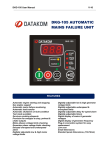



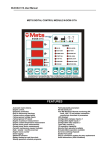


![ManualCover-3Panel10_03 [Converted]](http://vs1.manualzilla.com/store/data/005711777_1-408df82eece155ec198a9b3b174c8b0a-150x150.png)
