1
PyFITS Documentation, Release 3.2.2
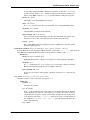
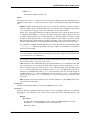
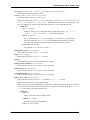
Comment string for the card that by default represents the time when the checksum was
calculated
blocking: str, optional :
“standard” or “nonstandard”, compute sum 2880 bytes at a time, or not
datasum_keyword: str, optional :
The name of the header keyword to store the datasum value in; this is typically ‘DATASUM’ per convention, but there exist use cases in which a different keyword should be
used
Returns
checksum : int
The calculated datasum
Notes
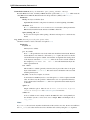
For testing purposes, provide a when argument to enable the comment value in the card to remain consistent. This will enable the generation of a CHECKSUM card with a consistent value.
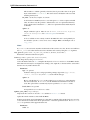
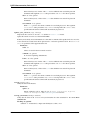
copy()
Make a copy of the HDU, both header and data are copied.
filebytes()
Calculates and returns the number of bytes that this HDU will write to a file.
fileinfo()
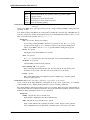
Returns a dictionary detailing information about the locations of this HDU within any associated file.
The values are only valid after a read or write of the associated file with no intervening changes to the
HDUList.
Returns
dict or None :
The dictionary details information about the locations of this HDU within an associated
file. Returns None when the HDU is not associated with a file.
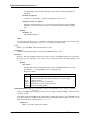
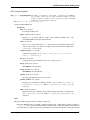
Dictionary contents:
Key
file
filemode
hdrLoc
datLoc
datSpan
Value
File object associated with the HDU
Mode in which the file was opened (readonly, copyonwrite, update,
append, ostream)
Starting byte location of header in file
Starting byte location of data block in file
Data size including padding
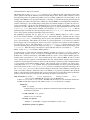
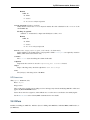
classmethod fromstring(data, fileobj=None, offset=0, checksum=False, ignore_missing_end=False,
**kwargs)
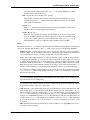
Creates a new HDU object of the appropriate type from a string containing the HDU’s entire header and,
optionally, its data.
Note: When creating a new HDU from a string without a backing file object, the data of that HDU may be
read-only. It depends on whether the underlying string was an immutable Python str/bytes object, or some
kind of read-write memory buffer such as a memoryview.
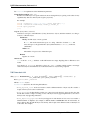
Parameters
data : str, bytearray, memoryview, ndarray
102
Chapter 2. API Documentation