1
PyFITS Documentation, Release 3.2.2
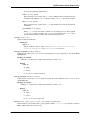
•0 - failure
•1 - success
•2 - no DATASUM keyword present
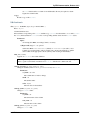
writeto(name, output_verify=’exception’, clobber=False, checksum=False)
Write the HDU to a new file. This is a convenience method to provide a user easier output interface if
only one HDU needs to be written to a file.
Parameters
name : file path, file object or file-like object
Output FITS file. If the file object is already opened, it must be opened in a writeable
mode.
output_verify : str
Output verification option. Must be one of "fix", "silentfix", "ignore",
"warn", or "exception". See Verification options for more info.
clobber : bool
Overwrite the output file if exists.
checksum : bool
When True adds both DATASUM and CHECKSUM cards to the header of the HDU when
written to the file.
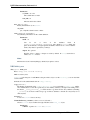
data
The data of a random group FITS file will be like a binary table’s data.
parnames
The names of the group parameters as described by the header.
section
Access a section of the image array without loading the entire array into memory. The Section object
returned by this attribute is not meant to be used directly by itself. Rather, slices of the section return the
appropriate slice of the data, and loads only that section into memory.
Sections are mostly obsoleted by memmap support, but should still be used to deal with very large scaled
images. See the Data Sections section of the PyFITS documentation for more details.
shape
Shape of the image array–should be equivalent to self.data.shape.
size
Returns the size (in bytes) of the HDU’s data part.
2.3.3 GroupData
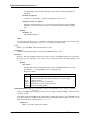
class pyfits.GroupData
Bases: pyfits.fitsrec.FITS_rec
Random groups data object.
Allows structured access to FITS Group data in a manner analogous to tables.
par(parname)
Get the group parameter values.
2.3. Header Data Units
65