1
VVDED300055USR11/03
11/2003
Section 3: Control Modes
Forced Local
Refer to the ATV58 TRX Keypad Display Instruction Bulletin,
VVDED397047US, for more details on how to select between the two
modes of local control.
Remote (Auto) Control
In remote (auto) control mode:
• The drive controller is managed by the LonWorks serial network.
• The speed reference and the start/stop control cannot come from
separate sources.
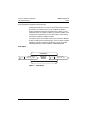
FORCED LOCAL
Switching between local and remote control is achieved by a switch
wired to a logic input on the controller terminal block as illustrated in
Figures 3 and 4 on page 20. The logic input must be assigned to the
function “Forced Local”.
When the logic input assigned to forced local is active (high), all
control of the drive controller is assigned to the selected local (hand)
control mode. In this case, command requests by the LonWorks
network are refused. Command parameters can be monitored. All
other adjustment and display parameters can be read/write
accessed.
WARNING
LOSS OF CONTROL
When in forced local mode, all commands from the communication
ports are ignored.
Failure to consider the implications of unanticipated operation
can result in death, serious injury, or equipment damage.
When the logic input is not active (low), all management of the drive
controller is transferred to the LonWorks network if wired as shown in
Figures 3 or 4. The only local (hand) controls that are still monitored
by the drive controller include the logic input assigned to Forced Local
and any input assigned to a drive controller stop function. Examples
include the stop button on the keypad display, logic input one (LI1)
which is assigned to the function STOP if the ATV58 TRX drive
controller is configured for 3-wire control, and any logic input assigned
to the functions freewheel stop, DC injection braking, and fast stop.
See the ATV58 TRX Keypad Display Instruction Bulletin,
VVDED397047US, for more details.
© 2001–2003 Schneider Electric All Rights Reserved
21