1
Easy To Use Software
Dynamic Phantom
Motion Control Selection
(Thorax or Pelvis)
Instantly Start, Stop,
Pause or Loop motion
Graphical user interface
simplifies operation
of the Model 008P
Adjust motion amplitude, cycle
time and phase shift with pull
down menus and slider bars
Real-time display of target
motion parameters
USER FRIENDLY MOTION CONTROL
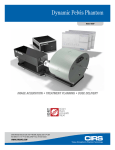
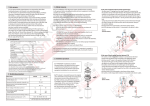
The Dynamic Pelvis Phantom is operated using CIRS Motion Control
Software, a user-friendly graphical user interface that can be used to
operate both the Dynamic Prostate Phantom and the Dynamic Thorax
Phantom. Upon installation, the user selects the phantom that is to be
controlled through a drop down menu on the main screen.
Amplitude, cycle time and phase shift can be applied using slider bars
or by entering desired values within the limits of the system. Five different built-in waveforms are available from a standard pull down menu
and represent typical prostate motion profiles.
Mirror by
amplitude = 0
An unlimited number of clinically relevant and user-generated waveforms or correlation models can be imported from tab delimited or
comma separated file formats.
There are also waveform editing, smoothing and analyzing tools to
ease the optimization of custom waveforms.
The software provides a convenient, real-time graphic display with
relevant information about the waveform selected for each direction
of simulated tumor. In addition the ROI analyzing function provides
the time spent by the target between two chosen amplitudes and the
average time weighted position for that particular ROI.
Data Column
Selection
Users can instantly start, stop or pause the motion at any time. New
start positions can be graphically selected and applied making the
device very useful for static test as well as dynamic testing. Users can
also select the number of cycles to be looped by entering the desired
value or choose continuous looping (1 million cycles).
3
Smoothing
(Un-smoothed
Data = 0; Maximum
Smoothing Degree =100)
Sampling rate of
Name of imported waveform
recorded data by
(User or software assigned)
motion control
software (Used to
reconstruct waveform)
Range 1 to 100