1
Print Authentication & Cross-Platform
Networks
evant procedures and chapters in other parts of the manual.
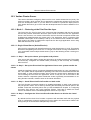
18.2.1. Windows systems with generic logins
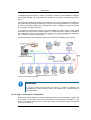
This scenario arises either when users log into systems using a common username such
as user or student, or if the workstations auto-login as a generic user. See introduction
for details.
18.2.1.1. Preferred Method:
•
Ensure all users have an account (username and password) on the server (or domain)
hosting the Print-Limit Pro software.
•
Install client software on all systems. See Section 4.2, “User Client” for more detail.
•
Enable popup authentication by selecting the Unauthenticated option on the corresponding generic user account.
•
See Section 6.8, “Popup Authentication” for more detail.
18.2.1.2. Other Methods:
1.
Use release station in "Release Any" mode. See Chapter 9, Hold/Release Queues &
Print Release Stations.
2.
Consider implementing domain level logins.
18.2.2. Windows laptops that do not authenticate against a domain
Portable systems may spend most of their time outside the organization's network and
hence setting up domain authentication may not be desirable. The laptops/notebooks are
often owned by a single individual and are not under the control of a central administrator.
18.2.2.1. Preferred Method:
•
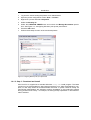
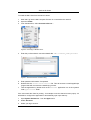
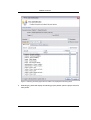
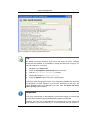
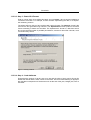
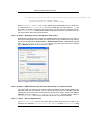
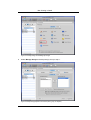
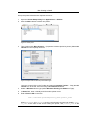
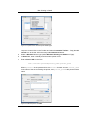
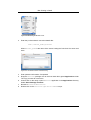
Teach the user how add their domain username and password to their Stored usernames and passwords:
1.
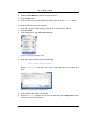
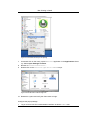
Start → Control Panel → User Accounts
2.
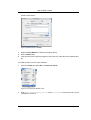
Select the user's laptop login account
3.
Click Manage my network passwords
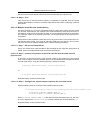
4.
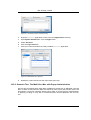
Click Add
5.
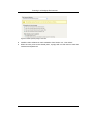
Enter the name of the server and the user's network domain username and password
•
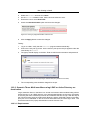
Teach the user how to add a network printer in the form \\server\printer.
•
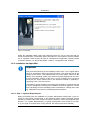
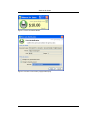
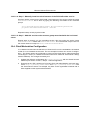
Optional: Locally install client software using the client-local-install.exe install
program. This is located on the \\Server\PCClient\win share. At the end of the install process the client will open asking the user to confirm their network identity. See
Section 4.2, “User Client” for more detail.
18.2.2.2. Alternate Method:
218