1
2. Ordering Model
Model
TE□-RB10W
TE□-SB10W
Alarm
One
One
Control Output Function
Relay Output
SSR Output
3. Mail Technical Specification
TC: 1℃
RTD: 0.1℃.
Resolution
Output Function
and Capacity
Relay Output: Capacity 3A/250VAC
SSR Output: (TE6/7/8/9/80/16: 12V Voltage, Load 30mA), (TE4: 24V Voltage Load 30mA)
Power Supply
TE6/7/8/9/80/16: AC 110/220V±10%
Total Current
<30mA(AC 220V)
Working Condition
0-50℃ 45-85%RH
TE4: AC/DC 100-240V
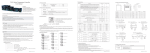
4. Panel Illustration
PV Display Window: display measuring value or parameter code
SV Display Window: display setting value or parameter value
OUT: OUT Indicate Light
AL: AL Output Indicate Light
AT: AT Auto-tuning Indicate Light
SET Key
Increase Key
Decrease Key
Left Shift Key
5. Panel Key Operation
(1). SET Key: In normal display status, press Key to enter into SV modefication status, SV value flicker;
press SET key for a few seconds to enter into setting menu.
(2). “▲”” ” Key: Shortly press can set value in SV menu or setting menu.
(3). ▲ Under the status of modify SV value, press this key without move can increase SV value or menu parameter value.
(4).
Under the status of modify SV value, press this key without move can decrease SV value or menu parameter value.
(5). All the parameter after modify should press SET Key for confirmation.
(6.).
Under normal display status, press
Key more than 3 seconds, the meter will enter into Auto-tuning status.
▲
▲
6. Operation Sequence
Power ON
→
Control Cycle
Unit Switch Choose
→
→
SET
SET
PV
→
Alarm Value
→
SET
→
Press SET more than 3 Seconds
SET
Display Lower
→
SET
→
SET
SET
Alarm Mode
→
SET
SET
→
SET
PV Modified Value
Lock
→
Derivative time
Display Upper
→
Integral time
→
SET
SET
Filter constant
ON/OFF control
hysteresis
→
→
SET
PV
Alarm Hysteresis
→
Proportional coefficient
→
Measuring Status
Input Signal Choose
SET
KKTEWE01-A/0-2