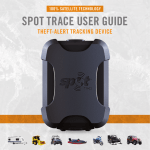
1
SATELLITE GPS MESSENGER
USER’S GUIDE
Getting Started
Before you start, here are a few important things to remember to get
maximum reliability from SPOT.
1. Spot needs a clear view of the sky to obtain a GPS signal and provide the
most accurate location information, it is not reliable indoors, in a cave, or
in very dense woods.
2. Orienting SPOT so that the SPOT logo is facing up toward the sky will
improve the performance as the antenna is located under the logo.
3. Keep the Messenger at least 12 inches away from other GPS devices as SPOT
can interfere with signal reception of other GPS devices.
Using SPOT
POWER
To turn SPOT on simply press and hold the ON/OFF button until the button
blinks green. SPOT performs a self-diagnostic test. When power is ON, the
button will blink green every 3 seconds. This is helpful for making SPOT more
visible in the dark. To turn SPOT off, press and hold the ON/OFF button until
the light stops blinking.
LIGHT INDICATORS
SPOT uses lights to tell you what it’s doing. Take moment to become familiar
with these lights.
FUNCTION LIGHTS
Each button has a backlight that blinks when that button is active. To activate
(or if applicable, cancel) any function, you must press and hold the button until
the function light starts blinking (approximately 3 seconds).
GPS LIGHT
The GPS light notifies you whether SPOT is able to see the GPS satellite and
obtain your GPS location.
•
Green – The GPS light blinks green while SPOT sees the GPS satellites and is
looking for a GPS location. Once the GPS location is obtained, the GPS light
and Message Sending light blink green approximately 15 seconds to notify
you that your message was sent with your GPS location.
•
Red – The GPS light blinks red if SDPOT doesn’t see the GPS satellites
and/or can’t find your GPS location. You should move to a location with a
clearer view of the sky.
MESSAGE SENDING LIGHT
The Message Sending light notifies you whether or not your most recent
message was transmitted.
•
Green – The Message Sending light blinks green after SPOT transmits the
most recent message.
•
Red – The Message Sending light blinks red if SPOT didn’t send the most
recent message.
Users Guide.doc
Page 2 of 6
11-04-20
The Message Sending Light will continue to blink as appropriate for each
function – until the next scheduled message (Track Progress, HELP/SPOT Assist,
SOS) and/or until one (1) hour after the message cycle is complete (CheckIn/OK, Custom Message, Track Progress, Help/SPOT Assist).
SELF TEST
SPOT performs a self-test when you initially turn on your SPOT. If all visible
lights flash red, the SPOT self-test has found a failure, and SPOT will not send a
message.
If the On/Off light, GPS light and Message Sending light all blink red, SPOT has
a GPS failure, but SPOT may still be able to transmit an SOS or Help/SPOT
ASSIST message without your GPS location.
CHECK-IN/OK
[we don’t subscribe to custom message]
Let your contacts know where you are and how you’re doing; or mark a single
waypoint to review later. Your contacts will receive SMS/text or email
messages with your GPS coordinates. Email messages also include a link to view
your location using Google Maps.
MESSAGE CYCLE
SPOT will send your message and GPS location to the SPOT network three times
over 20 minutes for maximum reliability (only one email or SMS/text message
will actually be sent to your contacts). If SPOT cannot get a GPS signal, it will
not send your Check-In/OK.
USING THE CHECK-IN/OK
Press and hold the Check-In/OK button until the function button blinks green.
The GPS light will blink green when SPOT sees the GPS satellites and continue
while obtaining your GPS location.
Once your GPS location is obtained, SPOT sends your message and GPS location.
The GPS light and Message Sending light will both blink green for approximately
15 seconds. The Message Sending light continues to blink green after it
transmits the most recent message and for one (1) hour after the end of the
message cycle. Let SPOT work until the end of the message cycle when CheckIn/OK lights stops blinking.
If no GPS signal is found, the GPS light will blink red. You should move to a
location with a clearer view of the sky. SPOT will keep looking for your GPS
location for up to 15 minutes.
Users Guide.doc
Page 3 of 6
11-04-20
If no GPS location is found in 15 minutes, SPOT does not send your message. To
try again, simply press and hold the function button. The Message Sending light
will blink red for one (1) hour after completion of the message cycle to notify
you that your message was not transmitted.
The Message Sending light continues to blink for one (1) hour after the end of
the message cycle to give you additional time to verify the status of your
Check-In/OK. In a hurry? You can dismiss the light by activation any other
function or turning SPOT off then on.
TO CANCEL
You cannot cancel a Check-In/OK, but you can stop any unsent messages by
turning SPOT off at any time, or by pressing any other function button. Unsent
messages are automatically disabled when you activate SOS, Help/SPOT Assist
or Track Progress.
HOW SPOT PRIORITIZES CHECK-IN/OK
Check-In/OK are the lowest priority SPOT messages – if you press the Help, or
SOS buttons while in Check-In/OK modes, SPOT will cancel any unsent CheckIn/OK and begin sending Help or SOS messages.
HELP
[we don’t subscribe to SPOT Assist]
For non-life threatening situations, ask for help from friends and family. Your
contacts will receive SMS/text or email messages with your GPS coordinates.
Email messages also include a link to view your location using Google Maps.
MESSAGE CYCLE
SPOT will send your message and current GPS location every 5 minutes for an
hour for redundancy and overall reliability. If SPOT cannot get a GPS signal, it
will still attempt to send your message without a GPS location.
USING THE HELP FUNCTION
Press and hold the Help button until the function button blinks green. The GPS
light will blink green when SPOT sees the GPS satellites and continue for up to
4 minutes while obtaining your GPS location.
Once your GPS location is obtained, SPOT will send your message with GPS
location. The GPS light and Message Sending light will both blink green for
approximately 15 seconds. The Message Sending light continues to blink green
until the next scheduled message or until one (1) hour after the end of the
message cycle to notify you that your most recent message was transmitted.
Users Guide.doc
Page 4 of 6
11-04-20
If no GPS signal is found, the GPS light will blink red. You should move to a
location with a clearer view of the sky. SPOT will keep looking for your BPS
location for up to 4 minutes.
If no GPS location is found in 4 minutes, SPOT sends your message without GPS
location. The GPS light blinks red and the Message Sending light blinks green
together for approximately 15 seconds. The Message Sending light will continue
blinking until the next scheduled message or until one (1) hour after the end of
the message cycle.
The Message Sending light continues to blink for one (1) hour after the end of
the Help message cycle to give you additional time to verify the status of your
most recent message. In a hurry? You can dismiss the Message Sending light by
activating any other function or by turning SPOT off and then on.
TO CANCEL
Press and hold the Help button until it blinks red. Let SPOT work until the Help
button stops blinking red. The Message Sending light will blink green indicating
it has sent the Cancel message.
HOW SPOT PRIORITIZES HELP
Help messages are a priority for SPOT. When you select Help or SOS you will
disable Check-In/OK.
SOS
For life-threatening or other critical situations, alert the GEOS International
Emergency Rescue Coordination Center (IERCC). GEOS notifies the appropriate
emergency responders based on your location and personal information - which
may include local police, highway patrol, the Coast Guard, your country's
embassy or consulate, other emergency response centers, or search & rescue
teams.
MESSAGE CYCLE
SPOT sends your emergency profile information and current GPS location to
GEOS every 5 minutes until cancelled or the batteries run out. If SPOT cannot
get a GPS signal, it will still attempt to send your message - without a GPS
location. There is no test mode. If you activate the SOS function, the GEOS
Rescue Coordination Center will treat it as a real emergency.
USING THE SOS FUNCTION
Press and hold the SOS button until it blinks green. The GPS light will blink
green when SPOT sees the GPS satellites and while obtaining your GPS location.
Users Guide.doc
Page 5 of 6
11-04-20
Once your GPS location is obtained, SPOT sends your message and GPS location.
The GPS light and Message Sending light will both blink green for approximately
15 seconds. The Message Sending light continues to blink green until the next
scheduled message to notify you that your most recent message was
transmitted.
If no GPS signal is found, the GPS light will blink red. You should move to a
location with a clearer view of the sky.
The first message will be sent within (1) minute after activation with or
without your GPS location. For all subsequent messages, SPOT will keep looking
for your GPS location for up to 4 minutes.
If no GPS location is found in 4 minutes, SPOT sends your message without GPS
location. The GPS light blinks red and the Message Sending light blinks green
for approximately 15 seconds. The Message Sending light will continue blinking
green until the next scheduled message.
TO CANCEL
Press and hold the SOS button until it blinks red. Let SPOT work until the SOS
button stops blinking red. The Message Sending light will blink green indicating
it has sent the Cancel message.
HOW SPOT PRIORITIZES SOS
SOS messages are the top priority for SPOT. When you select Help you will
disable Check-In/OK. Help messages will still be transmitted to designated
friends and family in Combined Help and SOS mode.
Please note that SPOT strongly recommends that you do not utilize
Combined Help and SOS mode, as your friends and family could interfere
with rescue efforts.
NOTE: This is a condensed version of the User’s Manual included with the SPOT
Device. For more information visit;
http://www.findmespot.com
Users Guide.doc
Page 6 of 6
11-04-20