1
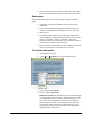
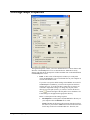
Owners Tab
NOTE: For specific field definitions see Field Names under the Help menu in
MEDIA Access Pro™.
1.
2.
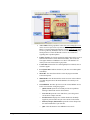
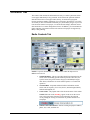
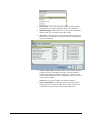
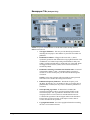
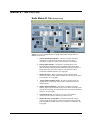
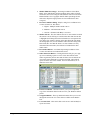
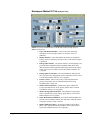
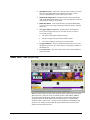
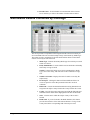
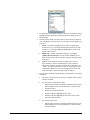
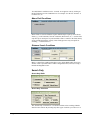
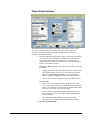
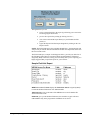
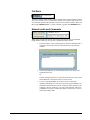
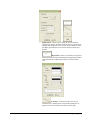
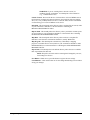
Station or Newspaper Identifiers - This area provides identifying
information for the station or newspaper selected. It can include:
•
Name of the newspaper or call letters for the radio or television
station
•
Affiliation of the television station or format of the radio station
•
Market name and rank of the radio or television station or the city
and state where the newspaper is published.
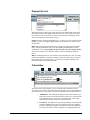
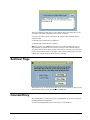
Owner or Parent - Select to view the address and contact information
for either the Owner or the Parent Holding Company (if any) by
clicking on the appropriate radio button.
NOTE: When the words “Pending Sale to” appear in red text on the
screen next to the owner name field, the owner indicated is the
proposed owner pending the closing of a transaction to purchase the
station or newspaper.
54 • 5: Information Screens
3.
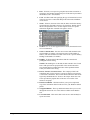
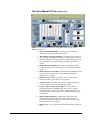
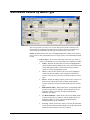
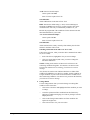
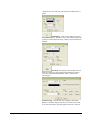
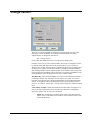
Owner or Parent Headquarters - Shows the mailing and physical
addresses, phone, fax, Web site, e-mail, and stock symbol for the
selected owner or Parent Holding Company (if any). Group is flagged
“T” when more than two newspapers are owned or more than two
stations are owned in more than one market.
4.
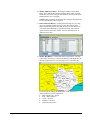
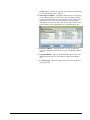
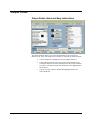
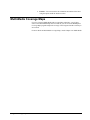
Owner or Parent Contacts - Lists the mailing and physical address,
phone, fax, and e-mail for the contact selected in the drop down
Position box. To view the name and address information for each of the
executive positions with the Owner or Parent, click on the down arrow
to the right of Position under Contacts and click on the position you
would like to view. For more information on inputting and retaining
your own customized contacts for an Owner or Parent, see the section
on Customizable Features.
MEDIA Access Pro™ Version 4.0 User Manual