1
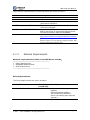
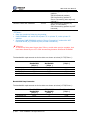
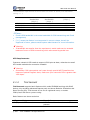
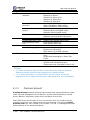
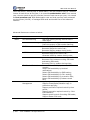
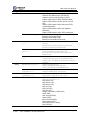
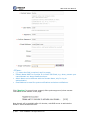
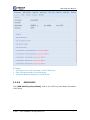
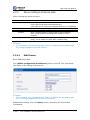
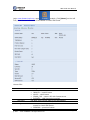
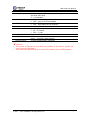
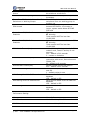
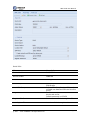
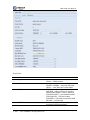
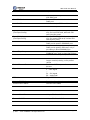
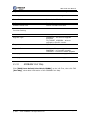
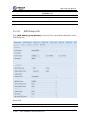
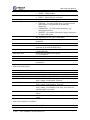
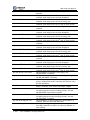
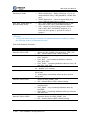
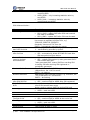
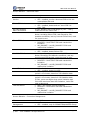
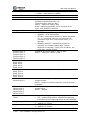
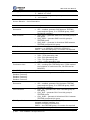
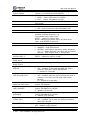
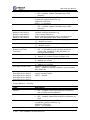
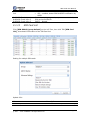
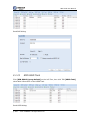
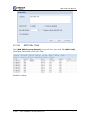
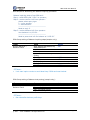
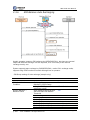
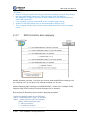
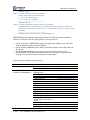
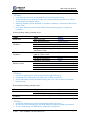
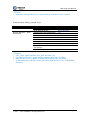
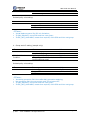
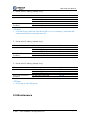
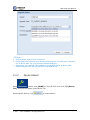
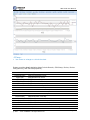
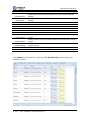
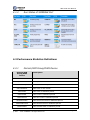
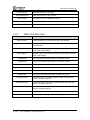
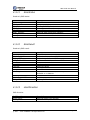
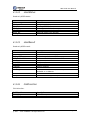
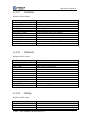
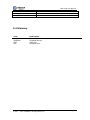
SIM Cloud User Manual One-By-One SIM Switchover inside one device Use device timestamp to generate CDR Force Clear SIM Statistics Data after SIM Switchover in Working Groups Force Clean OFFLINE SIM Card even if SIM Unused Enable Port 15M/24H Performance Statistics Enable SIM 15M/24H Performance Statistics SIM Switch Timeout(sec) Device Comm. Timeout(sec) Remote-Web Timeout(sec) HBM Auto Sending Retries HBM Saving Sent-Fail SMS Record HBM Saving Sent-Fail USSD Record HBM Saving Sent-Fail CALL Record Smooth switchover, only one port can do switchover at one time Generate exact CDR by device reported timestamp Clear SIM statistics data after SIM switchover from one working group to another one If server was restarted, but device became OFFLINE for 15 minutes or longer, system would delete OFFLINE SIM card Generate statistics records for each port Warning: Total records MUST be less than 10,000,000 Generate statistics records for each SIM Warning: Total records MUST be less than 10,000,000 Monitor SIM registering network, if SIM couldn’t work, cancel it and try to use next one 300 – default is 300 seconds 0 – means no limitation Monitor OFFLINE device, if lost connection with server, device becomes COMM_FAIL 60 – default is 60 seconds Monitor closed remote-web session 600 – default is 600 seconds HBM auto SMS/USSD/CALL, retries after sent fail 1 – default retries is once Save sent-fail SMS record of HBM into database YES – default is YES Save sent-fail USSD record of HBM into database YES – default is YES Save sent-fail CALL record of HBM into database YES – default is YES Performance Setting: Item PM 15Min Max Description Maximum history PM 15Min records PM 24Hour Max Maximum history PM 24Hour records Restricted © 2011 – 2012 DINSTAR All Rights Reserved Page 44