1
connect(3ectk)
ECTk Built-In Commands
connect(3ectk)
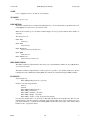
NAME
connect − connects to the IO board using a configuration file
SYNOPSIS
connect ?option? ?configFile?
DESCRIPTION
Connects to the IO board using the configuration file given by configFile.
The configuration file is a valid Tcl script which should define the specific configuration variables for the
potensiostat to be driven. Note that ECTk will first execute the Tcl script in configFile and then connect to
the board.
Displays an error message in case the board cannot be connected.
If connect is called with the option -info displays the current configuration of the connected board.
IMPLEMENTATION
The connect command is implemented in Tcl/Tk and is part of the ECTklib. It calls the ECtk command
IODevice -connect configFile.
CONFIGURATION FILE FORMAT
The configuration file can be any valid Tcl script which should define the specific configuration variables
for the potensiostat to be driven.
Typically the channel number configuration and their gains should be defined for a specific instrument.
For example the following Tcl script defines the configuration for a specific potensiostat:
puts "+-----------------------------------+"
puts "| Configuration for my potensiostat |"
puts "+-----------------------------------+"
# comedi device file associated with the IO board
set ::ectk::comediFile /dev/comedi0
# configuration of the IO channels
set ::ectk::chanIfo 1
set ::ectk::chanVfo 0
set ::ectk::chanCtrl 0
set ::ectk::AI_gain($::ectk::chanIfo) -1.0
set ::ectk::AI_gain($::ectk::chanVfo) -1.0
connect -info
The script ends by calling connect -info in order to display the configuration.
If this script is saved in mypotensiostat.tcl, then the IO board can be connected using
connect mypotensiostat.tcl
ECTk
1.0
1