1
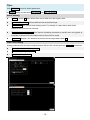
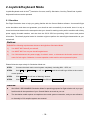
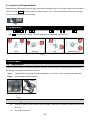
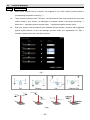
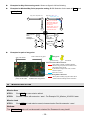
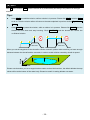
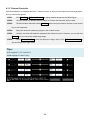
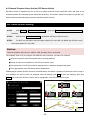
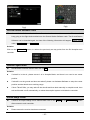
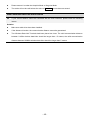
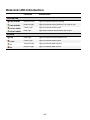
Examples for Way Point turning mode: Shown as figure A1/A2 as following. Examples for Mission/Way Point properties setting: B1/B2 Selection for the state of Route, and StartWayPoint. Way point 1: Bank_Turn Way point 1: Stop and Turn Adaptive_Bank_Turn 0 1 0 1 Bank_Turn: The aircraft will keep the speed when turning, so it will deviate from its route. Adaptive_Bank_Turn: The aircraft will slow down so as to follow the route. 2 A1 Mission properties: Route : Continuous StartWayPoint : 1 B1 Initial Position 0 2 A2 B2 Initial Mission properties: Position Route : Start_to_End StartWayPoint : 0 1 0 1 3 2 Stop here, and stay hovering 3 2 Examples for path of way point: Way point altitude Way point Index number of way point Under editing Not selected Path Color Before Mission Execute After mission checked. If collision happens between way point path and mountain, these path will be shown as red; If path distance longer than 10 km, it will be shown as yellow. Blue one is normal. Path Color During Mission Execution Projection line of way Point-to-Point distance point, not to scale between two way points All the paths including way point index will be shown as dark red during mission execution. Mission Save & Load Mission Save STEP1: Click SAVE to save mission edited. STEP2: Choose a name with extension „.awm‟. For Example: DJI_Mission_20100101.awm. Mission Load STEP1: Click OPEN to load mission saved; choose mission file with extension „.awm‟. Notices: The Altitude offset value will not be saved in mission file. Please set it every time!!! - 30 -