1
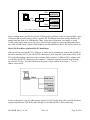
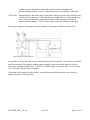
in a dialog with the host PC. At power up, that privilege belongs to the HS-20USB with address 0; it
will therefore enable its transmitter and issue a start-up message. Meanwhile, all of the other HS20USB's in the system (if there are any) will disable their transmitters and enter standby mode. During
this initial period, all normal transmissions from the host PC are assumed to be directed to HS-20USB
0. (All of the other HS-20USB's in the system [if there are any] receive these transmissions but simply
ignore them.) Likewise, all transmissions received by the host are assumed to have originated from
HS-20USB 0.
Thereafter, the host PC must issue a CyberVec "@n" command (where "n" is an HS-20USB
address) in order to select a different dialog partner. That HS-USB -- which is then said to be
"selected" -- will enable its transmitter, and all of the other HS-20USB's will disable theirs and enter
standby mode (unless executing a previously-issued CyberVec command or commands). During this
period, all normal transmissions from the host PC are assumed to be directed to the newly-selected HS20USB. (All of the other HS-20USB's in the system receive these transmissions but simply ignore
them.) Likewise, all transmissions received by the host are assumed to have originated from the
newloy-selected HS-20USB.
In some instances, such as the global abort (@ESC), a command sent by the host PC is responded to by
all HS-20USB's in the system.
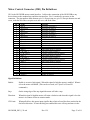
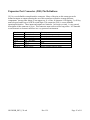
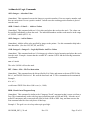
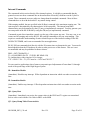
Status at Power Up
SELECTED HS-20USB
ECHO MODE
RAMP MODE
MOTOR POWER
SELECTED RAMP
LIMIT CHECKING
LIMIT MODE
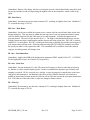
0
ON (see EY and EN commands)
OFF (see RY and RN commands)
OFF (see MPY & MPN commands)
0 (internal)
OFF
NORMALLY OPEN
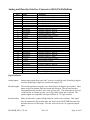
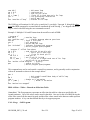
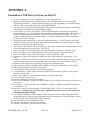
Special Characters/Character Sequences
^
!
%
ESC
@ESC
@n
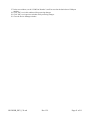
Take command argument data from the stack
Output the result of a command to the serial/USB port in text format
rather than placing on the stack
The number following is hexadecimal
Abort (stops execution and clears input FIFO) for selected HS-20USB
Global abort
Select HS-20USB with address "n" (multi-dropped system)
Command Parameters/Arguments
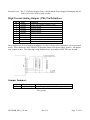
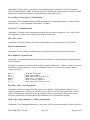
Most CyberVec commands require numeric parameters, and these can be provided or specified in
several different ways. This is illustrated by the following examples of a command to move Motor 0
100 steps:
V1 0 100
; specifies the distance in decimal
V1 0 %64
; specifies the distance in hexadecimal
V1 0 ^
; specifies that the distance is to be taken from the stack
HS-20USB_REV_139.odt
Rev 1.39
Page 23 of 61