1
MONOPRICE
10593 Windows User's Manual
I. General Information
1. Overview
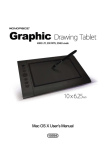
Thank you for purchasing this Monoprice Graphic Tablet!
A Graphic Tablet, with its accompanying wireless digital pen, is a natural and intuitive
input device for drawing and image editing tasks. It is also an excellent alternative input
device over a mouse when performing conventional computer tasks.
2. Pen Tablet Functions
After installing the device driver, your pen tablet can perform the following functions:
Direct Pointing: You can move the cursor to any location on the screen by hovering
the digital pen tip over the tablet's surface.
Three-Button Mouse Commands: Your pen tablet provides all the functionality of a
three-button mouse using the pen tip and two buttons.
Pen Scrolling: You can scroll in documents and applications by pressing the middle
button on the digital pen while moving the pen over the tablet's surface.
Pressure Sensitivity: The tablet and pen feature 2048 levels of pressure sensitivity
so, like a real pencil, the harder you press down the darker and thicker the lines,
while minimal pressure will produce faint, thin lines.
3. System Requirements
Windows XP/Vista/Windows 7/Windows 8 (32- & 64-bit)
Available USB port
CD-ROM drive
1