1
Chapter 5. Setting Up the Wired Connection for Windows 7
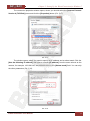
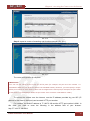
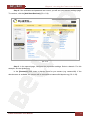
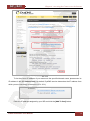
The connection properties window opens, where you should select the [Internet Protocol
Version 4 (TCP/IPv4)] menu and click the [Properties] button (Pic. 5.17).
Pic. 5.17
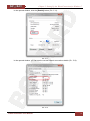
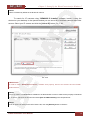
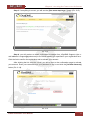
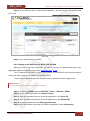
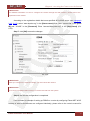
The window opens, where you need to specify an IP address and a subnet mask. Click the
[Use the following IP address] and type an unused [IP address] from the same subnet as the
camera, for example, 192.168.0.20, and 255.255.255.0 in the [Subnet mask] field. You can skip
the other parameters (Pic. 5.18).
Pic. 5.18
N1000 Installation User Manual
22