1
Chapter 3. Physical Description
Chapter 3. Physical Description
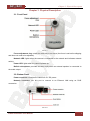
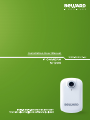
3.1. Front Panel
Pic. 3.1
Focus adjustment ring: rotate the metal ring to set focus (the focus is set before shipping
and does not need to be adjusted).
Network LED: lights when the camera is connected to the network and indicates network
activity.
Power LED: lights when the camera powers up.
Built-in microphone: provides two-way audio when an external speaker is connected to
the audio output.
3.2. Bottom Panel
Power connector: connects the camera to 5 V DC power.
Network connector: use this port to connect to an Ethernet LAN using an RJ45
connection.
Pic. 3.2
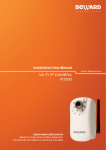
N1000 Installation User Manual
6