1
INTRODUCTION
The InFocus® LP130™ digital projector is specifically designed
for the mobile presenter. It generates crisp, clear images using
Digital Light Processing™ (DLP) technology, and features an
M1-DA type DVI connector for easy, built-in digital/analog and
USB connectivity. It is easy to connect, easy to use, easy to transport, and easy to maintain.
Image Resolution
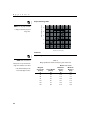
The XGA resolution of the LP130’s projected image is 1024x768.
The projector is compatible with screen resolutions up to
1280x1024. If your computer’s screen resolution is higher than
1280x1024, reset it to a lower resolution before you connect the
projector.
NOTE: The LP130 automatically
expands 640x480 and 800x600
images to 1024x768. You can display these images at their native
Compatibility
The projector is compatible with a wide variety of computers and
video devices, including:
resolutions using the Resize option
in the Image menu. See page 19
for more information.
• IBM-compatible computers, including laptops, up to 1280x1024
resolution.
• Apple® Macintosh® and PowerBook® computers up to
1280x1024 resolution.
• Most standard VCRs, DVD players, HDTV sources, camcord-
ers and laser disc players.
NOTE: The projector is compati-
Unpacking the Projector
ble with 1080i and 720P HDTV
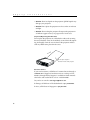
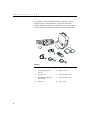
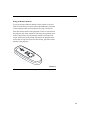
The projector comes with the items shown in Figure 1. Check to
make sure all are included. Contact your InFocus dealer immediately if anything is missing.
formats.
If you are experienced in setting up presentation systems, use the
Quick Start card that was included in the shipping box. For complete details on connecting and operating the projector, refer to
this User’s Guide. Electronic versions of this user’s guide in multiple languages are available on the included CD and on our website at www.infocus.com.
1