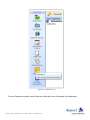
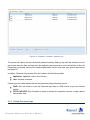
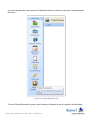
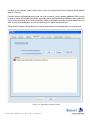
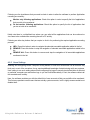
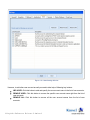
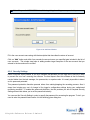
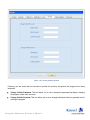
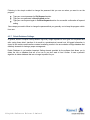
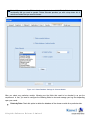
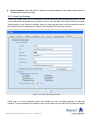
1
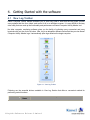
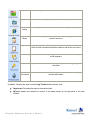
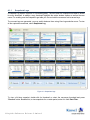
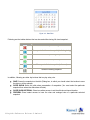
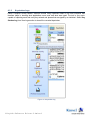
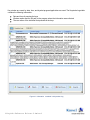
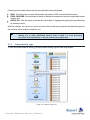
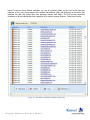
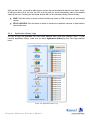
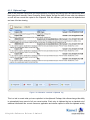
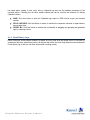
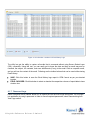
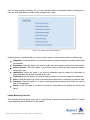
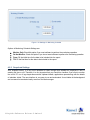
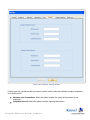
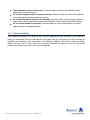
PRODUCT GUIDE ©L e pide Sof t w a r e P r iva t e L im it e d Table of Contents 1. 2. 3. 4. About Kernel Computer Activity Monitor .............................................................................................................6 1.1 Brief about this User Manual ........................................................................................................................6 1.2 Introduction to Kernel Computer Activity Monitor .........................................................................................6 1.3 Salient Features ...........................................................................................................................................7 1.4 System Requirements ...................................................................................................................................8 Understanding the User Interface..........................................................................................................................9 2.1 Welcome Screen of the Software ..................................................................................................................9 2.2 Menu Bar ....................................................................................................................................................9 2.3 Tool Bar.................................................................................................................................................... 10 Install and Uninstall........................................................................................................................................... 12 3.1 Installing Kernel Computer Activity Monitor............................................................................................... 12 3.2 Uninstalling Kernel Computer Activity Monitor .......................................................................................... 12 Getting Started with the software........................................................................................................................ 13 4.1 View Log Toolbar...................................................................................................................................... 13 4.1.1 Snapshots Logs ...................................................................................................................................... 15 4.1.2 Keystrokes Logs..................................................................................................................................... 17 4.1.3 Internet Activity Logs ............................................................................................................................. 19 4.1.4 Application History Logs ........................................................................................................................ 21 4.1.5 Clipboard Logs ...................................................................................................................................... 23 4.1.6 Email History Logs ................................................................................................................................ 24 4.1.7 Password Logs ....................................................................................................................................... 26 4.1.8 Printed Document Logs .......................................................................................................................... 28 4.2 Settings ..................................................................................................................................................... 31 4.2.1 General Settings ..................................................................................................................................... 31 4.2.2 Snapshots Settings .................................................................................................................................. 33 4.2.3 Clipboard Settings .................................................................................................................................. 35 4.2.4 Applications Settings .............................................................................................................................. 36 4.2.5 Users Settings ........................................................................................................................................ 38 4.2.6 Security Settings .................................................................................................................................... 40 ©L e pide Sof t w a r e P r iva t e L im it e d 5. 6. 7. 4.2.7 Delete Database Settings......................................................................................................................... 42 4.2.8 Email Logs Settings................................................................................................................................ 45 Download, Purchase and Register....................................................................................................................... 47 5.1 Free Trial Download .................................................................................................................................. 47 5.2 Purchase & Register................................................................................................................................... 47 5.3 Support ..................................................................................................................................................... 47 Troubleshooting ................................................................................................................................................ 49 6.1 Common Issues ......................................................................................................................................... 49 6.2 Frequently Asked Questions ....................................................................................................................... 49 Legal Notices .................................................................................................................................................... 52 7.1 Copyright Notice ....................................................................................................................................... 52 7.2 Trademarks ............................................................................................................................................... 52 7.3 Disclaimer ................................................................................................................................................. 52 7.4 License Agreement .................................................................................................................................... 53 ©L e pide Sof t w a r e P r iva t e L im it e d Table of Figures Figure 2.1: Welcome Screen of Kernel Computer Activity Monitor ...............................................................................9 Figure 2.2: File Menu ............................................................................................................................................... 10 Figure 2.3: Help Menu .............................................................................................................................................. 10 Figure 2.4: Tool Bar ................................................................................................................................................. 10 Figure 4.1: View Log Toolbar ................................................................................................................................... 13 Figure 4.2: Snapshots Logs ....................................................................................................................................... 15 Figure 4.3: Date Filter ............................................................................................................................................... 16 Figure 4.4: Keystrokes Log ....................................................................................................................................... 17 Figure 4.5: Information contained in Keystrokes Log .................................................................................................. 18 Figure 4.6: Internet Activity Log ............................................................................................................................... 19 Figure 4.7: Information contained in Internet Activity Log .......................................................................................... 20 Figure 4.8: Application History Log........................................................................................................................... 21 Figure 4.9: Information contained in Application History Log ..................................................................................... 22 Figure 4.10: Information contained in Clipboard Log .................................................................................................. 23 Figure 4.11: Email History Logs ................................................................................................................................ 25 Figure 4.12: Information contained in Email History Logs .......................................................................................... 26 Figure 4.13: Password Log ........................................................................................................................................ 27 Figure 4.14: Information contained in Password Log .................................................................................................. 28 Figure 4.15: Printed Documents Log.......................................................................................................................... 29 Figure 4.16: Information contained in Printed Documents Log .................................................................................... 30 Figure 4.17: Settings Window ................................................................................................................................... 31 Figure 4.18: Settings for Enable Monitoring ............................................................................................................... 32 Figure 4.19: Settings for Monitoring Schedule ............................................................................................................ 33 Figure 4.20: Snapshots Settings Window.................................................................................................................... 34 Figure 4.21: Clipboard Settings Window .................................................................................................................... 36 Figure 4.22: Applications Settings Window ................................................................................................................ 37 Figure 4.23: Users Settings Window .......................................................................................................................... 39 Figure 4.24: Add User Window ................................................................................................................................. 40 Figure 4.25: Security Settings Window ...................................................................................................................... 41 ©L e pide Sof t w a r e P r iva t e L im it e d Figure 4.26: Delete Database Settings Window........................................................................................................... 43 Figure 4.27: Delete Database Settings for Selected Module ......................................................................................... 44 Figure 4.28: Email Logs Settings Window ................................................................................................................. 45 Figure 4.29: Successful Mail Sending Message Window ............................................................................................. 46 ©L e pide Sof t w a r e P r iva t e L im it e d 1. About Kernel Computer Activity Monitor 1.1 Brief about this User Manual Welcome to the user manual of Kernel Computer Activity Monitor, an apt solution to view everything happening on employee’s computer screen. This user manual guides users on successfully operating the software. It is recommended that novice as well as experienced users should carefully go through this user manual before using the software. A user who is well aware of the software can even use table of contents for finding the particular portion of manual. The table of contents enlists all the sections described in this user manual from where one can navigate through its different sections. The user manual consists of stepby-step guidelines for using Kernel Computer Activity Monitor software. The user manual is intended to guide those users who are using this software for the first time. The user manual consists of the following sections for guiding the users: Introduction User Interface Description Install and Uninstall Usage Guidelines Download, Purchase and Register Troubleshooting Legal Notices 1.2 Introduction to Kernel Computer Activity Monitor Kernel Computer Activity Monitor is an advanced, effective, professional and powerful computer monitoring software that helps you in gathering information about the data entered by the user using keyboard, performs hidden computer monitoring operation, captures screen by taking high resolution screenshots and logs programs that are being run and closed. The software records every website visited, every video or file downloaded, every email sent or received, every document printed, and much more. The software records every keystroke and password typed by the user and offers security options to protect the tool with password such that no one other can view the logs. One of the best features of the software is that it doesn’t appear in the Task manager, in the Process List, on the Desktop or in Add or Remove Programs such that the monitored person is unaware of the fact that he or she is being monitored. The tool ensures full control over employees, helps in achieving better productivity and enhances workmanship. The software is beneficial for: System Administrators: Helps in determining exactly what took place in the system. ©L e pide Sof t w a r e P r iva t e L im it e d Parents: Helps in discovering all the programs run by their children and searching performed in Internet. Any user: One can determine what was actually going on the computer system in his absence. CEO’s: Allows complete control over all computers of the organization. Helps in determining actions performed by employee or any other individual on a particular system. The software offers easy-to-use, highly interactive, self-descriptive, user-friendly graphical user interface such that non-technical users can easily operate it without any technical training. The software is available as a free trial version such that users can evaluate the features, functionalities and capabilities of the software before making the actual purchase. 1.3 Salient Features Some of the key features of Kernel Computer Activity Monitor software are as follows: Invisibly takes screenshots of target computer screen at specified interval. Records every keystroke made by the user including hidden system keys. Monitors all Internet activities on target computer and provides information regarding browser details, pages visited, visit time alongwith user name. Provides complete details on all applications launched on the computer including details like Application Name, launched time, executable path and Launched By information. Captures all clipboard (copy-paste) activities including both text and image performed by the user. Logs down all the documents and files that were accessed and viewed by the user including text files, video files and image files. Provides detailed information about emails sent or received, its date and time, subject, contents, attachments, etc. Tracks all passwords typed by the user. Provides information such as Application name, last login time of the application and user who logged into that application. Provides detailed information about every Print command, documents that are printed on the target computer including user name, file name, printer name and print time. Provides scheduled delivery of recorded logs to your email account at specific time intervals. Offers password-protection. User can prevent unauthorized access to the application by setting password to access it. Offers various security settings such that the monitoring process cannot be tampered. ©L e pide Sof t w a r e P r iva t e L im it e d Automatically deletes old and outdated logs from the computer in order to save storage space. Offers Field Chooser option that allows having a better view of the report by selecting or deselecting columns. Offers Save option for saving the log at desired location in HTML format. Available as free evaluation version such that user can analyze the features and capabilities of the software for free of cost before making the actual purchase. Supports Windows 8, 7, Vista, XP, Windows Server 2008, Windows Server 2003, 2000, 98, 95 and NT operating systems. Offers easy-to-use, simple, self-descriptive, attractive, user-friendly graphical user interface. No technical skills required for operating the software. Offers round-the-clock technical support. 1.4 System Requirements Your computer system must have the appropriate configuration before installing and running Kernel Computer Activity Monitor software. Following are the minimum system requirements that a system should possess for successfully installing the Kernel Computer Activity Monitor software. Basic System Requirements Pentium Class Processor Minimum 64 MB RAM (128 MB Recommended) 10 MB of free Disk Space for Software installation Enough disk space to store the recovered results Supported Operating Systems Platforms: Windows 8, Windows 7, Windows Vista, Windows XP, Windows Server 2003, Windows 2000, Windows 98, Windows 95, Windows NT, and Windows Server 2008. ©L e pide Sof t w a r e P r iva t e L im it e d 2. Understanding the User Interface 2.1 Welcome Screen of the Software Kernel Computer Activity Monitor offers user-friendly, attractive graphical user interface. To launch Kernel Computer Activity Monitor software, type “Kernel” anywhere in the Windows Explorer. When the software is launched, following Welcome Screen appears: Figure 2.1: Welcome Screen of Kernel Computer Activity Monitor 2.2 Menu Bar The Menu bar of Kernel Computer Activity Monitor comprises two menus that are further divided into several menu items. The two menus are: File Menu Help Menu ©L e pide Sof t w a r e P r iva t e L im it e d File Menu The File menu of Kernel Computer Activity Monitor appears, as shown in the following figure: Figure 2.2: File Menu The following table enlists the single option available in the File menu: Option Exit Description Closes entire monitoring and recording operation of the software. Help Menu The Help menu of Kernel Computer Activity Monitor appears, as shown in the following figure: Figure 2.3: Help Menu The following table enlists the options available in the Help menu: Option Help About Kernel Computer Activity Monitor Description Opens the user’s help manual of Kernel Computer Activity Monitor Displays the version and support related information about the software 2.3 Tool Bar The Tool bar is displayed just below the Menu bar section of the software interface and consists of buttons that offers a convenient method for performing varied functions. Figure 2.4: Tool Bar ©L e pide Sof t w a r e P r iva t e L im it e d Following table enlists the buttons available on the Tool bar of Kernel Computer Activity Monitor: Button Button Name Description Settings Opens Settings dialog box containing various options for software configuration Help Launches and shows Online Help Manual of the software About Displays the program information and copyright information of the software Uninstall Launches uninstallation wizard to uninstall the software directly ©L e pide Sof t w a r e P r iva t e L im it e d 3. Install and Uninstall 3.1 Installing Kernel Computer Activity Monitor After being familiar with the software overview, key features, and system requirements let us install Kernel Computer Activity Monitor. The software is easy to install and involves few simple steps to configure it. However, before installing the software ensure that the software installer file is available on your computer. If the installer file is not available on your computer, then you can download it from our safe and secure Website: http://www.nucleustechnologies.com/download-computer-activity-monitor.html After you have downloaded the installer file, execute the following steps to install the software: 1. Double-click the Kernel Computer Activity Monitor installer file. 2. Accept License Agreement to continue the installation of the software. 3. Follow all the on-screen instructions and enable checkbox option for creating System Restore Point. 4. Please read the “How to Launch” instructions carefully to launch the software. 5. To complete the installation process “Restart your computer” message appears on the screen. 6. Click the Finish button to successfully install the software. Note: After you restart the computer, you can change the software launching keyword from the software settings. 3.2 Uninstalling Kernel Computer Activity Monitor To uninstall Kernel Computer Activity Monitor software, the utility offers “Uninstall” button available in the tool bar section. Click on “Uninstall” button to launch the uninstallation wizard to uninstall the software. Click “Yes” button to uninstall the product from the monitored PC. On successful completion of uninstallation process, Kernel Computer Activity Monitor will be successfully removed from the computer system alongwith the logs it made. ©L e pide Sof t w a r e P r iva t e L im it e d 4. Getting Started with the software 4.1 View Log Toolbar Kernel Computer Activity Monitor facilitates you to view every chat or word that the user typed, monitor every website that the user visited, and control it all in an effortless manner. It is very difficult to find any other utility that can meet up the functionality and performance of Kernel Computer Activity Monitor tool. No other computer monitoring software gives you the facility of collecting every screenshot and every keystroke with just the click of a button. View Log is an altogether different section that lets you view Kernel Computer Activity Monitor logs. It automatically open logs saved on the target computer. Figure 4.1: View Log Toolbar Following are the essential buttons available in View Log Section that offers a convenient method for performing varied functions: Button Button Name ©L e pide Sof t w a r e P r iva t e L im it e d Description Snapshots Captures high resolution screenshots of the host computer screen Key Strokes Records every keystroke made on a host computer Internet Activity Records every site that the user visited and how long he or she stayed in Application History Records all the programs used, when and how long they have been used for and more Clipboard Records clipboard content alongwith the caption of the window from which the text information has been copied as well as the user name Email History Records each and every single email sent and received on all major email programs Password Capture the entire password values typed by the user in any program or document Printed Records the date and time of printing document, printer name alongwith Documents the document name In addition, following are other important Log Toolbar buttons that are used: Regenerate: Recreates the logs for the selected date. Refresh: Update and reloads the content of the tables present on the right panel of the main Window. ©L e pide Sof t w a r e P r iva t e L im it e d 4.1.1 Snapshots Logs A Snapshot Log Section consists of a thumbnail gallery. The time when the snapshot was taken is shown for every thumbnail. In addition, every thumbnail highlights the active window caption as well as the user name. For scrolling over the Snapshot Logs table you can use both the mouse as well as arrow keys. The moment logs are generated, you may switch between them using View Logs selection menu. To view all the captured screenshots, select Snapshots Log. Figure 4.2: Snapshots Logs To view a full-size snapshot, double-click its thumbnail or select the necessary thumbnail and press “Preview” button. Besides this, to view snapshots for a certain period, select it in from Date Filter. ©L e pide Sof t w a r e P r iva t e L im it e d Figure 4.3: Date Filter Following are the toolbar buttons that can be used while viewing full-sized snapshot: Toolbar Button Function Closes the snapshot viewing window Moves you to the foremost snapshot (to the beginning) Presents the preceding snapshot Exhibits the subsequent snapshot Moves you to the last snapshot (to the end) Saves the viewing snapshot In addition, following are other key buttons that too play a key role: SAVE: Saves the snapshot on the disk (Dialog box, in which you should select the location to save the picture, will be opened). SLIDE SHOW: Starts the slide show presentation of snapshots (You must select the particular snapshot from where the slide show will start). SLIDE SHOW INTERVAL: Gives immediate access to set the slide show interval duration. PREVIEW: Gives instant access to have the clear and enlarged view of a particular selected snapshot. ©L e pide Sof t w a r e P r iva t e L im it e d 4.1.2 Keystrokes Logs Kernel Computer Activity Monitor software records every keystroke made on the host computer and therefore helps in knowing what applications were used and what was typed. The tool is very much capable of capturing each and every key entered and phrase that was typed by an individual. Select Key Strokes Log from View Logs section to view all the recorded keystrokes. Figure 4.4: Keystrokes Log ©L e pide Sof t w a r e P r iva t e L im it e d Key strokes are saved by date, time, and by what program/application was used. The Keystroke Logs table contains the following information: Date and time of pressing the keys Window caption and the full path to the program where the information was collected The user name of the individual that pressed all the keys Figure 4.5: Information contained in Keystrokes Log ©L e pide Sof t w a r e P r iva t e L im it e d Following are the toolbar buttons that can be used while viewing Keystrokes: SAVE: Click this button to save the Keystrokes logs report in HTML format at desired location. FIELD CHOOSER: Click this button to select or deselect the respective columns of report table to have a better view. GROUP BY: Click this button to activate the functionality of dragging and grouping the generated logs by selecting column. With this software, you can be very much assured of the fact that every keystroke and password typed on the computer will be tactfully recorded for you. 4.1.3 Note: Keystroke recordings are organized chronologically by Application and by Window allowing you to easily differentiate between what is typed in a word processing document, email, spreadsheet, or Internet browser (even passwords). Internet Activity Logs To view all recorded Internet activity, just select Internet Activity log from View Logs section. Figure 4.6: Internet Activity Log ©L e pide Sof t w a r e P r iva t e L im it e d Kernel Computer Activity Monitor facilitates you see all websites visited by the user for the date you selected. In fact, every entry contains the complete web-address (URL) and timestamp of the activity that indicates the date and timing when that particular website was visited. The tool records respec tive timestamp of all the websites and their respective URL visited in Internet Explorer, Firefox and Chrome. Figure 4.7: Information contained in Internet Activity Log ©L e pide Sof t w a r e P r iva t e L im it e d With just few clicks, you would be able to see or access the actual website link that the user visited. In fact, all that you have to do is just click the URL in the log and you would automatically reach to the website visited by the user. Following are the toolbar buttons that can be used while viewing Internet Activity: SAVE: Click this button to save the Internet Activity logs report in HTML format as per your desired location. FIELD CHOOSER: Click this button to select or deselect the respective columns of report table to have a better view. 4.1.4 Application History Logs As soon as logs are generated, you may switch between them using logs selection menu. To view recorded applications history, make sure you select Applications History log from View Logs selection menu. Figure 4.8: Application History Log ©L e pide Sof t w a r e P r iva t e L im it e d To view Application History Log entry, select it and you will be able to see its contents in the field below. Figure 4.9: Information contained in Application History Log With just few clicks, you would be able to see or access the actual website link that the user visited. In fact, all that you have to do is just click the URL in the log and you would automatically reach to the website visited by the user. Following are the toolbar buttons that can be used while viewing Internet Activity: SAVE: Click this button to save the Application History logs report in HTML format as per your desired location FIELD CHOOSER: Click this button to select or deselect the respective columns of report table to have a better view ©L e pide Sof t w a r e P r iva t e L im it e d 4.1.5 Clipboard Logs Most of the computer users follow the simple practice of copying and pasting logins and passwords rather than typing them manually. Kernel Computer Activity Monitor has got the ability to even crack into clipboard as well and can record text copied to the Clipboard. With this software, you can record all clipboard text and save it for later viewing. Figure 4.10: Information contained in Clipboard Log This is a tool to record what you have copied/cut to the clipboard. Perhaps, this software has got the ability to automatically keep record of all your recent entries. Each entry in clipboard log has a standard set of additional information like: current username, application and window caption in which the clipboard activity ©L e pide Sof t w a r e P r iva t e L im it e d has taken place. Adding to that, every entry in clipboard log also has the detailed timestamp of the recorded action. Following are the other toolbar buttons that can be used by the software for viewing Clipboard History: SAVE: Click this button to save the Clipboard logs report in HTML format as per your desired location. FIELD CHOOSER: Click this button to select or deselect the respective columns of report table to have a better view. GROUP BY: Click this button to activate the functionality of dragging and grouping the generated logs by selecting column 4.1.6 Email History Logs Kernel Computer Activity Monitor makes it lot easier for you to look at all the emails sent to or received on a particular date from a particular person, all with just few clicks. Use View Logs selection menu and select E-mail history log so that you can view all recorded e-mailing activity. ©L e pide Sof t w a r e P r iva t e L im it e d Figure 4.11: Email History Logs The product has got an excellent ability to automatically record every email that is sent or received on a computer. In fact, this tool also successfully records the saved email for you to view at any time! It let you have remote access to the information that you might require the most. It enables you to capture each and every single email and therefore help in finding out anything you want to know. ©L e pide Sof t w a r e P r iva t e L im it e d Figure 4.12: Information contained in Email History Logs The utility has got the ability to capture all emails that is accessed without using Secure Socket Layer (SSL) connection. Using this tool, you can easily get to know the date and time an email was sent or received, the subject, the contents, and even attachments (if any) to the email. Click on a specific email, and you will see the content of the email. Following are the toolbar buttons that can be used while viewing Email History: SAVE: Click this button to save the Email History logs report in HTML format as per your desired location. FIELD CHOOSER: Click this button to select or deselect the respective columns of report table to have a better view. 4.1.7 Password Logs Kernel Computer Activity Monitor allows you to capture the user account's login information, if a user login into application by using a password. In order to view all captured passwords, select Passwords log from View Logs section. ©L e pide Sof t w a r e P r iva t e L im it e d Figure 4.13: Password Log To view a Password Log entry, select it and you will be able to see its contents in the field below. ©L e pide Sof t w a r e P r iva t e L im it e d Figure 4.14: Information contained in Password Log The product will capture all user names and password secretly. Adding to that with this software you also get to know about the date and time when the application was accessed or run for the last time. In fact, the Passwords Log actually stores all the captured passwords that the user have ever typed or input on the monitored PC. In addition, Password Log consists of the list of entries with the following fields: Application: Application name run by the user. User: Windows username. Following are the toolbar buttons that can be used while viewing Password record: SAVE: Click this button to save the Password logs report in HTML format as per your desired location. FIELD CHOOSER: Click this button to select or deselect the respective columns of report table to have a better view. 4.1.8 Printed Document Logs ©L e pide Sof t w a r e P r iva t e L im it e d Use View Logs selection menu and select Printed Document Log so that you can view all recorded printed document. Figure 4.15: Printed Documents Log To view a Printed Document Log entry, select it and you will be able to see its contents in the field below. ©L e pide Sof t w a r e P r iva t e L im it e d Figure 4.16: Information contained in Printed Documents Log Definitely, you don’t want user spend your corporate resources on needless personal prints. The tool records all documents being printed from the monitored computer and provide information like: File Name: The file name that was sent printer’s queue. Printer: The printer where actual printing of selected document occurred. Print Time: The time when the user gave the print command to print the document. Following are the toolbar buttons that can be used while viewing Printed Document record: ©L e pide Sof t w a r e P r iva t e L im it e d SAVE: Click this button to save the Printed Document logs report in HTML format as per your desired location. FIELD CHOOSER: Click this button to select or deselect the respective columns of report table to have a better view 4.2 Settings Kernel Computer Activity Monitor is a most proficient utility meant for keeping a close eye on your kids or employees. The tool can be easily setup and install and can be made invisible. Settings Wizard is used to configure a proper setting of software that will get installed on the target computer once it is launched. The utility features plenty of setting options for profound software tuning and configuration. Following are the setting elements that allow you to configure the Kernel Computer Activity Monitor properly: General Snapshots Clipboard Applications Users Security Delete Database Email Logs Generally, the Setting screen featuring different setting elements will look like this: Figure 4.17: Settings Window Each of these elements allows you to manage log files and enable or disable the monitoring of computer. 4.2.1 General Settings Enable Monitoring This checkbox plays a key role in turning Kernel Computer Activity Monitor ON/OFF for the main manipulation. Once, you check this option you allow Activity Monitor's engine to work properly and store all the activities into the corresponding logs as per your selection. But, in case you uncheck this option, the ©L e pide Sof t w a r e P r iva t e L im it e d utility will stop recording. Definitely, this is a very important setting to temporarily disable monitoring just in case you don't really desire a certain activity to appear on the logs. Figure 4.18: Settings for Enable Monitoring Following are the checkboxes that you need to check in order to create a proper report on different logs: Snapshots: Check this option if you want the software to capture snapshot according to the interval you specified. Keystrokes: Check this option if you want to enable the tool to capture each key that was pressed. Internet Activity: Check this option if you want the utility to record and time stamp all websites visited by the user. Applications: Check this option if you want the generated report to contain the information on every application and process launched by the user. Clipboard: Check this option if you want to enable software to record text copied to the Clipboard. Email: Check this option if you want to record all the emails sent to or received on a particular date. Password: Check this option if you want to view the password captured by tool that user used to login to the application. Printer: check this option if you want to include the information on the printed document in the report. Enable Monitoring Schedule This checkbox primarily plays a key role in turning Kernel Computer Activity Monitor ON/OFF to create report depending upon the selection of time period. ©L e pide Sof t w a r e P r iva t e L im it e d Figure 4.19: Settings for Monitoring Schedule Options in Monitoring Schedule Settings are: Monitor Only: Check this option if you want software to perform the monitoring operation. Do Not Monitor: Check this option if you do not want software to perform the monitoring operation. From: Fill the initial time for the data to be included into the report. Till: Fill the final time for the data to be included in the report. 4.2.2 Snapshots Settings With snapshot history, it is very much possible to collect enough facts whether an employee or user is wasting his time or not. Therefore, it is very important that you check this checkbox if you want to monitor the user’s PC use. It logs keystrokes entered, clipboard details, applications opened along with the details of websites visited. The user-interface is very easy to use and understand. It runs hidden in the background and so cannot be terminated easily even from the task manager. ©L e pide Sof t w a r e P r iva t e L im it e d Figure 4.20: Snapshots Settings Window Following are the checkboxes that you need to check in order to allow the software to capture snapshots for a certain period: Maximum size of snapshots: Select this option to define the quality and maximum size of snapshots. Snapshots Interval: Select this option to set the capturing interval time. ©L e pide Sof t w a r e P r iva t e L im it e d Take snapshots of active window only: Check this option to set the Activity Monitor to take snapshots of active window only. Do not take snapshots when screensaver is active: Check this option to set the Activity Monitor to not take snapshots when screensaver is active. Do not take snapshot if desktop is not changing: Check this option to set the Activity Monitor to capture all the active windows except when the computer is in idle mode for the set time duration. Do not include taskbar in snapshots: Check this option to set the Activity Monitor to capture snapshots without highlighting taskbar. 4.2.3 Clipboard Settings With Clipboard recording it is lot easier to find out what is happening on your computer in your absence. It helps you automatically find out what data the user typed. Also you can make use of this recording for identifying and capturing all the text copied to the Windows Clipboard. Using Kernel Computer Activity Monitor you don’t have to worry about how to perform Clipboard recording as it has got user-friendly interface that makes it very easy to use, even for beginners. ©L e pide Sof t w a r e P r iva t e L im it e d Figure 4.21: Clipboard Settings Window Following are the checkboxes that you need to check in order to allow the software to perform Clipboard recording properly: Enable Capture Text Area: Check this option and set Keylogger to catch and log the data copied to the Clipboard. Enable Capture Image Area: Check this option and set Keylogger to catch and log the image copied to the clipboard. 4.2.4 Applications Settings Kernel Computer Activity Monitor offers a complete array of features and options in order to make sure that it runs exactly to your need and besides that monitors all the application run by the user. The options ©L e pide Sof t w a r e P r iva t e L im it e d provided by the software further ensure that no user can interact with Kernel Computer Activity Monitor when it is running. It doesn’t matter what applications the user run in the computer, just by enabling Application Filter you will be able to record all the application details especially games and entertainment software, which makes the control more interesting. In fact, with an effective setting of application recording it gets lot easier for you to view not only which application user ran, but how long he or spent time accessing it. Using Kernel Computer Activity Monitor you get the exact picture of each application run by the person. Figure 4.22: Applications Settings Window ©L e pide Sof t w a r e P r iva t e L im it e d Following are the checkboxes that you need to check in order to allow the software to perform Application recording successfully: Monitor only following applications: Check this option in order to specify the list of applications that you wish to be monitored. Do not monitor following applications: Check this option to specify the list of applications that you do not wish to be monitored. Kindly note there is a white/black box where you can enlist all the applications that can be monitored or vice versa to be omitted while recording the user’s PC activity. Following are other key buttons that you require to click in for performing the required application recording process: ADD: Press this button in order to navigate the selected executable application added in the list. REMOVE: Press this button to stop the navigation of selected executable applications added in the list. REMOVE ALL: Press this button to remove and stop the navigation of all executable applications mentioned in the list. 4.2.5 Users Settings Installing and configuring Kernel Computer Activity Monitor in multi-user environment can at times be very tricky as in most of the occasions it may require additional knowledge of administering multi-user systems. User setting is one such setting element that configures Key logger to secretly track all activities of selected or particular computer user and deliver logs to you via Email automatically. In fact, the software collects all the recorded users' activity. Here, the software provides you with the default list of user accounts of that you would like to be monitored. This list may represent several users that are actually system accounts, but it is highly recommended to not disable them. ©L e pide Sof t w a r e P r iva t e L im it e d Figure 4.23: Users Settings Window However, to add other user account as well you need to take help of following key buttons: ADD USER: Click this button to add and specify the user account name in the list of user accounts . REMOVE USER: Click this button to remove the specific user account name right from the list of user accounts. REMOVE ALL: Click this button to remove all the user account names from the list of user accounts. ©L e pide Sof t w a r e P r iva t e L im it e d Note: After you click ADD USER button, following dialog box will appear on your desktop screen. Figure 4.24: Add User Window Fill in the user account name along with the description that describes the nature of account. Click on “Add” button and within few seconds the account name you specified gets included in the list of user accounts. This simple step helps in adding another target computer of the user account that you entered in the box and want to monitor. 4.2.6 Security Settings Kernel Computer Activity Monitor is one such software that provides you with high level of sec urity in order to prevent the user from removing the software. The best aspect about this software is that it constantly remain hidden from the task manager, the process tab, or anywhere else. It is nearly impossible to detect as it is password protected. This password protection therefore prevents others from starting/stopping the recording process. Also, it stops from bringing any sort of change in Key logger’s configuration settings during your undisclosed monitoring sessions. To enable this password protection, the tool provides you with a complete Security Setting element that allows you to set the password instantly. You can use this Security Setting in order to specify the password for accessing the program. To do it, you need to enter the password and confirm it in the following given dialog box. ©L e pide Sof t w a r e P r iva t e L im it e d Figure 4.25: Security Settings Window Following are the areas that are included to provide the security and protect the program from being tampered: Change Unhide Password: This box allows you to set or change the password that helps in keeping the program unhide from the users. Change Unhide Keyword: This box allows you to set or change the keyword that you generally use for running the program. ©L e pide Sof t w a r e P r iva t e L im it e d Following is the simple method to change the password that you can use when you want to run the program: Type your current password in Old Keyword section Type your new password in New Keyword section Type your new keyword again in Confirm Keyword section for successful confirmation of keyword setting Same steps you need to follow to change the password that you generally use to keep the program unhide from user. 4.2.7 Delete Database Settings In general, Kernel Computer Activity Monitor logs every single keystroke a user types on a keyboard and after saving these data it transfers it via email to a predetermined remote host. All logged information is stored in the machine and therefore constant monitoring results in the accumulation of large database that definitely demands for having a proper management. Delete Database is yet another important Setting element provided by the software that allows you to delete the info or database that are of no use or you don’t want to use it further. It uses a powerful algorithm to delete database that are no longer important for you. ©L e pide Sof t w a r e P r iva t e L im it e d Figure 4.26: Delete Database Settings Window Following are the checkboxes that you need to check in for allowing the software to delete database completely and successfully: Delete Complete Database: Check this option if you want to delete the entire database. Delete Database of Selected Module: Check this option when you desire to deleted database of particular module. ©L e pide Sof t w a r e P r iva t e L im it e d Note: When you enable “Delete database of selected module”, Delete Selected is another functionality that you need to operate. Delete Selected provides you with a drop down list of selective modules that you need to choose. Figure 4.27: Delete Database Settings for Selected Module After you select any particular module, following are the fields that need to be checked in as per the requirement. In fact, you need to configure the following fields to view and manage your log files depending upon your needs: Delete by Date: Check this option to delete the database of the chosen module for a particular date. ©L e pide Sof t w a r e P r iva t e L im it e d Delete Complete: Check this option to delete the complete database of the chosen module right from the day product started monitoring. 4.2.8 Email Logs Settings Email Logs Setting allows you to send reports of recorded activity secretly at predefined intervals. All logs can be easily and successfully sent by email for you to view and read. This feature of Kernel Computer Activity Monitor is very effective in situation when you have extra work load, but at the same time want to know what your kids or employees are doing on their respective PCs while you are away. Figure 4.28: Email Logs Settings Window Email Logs is one such important feature that provides the most convenient approach to read logs remotely. To setup automatic logs sending to your e-mail, make sure you check in the “enable send logs to ©L e pide Sof t w a r e P r iva t e L im it e d email” option. After that, following are the predefined areas that you need to specify for configuring the email: Login ID: Enter the login user id required when authorizing on the SMTP server. From: Enter the email address of the user whose logs report you want to view. Password: Enter the real password for SMTP authentication. SMP Server: Enter the I.P Address if the reports are to be sent through SMTP server. SMTP Port: Enter SMTP server connection port. Typical values are 25, 465 and 587. Subject Prefix: Enter the message subject for the report to be sent. To: Enter the email address of person whom you want to send reports. After filling up all the required and mandatory fields and check in “Requires a secured connection (SSL)” option. Checking this option enables you to send a test message as per the specified email settings. Click on Test Configuration button. Within a matter of few seconds you will see the following message indicating the successful setting of email configuration. Figure 4.29: Successful Mail Sending Message Window Successful deliver of “Mail Sent” message ensures that you (as person who wish to see the logs report) can log into your mail account and view the report delivered through email. Apart from this, check on the modules for attachment whose logs report you want to view via email after set intervals that you defined. You can specify this sending email interval in "Send email after every" field. This parameter is generally counted in minutes. The least time interval you can specify is of 1 minute. ©L e pide Sof t w a r e P r iva t e L im it e d 5. Download, Purchase and Register 5.1 Free Trial Download The trial version of Kernel Computer Activity Monitor is available as an evaluation version for free of cost, using which a user can evaluate and analyze the features, functionalities and capabilities of the software before making actual purchase. Free trial version of Kernel Computer Activity Monitor is completely functional and works almost similar to that of the full version such that you can monitor your employees, kids or spouse when you are not watching them. The trial version has some limitations that are as follows: You cannot save the captured snapshots. There is a blur preview of captured screenshots. You cannot run slideshow of captured screenshots. You cannot setup automatic logs delivery to your emails. To overcome all these limitations, purchase the full and licensed version of the software. Free version of Kernel Computer Activity Monitor can be downloaded from our safe and secure website: http://www.nucleustechnologies.com/download-computer-activity-monitor.html 5.2 Purchase & Register Purchase the Full version of Kernel Computer Activity Monitor for capturing and recording every keystroke typed, passwords entered, emails sent and received, chats, and much more. Purchase the Full version of Kernel Computer Activity Monitor through our encrypted and secure Website: http://www.nucleustechnologies.com/buy-computer-activity-monitor.html Payment and Delivery Purchase Kernel Computer Activity Monitor software from our authorized resellers, which provide number of payment options for your ease - Paypal, FAX, Credit Card, E-cheque, Pay Order, etc. After making the purchase transaction with our resellers, an email is sent consisting of activation details and download link for the Full version of Kernel Computer Activity Monitor comprising of the activation code. This email is sent to the email address, which you have used while processing the purchase transaction with our resellers. We suggest you not to use false email address while making the purchase transaction. For any other details related to purchase process, software activation process, email us at: [email protected] 5.3 Support Lepide Software Pvt. Ltd. provides round-the-clock technical support for its product range to solve technical and software queries. Kernel Computer Activity Monitor software comes with an embedded user help ©L e pide Sof t w a r e P r iva t e L im it e d manual that can be accessed by clicking Help in the software main window. You can also press the F1 key on the keyboard of your computer to access the embedded user help manual of Kernel Computer Activity Monitor. We also have live support wherein you can chat with our software experts at: http://www.nucleustechnologies.com/supportdesk/ Telephone Support: +91-9818725861 1-866-348-7872 (Toll Free for USA/CANADA) Email Support: [email protected] for Sales [email protected] for Support [email protected] for General Queries ©L e pide Sof t w a r e P r iva t e L im it e d 6. Troubleshooting 6.1 Common Issues What is the limitation in trial version of Kernel Computer Activity Monitor? The trial version of Kernel Computer Activity Monitor works almost same as that of the full version of the software but has some limitation. The trial version has some limitations that are as follows: You cannot save the captured snapshots. There is a blur preview of captured screenshots. You cannot run slideshow of captured screenshots. You cannot setup automatic logs delivery to your emails. 6.2 Frequently Asked Questions 1. What is the purpose of Monitoring Tool? The most important purpose of Kernel Computer Activity Monitor is to monitor the user’s PC activities invisibly. In fact, the biggest advantage that you can enjoy by using the Monitoring Tool is the report that you receive at regular intervals containing details of all the activities performed on the computer in your absence. 2. Can we consider Kernel Computer Activity Monitor user-friendly software? Considering Kernel Computer Activity Monitor as an user-friendly software won’t be wrong at all. Every single log generated by this utility is generally stored up in the encrypted hidden file. The best aspect about Kernel Computer Activity Monitor is that it let you view all the logs in an understandable logical format. 3. Does this application affect the computer speed while it performs the required operation? No! This is one such effective Monitoring utility that acts too smart. It runs in the background in order to minimize the resource space. Therefore, it acquires very few system resources and consequently does not slowdown the computer. 4. What to do when Kernel Computer Activity Monitor occupies extreme system resources? The Kernel Computer Activity Monitor is one such versatile software that is configured with plenty of settings. In case you are monitoring a computer that is comparatively slow, then it is highly recommendable to lower the frequency of taking snapshots to 5-10 minutes. Adding to that, you may also disable the monitoring of the network protocols or applications that are not so crucial for you. 5. Should one consider this Kernel Computer Activity Monitor as Internet filtering program? No! Kernel Computer Activity Monitor is not meant for filtering. This is because; the program can never let you stop users from visiting completely illegitimate websites. In fact, the operation that the software does ©L e pide Sof t w a r e P r iva t e L im it e d is monitoring and recording the activities that a user performs on his or her PC respectively. Kernel Computer Activity Monitor is based on one sole concept and that is when people know that they are constantly being watched, they become more careful about what they do. 6. Do Kernel Computer Activity Monitor work with my other PC applications besides the Internet? Yes! This Monitoring Tool records activity for all the PC applications, including word processors, databases, communications, spreadsheets, and even games. If you are really concerned about the time your children or employees are spending in doing unnecessary activities, then with Kernel Computer Activity Monitor you will be able to observe exactly how they are spending their time. 7. Snapshots generated by Kernel Computer Activity Monitor do not fit my screen. What to do? Usually, such condition arises when the monitored PC has a larger resolution than yours. To deal with such situation, the best approach that you can opt is to save those snapshots to files and view them later. 8. I don't receive e-mails with logs, what's wrong with Kernel Computer Activity Monitor? If a situation arises where you don’t receive activity logs e-mailed to you, don’t panic. The possibility is very high that the e-mail server you selected is not performing its role effectively. In such scenario, best step that you can take is to search for a different e-mail server or choose another one. This time, when you specify the settings of your SMTP server, make sure that you have entered everything appropriately. Apart from that it is advisable to have a look at the following points: Make sure your firewall allows access to Monitoring Tool or is disabled Pay attention, whether your computer is actually online when it gets to e-mailing different logs 9. Once I buy the full version of Kernel Monitoring Tool, will I still be able to view the logs that were generated when I used the trial copy? Definitely Yes! All the logs and snapshots that you have already collected from the free trial version will be available even after you upgrade the product to the full version. In fact, the full version furthermore allows you to overcome the limitations of trial version that restricts you from having the slideshow of captured snapshots and confines you from setting or configuring email notifications. 10. How do I get my registration code? After you purchase the product by making an online payment, you will instantly receive the e-mail that includes your registration code. 11. Unfortunately, I lost my registration code, what can I do to continue using your software? No need to worry! All that you got to do is just provide your Order ID along with some other details like the e-mail address you used to order the product. This valuable information can help us find out your info and the registration code provided to you, which will be send again to your e-mail address. 12. Can I purchase and make use of this Kernel Computer Activity Monitor if I'm in a different country? ©L e pide Sof t w a r e P r iva t e L im it e d Certainly you can! Each and every international order that we receive is handled via our payment processor (which allows you to use Paypal, MasterCard and Visa) and therefore you can place your order without facing any difficulty. ©L e pide Sof t w a r e P r iva t e L im it e d 7. Legal Notices This section comprises the legal specification about Kernel Computer Activity Monitor and the company Lepide Software Private Limited. 7.1 Copyright Notice Lepide Software Private Limited, Kernel Computer Activity Monitor, accompanied user manual, and documentation are copyright of Lepide Software, with all rights reserved. Under the copyright laws, this user manual cannot be reproduced in any form without the prior written permission of Lepide Software. No Patent Liability is assumed, however, with respect to the use of the information contained herein. © LEPIDE SOFTWARE PVT LTD. All rights reserved. 7.2 Trademarks Kernel Computer Activity Monitor ® is a copyright work of Lepide Software Private Limited. Windows 7®, Windows Vista®, Windows XP®, Windows 2003®, Windows 2000®, Windows 98®, and Windows 95® are registered trademarks of Microsoft Corporation. All other brand and product names are trademarks or registered trademarks of their respective companies. 7.3 Disclaimer The information contained in this user manual, including but not limited to any product specifications is subject to change without notice. Lepide Software Private Limited provides no warranty with regard to this user manual or any other information contained herein and hereby expressly disclaims any implied warranties of merchantability or fitness for any particular purpose with regard to any of the foregoing. Lepide Software Private Limited assumes no liability for any damages incurred directly or indirectly from any technical or typographical errors or omissions contained herein or for discrepancies between the product and the user manual. In no event shall Lepide Software Private Limited be liable for any incidental, consequential special, or exemplary damages, whether based on tort, contract or otherwise, arising out of or in connection with this user manual or any other information contained herein or the use thereof. ©L e pide Sof t w a r e P r iva t e L im it e d 7.4 License Agreement Kernel Computer Activity Monitor © by Lepide Software Private Limited. Your Agreement to this License You should carefully read the following terms and conditions before using, installing, or distributing this software, unless you have a different license agreement signed by Lepide Software Private Limited. The terms and conditions of this License describe the permitted use and users of each Licensed Copy of Kernel Computer Activity Monitor. For purposes of this License, if you have a valid license, you have the right to use a single Licensed Copy of Lepide. Scope of License Each Licensed Copy of Kernel Computer Activity Monitor may either be used by a single person or used non-simultaneously by multiple people who use the software personally installed on a single workstation. All rights of any kind in the Lepide, which are not expressly granted in this License, are entirely and exclusively reserved to and by Lepide Software. You may not rent, lease, modify, translate, reverse engineer, decompile, disassemble, or create derivative works based on, Lepide, nor permit anyone else to do so. You may not make access to Lepide available to others in connection with a service bureau, application service provider, or similar business, nor permit anyone else to do so. Warranty Disclaimers and Liability Limitations Kernel Computer Activity Monitor, and any and all accompanying software, files, data and materials, are distributed and provided as is and with no warranties of any kind, whether expressed or implied. In particular, there is no warranty for the quality of data recovered. You acknowledge that good data processing procedure dictates that any program, including Kernel Computer Activity Monitor, must be thoroughly tested with non-critical data before there is any reliance on it, and you hereby assume the entire risk of all use of the copies of Kernel Computer Activity Monitor covered by this License. This disclaimer of warranty constitutes an essential part of this License. In addition, in no event does Lepide Software authorize you or anyone else to use Kernel Computer Activity Monitor in applications or systems where Kernel Computer Activity Monitor failure to perform can reasonably be expected to result in a significant physical injury, or in loss of life. Any such use is entirely at your own risk, and you agree to hold Lepide Software harmless from any and all claims or losses relating to such unauthorized use. General This License is the complete statement of the agreement between the parties on the subject matter, and merges and supersedes all other or prior understandings, purchase orders, agreements, and arrangements. This License shall be governed by the laws of the State of Delhi. Exclusive jurisdiction and venue for all matters relating to this License shall be in courts and for a located in the State of Delhi, and you consent to such jurisdiction and venue. There are no third-party beneficiaries of any promises, obligations, or representations made by Lepide Software herein. Any waiver by Lepide Software of any violation of this License by you shall not constitute, nor contribute to, a waiver by Lepide Software of any other or future violation of the same provision, or any other provision, of this License. ©L e pide Sof t w a r e P r iva t e L im it e d