1
-
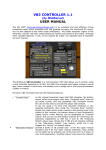
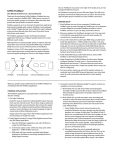
With the left slider you can control the frequency of a low pass filter.
Moving the slider to the left makes the reverb sound darker.
The right slider is a mix control. Use this to set the balance between
unprocessed input signal and processed signal – in other words, use
this to determine how much reverb you want to add.
The red REV button can be used to turn the effect off and on. It’s on by
default, when you click it the plugin will go into bypass mode and forward
any incoming signal to its output without any processing.
The “LED bar” meter on the left monitors input signal provided to the plugin.
When the Alarm LED lights up the level of the input signal is too high and
nasty-sounding digital clipping may occur in the plugin. It is best to set the
send levels in your DAW that the levels on the left side are in the green (-12
to -3 dB) range.
The yellow SET button can be used to open a new set of controls on the
backpanel.
4.2.
Backpanel
The backplate of the EMpTy 250 V2.0 gives a new range of controls. You can
use the switch “vintage”and “modern” between the classic and the modern
version of the reverb. These versions are based on the same algorithm, but
have different qualities. While the Vintage version sounds close to the
hardware EMT-250, the modern version is richer sounding on melodic
instruments.
On the right there is a switch that controls the front/back outputs of the
EMpTy 250. These have different soundcolours. The front outputs are more
the face sounding with more early reflections while the back outputs sound
more distant. These also work this way on the 5.0/5.1 channels.
With the 5 sliders the volume of the left, right, center left and right surround
channels can be changed.
Page 5
© Empty Room Systems