1
1:40 PM
w
Settings
Maintenance
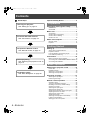
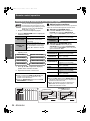
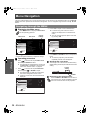
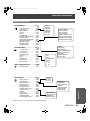
Menu Navigation........................................28
TEMP and LAMP Indicators ..................... 40
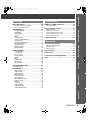
Navigating through the MENU ..............................28
Main menu and Sub-menu....................................29
Controlling alerts .................................................. 40
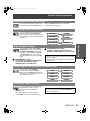
H - POSITION .......................................................34
V - POSITION .......................................................34
DOT CLOCK .........................................................34
CLOCK PHASE.....................................................34
ASPECT................................................................35
WSS ......................................................................36
OVER SCAN .........................................................36
KEYSTONE...........................................................36
AUTO SETUP .......................................................36
LENS CONTROL Menu..............................37
ZOOM/FOCUS......................................................37
OPTION Menu ............................................38
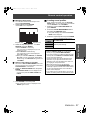
INPUT GUIDE .......................................................38
OSD DESIGN........................................................38
OSD POSITION ....................................................38
BACK COLOR.......................................................38
STARTUP LOGO ..................................................38
AUTO SEARCH ....................................................38
HDMI SIGNAL LEVEL...........................................38
INSTALLATION.....................................................39
SLEEP...................................................................39
ALTITUDE.............................................................39
LAMP POWER......................................................39
LAMP RUNTIME ...................................................39
FUNCTION BUTTON............................................39
Troubleshooting........................................ 44
Appendix
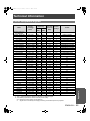
Technical Information............................... 45
List of compatible signals ..................................... 45
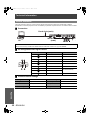
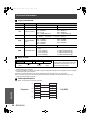
Serial terminal ...................................................... 46
Menu structure ..................................................... 49
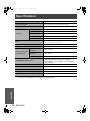
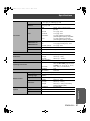
Specifications............................................ 50
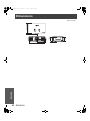
Dimensions................................................ 52
Trademark acknowledgements................ 53
Index........................................................... 54
Settings
POSITION Menu.........................................34
Before cleaning .................................................... 41
Cleaning your projector ........................................ 41
Before replacing the Lamp unit ............................ 42
When to replace the Lamp unit ............................ 42
Replacing the lamp unit........................................ 42
Maintenance
PICTURE MODE...................................................31
CONTRAST ..........................................................31
BRIGHTNESS.......................................................31
COLOR .................................................................31
TINT ......................................................................31
SHARPNESS ........................................................31
COLOR TEMPERATURE .....................................31
DYNAMIC IRIS......................................................32
WAVEFORM MONITOR .......................................32
ADVANCED MENU...............................................32
MEMORY SAVE ...................................................33
MEMORY LOAD ...................................................33
SIGNAL MODE .....................................................33
Care and Replacement ............................. 41
Appendix
PICTURE Menu ..........................................31
Preparation
Monday, October 16, 2006
Getting Started
Page 5
Basic Operation
PT-AE1000U.book
ENGLISH - 5