1
TC-6110 / Windows 7
Installing Moxa Software
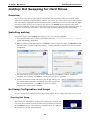
although many drives can go as high as 20,000 mG (20 G). A suitable sampling rate to start off with is 100
ms. To get the best performance, check the drive specifications provided by the manufacturer and then
experiment to get the best results.
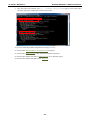
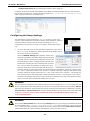
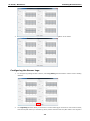
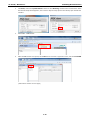
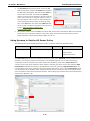
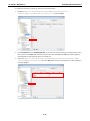
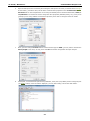
3. Click Save to finish the setup. Note: Disk1 refers to slot 1, and
Disk2 to slot 2.
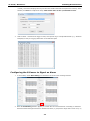
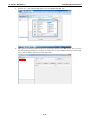
4. Wait for about 1 minute for the G-Sensor alert utility to restart,
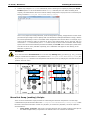
then shake the computer. Check the log in a simple ASCII editor
(i.e.: Notepad) to verify it is logging stats to the indicated path. If
no events are logged (or the file does not exist), then try adjusting
the alert threshold to a smaller value (e.g.: 500) and do it again.
Configuring and Using the Temperature Sensor
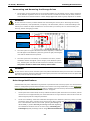
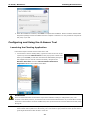
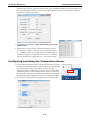
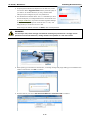
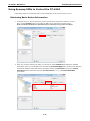
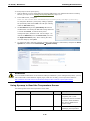
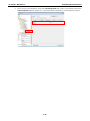
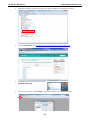
1. To launch the temperature monitor, right-click on the tricolor icon in the
system tray and select the Monitor Tool from the pop-up menu. This will
open the monitoring utility user interface, as shown at right.
Please note that if you select Exit you will shut down the entire Moxa
PdM utilities package. If this happens and you want to re-launch the
utility software, navigate to the Windows Start Menu and select Moxa
Predictive Maintenance Diagnostic Tool from the software listed there.
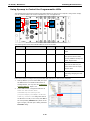
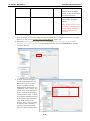
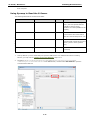
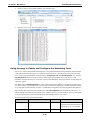
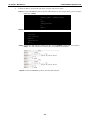
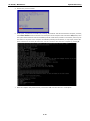
2. The monitoring utility interface will appear as the screenshot below.
4-10