1
PX5_kihon_e.book
9 ページ
2014年3月17日 月曜日 午後2時2分
cm
cq cr
cs
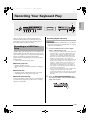
The operations described in this section are common to
all modes and functions.
en
eo
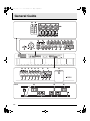
dr ds dt ek el em
ep eq er
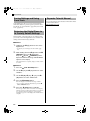
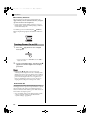
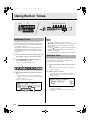
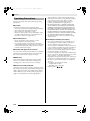
To input a number with the 10-key pad
1.
Changing a Number or a Value
Use the operations in this section to specify a number
or to change a value.
dl dm dn do dp dq
English
Operations Common to All Modes
Press the en (NUM KEY) button.
This will cause the button’s lamp to light, indicating the
number input mode.
2.
Example: To change a tone number
Use buttons dm (0) through dq (4) and buttons
ds (5) through em (9) to input the number you
want.
After using buttons bo through cl (Tone Group) to
specify a group, use one of the methods below to
change the selected tone number. (For details about
selecting tones, see “Using Built-in Tones” on page
E-14.)
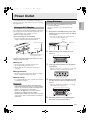
To scroll a number sequentially
1.
Press the eo minus (–) or plus (+) button.
To return a number to its initial default
setting
• The initial default of a number depends on the
parameter being set.
1.
Press the eo minus (–) and plus (+) buttons at
the same time.
To fast scroll a number
1.
NOTE
Hold down the eo minus (–) or plus (+) button.
To jump in steps of 10
1.
• You can also input numbers and characters using the
Digital Piano’s knobs. For more information, see the
separate “Tutorial”.
While holding down the en (NUM KEY), press
the eo minus (–) or plus (+) button.
E-9