1
IM2830-AXS4M.DOC
IM2830-AXS4
DIRECTORY: 962830A-X-S-4
Shadin Avionics
INSTALLATION MANUAL
FUEL/AIR DATA COMPUTER
Rev: M
P/N 962830A-X-S-4, 962830A-1-S-4, 962830A-2-S-4, 962830A-3-S-4
Page: 9-14
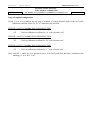
SELECT NO DELAY
Only under special circumstances should a fuel flow delay time other than “No Delay” be
selected. Read the following paragraphs for a description of these special circumstances.
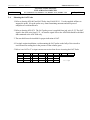
On a few aircraft installations which have digital fuel flow and use a very low K factor (858 pulses
per gallon), there has been a problem with the AIR DATA reporting a large jump in fuel used as
well as a corresponding decrease in fuel remaining at engine startup. This is not considered to be
a Shadin AIR DATA problem, but rather has been defined as an aircraft problem involving noise
on the digital fuel flow signal.
A solution for this problem is to use the AIR DATA fuel flow delay feature. This feature
suppresses the fuel flow (and its affect on fuel used and remaining) for a startup delay time each
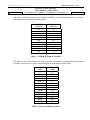
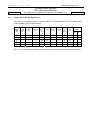
time the engine starts. Fuel flow delay time is selectable in the AIR DATA loopback mode, with
selections of 0, 5, 10, 15, 20, 25, 30, 35, 40, and 45 seconds delay available.
If a fuel flow delay is needed, start by reconfiguring the ADC to use a large delay (i.e. 45
seconds). If the large fuel flow mitigated the problem try reducing the delay until the problem
returns. Then use the least amount of fuel flow delay that suppresses the problem.
When a fuel flow delay time is selected the AIR DATA checks for fuel flow below 15 pph. If the
fuel flow is below 15 pph, the AIR DATA considers the engine to be off and returns a fuel flow of
0. Then as soon as the fuel flow exceeds 15 pph, the AIR DATA continues to return a fuel flow of
0 until the delay time has expired. In a twin engine, the AIR DATA zeroes both fuel flows during
the startup delay for each engine.
SPECIAL OPTIONS
Only under special circumstance should SPECIAL OPTION 1 be selected. Read the following
paragraphs for a description of the special circumstance.
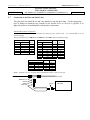
Because the IAS range on the AIR DATA computer is valid from 20 to 350 knots ARINC 429
labels 206 and 210 are transmitted with NCD status and stop being transmitted almost
simultaneously if the IAS is less than 20 knots. In order to interface with certain avionics
equipment which exhibit warnings if a valid IAS or TAS label is not received, SPECIAL OPTION
1 was implemented.
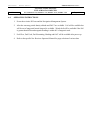
When the AIR DATA computer is configured with SPECIAL OPTION 1 the Arinc 429 labels 206
and 210 are transmitted with OK status and a value of zero knots if the actual IAS is less than 20
knots.