1
LVP606 User’s Manual
Item
No.
Description
Definition
19
Brightness
Contrast
Saturation
Definition
Range: 0~100, default value: 50
Range: 0~100, default value: 50
Range: 0~100, default value: 50
Option is “Sharp” or “Normal”,
default value: Normal
20
21
22
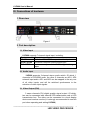
Caution: (1). In order to ensure output images in complete gray, the
output parameters are usually set as default values !
(2). The color parameters only apply to V1, V2 and HDMI
signals.
5. Audio configurations
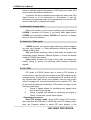
LVP606 supports 3-channel dual-track audio switching. In the
three channels, 1 channel is HDMI, the other 2 channels are AD1,
AD2 external input audio. AD1 and AD2 can be respectively
allocated to corresponding audio input of any input, and will be
switched with the change of video input signals in synchrony.
If DVI / HDMI is configured as external input audio, when audio
signal is switched to DVI / HDMI, external audio will be chosen as
input signals, otherwise the audio signals contained in DVI / HDMI
signals will be chosen as input signals.
Item
No.
Description
Definition
23
Audio1 Config
24
Audio2 Config
Audio configuration option for
AD1 port
Audio configuration option for
AD2 port
Notes: AD1, AD2 can’t be allocated to the video input signals
in the same channel!
---------------------------------------------------------------------------------------------------
LED VIDEO PROCESSOR
17