1
Splice Programs
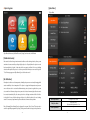
[Splice Menu]
1) Splice Mode
Splice Menu, Maintenance, Stabilize Electrodes, Setting, User Instruction, Arc Calibration
[Stabilize Electrodes]
In the event of sudden change in environmental conditions or after cleaning electrodes, the arc power
sometimes becomes unstable, resulting in higher splice loss. Especially when the splicer is moved
from lower altitudes to higher , it takes time for the arc power to stabilize. In this case, stabilizing
electrodes will expedite the process to set the arc power stable. If many tests are needed to get the
“Test ok” message appears in [Arc calibration], use this function as well.
[Arc Calibration]
Atmospheric conditions such as temperature, humidity, and pressure are constantly changing, which
creates variability in the arc temperature. This splicer is equipped with temperature and pressure
sensors that are used in a constant feedback monitoring control system to regulate the arc power
at a constant level. However, changes in arc power due to electrode wear and glass adhesion cannot
be corrected automatically. Also, the center position of arc discharge sometimes shifts to the left or
to the right. In this case, the fiber splicing position has to be shifted in relation to the arc discharge
center. It is necessary to perform an arc power calibration to eliminate those problems.
Note : Performing [Arc calibration] function changes the arc power “Factor” value. The factor value is
used in the algorithm program for all splicing. The arc power value will not change in the splice modes.
-8-
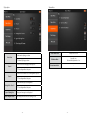
Select Splice Mode
Factory Pre-set : 33ea
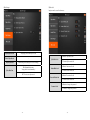
Edit Splice Mode
User edit : 33ea
Custom build splice mode : 1ea
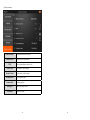
Delete Splice Mode
-9-