1
Installing WinDriver
is not installed, either install it, or reinstall Linux with the source code, by following the
instructions for your Linux distribution.
Install version.h:
• The file version.h is created when you first compile the Linux kernel source code. Some
distributions provide a compiled kernel without the file version.h. Look under /usr/src/linux/
include/linux to see if you have this file. If you do not, please follow these steps:
1. Become super user:
$ su
2. Change directory to the Linux source directory:
# cd /usr/src/linux
3. Type:
# make xconfig
4. Save the configuration by choosing Save and Exit.
5. Type:
# make dep
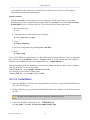
To run GUI WinDriver applications (e.g., DriverWizard [5]; Debug Monitor [7.2]) you must also
have version 5.0 of the libstdc++ library – libstdc++.so.5. If you do not have this file, install it
from the relevant RPM in your Linux distribution (e.g., compat-libstdc++).
Before proceeding with the installation, you must also make sure that you have a linux symbolic
link. If you do not, create one by typing
/usr/src$ ln -s <target kernel>/linux
For example, for the Linux 2.4 kernel type
/usr/src$ ln -s linux-2.4/ linux
4.2.3.2. Installation
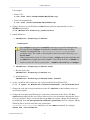
1. Insert the WinDriver CD into your Linux machine's CD drive or copy the downloaded file to
your preferred directory.
2. Change directory to your preferred installation directory, for example to your home directory:
$ cd ~
The path to the installation directory must not contain any spaces.
3. Extract the WinDriver distribution file – WD1030LN.tgz:
$ tar xvzf /<file location>/WD1030LN.tgz
© Jungo Ltd. 2005–2011
34