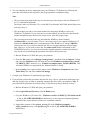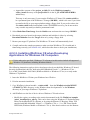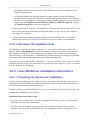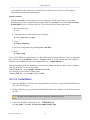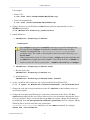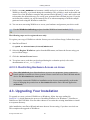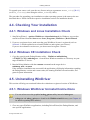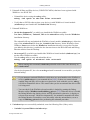
1
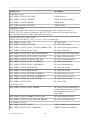
USB Transfers
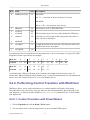
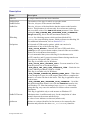
Byte Field
0
Value Description
BmRequest Type
80
8h=1000b
bit 7=1 -> direction of data is from device to host.
0h=0000b
bits 0..1=00 -> the recipient is the device.
1
bRequest
06
The Request is GET_DESCRIPTOR.
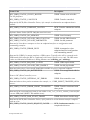
2
wValueL
00
3
wValueH
01
The descriptor type is device (values defined in USB spec).
4
wIndexL
00
The index is not relevant in this setup packet since there is
only one device descriptor.
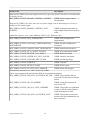
5
wIndexH
00
6
wLengthL
12
7
wLengthH
00
Length of the data to be retrieved: 18(12h) bytes (this is the
length of the device descriptor).
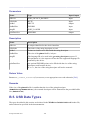
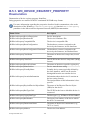
In response, the device sends the device descriptor data. A device descriptor of Cypress EZ-USB
Integrated Circuit is provided as an example:
Byte No.
0
1
2
3
4
5
6
7
8
9
10
Content
12
01
00
01
ff
ff
ff
40
47
05
80
Byte No.
11
12
13
14
15
16
17
Content
00
01
00
00
00
00
01
As defined in the USB specification, byte 0 indicates the length of the descriptor, bytes 2-3
contain the USB specification release number, byte 7 is the maximum packet size for endpoint 00,
bytes 8-9 are the Vendor ID, bytes 10-11 are the Product ID, etc.
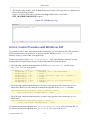
9.2.2. Performing Control Transfers with WinDriver
WinDriver allows you to easily send and receive control transfers on Pipe00, while using
DriverWizard to test your device. You can either use the API generated by DriverWizard [5] for
your hardware, or directly call the WinDriver WDU_Transfer() function [B.4.8.1] from within
your application.
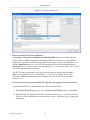
9.2.2.1. Control Transfers with DriverWizard
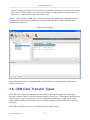
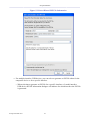
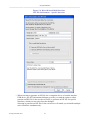
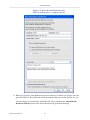
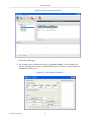
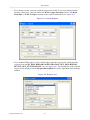
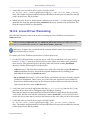
1. Choose Pipe 0x0 and click the Read / Write button.
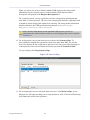
2. You can either enter a custom setup packet, or use a standard USB request.
© Jungo Ltd. 2005–2011
71