1
MONITORING THE AWS E C2 REGION
Outputs of the
test
Measurements
made by the
test
8.
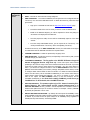
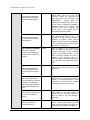
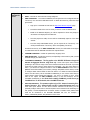
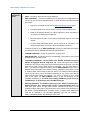
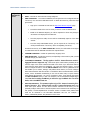
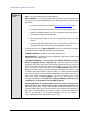
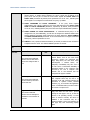
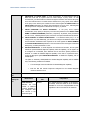
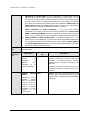
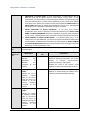
PROXYHOST and PROXY PORT– In some environments, all communication with the
AWS EC2 cloud and its regions could be routed through a proxy server. In such
environments, you should make sure that the eG agent connects to the cloud via the proxy
server and collects metrics. To enable metrics collection via a proxy, specify the IP address
of the proxy server and the port at which the server listens against the PROXY HOST and
PROXY PORT parameters. By default, these parameters are set to none , indicating that
the eG agent is not configured to communicate via a proxy, by default.
9.
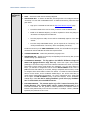
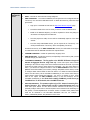
PROXY USERNAME and PROXY PASSWORD - If the proxy server requires
authentication, then, specify a valid proxy user name and password in the PROXY USER
NAME and PROXY PASSWORD parameters, respectively. By default, these parameters
are set to none , indicating that the proxy sever does not require authentication by default.
10.
PROXY DOMAIN and PROXY WORKSTATION - If a Windows NTLM proxy is to be
configured for use, then additionally, you will have to configure the Windows domain name
and the Windows workstation name required for the same against the PROXY DOMAIN
and PROXY WORKSTATION parameters. If the environment does not support a Windows
NTLM proxy, set these parameters to none.
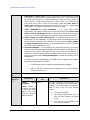
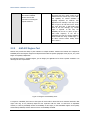
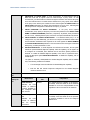
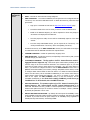
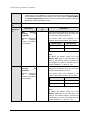
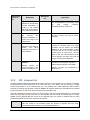
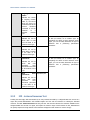
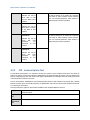
One set of results for the AWS EC2 region being monitored
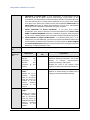
Measurement
Availability:
Measurement
Unit
Number
The value 0 indicates that the region is Not
Available and the value 100 indicates that it is
Available.
Secs
A low value is typically desired for this measure. A
high value or a consistent increase in this value
could be indicative of connection bottlenecks.
Indicates whether/not
the region is currently
available.
Response time:
Indicates the time
taken to connect to
the region.
3.1.3
Interpretation
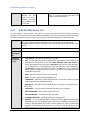
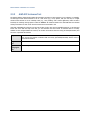
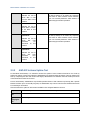
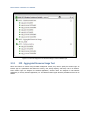
AWS-EC2 Web Access Test
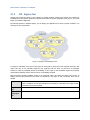
This test emulates a user accessing a web page on the cloud via HTTP(S), and reports whether that page is
accessible or not. In the process, the test indicates the availability of the cloud over the web, and the time it took for
the agent to access the cloud over the web. This way, issues in web-based access to the cloud come to light.
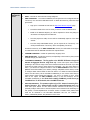
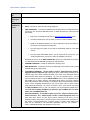
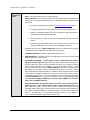
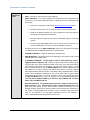
Purpose
Emulates a user accessing a web page (by default, the login page) on the cloud via HTTP(S),
and reports whether that page is accessible or not. In the process, the test indicates the
availability of the cloud over the web, and the time it took for the agent to access the cloud over
the web.
Target
An AWS-EC2 cloud
Agent
deploying this
test
A remote agent
Configurable
parameters for
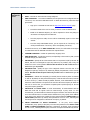
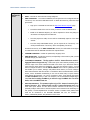
1. TEST PERIOD – How often should the test be executed
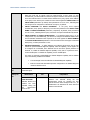
2. URL – The web page being accessed. While multiple URLs (separated by commas) can be
46