1
1.2 Operating the EVC
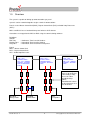
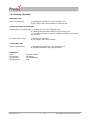
Dial Tone
Ringing Tone
Ring Tone
– Continuous Tone heard in Handset
– Intermittent Tone heard in Handset
– Intermittent Tone heard from unit speaker
Picking Up a Call from an Outstation
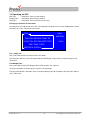
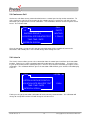
Incoming Calls are indicated on the LCD, a flashing Red Led against the associated PDP button and the
Ring Tone (if a call is not already connected).
CALL
CALL
WAITING
CALLING: REFUGE POINT XX
LOCATION: SITE RELATED TEXT
1 CALL
TIME: TIME / DATE
ENTER/FN: SCROLL
For a single call:
Pick up the MCU handset to connect to the Outstation.
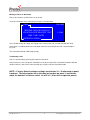
The Ring Tone will cease, the Outstation Indicator LED will go steady and the LCD will change to call
connected.
For Multiple Calls:
Pick up the MCU handset (the Ringing Tone will be heard in the earpiece).
Select the Outstation to answer by pressing the relevant button.
Flashing red indicators show other calls are waiting. Waiting calls do not produce the Ring Tone whilst a
call is connected.
93-345-79 Issue 4
6
© Copyright Protec Fire Detection PLC 2011