1
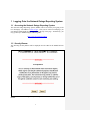
Only DHS users with a valid UserID and Password can log onto NORS to retrieve outage
reports.
If you are a member of DHS and do not already have a UserID and Password or need
help, contact the FCC to obtain a UserID and Password (send an e-mail to [email protected]). If you have forgotten your password, you should click the link
marked, “If you have forgotten your password, please go to Reset Password Page.” If
you need other help or have other questions, you should click the link marked “If you
have questions about this web page, please contact FCC Outage Help.”
1.3.1 Screen for New Users with New Notifications
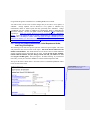
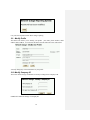
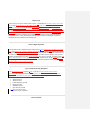
If you do not already have UserID, you will be required to identify yourself including
providing a valid e-mail address. The system will respond with your UserID and
password. You will then be allowed to file Notifications. If you are an inputter, you will
also be able to file and edit Initial and Final Reports for the outages for which you have
submitted the original Notification. If you are a coordinator, you will be able to file and
edit Initial and Final Reports for the outages for which your company has submitted the
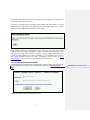
original Notification. The screen for New Users is:
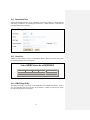
If your company has filed an outage report or has an outage coordinator, your company
will be listed in the scroll down menu under the Reporting Company. You will have to
choose that company and know the Company ID (or password). The Company ID is
controlled by the outage coordinators for your company (if your company has outage
coordinator(s)). The default value for it is 11111111. The Company ID is used to
prevent unauthorized access to your company’s outage data on NORS. If your company
4
Formatted: Font: Bold, Font color: Auto
Formatted: Font: Bold, Font color: Auto