1
Using the Simon XT security system
You can operate the self-contained security system through several different
methods:
•
Use the front panel buttons to arm/disarm the system when you enter or exit your
home and to determine which sensors are active and the system status.
•
Use the three fast action keys to communicate with the central monitoring station
to report emergency (auxiliary), police, or fire alarms.
•
Use a combination of the panel buttons and the display menu to program certain
user features. This method is used by your installer to establish your system
configuration. (See “Programming” on page 18.)
Panel controls
The self-contained panel provides the user interface for system operation and
programming system functions.
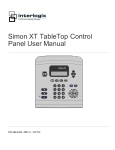
Figure 1: Simon XT controls
Simon XT
1
2
3
4
5
6
7
8
9
0
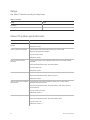
Table 3 on page 4 provides a description of the panel keys and display.
Simon XT User Manual
3