1
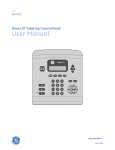
Table 3: Panel keys and features
Control
Description
Piezo siren
Provides alarm beeps and status beeps.
LCD display
Provides a 2 x 16 character array that displays a variety of phrases
and icons.
Scroll up/scroll down arrows
Press to scroll through lists of similar items.
OK
Press to select a particular menu item or commit to panel memory a
menu item that has just been programmed.
Doors+Windows
Press to arm perimeter sensors.
Motions
Press to arm interior sensors.
Disarm
Press to turn off intrusion/burglary protection for your system. Only
intrusion/burglary sensors are disarmed. Environmental sensors, such
as smoke and carbon monoxide detectors, stay active at all times.
Status
Press to determine system status.
Silent
Press to silence exit beeps when arming.
Bypass
Press to bypass a sensor.
Emergency (cross)
Press and hold for 2 seconds (or press twice quickly) to call the central
monitoring station and notify them of a nonmedical call for help.
Police (shield)
Fire (flame)
Microphone
Use to communicate with the central monitoring station after an
alarm.
Numeric keypad
Press the keys (0 through 9, *, #) to enter access codes or other
numerical data.
* (light bulb)
Press to turn lights on. (Contact UTC Fire & Security for required
equipment information.) Not verified for use by UL.
# (dark light bulb)
Press to turn lights off. (Contact UTC Fire & Security for required
equipment information.) Not verified for use by UL.
Speaker
Provides voice output and sounds key beeps.
Standard text display
While the panel is idle, the text displays:
Display line 1
Arming level
Display line 2
HH:MMx (Time) and status icons
4
Simon XT User Manual