1
Notice
Please use the radio according to the
requirement of local regulatory agencies.
To User
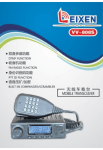
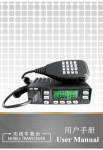
Thank you for using LEIXEN Mobile
transceiver. We trust our product will give you
a convenient and steady communication. Hope
you would like the great functions with this
radio.
Contents
Security Information
Accessories & Options
Supplied Accessories
Optional Accessories
Installation
Connect Power
Radiating of Radio
Install with Bracket.
1
2
2
2
3
3
3
4
Connect Accessories
Getting Acquainted
LCD Display
Basic Operation
Power onl off
Turn Volume
4
5
8
10
l0
10
Choose Channel
Transmitting and receiving
Function Menu Operation
Auto Power Off(APO)
APRO (APRO)
Busy Channel Lock CBCLock)
11
12
12
12
12
II
11
Key Beep (Beep)
Channel Save (CHASave)
DTMF Function
Dual Waiting (DW)
Decode Type and Decode Code
Encode Type and Encode Code
FM Function (FM)
Font size Choose (Font)
Key Lock Function CKeylock)
Keypad Function CKeypad)
Backlight (Lamp)
Alias Set Function (Name)
Open Display Set (OpenDIS)
Custom Keys Set (P1-P3, MKey)
High/Low Power Set (Power)
13
13
13
17
17
20
20
22
23
23
24
24
25
25
27
PTT ID (PTT ID)
ROGER (ROGER)
REVERSE (REVERSE)
Beat Frequency (RPT SET/RPT TYPE)
27
29
30
30
Save Battery CSavelsat)
Scan (SCAN)
Squelch Level (SQU
31
31
34
III
Step (Step)
Tail Elimination (Tail)
Talk Around (Talk)
Time out timer (TOT)
TX Stop (TXStop)
VOX (VOX)
Wide and Narrow Band Set (WidNar)
User-defined Keys Menu
Close (OFF)
FM (FM)
Band change (Bandchange)
Time of system (Time)
Monitor Momentary (MONO
Monitor Lock (MOLO)
SQ OFF Momentary (SQM)
Mute (MUTE)
Scan (SCAN)
High/Low Power (LOW)
Emergency (EMG)
V!M Mode Switch (V !M)
DTMF Function (DTMF)
Call (Call)
IV
34
34
35
35
35
36
37
37
37
38
38
38
38
39
39
39
40
40
40
.40
40
.41
Transmit 1750Hz Cl750Hz)
.41
AIB Mode Switch (AIB)
Talk Around (Talk)
Reverse Frequency (Reverse)
.41
.41
.41
Reset Menu
All Reset
Function Reset
Programming Operation
Lease Function
Wireless Change Frequency
RX Inhibit/RXTX Inhibit
Times ofTX per Minutes Set
42
42
42
43
43
44
.46
.47
Maintenance
Base Knowledge
Maintain and Clean
48
48
.48
Specification
50
v
Security Information
To using the radio safety and efficient, Please read the
following safety information.
~ Refer service to qualified technicians only.
~ Turn off the radio while taking on fuel or while
parked in a gasoline service station.
~ Please turn off the radio in a flammable,
explosive atmosphere.
~ Do not place the radio in the range of the air bag
spread.
~ Do not expose the radio to long periods of direct
sunlight, nor place it close to heating appliances.
~ Don't keep the radio transmitting too long. It
may be too hot to hurt body or damage the radio
itself.
~ Do not use the radio with a damage antenna, it
might be too hot to hurt body or damage the
radio itself.
~ When using this radio, Please make sure the
antenna is connected, or it might make power
tube of the radio burned.
~ Please keep at least a distance of 5cm away from
body when you press the PTT.
~ Turn off the power immediately if the radio
diffuses peculiar smells or smoke, and contact
the nearest authorized dealer.
Accessories & Options
Welcome to use LelxeN mobile transceiver, please
check the packaging, make sure the following table
accessories are complete, if you find any loss or
damage with the packing, please contact your dealer
immediately.
Supplied Accessories
Item
Mobile transceiver
DC Power Cable
Bracket
Bracket Screw
Qty
1
1
1
2
CLock in two side of the radio)
User Manual
1
Optional Accessories
USB Programming
Cable
DTMFKeypad
Microphone
DCI AC Adaptor
No Keypad
Microphone
Antenna Sucker
Antenna
2
Installation
Connect Power
This radio should be connected to 13.8V DC power
supply. It can not be connected directly to AC outlet.
Connect the radio to stabilized power supply with
supplied power cable, DC power cable can not be
replaced with a thin wire.
Connect DC power cable to DC power supply, red
wire connects positive, black wire connects negative.
Then plug the jack of the power cable into DC power
outlet of car.
Note: Make sure to turn off DC power supply and
radio before connect. DC power supply is
connected to the vehicle platform, be sure to
turn off DC power supply and drive units.
The DC power can only be connected to AC
power outlet after all connections are
completed.
radio cooling. Poor cooling may cause damage to the
radio. Do not place books or other equipment on the
radio, so as not to obstruct the air flow. The distance
between the radio and the wall of car maintain a
minimum interval of 10 cm space.
Install with Bracket
An adjustable angle bracket is supplied with the radio.
Please fix the bracket on car, demount the two screws
beside the radio and lock them again through the hole
of bracket.
Note: Do not place the transceiver in the range of an
airbag deployment may be involved
Do not place the radio in the front windshield of car,
the heat of sun may cause damage to the radio.
Connect Accessories
Heat radiation of mobile transceiver is a very
important problem. Heat radiation of this radio takes
advantage of the air by using a bracket to install. If the
radio installed in an airtight place, it will affect the
Hand Microphone: Hand microphone connection jack
is located in the top right of the front panel of radio.
Earphone: Earphone connection jack is located in the
right of the rear panel of radio. The internal speaker
will not sound when earphone is connected.
Antenna: Antenna connection is in the left of the rear
panel intercom. Antenna system is composed of an
antenna, feeder and ground network components.
Only careful consideration of the antenna system and
3
4
Radiating of Radio
its installation, can make good use of mobile
transceiver. The antenna should be the selection of
quality to ensure good communication results. Don't
transmit without connecting antenna, transmitting
without connecting antenna, may cause damage to
radio.
2
4
5
6
7
Getting Acquainted
ri
i--l-- -I--l
0
~
~
"
IIj
~
11
15
1
14
"
12
VV -898 Front Panel
~D
~ ~
~
(@~
~~
- -
tf@
'-
'-
'-
-
0
VV -898 Rear Panel
VV -898 Upper Panel
5
6
13
8
2, Indicator
1,Loudspeaker
LeD Display
Light (Red
light, green light)
3, MIC Connector (RJ45)
4,CHA+(Channel
5, CHA-(Channel
6, LCD display screen
Donw)
7,VOL+(Volume Up)
8,VOL-(Volume
9, Menu Key
10, PI Key
(User defined)
11, P2 Key
(User defined)
12, P3 Key
(User defined)
13, C!>Power Switch
14,Antenna Connector
Down)
-'-!-'
!~~s=•••••••
5
2-=J{1ml
6
8-
No
!'
10 1112
Icon
oot»
1
000
2
A
B
3
'~'I:
-"-'
-,c
2~'
F~!f~.III.I!J.
Em R
N*(;
I
"'11
9
15,Power Connector
7
PPPI"'",75
19
1
Up)
4
a
5
1m3
13
15 116 1'7 1'8
14
Feature
Description
Operation Method
Memory
No.
----
Channel
Being A Channel
SwitchA/B Key
Being B Channel
Switch A/B Key
Keyboard Lockout
Press M Key for 2
Seconds
VOX Open
Refer to Menu 45
8
6
DeS
7
eT
8
10
11
12
l3
14
In VFOIMR mode:
Decode Type and
Decode Code refer
to ~enu08 and 09,
Encoded Type and
Encoded Code refer
to Menu 10 and 11
The same as above
(DCS)
DCS Open
CTOpen
+
-
Beat Frequency
Refer to Menu 34
and 35
F
Wireless
Frequency Open
Refer to Page 44
•••
Channel
disabled
Refer to Menu 39
,.
III
•••illlI.lfJ.
rJili]
scan
Low Power
Refer to Menu 30
High Power
Refer to Menu 30
15
R
Reverse
Frequency
Refer to Menu 33
16
N
Narrowband
Refer to Menu 50
17
*
Dual Reception
Refer to Menu 07
DT~F
Refer to Menu 06
Displayed
frequency
value,
channel
names,
menu items, and
other
numbers,
letters or symbols
Information
----
18
19
~
•••••••
•••••••
11
11
Basic Operation
Power on/off
Indicate
Power
strength
when
transmitting,
10
grids
for
high
power, 5 grids for
power.
small
Indicate
signal
strength
when
receiving.
----
Auto Power off
Refer to Menu 0 I
9
e
Connect the power and press the
button, the radio
turned on, issued a "toot toot" tone. Press the c.!> key
for 2 seconds, the radio turned off.
Turn Volume
Press "VOL+" to up volume, press "VOL-" to down
volume. The volume level range: 0-15. Default: 4.
10
~
Choose Channel
How to choose a channel? As following:
1, Store your favorite channels through programming
software as Memory Channels in advance, you can
select the channel you want to communicate in the
MR mode directly.
2, Input the frequency value by using the DTMF
keypad in the VFO mode.
3, Press "CHA+" or "CHA-" key to choose the
frequency in the VFO mode.
Note: This radio has a dual-waiting function, you can switch
AIB channel by key C (AIB switch key) on the DTMF
microphone. A-channel can only be in the MRlCH memory
channel, B-channel can be in VFO frequency channel or the
MRlCH memory channel. Please refer to page 40-41 of the
user-defined key function of AIB switch and VFOIMR switch.
The indicator shows red when transmitting.
Function Menu Operation
Auto Power Off(APO)
Auto power off means that when the radio reaches the
pre-set time on standby state (without any operation),
APO would turns the radio off automatically. You can
set the APO time by Menu 01. Time can be set to
OFF(disable) / 10 minutes / 20 minutes / 30 minutes /
40 minutes / 50 minutes / 60 minutes / 90 minutes / 2
hours / 4 hours / 6 hours / 8 hours / 10 hours / 12
hours /14 hours /16 hours. The radio would display a
mE icon when APO function is open. Default is
OFF(disable).
Transmitting and receiving
APRO(APRO)
Press and hold the PTT key of the microphone and
speak to start a call. Release the PTT key to end the
call.
~ Please use Low Power to communicate if the
communication distance is nearby, in order to
reduce radiation and save electricity.
~ Keep the microphone about 5 cm from mouth,
with the usual volume to speak, to get the best
sound quality.
Voice processing features include: Disabled, voice
compressor or and scrambler. Each channel can be set
individually. You can set voice processing mode by
Menu 02: Disabled (OFF), voice compressor (Comp),
and voice scrambler (Sera). Default is OFF.
11
Busy Channel Lock (BC Lock)
When a Channel set the "BC LOCK" function, TX
12
would be inhibited when this channel receiving a
signal. You can set menu 03 to open(ON)
or
lock(OFF) this function. Default is ON.
Key Beep (Beep)
Whether open key beep or not when there is a key
operation. You can set menu 04 to open(ON)
or
lock(OFF)
key beep. Default is ON.
Channel Save (ClL\Save)
Users can save custom frequency as memory channel,
so that save time to re-set the frequency parameters.
In VFO mode, enter the frequency you want to save,
press the M key and press "CHA+/CHA-NOL+NOL-"
to menu 05 "CHASAVE", select the channel number
which you want to keep after the screen displayed
"CHASave TO 001 ", then the frequency is saved.
Note: You can save up to 199 channels, Default save the
channel to number 001, choose a right channel number when
save a new channel in order to avoid the previously saved
channels are replaced.
DTMF Function
DTMF (Dual Tone Multi Frequency), dual
multi-frequency, consists of high-frequency group
low frequency group, each group contains
frequencies. A high frequency signal and a
13
tone
and
four
low
frequency signal superimposed to form a combined
signal which representing a number. DTMF signaling
has 16 codes, can be set freely. When a radio channel
setting of the DTMF enabled, you can send DTMF
codes by wireless control to achieve individual call,
group call or RX Inhibition, RXTX Inhibition and
other functions.
~
Open/Close
DTMF function
1, In VFO / MR mode, choose or enter a frequency or MR
channel which is with DTMF function open. Or put the DTMF
function "ON" in channel information through program
software.
Note:
a), If the radio is in CH mode, you can not change the
DTMF function "ON" or "OFF". You can only change it
by program software.
b), In MR mode, each memory channel can be set
individually whether open DTMF function or not.
2, Press the M key and rotating to menu 06, open or
close DTMF function. "ON" is open, "OFF" is close.
~
Individual call/ group eaU
Individual eaU: Set the radio ID first: An ID is
composed by the 15 digit DTMF code. Select anyone
ofthe following symbols: 0,1,2,3,4,5,6,7,8,9, A, B, C,
D, *, # (default Individual call ID: 1000)
14
Group ID: You can use DTMF character "A", "B",
"C", "D", "*" or "#" to set up a group call "universal
character." If the radio receives a valid ID code, which
one to all digital is replaced by this "universal
character" group call code, then the radio will decode.
Group call which using "Group call code" is effect in
"Monitor Lock" or selected call. The radio which is
called by group call can't do an automatic respond.
(Default group is A)
F orexampe:I Set 10 ra di10S as fill
0 ows:
Item
Individual ID
Unite ID
Group ID.
Radio 1
80811
C
Group 1
Radio 2
80812
C
Group 1
Radio 3
80813
C
Group 1
Radio 4
80814
C
Group 1
Radio 5
80815
C
Group 1
Radio 6
80831
C
Group 3
Radio 7
80832
C
Group 3
Radio 8
80833
C
Group 3
Radio 9
80834
C
Group 3
RadiolO
80835
C
Group 3
Send the ID code: 80814 to call "RadIO 4".
Send the ID code: 80832 to call "Radio 7".
Send the ID code: 8081 C to call all radios in Group 1.
Send the ID code: 8083C to call all radios in Group 3
Send the ID code: 808CC to call all radios in Group 1
and Group 3 which are both in Unite C.
<}
15
DTMF code transmission
mode:
1, Automatic transmission: Fill in the DTMF call list
in the software to make a fast dialed call. In VFO /
MR / CH mode, keep DTMF open, press the CALL
key (A key) + a serial number of list by microphone
and then press PIT to send the DTMF code. (Note:
No. 0-9 can be entered or press UP / DOWN keys on
microphone
directly
or
press
"CHA+/CHA-NOL+NOL-"
to select, number 10-15
can only press UP / DOWN button on microphone or
press "CHA+/CHA-NOL+NOL-"
to select.
2, Manual transmission: If the DTMF list in software
is empty, the radio would close CALL function when
16
operate by automatic transmission. You can press
CALL key twice, enter the DTMF code and press PTT
to transmit when the screen appears "send". It will
issue a "toot toot toot toot" sound when individual call
is successful, and issue a "jingle ring, jingle ring ring"
sound when Group call is successful.
~
Remote RX Inhibition! RXTX Inhibition:
The radio can't transfer any signal
when it receives a code match a RX Inhibition codes
until it receives an enable RX codes.
RXTX Inhibition: The radio can't receive or transmit
any signal when it receives a code match a RXTX
Inhibition codes until it receives an enable RXTX
codes.
Refer to page 46 for more about RX Inhibition and
RXTX Inhibition of programming function.
RX Inhibition:
Dual Waiting
CDW)
The radio whether stands by Dual Waiting or not.
Through the menu 07 select Enable (ON) or disable
(OFF). Default is ON.
Decode Type and Decode Code
Users can set up the decoding type through menu 08
"DecType" to select squelch mode.
17
OFF: Disable. Any the same frequency signals can be
received.
CTCSS: Only receives the signal with matched
CTCSS decode. 56-254.1Hz (58 groups).
NDCS: Only receives the signal with matched NDCS
decoded. 107 groups.
IDCS: Only receives the signal with matched IDCS
decoded. 107 groups.
Choose Decoding Code as following two tables
through Menu 09 after select the Decode type by
Menu 08.
CTCSS: 56-254.1 Hz (58 groups), NDCS: 107 groups
Normal DCS code. IDCS: 107 groups Invert DCS
code.
CTCSS standard frequency table (58 groups)
56.0
74.4
107. 2
156.7
189. 9
241. 8
57.0
77.0
110.9
159.8
192.8
250. 3
58.0
79. 7
114.8
162. 2
196.6
254. 1
59.0
82.5
118.8
165. 5
199. 5
60.0
85.4
123. 0
167.9
203. 5
61. 0
88. 5
127. 3
171. 3
206. 5
62.0
91. 5
131. 8
173.8
210. 7
18
Encode Type and Encode Code
63.0
94.8
136. 5
177.3
218. 1
67.0
97.4
141. 3
179.9
225. 7
69.3
100.0
146. 2
183. 5
229. 1
71.9
103. 5
151. 4
186. 2
233.6
DCS Standard Code Table
017
053
125
172
251
315
4ll
462
565
703
023
054
131
174
252
325
412
464
606
712
025
065
132
205
255
331
413
465
612
723
026
071
134
212
261
332
423
466
624
731
031
072
143
223
263
343
431
503
627
732
032
073
145
225
265
346
432
506
631
734
036
074
152
226
266
351
445
516
632
743
043
ll4
155
243
271
356
446
523
645
754
047
ll5
156
244
274
364
452
526
654
050
116
162
245
306
365
454
532
662
051
122
165
246
3ll
371
455
546
664
Users can set up the encoding type and encoding code
through Menu 10 "EncType" and Menu 11"Enc code"
match to DecType and DecCode to open squelch.
OFF: Disable. The transmitted signal does not with
Encoding function.
CTCSS: The squelch can only be open when the
transmitted signal set a CTCSS code which
match to the Decoding code of the receiver.
NDCS: The squelch can only be open when the
transmitted signal set a NDCS code which
match to the Decoding code of the receiver.
IDCS: The squelch can only be open when the
transmitted signal set a IDCS code which match
to the Decoding code of the receiver.
FM Function
(FM)
This radio has a FM function. Users can turn on the
radio to listen to FM programs in leisure time. FM
frequency range: 87.5-108MHz.
Open/Close FM Function
19
~
In VFO / MR / CH mode, press M key and press
"CHA+/CHA-NOL+NOL-" to Menu 12, then
press M key to turn on the radio. To turn off
perform the same operation.
20
--} You can set PI-P3 as the shortcut key for FM
radio function, pressing the shortcut key on or off
the radio in the VFO / MR / CH mode.
Press "CHA+/CHA-/vOL+/vOL-"to select or enter
by microphone keyboard to input FM frequency
directly, or store your favorite radio programs
frequency in the software in advance, that you can
quick select your favorite radio programs. Frequency
range: 87.5-108MHz.
Note: Please install the antenna, in order to ensure good
reception when listen to the Fm radio.
FM Dual Waiting (FM DW):
FM DW means FM double waiting. You can set the
radio whether to allow accept a signal or not when
you are listening the FM programs by Fm DW
function. The radio will allow a signal to access when
there is a signal decoded successfully or a PTT
operation done when the FM DW is ON. And it would
not allow when the FM DW is OFF. The FM will
work again when the signal disappear.
You
can
press
M
key
and
press
"CHA+/CHA-/VOL+/VOL-" to Menu 13, and press
M key again to enter the FM DW function. You can
choose ON or OFF the FM DW. Default is ON.
21
FM Scan (FM Scan):
In the FM mode, users can define that the FM
frequency is increase or decrease by step (OFF) or by
scanning channels with signals (ON). You can choose
ON or OFF in Menu 14. ON: The Fm Scan function
enabled, the radio just scan channels with signals, FM
Scan opened can improve the scanning speed; OFF:
Turn off the FM scan. Default is ON.
FM SQL (FM SQL):
Users can set FM scan levels to improve FM radio
channel scanned clarity. Enter to Menu 15, press M
key and press "CHA+/CHA-/vOL+/VOL-" to the
appropriate level, press M key to confirm and exit. 0-9
level; when the level is 0, squelch opens automatically.
The high level set, the high radio signal clarity
scanned. Default level: 5.
Font size Choose (Font)
User can set the font size of the two channels on the
screen through Menu 16. Selected as BIG font, the
two channels font display are large font; selected as
SMAL font, The font of the current channel is big, the
other one is small. Default: SMAL font.
Note: The fonts can only displayed
channel Alias set.
22
in big font when the
microphone without keyboard, it is recommended to
set "OFF", in order to reduce the workload of radio.
Default is ON.
Key Lock Function (Keylock)
User can keep keypad lock through Menu 17. Press M
key and hold for a second, a appears on the display,
then keypad lock is enabled, the selected keypad is
locked. Redo the operation to unlock. Default is not
locked.
Locking range is optional in the Menu 17. Keypad
lock range:
KEY: Numeric and function keys, keys on the
microphone and the front panel of radio. (M and
C!>keyexcept)
K + S: KEY + DAIL. Numeric +function keys +
"CHA+/CHA-NOL+NOL-"(M and C!>key except)
PTT: PIT Key.
ALL: KEY + DAIL + PTT (M key and c.!>key
except)
Default is: K + S.
1
1
23
You can set backlight through Menu 19. There are
three modes:
OFF: Backlight always closed.
Key: When there is a key operation, background lights.
Otherwise it is closed.
CONT: Backlight always lights.
Default: CONT.
Alias Set Function (Name)
Keypad Function (Keypad)
Set through Menu 18 based on the optional
microphone with keyboard or without keyboard: With
keyboard to select "ON", without keyboard, select
"OFF". The keypad should be set "ON" if it is a
keyboard microphone used, otherwise keys on
microphone are not available except PIT. If it is a
Backlight (Lamp)
1
!
User can set the radio whether display the Alias
function or not through Menu 21. ON is enable, OFF
is disable. Default: OFF.
Channel Alias: User can set the current channel
whether display the Alias function or not through
Menu 21. ON is enable, OFF is disable. Default: OFF.
Channel alias can help you identify the channel easily.
You can edit alias of channel through Menu 22. An
alias has seven digits or characters. Default Alias:
Name ***.
24
Edit Alias valid characters·
A
B
C
D
E F
G
H
I
J
K
L
T
U
V
W
X
a
b
c
d
m
n
z
0
p
{
I
M
N
0
P
Q
R
S
Y
e
q
Z
[
]
1\
-
f
g
Y
h
r
s
t
}
-+
<--
space
)
*
+
,
5
6
7
8
i
u
!
k
w
J
v
"
I
x
y
,
%
&
0
1
2
3
4
<
=
>
?
@
#
$
-
/
9
,
(
Open Display Set (OpenDIS)
User can set the display words when the radio opened
through Menu 23. Default is: User.
ALL: Boot displayed as full screen display.
SYS: Boot displayed as system welcome word.
User: Boot display as User-defmed word.
User can set user-defined
word through
programming software.
Time: Boot display as remaining lease time.
Custom Keys Set (PI-P3,
M Key)
Users can set Pl, P2, P3, M key on the front panel of
the radio as shortcut keys through Menu 24-29 to
25
reduce tedious operation. Every key have two defined
shortcut: press and release key at once (Called short
press), press and hold more than l.5 seconds (Called
long press. The time is settable through programming
software.) Please refer to Page 37 for the detail
operation of the shortcut keys menu.
Pl Long Press: Long press Pl to enable the shortcut
key.
Pl Short Press: Short press Pl to enable the shortcut
key.
P2 Long Press: Long press P2 to enable the shortcut
key.
P2 short Press: Short press P2 to enable the shortcut
key ..
P3 Long Press: Long press P3 to enable the shortcut
key.
P3 short Press: Short press P3 to enable the shortcut
key.
M Short Press: Short press M to enable the shortcut
key.
Note: M Shortcut can only be set through software.
You can defme the shortcut function directly through
software. Default of M short press is to enter the
Menu.
Default of shortcut keys:
Pl Long Press: FM (FM radio)
Pl Short Press: Time (Time display on screen)
26
P2 Long Press: MOLO (Monitor Lock)
P2 Short Press: Bandchange(Change band)
P3 Long Press: SCAN (scan)
P3 short Press: MUTE (mute)
M Short Press: Enter the menu function
High/Low Power Set (Power)
User can choose High power or Low power for the
communication according to the distance through
Menu 30. Please choose Low power when the
communication is nearby to reduce radiation and save
electricity. Choose High Power when the
communication is far away to ensure the
communication quality. Default: High power.
PTT ID (PTT ID)
Do you often because there are too many team
personnel, and their voice through radio sound alike,
do not know who's calling and bothered? Set Enable
PTT ID function can help you solve this problem.
PTT ID function is used to identify the identity of the
caller. PTT ID function is enabled, the receiver can be
informed the Caller ID through receive the voice
broadcast of PTT ID from the caller; if the caller do
not want to be identified, select disable PTT ID, then
the recipient will not be able to identify the caller
27
identity.
Caller can program with software to set whether to
enable voice broadcast PTT ID code. If you enable
voice broadcast PTT ID is sent to the recipient via
voice, receiver would hear caller's PTT ID
broadcasted such as "123". Voice broadcast can only
broadcast up to five numbers. If the caller's voice
broadcast mode is disable, the receiver can only
display via PTT ID code identifying the caller identity.
Receiver must be set "Display PTT ID" ticked through
software to display the PTT ID. "Display PTT ID" can
be set up to display 14 numbers.
ON / OFF PTT ID function:
ON / OFF PTT ID function in two ways:
1 In VFO / MR mode, Choose the frequency or
, channel which need to open PTT ID function,
press M and press "CHA+/CHA-NOL+NOL-" to
menu 31 to enter the PTT ID menu, select ON to
open or OFF to close.
Note:
a), In CH mode, can not switch on / off PTT ID
function.
b), In MR mode, each memory channel can be set
individually on / offPTT ID function.
2, Write the channel in the programming software
directly whether to enable PTT ID function.
28
PTT ID sent by:
REVERSE (REVERSE)
1, Set by transmitter starts, ID code is emitted when
press PTT button.
Default PTT ID is: 123
User can only enable REVERSE after enable Beat
Frequency (RPT SET/RPT TYPE) through Menu 34,
35. The receive frequency and the transmit frequency
will be switched if Reverse enable. In VFO / MR / CH
mode, press M key rotate to Menu 33, press M key to
enable Reverse, the screen display "R" icon, that
means Reverse have enabled. Operate the same step to
disable Reverse. Default: disable.
PTT ID code setting:
Beat Frequency (RPT SET/RPT TYPE)
2, Set by transmitter end, ID code is emitted when
release PTT button.
3, Set by both in transmitter starts or end, ID code is
emitted when press and release PTT button.
The radio set up a PTT ID code memory, user can
store PTT ID code in "the begin of TX" and "the end
of TX" in programming software. This allows you to
transmit PTT ID by press PTT key directly without
having to press PTT ID code.
ROGER (ROGER)
User can set whether send ROGER or not when call is
over. User can switch "ON" and "OFF" through Menu
32 to enable or disable ROGER. The radio would
transmit a "toot toot" tone when a call is over if
ROGER is enable (ON).
29
A channel set two frequencies is a way to using two
frequencies at the same time. The receiving and
transmitting frequencies are not the same. It becomes
easy to operate inconsistent uplink and downlink
frequencies by setting RPT frequency.
Setting mode: In VFO mode, press M key enter to
menu 34, press M key again to enter beat frequency
setting menu, enter value by DTMF microphone or
press "CHA+/CHA-NOL+NOL-" to choose value.
The frequency value increase or decrease by step
when press "CHA+/CHA-NOL+NOL-". The range
of value: OO.OOO-399.995MHz.
Enter menu 35 to set RPT Type, press
"CHA+/CHA-/VOL+NOL-"
to
select
+RPT/-RPT/SING, press M key to confirm and exit.
30
For example: In VFO mode, enter a frequency as
450MHz, set value of beat frequency 5MHz in RPT
SET, ifRPT Type is + RPT, then receiving frequency
is 450MHz, and transmitting frequency is 455MHz; if
RPT Type is -RPT, then receiving frequency is
450MHz, and transmitting frequency is 445MHz; if
RPT Type is SING, receiving frequency and
transmitting frequency both are 450MHz.
Note: Beat frequency setting is only available in VFO mode
setting; in MR mode, beat frequency can only set through
program software by write the receiving and transmitting
frequencies directly.
Save Battery (Saveflat)
Set by Menu 36 to enable (ON) or disable (OFF)
battery saving mode. Default: ON.
Scan (SCAN)
Enable scanning feature can monitor desired channel
frequency without manual operation. In familiar with
the use of scanning, flexibility of obtained monitor
will increase efficiency.
Scan Mode: Before using scan function, you should
choose which scan mode to scan first through Menu
38. There are two modes optional:
31
~
Time operating scan mode (TO): Scanning stops
when a signal scanned, the radio keep receiving
to the channel about 5 seconds, then it skip the
channel, the scanning continues even if signal is
still present.
~ Carrier operating scan mode (CO): Scanning
stops when a signal scanned, the radio keeps
receiving to the channel until signal disappears,
then scanning continues. There are 2 seconds
delayed between signal disappears and scanning
continues, so that the transfer station has time to
transfer.
Default mode: TO
Note: Press any key except UP or DOWN key or press
"CHA+/CHA-NOL+NOL-", the radio stops scanning.
Scan range: Users can choose two scanning range:
~ VFO frequency scan: All frequencies on the band
would be scanned.
In VFO mode, enter Menu 37 and press M key to
start scanning, the radio automatically scan from
current frequency to higher frequencies in wide
band. To scan direction toward low frequencies,
press DOWN key or press "CHA-NOL-"
counterclockwise, then scan direction reversed.
To re-scan to higher frequencies direction, just
press UP key or press "CHA+NOL+" clockwise.
Press any key except UP or DOWN key or press
32
"CHA+/CHA-NOL+NOL-",
the radio stops
Squelch Level
(SQL)
scanning.
~
MR / CH Frequency scan: Only scan frequencies
which stored in memory channel.
In MR / CH mode, enter Menu 37 and press M
key to start scanning, the radio automatically
scans from current channel to higher stored
number channel in wide band. To scan direction
toward lower stored number channel, press
DOWN
key
or
press
"CHA-NOL-"
counterclockwise, then scan direction reversed.
To re-scan to higher channel direction, just press
UP key or press "CHA+NOL+" clockwise.
Press any key except UP or DOWN key or press
"CHA+/CHA-NOL+NOL-",
the radio stops
scanning.
Note:
1.
2.
3.
Each memory channel can be set whether to allow
scanning add or not. If set to prohibit scanning add,
then channel is not involved scanning. User can set
scan add function through Menu 39. The screen
would displays .•. when current channel set scan
add disable.
The MRJCH frequency scan can only set when
there are more than 2 channels and both are allowed
scan add.
Scan can only do when squelch closed.
33
The purpose of squelch is to make background noise
of speaker silence when there is no signal (squelch
circuit closed). User can only receive signals which he
wants to if he sets an appropriate squelch level.
Setting a higher squelch level, it can only receive a
stronger signal. User should choose appropriate
squelch level according to the ambient RF noise. Press
M key select to Menu 40, press M key again and
choose appropriate squelch level. Press M button to
confirm exit, then SQL have been set. Default: 2.
Step (Step)
Step is the value which frequency increases or
decreases when press "CHA+/CHA-NOL+NOL-" or
press UP / DOWN key in VFO mode. Step is set
through
Menu
41.
The
range:
2.5/5/6.25/10/12.5/25KHz. Default: 25 KHz.
Tail Elimination
(Tail)
If Tail enabled, the "Cha Cha" sound ending of every
call will be eliminated. Access menu 42, press M key
and press "CHA+/CHA-NOL+NOL-" to select ON /
OFF to enable or disable tail elimination function.
Press M key to confirm exit. Default: on.
34
Talk Around (Talk)
Enable talk around function, transmittmg and
receiving frequencies become the same; transmit and
receive signaling also turn into the same signaling.
Users can access menu 43 to select Open (ON) or
close (OFF). Default: OFF.
Time out timer (TOT)
Users can set the maximum time which the radio is
allowed to continuous transmitting. The radio would
beep "toot" tone to warning and stop transmitting.
Transmitting symbol would not be showed on screen.
Enable TOT function would prevents the radio from
damage by uncertainty transmit. Access Menu 44,
press M key and press "CHA+/CHA-/vOL+/vOL-"
to select TOT time, and then press M key to confirm
and exit. Range: OFF(disabled) 110120/30 ... 120 (Step:
10 seconds). Default: 30 seconds.
screen display "TX Stop". Access Menu 45, press M
key and rotating to select enable (ON) or disable
(OFF). Press M key again to confirm and exit. Default:
off.
VOX (VOX)
Enable VOX function, you can do transmitting
without pressing PTT key, transmission can be carried
out when you speak and end when the speaking is
over. Access Menu 46, select VOX enable (ON) or
disable (OFF). m!D would be displayed on screen
when VOX function is enabled. Default: OFF.
TX Stop (TXStop)
VOX S(Sensitivity): VOX sensitivity is an analog
reference level used to set internal VOX threshold of
the CPU in the radio. Considering the different speak
volume and tone of every person, user should test to
get a best sensitivity level according to his own voice.
User can select VOX sensitivity through Menu 47.
Range: 1 - 8 (step: 1). Default: 3.
Users can set to inhibit the radio transmitting. The
radio can only receiving signal but can't transmitting
signal when TX Stop enable. When TX stop enable,
the radio would beep "toot" warning tone and won't
do transmitting when PTT key is pressed. And the
VOX D(Delay): The radio recovers reception mode
too fast that the last voice of VOX might not be
transferred. User can set VOX Delay through Menu
48 to avoid this problem. Range: 1-4 seconds (step: 1).
Default: 3 sec.
35
36
VXB (VOX inhibited when receiving): Access
Menu 49, user can set VXB enable (ON) or disable
(OFF). Default: Enable.
wireless change frequency enable. Please refer to page
44 for more about "Change-frequency wireless"
function.
FM (FM)
Wide and Narrow Band Set (WidNar)
Users can set bandwidth of radio as Wide band or
Narrow band according to different countries or
regions. Access Menu 50 and select Wide or Narrow.
Default: Wide.
User-defined Keys Menu
As mentioned above, users can set PI, P2, P3, M keys
on the front panel of the radio as shortcut keys
through Menu 24-29 or program software to reduce
tedious operation. M Short Shortcuts can only be set
by program software.
Every key have two defined shortcut: press and
release key at once (Called short press), press and
hold more than 1.5 seconds (Called long press. The
time is settable through programming software.)
Optional shortcut functions as follows:
When a shortcut key programmed as FM function,
FM would be enable or disable when press the
shortcut key.
Band change (Band change)
In VFO mode, press the shortcut key, the band
frequency would swift between 136MHz, 245MHz
and400MHz.
Time of system (Time)
When a shortcut key programmed as Time, press the
key would display the time of system.
Monitor Momentary
(MONI)
When a shortcut key disable, it is not useful unless
MONI is a way to accept a weak signal through press
and hold a shortcut key forced to receiving the signal.
Press and hold the shortcut key, squelch open, green
indicator light, the radio issued a "Cha Cha Cha"
sound. Release the key and squelch closed, the green
light is off.
37
38
Close (OFF)
Note: MONI can only be set as Long press.
Monitor Lock (MOLO)
When a shortcut key programmed as MaLO, the
radio would force to close weak signal to avoid
interference.
Press the shortcut key and release at once, squelch
open, green indicator light, the radio issue a "Cha Cha
Cha" sound. Press the shortcut key again, squelch
ends. If you do not manually close squelch, squelch
off automatically 10 seconds later.
SQ OFF Momentary (SQM)
When a shortcut key programmed as
SQM, the radio
would forced to close CTCSSIDCS to monitor signals. Press
the shortcut key and release at once, the radio issue
"toot toot" sound, monitor enabled, press the key again, the
radio issue a "toot" sound, monitor is off.
Note: SQM can only be set as Long press.
Mute (MUTE)
When a shortcut key programmed as Mute, mute
would be enable or disable when press the shortcut
key. Speaker sound off when the shortcut key pressed,
and recovers sound until the key pressed again.
39
Scan (SCAN)
When a shortcut key programmed as scan function,
the radio start or end to scan when press the key.
High/Low Power (LOW)
When a shortcut key programmed as LOW, the radio
would switch high and low power when press the key.
Emergency (EMG)
When a shortcut key programmed as EMG, the radio
would start emergency. When emergency starts, the
radio issues a sound of emergency, the screen displays
"TX Stop", and indicator lights alternate red and
green. The above performances disappear until PTT
key pressed or the radio power off.
VIM Mode Switch (VIM)
When a shortcut key programmed as VIM, channel B
of radio would switch between VFO mode and MR
mode when press the key.
DTMF Function (DTMF)
When a shortcut key programmed as DTMF, the radio
would switch DTMF function on or off when press
40
the key.
press the key.
Reset Menu
CaU (CaU)
When a shortcut key programmed as Call, the radio
would switch Call function on or off when press the
key.
Transmit 1750Hz C1750Hz)
When a shortcut key programmed as 1750Hz, the
radio would transmit a 1750Hz signal automatically
when press the key.
All Reset
All reset would reset function and memory channel of
the radio to factory default. (Note: All would be reset
except DTMF list.)
When a shortcut key programmed as NB, the current
channel would switch between channel A and channel
B when press the key.
Operate method: Press power key and release at once,
press M key for 2 seconds when welcome words
display on screen, then screen shows "Menu 0/ALL
RES". After press M key screen shows "RESET?",
press M key again to confirm, the radio shows
"WAITING" and then restart, that means the radio has
been All reset successful. You can cancel All reset by
press any key when screen shows "RESET?".
Talk Around (Talk)
Function Reset
When a shortcut key programmed as Talk, the radio
would switch Talk function on .or off when press the
key.
Function Reset would reset function of the radio to
factory default. (Note: All would be reset except
memory channel and DTMF list.)
Reverse Frequency (Reverse)
Operate method: Press power key and release at once,
press M key for 2 seconds when welcome words
display on screen, then screen shows " Menu 0/ALL
A/B Mode Switch (AJB)
When a shortcut key programmed as Reverse, the
radio would switch reverse function on or off when
41
42
RES", press "CHA+/CHA-NOL+NOL-"
or pressing
Up/Down key of microphone to go to "Menu l/FUN
RES". After press M key screen shows "RESET?",
press M key again to confirm, the radio shows
"WAITING" and then restart, that means the radio has
been Function reset successful. You can cancel
Function reset by press any key when screen shows
"RESET?".
Programming Operation
Wireless Change Frequency
Wireless change frequency is used to programming
channels of radios which are using by wireless, which
make user apart from troubles to recall radios in use.
This function can only set through program software.
Example: A team bought 10 radios, one of them used
by administrator, the others installed in nine cars for
use. Administrator wants to create a new channel for
communicate,
he can wireless change frequency
without recall radios in use, or program one by one.
Lease Function
Lease function is used to define the use time of radio.
The radio would suddenly stop working when lease
time out. The indicator flashing red sustained, user
can do nothing except turn the radio off. The radio can
just restart through programming by software. Lease
function can only set by program software.
Remaining time: User can set whether to indicate
remaining of lease time or not. If the optional is
checked, and open display set as lease time, remaining
time would be displayed on screen when the radio
opened.
Lease Time: User can set radio's lease time through
program software. Range: 1 minute -255 days 24
hours 59 minutes.
Refer to details as following:
1, Administrator
should enable "Wireless change
frequency" function of the ten radios, and set a 1-15
digit activation code in advance (Range: 0-9, AD, * or
#).
2, Program one of PI, P2, P3 or M shortcut key as
"OFF", so that the shortcut is available to use when
"Wireless change frequency" been set.
3, The radio which used by administrator should be
programmed as "master" radio, and fitted a DTMF
microphone.
4, Administrator stores frequency which wants to be
used in the 1-199 channel list of "master" radio.
5, When everything ready, user can wireless change
frequency manually or automatically:
43
44
a), .Manually change frequency: Transfer a signal to
notify the other 9 radios ready to changing
frequency. The receiver presses the shortcut key of
"OFF" to start "wireless change frequency", screen
appears an icon "F", then administrator changing
frequency following step 6. Icon "F" would
disappear when changing successful, users can
switch to the new channel for communication.
b), Automatically changing frequency: Transfer a
signal to notify the other 9 radios ready to changing
frequency. Administrator sends enable code to start
"wireless change frequency", screen appears an
icon "F", then administrator changing frequency
following point 6. Icon "F" would disappear when
changing successful, users can switch to the new
channel for communication.
6, Changing operation: Administrator presses "Call"
key on DTMF microphone (Key A for the supplied
DTMF microphone), screen appears "Send 01", press
"CHA+/CHA-NOL+NOL-" to the channel stored in
advance such as "03", press PTT key to transfer the
first code, press "call" key again, screen appears
"Send 03", now then" 03 "can not be modified, press
PTT key to send the second code. If icon "F"
disappears now that means the operation is successful
other it is unsuccessful. Administrator should redo the
operation.
45
RX Inhibit/RXTX
Inhibit
RX Inhibition: The radio can't transfer any signal
when it receives a code match a RX Inhibition codes
until it receives an enable RX codes. If a radio is RX
inhibit, the radio would not display transmitting
symbol when press PTT key, and issue a "toot" tone.
RXTX Inhibition: The radio can't receive or transmit
any signal when it receives a code match a RXTX
Inhibition codes until it receives an enable RXTX
codes. If a radio is RXTX inhibit, the radio would
display transmitting symbol but can't hear anything
when receive a signal, and it would not display
transmitting symbol when press PTT key, issue a
"toot" tone.
RX inhibit and RXTX inhibit code: Optional 0-15 bit
characters. Range: 0-9, A-D, * and #
RX inhibit IRXTX inhibit and activation:
RX inhibit IRXTX inhibit methods:
1, Program the radio without RX inhibit activation
IRXTX inhibit activation ticked through software, the
radio is RX inhibit IRXTX inhibit. If it is ticked, RX
inhibit activated IRXTX inhibit activated.
2, Enter a RX inhibit IRXTX inhibit code in software,
and then programming the radio with software. With
46
DTMF function enable, press "Call" key and the code
by another radio and press PIT key to transfer it, the
radio received the code and issued a "toot" tone,
means the radio is RX IRXTX inhibit. Press PIT key
and enter RX IRXTX code and "*,, key to activate RX
IRXTX inhibit.
Maintenance
Base Knowledge
Note: If "Activation Enable" hasn't been checked, the radio
can't be activated through transfer code, it can only be
activated through software.
The radio has been strictly calibrating test in the
factory, it meets the target requirements.
Non-professional maintenance staff is not allowed to
take apart the radio to repair and calibration without
authorized, otherwise no warranty.
Times of TX per Minutes Set
Maintain and Clean
Per minute call (times): User can set times of TX per
minutes to limiting transfer times to prevent
individual user transfer frequently, occupation of
channel. Range: 0-255 (0 for no limit times of calls).
Default: O. The radio would issue a "toot" tone to
alarm PTT times have reached defined times. The
radio would not display transmitting symbol when
press PTT key.
1, Handle with care to the radio, do not carry the radio
by power cable or antenna ..
2, Wipe dust and dirt on the radio regularly with cloth.
3, Do not store the radio in too hot or too cold
environment. It would reduce the life of the radio.
4, In long-term use, the keys, keys and body would
become dirty, please using neutral detergent and a
damp cloth to clean (Do not use strong corrosive
chemicals). Using such as alcohol, oil or spray
chemical agents may cause damage to the radio shell.
5, Please use supplied or approved antenna.
Unauthorized antennas or modifications accessory
could damage the radio and violate regulations
governing radio devices.
6, Please have your radio repair before necessary data
47
48
backup.
7, If the radio does not work normally, please send to
LEIXEN customer service center or your nearest
authorized service location for repair.
Specification
Frequency Range
49
VV-898:Dual Band
Band
400-4701fl1z,
136~17411Hz
Channel Capacity
199
Output Power
4W/lOW
Operation 110de
Simplex
Dimension
(L*W*H)
120x90x40mrn
Weight
31Sg
Modulation
Limitation
$±SKHz
Spurious Radiation
60dB
TX Current
1A/1.8A
Frequency Stability
±2.SPP11
Rx Sensitivity
<0. 18J.!V
Modulation Type
F3E
Audio Power
~400mW
Standby Current
78mA(Power Saving mode is 30mA)
Rated Voltage
13.8V
so
We strived to write content of the manual accurately and
completely, but it might still possible has existence of errors
and omissions. LEIXEN company does not assume any
responsibility. LEIXEN Company keeps right 0 change product
design and specifications at any time. As technology
developing, design and product specifications are subject to
change without notice.
Certificate
Examiner: F022
51