1
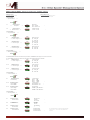
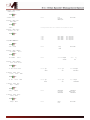
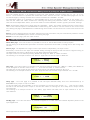
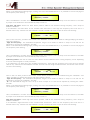
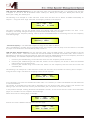
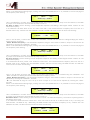
4. Output[x]
[Name]
Vu-Meter = Level
Vu-Meter
ESC
ENTER
-> Vu-Meter = Level
PM1 N/A
Level
Limiter Act.
RMS Cmp Act.
[Name] Name
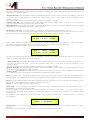
5. Output[x]
Name = [Name]
ENTER
Same as PM2
ESC
(For Editing the Device's Name, refer to the Details on the“Utility Menus Use” Section)
-> Name = _
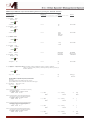
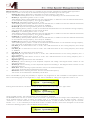
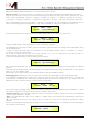
[Name] Source
6. Output[x]
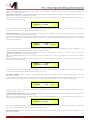
A=00 B=--- C=--- D=---
ENTER
ESC
->
->
->
->
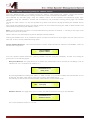
[Name] Gain
7. Output[x]
Gain = + 0.0 dB
ENTER
Mute
Mute
Mute
Mute
=
=
=
=
On/Off
On/Off
On/Off
On/Off
Val=
Val=
Val=
Val=
-30
-30
-30
-30
up
up
up
up
to
to
to
to
00
00
00
00
ESC
-> Gain = + 0.0 dB
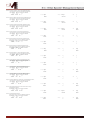
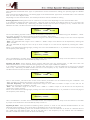
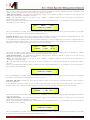
[Name]
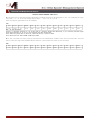
8. Output[x]
Thr: +12.0dBu
ENTER
In-A
In-B
In-C
In-D
PM1 N/A
-18 db
:
+18 dB
Same as PM2
RMS Cmp
Rto: 1:1
ESC
-> Thr: +12.0dBu
Rto: 1:1
[Threshold] +20.0dBu
PM1 N/A
:
-10.0dBu
[Ratio]
1:1
:
32:1
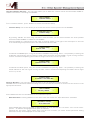
[Name] RMS Cmp
9. Output[x]
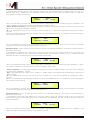
A: 5ms R: 0.2s Kn= 2%
ENTER
-> A: 5ms
ESC
R: 0.2s
Kn= 2%
[Atk time] 5ms
[Rel time] 0.1s
[Knee.] Hard (00%)
[Atk time] 5ms
[Rel time] 0.1s
[Amp.] -10.0 dB
PM1 N/A
000.0000mS
[1 ms steps]
848.0000mS
PM1 N/A
Normal
Invert
:
200ms
:
3.0s
:
Soft (100%)
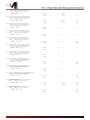
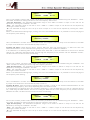
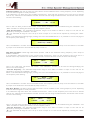
[Name] Limiter
10. Output[x]
A: 5ms
R: 0.2s
+20dB
ENTER
-> A:
5ms
ESC
R: 0.2s
+20dB
:
200ms
:
3.0s
:
+20.0dB (OFF)
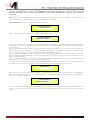
[Name] Delay
11. Output[x]
Delay =
0.000 ms
ENTER
-> Delay =
ESC
0.000 ms
000.0000mS
[20.8 us steps]
000.9984mS
[Name] Polarity
12. Output[x]
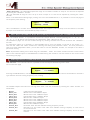
Polarity = Normal
ENTER
ESC
-> Polarity = Normal
Same as PM2