1
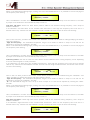
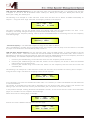
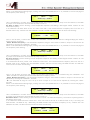
If we selected a All Pass_2 filter, with variable Q, within EQ-1, then Phase Rotation Frequency has to be set at a
desired value of say 1000Hz with the NAV/PM1 encoder and the Q at 3.5 using the PM3 encoder; the EQ submenu screen will show the following:
Input-A
->1000Hz
EQ-1
------dB
Q= 3.5
Once in the All Pass_2 Filter's edit screen, all the filter's parameters can be modified using the “NAV/PM1” and
“PM3” encoders for editing the Filter's Phase Rotation Frequency and Q:
“Phase Rotation Frequency”: the selectable frequencies range is from 20Hz to 20kHz in steps of 1Hz and can be
adjusted by rotating the “NAV/PM1” encoder.
“Q”: the selectable Q range is from 0.3 up to 20.0 in steps of 0.1 and can be adjusted by rotating the “PM3”
encoder.
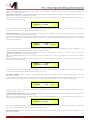
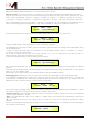
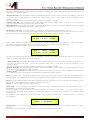
When in the Parameters Editing Page, pushing once more the ENTER Button, it is possible to access the page of
the Frequency Fast Setting:
Input-A
EQ-1
->Edit Freq = 1000Hz
Here, the NAV/PM1” encoder will increment/decrement the Frequency value by step of one thousand Hz, the PM2
by steps of one hundred Hz and the PM3 by steps of one Hz.
Band Pass Filter: Filters allowing to pass the band “around” the selected frequency; the amount of passing band is
decided by the Q value
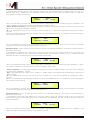
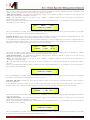
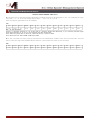
If we selected a Band Pass filter within EQ-1, then the Q has to be set at a desired value of say 1.00 using the
PM3 encoder, the GAIN at say +3dB using the PM2 encoder and the center Frequency at say 1.00KHz with the
NAV/PM1 encoder; the EQ sub-menu screen will show the following:
Input-A
->1.00kHz
EQ-1
+3.0dB
Q=1.00
Once in the Band Pass Filter's edit screen, all the filter's parameters can be modified using the “NAV/PM1”, “PM2”
and “PM3” encoders for editing the Filter's Center Frequency, Gain and Q:
“Center Frequency”: the selectable frequencies range is from 20Hz to 20kHz in steps of 1Hz and can be adjusted
by rotating the “NAV/PM1” encoder.
“Gain”: the selectable Gain range is from -15dB to +15dB in steps of 0.5 dB and can be adjusted by rotating the
“PM2” encoder.
“Q”: the selectable Q range is from 0.3 up to 20.0 in steps of 0.1 and can be adjusted by rotating the “PM3”
encoder.
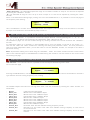
When in the Parameters Editing Page, pushing once more the ENTER Button, it is possible to access the page of
the Frequency Fast Setting:
Input-A
EQ-1
->Edit Freq = 1000Hz
Here, the NAV/PM1” encoder will increment/decrement the Frequency value by step of one thousand Hz, the PM2
by steps of one hundred Hz and the PM3 by steps of one Hz.
Notch Filt Filter: Filters canceling the band “around” the selected frequency; the amount of canceled band is
decided by the Q value
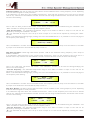
If we selected a Notch Filt filter within EQ-1, then the Q has to be set at a desired value of say 1.00 using the
PM3 encoder and the Notch Frequency at say 1.00KHz with the NAV/PM1 encoder; the EQ sub-menu screen will
show the following:
Input-A
->1.00kHz
EQ-1
-----dB
Q=1.00
Once in the Notch Filt Filter's edit screen, all the filter's parameters can be modified using the “NAV/PM1” and
“PM3” encoders for editing the Filter's Notch Frequency and Q: