1
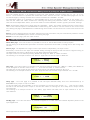
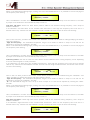
“Notch Frequency”: the selectable frequencies range is from 20Hz to 20kHz in steps of 1Hz and can be adjusted
by rotating the “NAV/PM1” encoder.
“Q”: the selectable Q range is from 0.3 up to 20.0 in steps of 0.1 and can be adjusted by rotating the “PM3”
encoder.
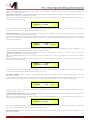
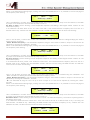
When in the Parameters Editing Page, pushing once more the ENTER Button, it is possible to access the page of
the Frequency Fast Setting:
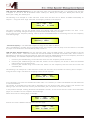
Input-A
EQ-1
->Edit Freq = 1000Hz
Here, the NAV/PM1” encoder will increment/decrement the Frequency value by step of one thousand Hz, the PM2
by steps of one hundred Hz and the PM3 by steps of one Hz.
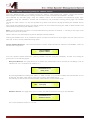
Menu “Output 1/2/3/4/5/6/7/8” Output Channels Editing [access by pushing the “1/2/3/4/5/6/7/8” buttons]
From the “Default Screen”, it is possible to access the “Output Channel” menu by pressing the “1”, “2”, “3”, “4”,
“5”, “6”, “7” or “8” button. Once pressed, the related blue “EDIT” LED will turn ON.
The Sub-Menus pages can now be scrolled through by rotating clockwise and counter-clockwise the “NAV/PM1”
encoder.
For parameter editing it is necessary to press ENTER and an arrow will appear on the left of the screen “->”.
Then use the “PM2” and “PM3” encoders for selecting and setting the parameter values. On some parameters
that have three independent values, you will also need to use the NAV/PM1 encoder, for example for the filter’s
parameter setting.
Note: All parameter editing can be done using the “NAV/PM1”, “PM2”, and “PM3” encoders and the current shown
value of the selected option is AUTOMATICALLY loaded during the encoders' use and stored as the current value
once leaving the page.
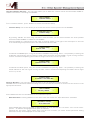
Audio Signal Output (1/2/3/4/5/6/7/8) Path Block Scheme
HPF sub-menu – from this sub-menu it is possible to set the Output Channels High Pass Filter.
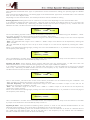
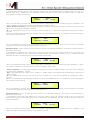
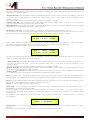
Once on the HPF page
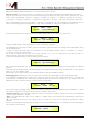
Out-1
High
HPF
Bypass
F = 12500Hz
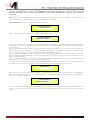
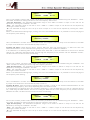
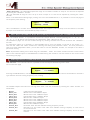
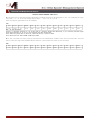
Pressing the ENTER Button, the filter type fields and the Cutting frequency fields, become accessible for the filter's
type selection and the Cutting Frequency “fine” setting
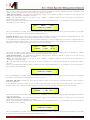
Out-1
High
HPF
->Bypass
F = 12500Hz
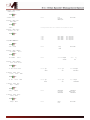
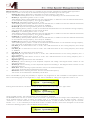
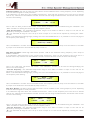
The available shapes and orders for the High Pass Filter, that are accessible by rotating the “PM2” encoder, are
listed below:
−
−
−
−
−
−
−
−
−
−
−
Bypass
Buttw_1st
Buttw_2nd
LRiley_2nd
Bessel_2nd
Buttw_3rd
Buttw_4th
LRiley_4th
Bessel_4th
Custom_2nd
Custom_3rd
−
Custom_4th
(High Pass Filter Bypassed)
(Butterworth Filter 6dB/Oct Slope)
(Butterworth Filter 12dB/Oct Slope)
(Linkwitz/Riley Filter 12dB/Oct Slope)
(Bessel Filter 12dB/Oct Slope)
(Butterworth Filter 18dB/Oct Slope)
(Butterworth Filter 24dB/Oct Slope)
(Linkwitz/Riley Filter 24dB/Oct Slope)
(Bessel Filter 24dB/Oct Slope)
(IInd Order Filter Cell with editable Cutting Frequency and Q)
(Cascade of 2 IInd Order Filter Cells with editable Cutting Frequency on both and Q
on the second one)
(Cascade of 2 IInd Order Filter Cells with editable Cutting Frequency and Q on both
of them)