1
WebUI
User Preferences
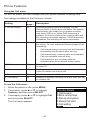
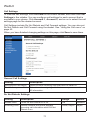
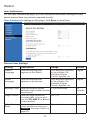
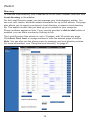
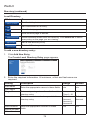
On the User Preferences page, you can configure some basic settings for your
phone and set how your phone responds to calls.
After changing any settings on this page, click Save to save them.
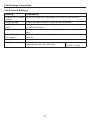
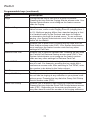
General User Settings
Setting
Description
Range
Default
WebUI
Language
Sets the language that
appears on the WebUI.
Any language supported
by your phone. For
example, English,
French, Spanish, etc.
English
Phone
Language
Sets the language that
appears on your phone.
Any language supported
by your phone. For
example, English,
French, Spanish, etc.
English
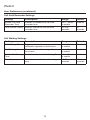
Backlight Timer
Sets how long the screen
backlight stays on after the last
button press.
10 to 60 seconds
30
seconds
Ringer Volume
Sets the ringer volume for
Off, 1–9
incoming calls. You can also
use the VOLUME q or p keys
on the deskset.
5
Default Audio
Mode
Sets how calls are answered
when you press a line key or
Answer . See also “Audio” on
page 64.
Speaker
73
Speaker, Headset